# Context Block
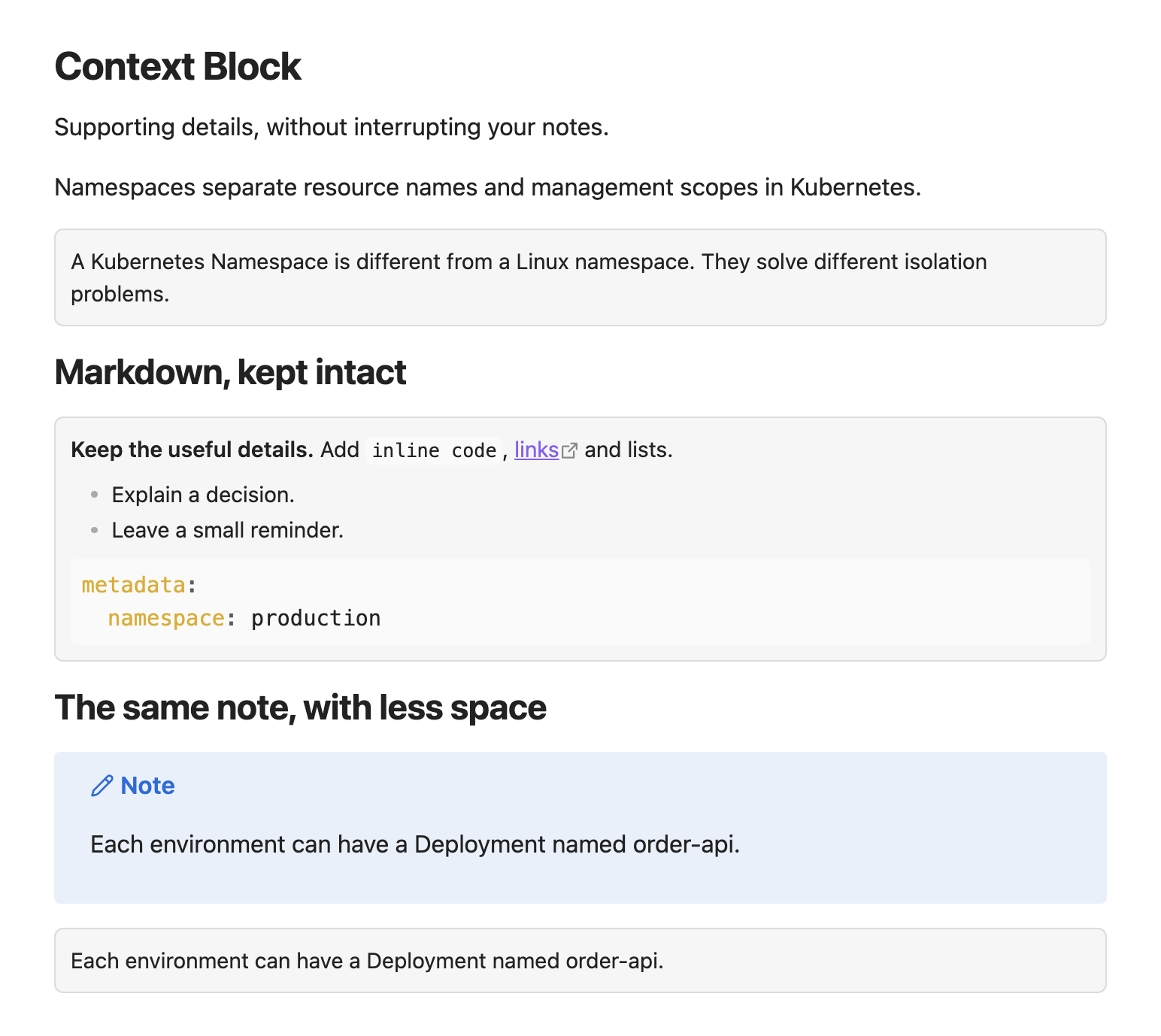
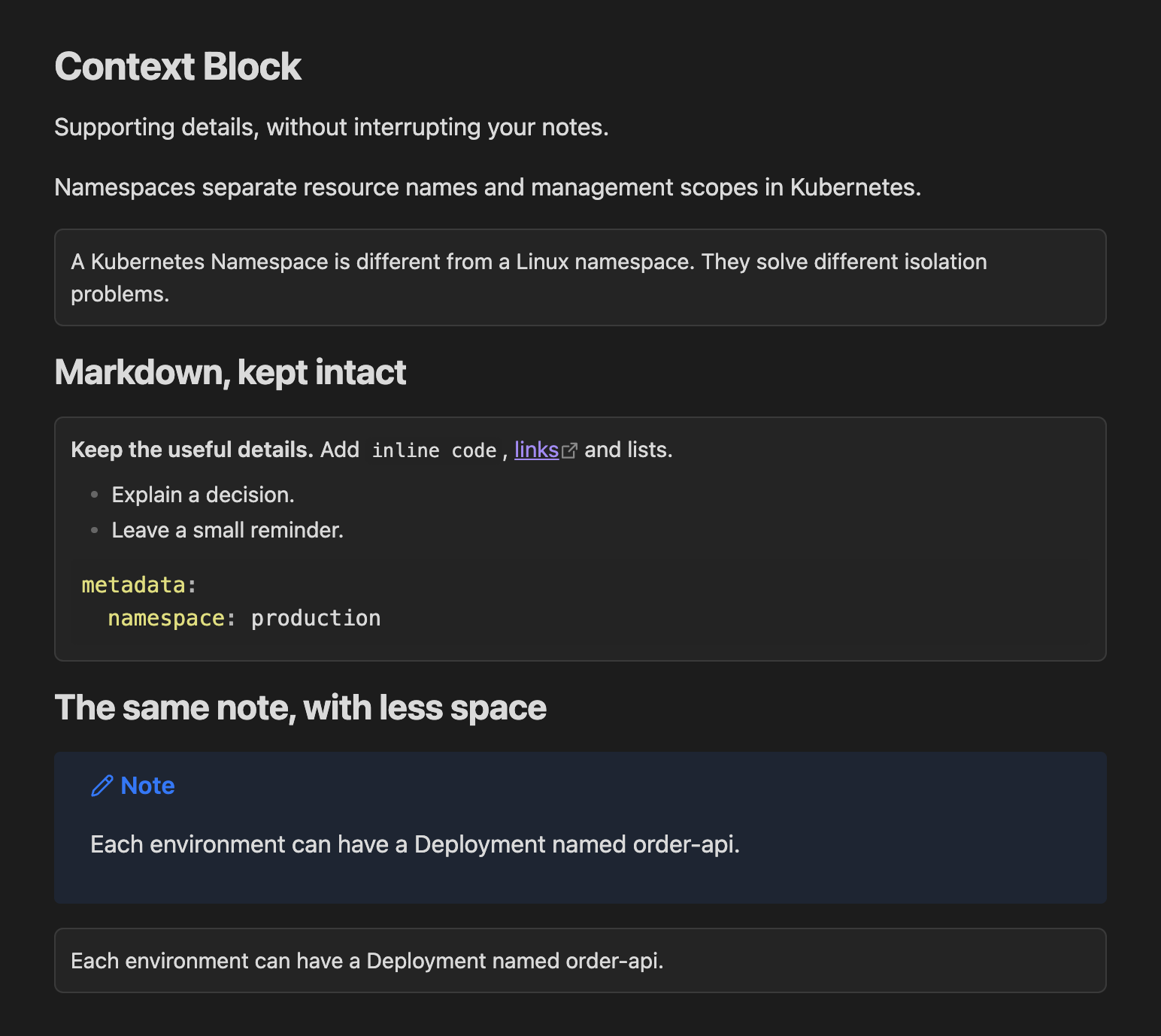
Supporting details, without interrupting your notes.
Turn supplementary information into compact, title-free blocks in Obsidian. Keep your links, lists and code, with less space around them.
Inspired by Craft.do’s compact presentation of supporting details, Context Block brings a similar feel to your Obsidian notes.
| Compact by default | Native Markdown | Your theme |
| --- | --- | --- |
| Equal padding and text at 90% of the note size. | Links, lists and code in Reading view and Live Preview. | Colors follow Obsidian, with adjustable background and border strength. |
## Write a context block
```markdown
> [!context]
> Linux Namespace와는 다른 수준의 개념임을 명시하자.
```
Use `[!context]` for a full-width block or `[!context-short]` for a block that fits its content. Both use the same compact appearance; your note stays plain Markdown.
```markdown
> [!context-short]
> It looks like this
```
## Commands
- **Context Block: Toggle wrapping** wraps paragraphs or quotes, or unwraps the context block containing the cursor. Assign a single shortcut to switch between both actions. Selections crossing a context boundary are left unchanged.
- **Context Block: Wrap selection** wraps the selected paragraphs or quotes. A partial selection expands to the full paragraph or quoted block. With no selection, it wraps the current paragraph or quote; on an empty line it inserts an empty block.
- **Context Block: Unwrap current block** unwraps the block containing the cursor. The selection must stay inside one block. Nested quotes remain intact.
All three commands use one editor transaction and support Undo/Redo. Assign shortcuts under **Settings → Hotkeys**. No default shortcuts are assigned.
Quotes retain their original `>` markers inside the context block, including nested quotes, other callouts and quoted code. Unwrapping restores the original quote. Wrapping rejects existing context blocks, frontmatter and standalone code blocks. Use a plain `> [!context]` or `> [!context-short]` header for blocks you want to unwrap with the command. Source mode retains normal Markdown syntax.
## Appearance
Under **Settings → Context Block**, configure:
| Setting | Default | Range |
| --- | --- | --- |
| Text size | 90% of note text | 75–100% |
| Padding | 10px on all sides | 4–24px |
| Background strength | 4% | 0–12% |
| Border strength | 12% | 0–30% |
Colors follow the active theme. Changes apply immediately and persist across restarts. **Reset to defaults** restores the appearance. Other callout types keep their existing styles.
Disabling the plugin leaves valid callout Markdown in the note. Obsidian then renders it as a regular callout.
## Local installation
Requires Obsidian 1.8.9 or newer.
1. Run `npm install` and `npm run build`.
2. Create `/.obsidian/plugins/context-block/`.
3. Copy `main.js`, `manifest.json`, and `styles.css` into that folder.
4. Reload Obsidian and enable **Context Block** under **Settings → Community plugins**.
## Development
- `npm run dev`: watch and rebuild.
- `npm run build`: type check and production bundle.
- `npm run lint`: lint.
- `npm test`: document transformation regression tests.
No network requests, telemetry or external services are used by the plugin. The implementation uses browser-compatible APIs.