# Codex Reset Radar (WhenReset)
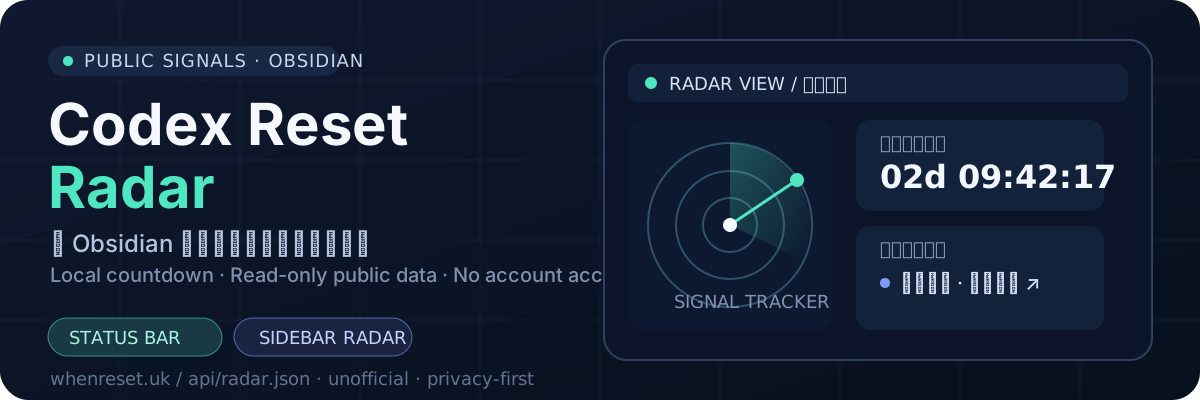
在 Obsidian 里追踪 ChatGPT / Codex 的公开额度重置信号:状态栏倒计时、侧边栏雷达和新公告通知。它只读取 [WhenReset](https://whenreset.uk) 的公开雷达数据,不连接 ChatGPT、Codex 或你的账户。
Track public ChatGPT / Codex reset signals in Obsidian with a status-bar countdown, a sidebar radar, and notices for new announcements. The plugin reads only the public [WhenReset](https://whenreset.uk) radar data; it never connects to your ChatGPT, Codex, or personal account.
> 非官方插件。公开消息和统计推断均不等于官方公告;倒计时归零不代表额度已经重置。
>
> Unofficial plugin. Public posts and statistical forecasts are not official announcements, and a zero countdown does not confirm a reset.
## 功能 / Features
- 状态栏常驻倒计时:每秒在本地刷新,不增加网络请求。
- 侧边栏雷达:查看同步状态、候选时间、最近事件和原帖链接。
- 公告提醒:新的已宣布重置、发卡或预告出现时提示。
- 可配置数据源和刷新间隔,默认每 15 分钟拉取一次。
- Always-on status-bar countdown that ticks locally without extra requests.
- Sidebar radar for sync status, candidate times, recent events, and source links.
- Notices for new announced resets, card distribution, or schedules.
- Configurable data source and refresh interval; the default is 15 minutes.
## 安装 / Install
### Obsidian 社区插件目录
在 Obsidian 中打开 **设置 → 社区插件 → 浏览**,搜索 `Codex Reset Radar` 或 `WhenReset`。社区目录审核通过后可直接安装。
Open **Settings → Community plugins → Browse** in Obsidian, then search for `Codex Reset Radar` or `WhenReset`. Direct installation will be available after the community-directory review is approved.
### 手动安装 / Manual installation
1. 从 [GitHub Releases](../../releases) 下载与版本对应的 `main.js`、`manifest.json` 和 `styles.css`。
2. 在你的 vault 中创建 `/.obsidian/plugins/whenreset/`。
3. 将上述三个文件放入该目录,重启 Obsidian,并在社区插件设置中启用 **Codex Reset Radar**。
1. Download the matching `main.js`, `manifest.json`, and `styles.css` from [GitHub Releases](../../releases).
2. Create `/.obsidian/plugins/whenreset/`.
3. Place the three files there, restart Obsidian, and enable **Codex Reset Radar** under Community plugins.
## 数据、网络与隐私 / Data, network, and privacy
- 唯一网络行为:按设定间隔对 `https://whenreset.uk/api/radar.json` 发起公开只读 `GET` 请求。
- 不收集或上传用户数据;不读取 vault 内容;没有遥测。
- 页面中展示的候选时间来自公开消息与统计推断,应仅作为参考;请以官方渠道为准。
- The only network activity is a periodic, read-only `GET` request to `https://whenreset.uk/api/radar.json`.
- No user data collection or upload, no vault-content access, and no telemetry.
- Candidate times are derived from public messages and statistical inference. Treat them as reference only and rely on official channels for confirmation.
## 设置建议 / Suggested settings
- 默认 15 分钟刷新适合日常使用。
- 若只想减少通知,在 Obsidian 设置中关闭公告提醒,仍可在侧边栏手动查看雷达。
- 自定义数据源前,请确认它提供与默认接口兼容的公开只读 JSON;不要填入含有个人凭据的地址。
## 联系与社区 / Contact and community
想反馈问题、讨论功能或交流 AI 工具,可以通过以下入口联系:
- 微信:`zack6116`
- 公众号:**Zack说AI**
- X (Twitter):[@zack6116](https://x.com/zack6116)
飞书项目交流群正在筹备,建成后会在此 README 和项目发布页补充正式入口。
For feedback, feature discussions, or AI-tool conversation:
- WeChat: `zack6116`
- WeChat Official Account: **Zack说AI**
- X (Twitter): [@zack6116](https://x.com/zack6116)
The Feishu project group is being prepared. Its official entry point will be added here and on the release page when available.
## 开发 / Development
需要 Node.js ≥ 22.18。
```bash
npm install
npm run dev # watch build
npm run build # typecheck + production build
npm test # node:test
```
## License
[MIT](LICENSE)