Semantic Auto-Linker



Semantic Auto-Linker helps you discover and connect the hidden structure in your Obsidian vault.
It finds missing wiki-links, previews the graph impact before writing anything, and lets you explore your notes as a semantic space where similar notes and concepts appear closer together.
If Semantic Auto-Linker saves you time, consider starring the repo. Stars help other Obsidian users find the plugin.
It focuses on three things:
- safe inline linking with review before write
- semantic structure discovery across notes and concepts
- vault-wide review with graph impact before applying links
## Best for
- large note vaults
- sparse graph users
- PKM and research notes
- people who want review-before-write linking
## Preview links before applying them
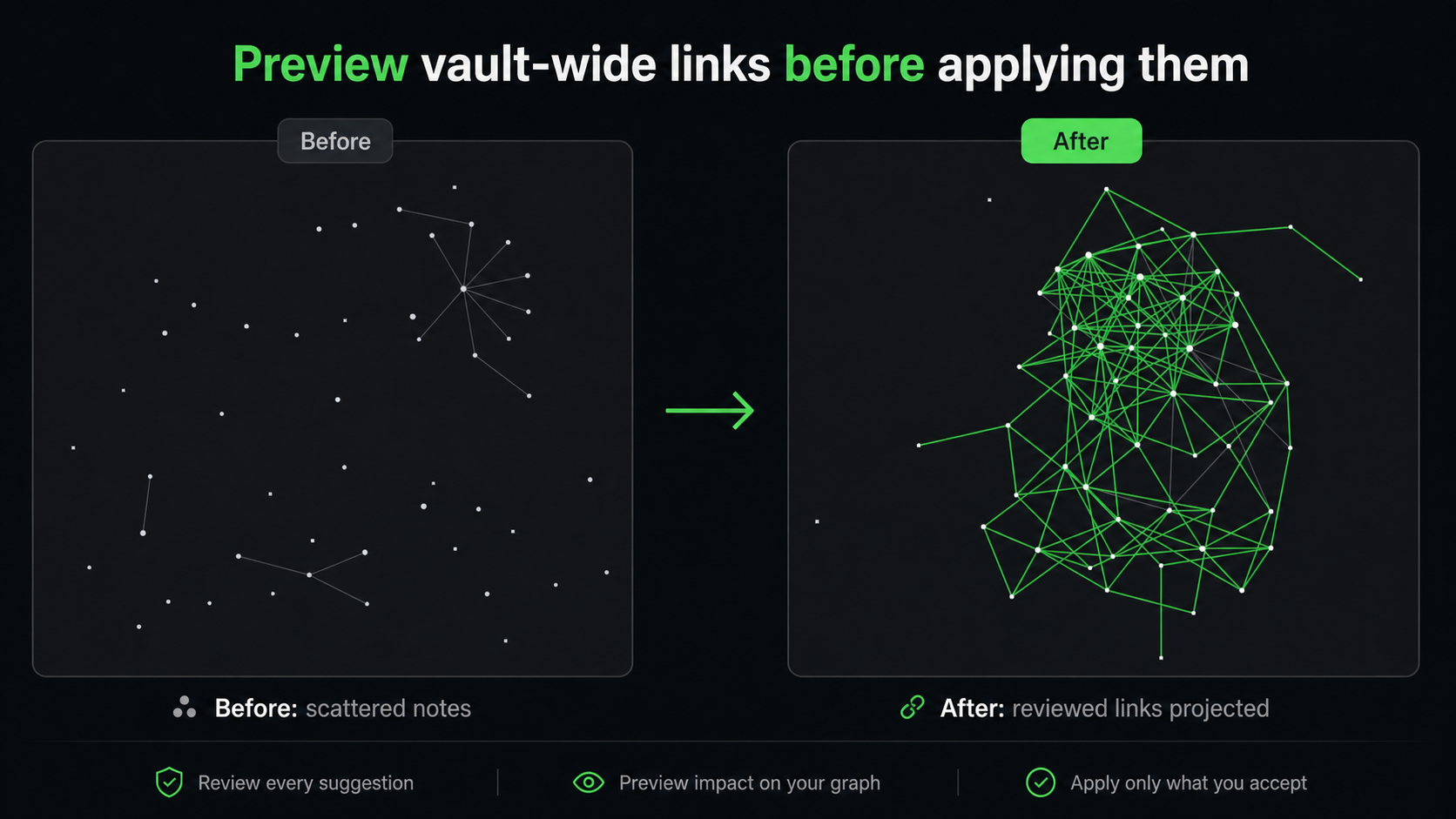
Semantic Auto-Linker previews how accepted suggestions reshape your vault graph before anything is written.
## Explore your semantic note space

Obsidian's graph view shows the links you already made. Semantic Auto-Linker also shows the relationships your vault implies.
The embedding explorer projects your vault into a semantic vector space, where similar notes and extracted concepts appear close together even when they are not linked yet. Use it to spot clusters, isolated ideas, and relationships your existing graph does not show.
## Watch whole-vault review build live

Run a vault-wide scan, choose exact matches, AI matches, or both, and review every suggestion while the graph preview updates. You can close the modal while the scan continues in the background.
## Suggestions while you write
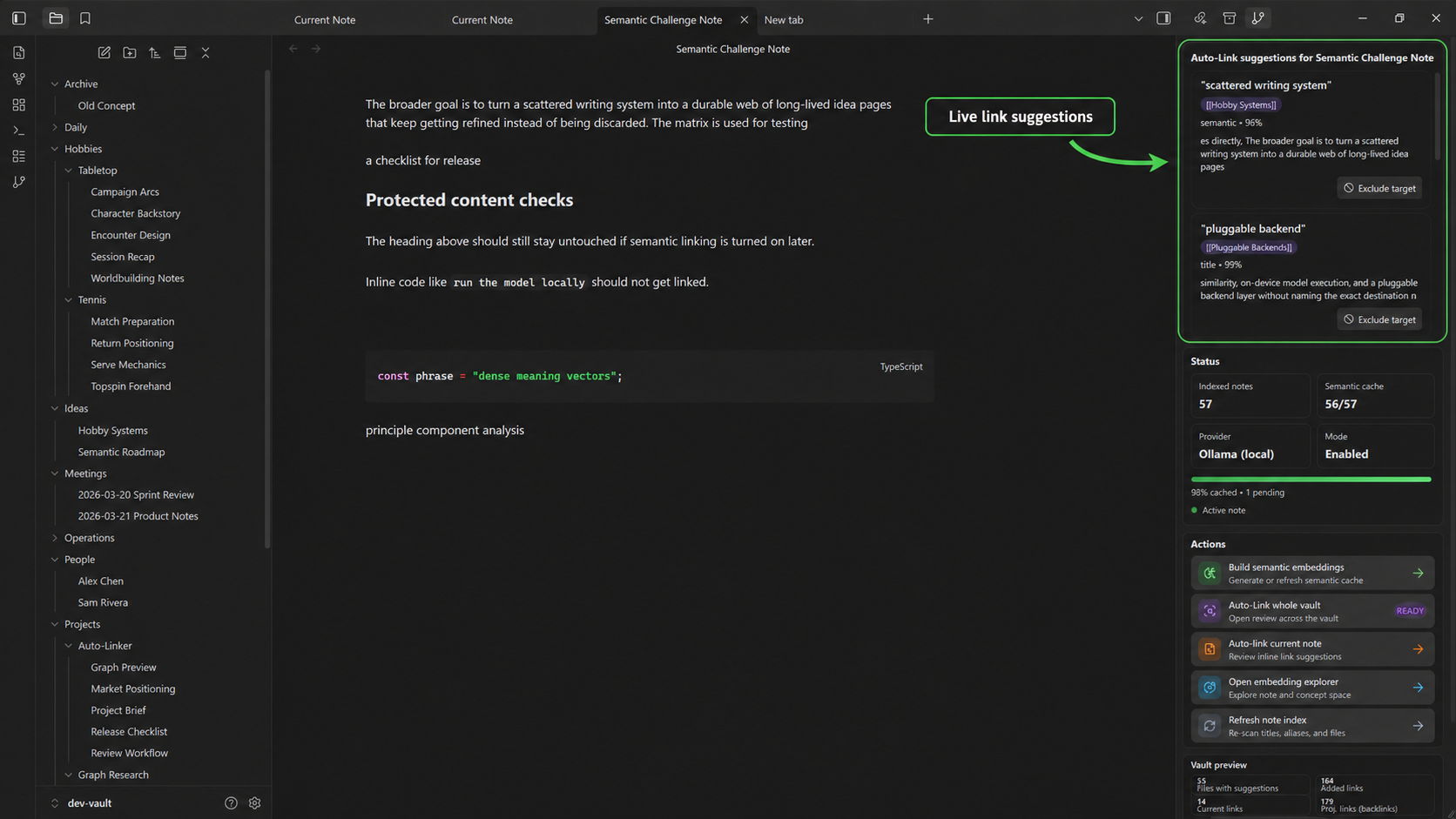
Keep a sidebar open for contextual link suggestions with confidence, source type, context, and one-click target exclusion.
## Features
- Analyze the current note and review suggested inline `[[links]]`
- Analyze the whole vault and review suggestions before applying
- Explore your vault as a semantic vector space
- Choose exact matches, AI matches, or both before each whole-vault scan
- Exclude or retarget noisy suggestions directly from review rows
- Switch insertion mode per review:
- `Inline` updates matched text in place
- `Footer` writes accepted targets into a footer section
- Strong safety rules:
- skip frontmatter
- skip fenced code and inline code
- skip existing wikilinks and Markdown links
- skip self-links
- avoid duplicate link targets in the same note
- Deterministic matching for titles, aliases, normalization, and acronyms
- Local semantic retrieval with a built-in embedding model or Ollama
- Embedding explorer with PCA note/concept views
- Persistent whole-vault review state with background refresh when notes change
## Semantic mode
Semantic mode is enabled by default and local-first.
Current provider support:
- Built-in local model through Transformers.js
- Ollama
Typical setup:
1. In Obsidian, open **Settings → Community plugins → Semantic Auto-Linker**.
2. Keep **Semantic provider** set to **Local model (built-in)**.
3. Keep **Local compute** set to **Auto**. It tries graphics acceleration when Obsidian exposes it, then falls back to the processor.
4. Run **Build semantic embeddings**. The default local model downloads automatically on first use and is cached locally.
Optional Ollama setup:
1. Install and run [Ollama](https://ollama.com/).
2. Pull an embedding model, for example:
- `ollama pull embeddinggemma`
3. Select the Ollama provider and model.
4. Run **Build semantic embeddings**.
## Privacy and network behavior
- The plugin is local/offline by default for deterministic linking.
- The default built-in local model downloads model files from Hugging Face on first use, then runs on-device.
- When semantic mode uses Ollama, the plugin sends note-derived text to the configured Ollama endpoint, which is typically `http://127.0.0.1:11434`.
- Auto-maintenance can rebuild the note index and semantic cache after vault changes if you enable it in settings.
- No telemetry or analytics are included.
- No cloud service is required.
## Commands
- `Open control panel`
- `Analyze current note for safe links`
- `Auto-link current selection`
- `Analyze whole vault for safe links`
- `Show embedding explorer`
- `Build or rebuild semantic index`
- `Build or rebuild note index`
- `Show related notes`
## Development
Install dependencies:
```bash
npm install
```
Build:
```bash
npm run build
```
Lint:
```bash
npm run lint
```
Semantic regression tests:
```bash
npm run test:semantic
```
Dev vault sync:
```bash
npm run build:dev-vault
```
## Manual install
Copy these files into:
```text
/.obsidian/plugins/semantic-auto-linker/
```
Files:
- `main.js`
- `manifest.json`
- `styles.css`
Then reload Obsidian and enable the plugin in **Settings → Community plugins**.
## Known limitations
- Semantic suggestions are still more conservative and less reliable than deterministic title/alias matches.
- Semantic quality depends heavily on the local embedding model.
- The plugin is currently desktop-only.
## License
Semantic Auto-Linker is released under the MIT license.
## Release
Marketplace release assets:
- `main.js`
- `manifest.json`
- `styles.css`
`manifest.json` and `versions.json` must be updated together for each release version.