[](https://community.obsidian.md/plugins/harmony)
[](https://github.com/Yodavatar/Harmony)
[](https://github.com/Yodavatar/Harmony/blob/main/LICENSE)
[](https://github.com/Yodavatar/Harmony)
## Table of Contents
- [Introduction](#introduction)
- [Features](#features)
- [Installation](#installation)
- [Usage](#usage)
- [Contribution](#contribution)
- [License](#license)
- [Contact](#contact)
## Introduction
The goal of Harmony is to make Obsidian
as powerful as a professional tool (like Notion),
but 100% local and open source.
Be as productive as possible by staying in control of your data.
There are many ways to be more productive;
the methods we are trying to implement are [here](https://www.todoist.com/en/productivity-methods).
Harmony is open to contribution.
Look at the [Roadmap](ROADMAP.md) to see what happens next.
## Features
__**1 - Dashboard module**__
Dashboard in a new window.
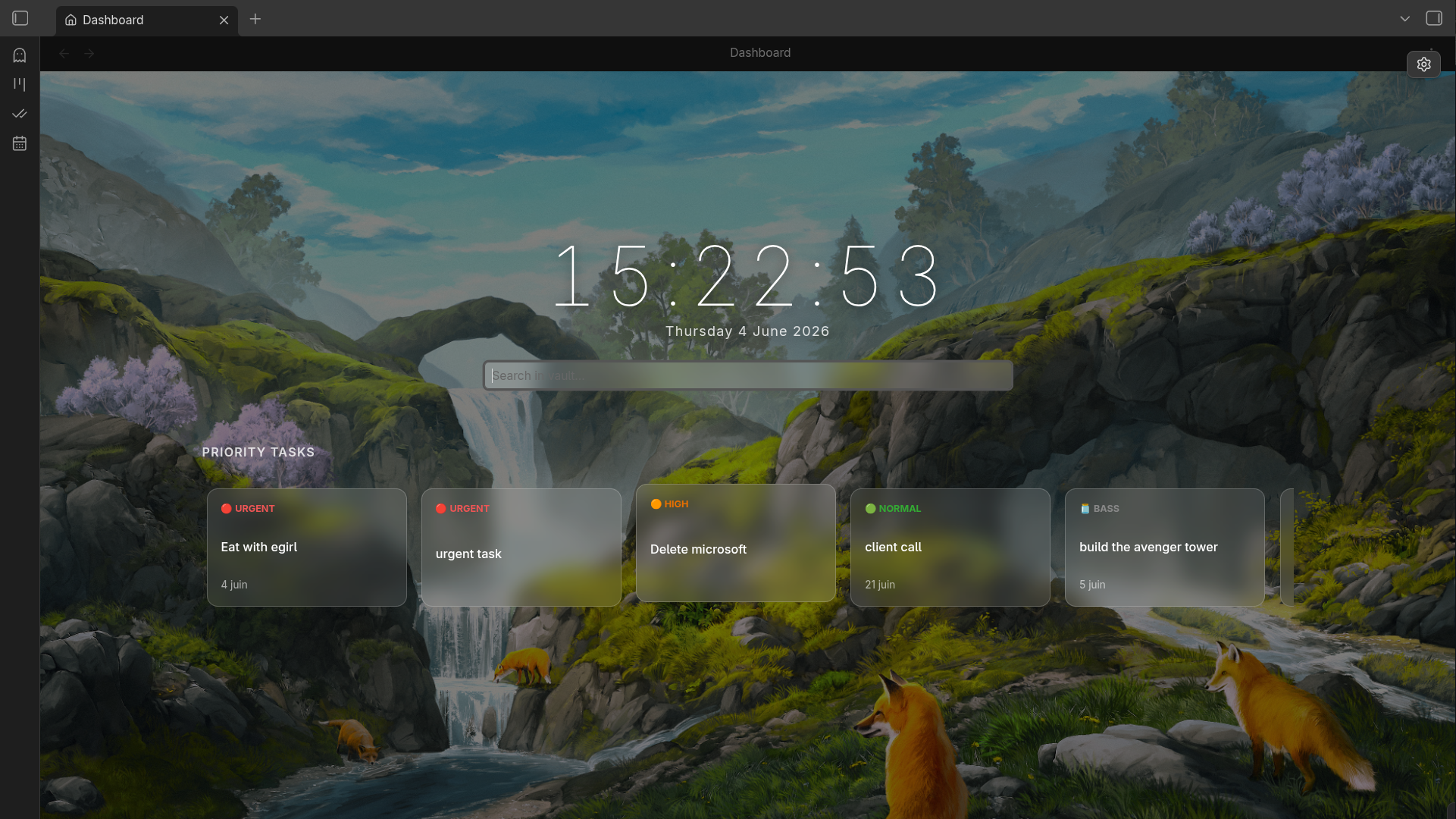
- Urgent tasks
- Next tasks
- +More customization options
__**2 - Better Kanban module**__
Kanban is a methode of organisation for a to do list.
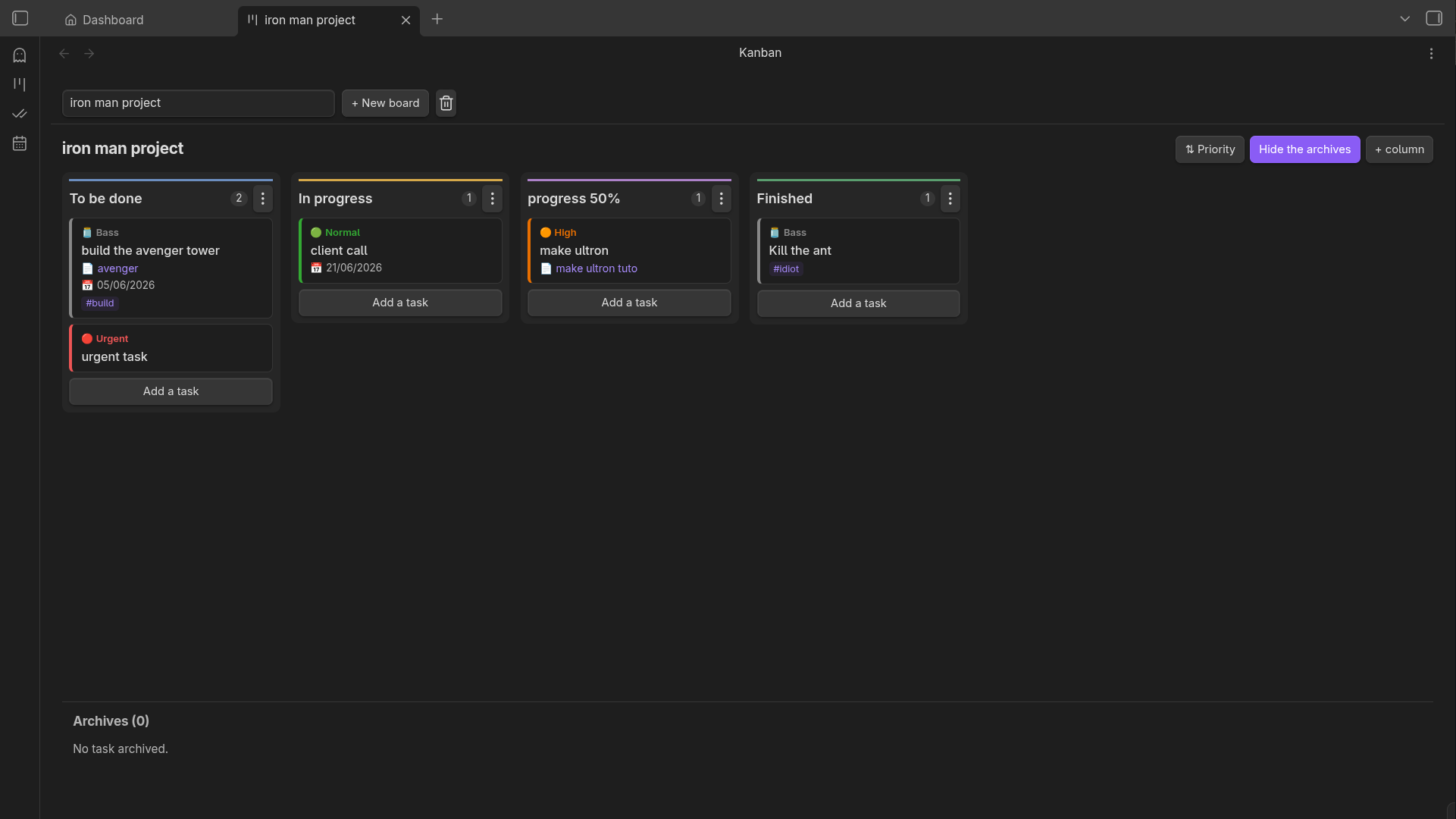
- Support for multiple boards
- Multiple columns (move left/right, change color, delete)
- Create tasks (multiple priorities, due dates, links, tags, delete)
- Archiving features for notes
- Sort tasks
__**3 - Better Calendar module**__
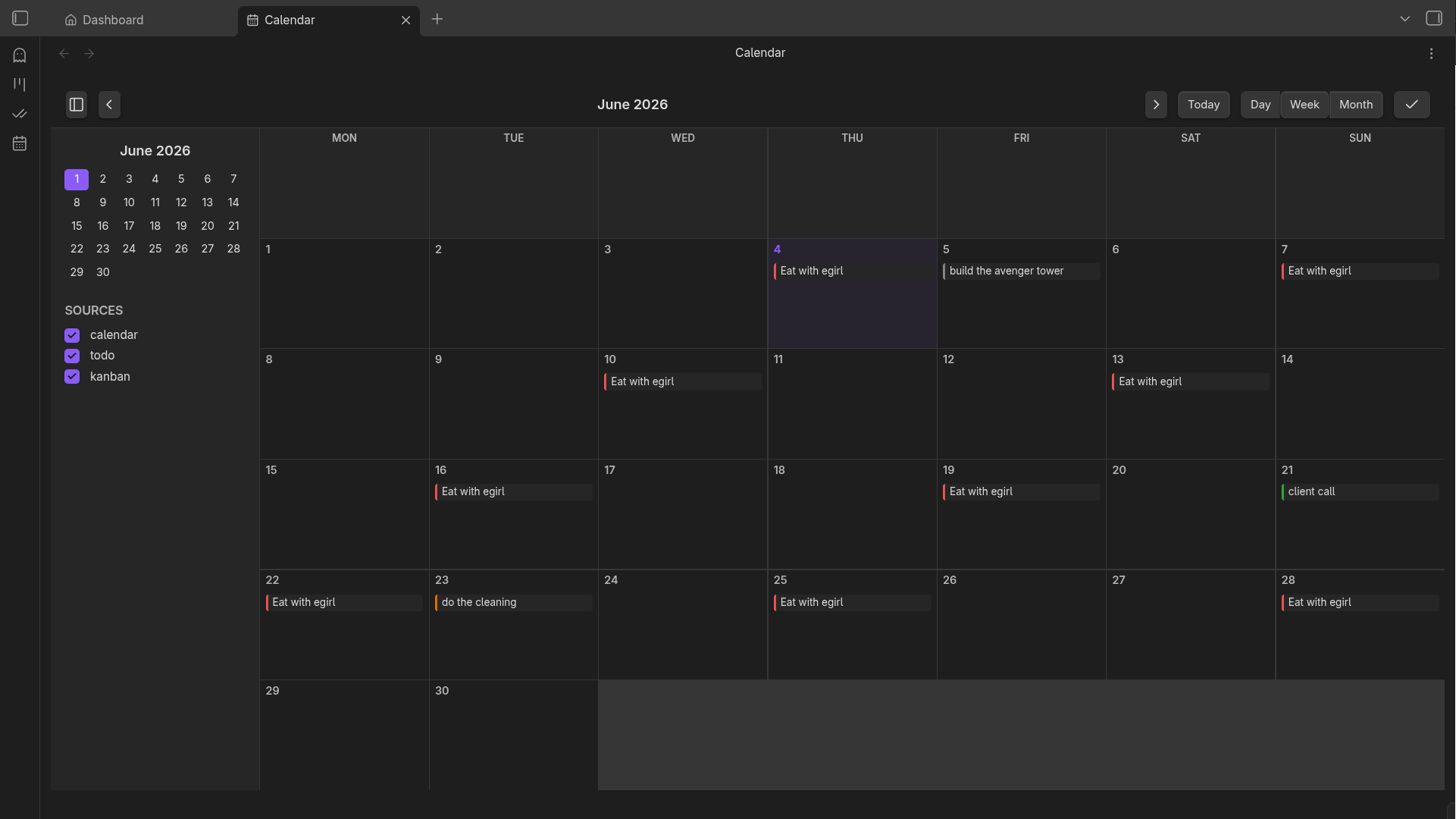 - Multiple view (daily, weekly, monthly)
- Create tasks (multiple priorities, due dates, delete )
- Support for recurring tasks
__**4 - Minimalist Todo List**__
A simple to-do list organized by priority.
- Multiple view (daily, weekly, monthly)
- Create tasks (multiple priorities, due dates, delete )
- Support for recurring tasks
__**4 - Minimalist Todo List**__
A simple to-do list organized by priority.
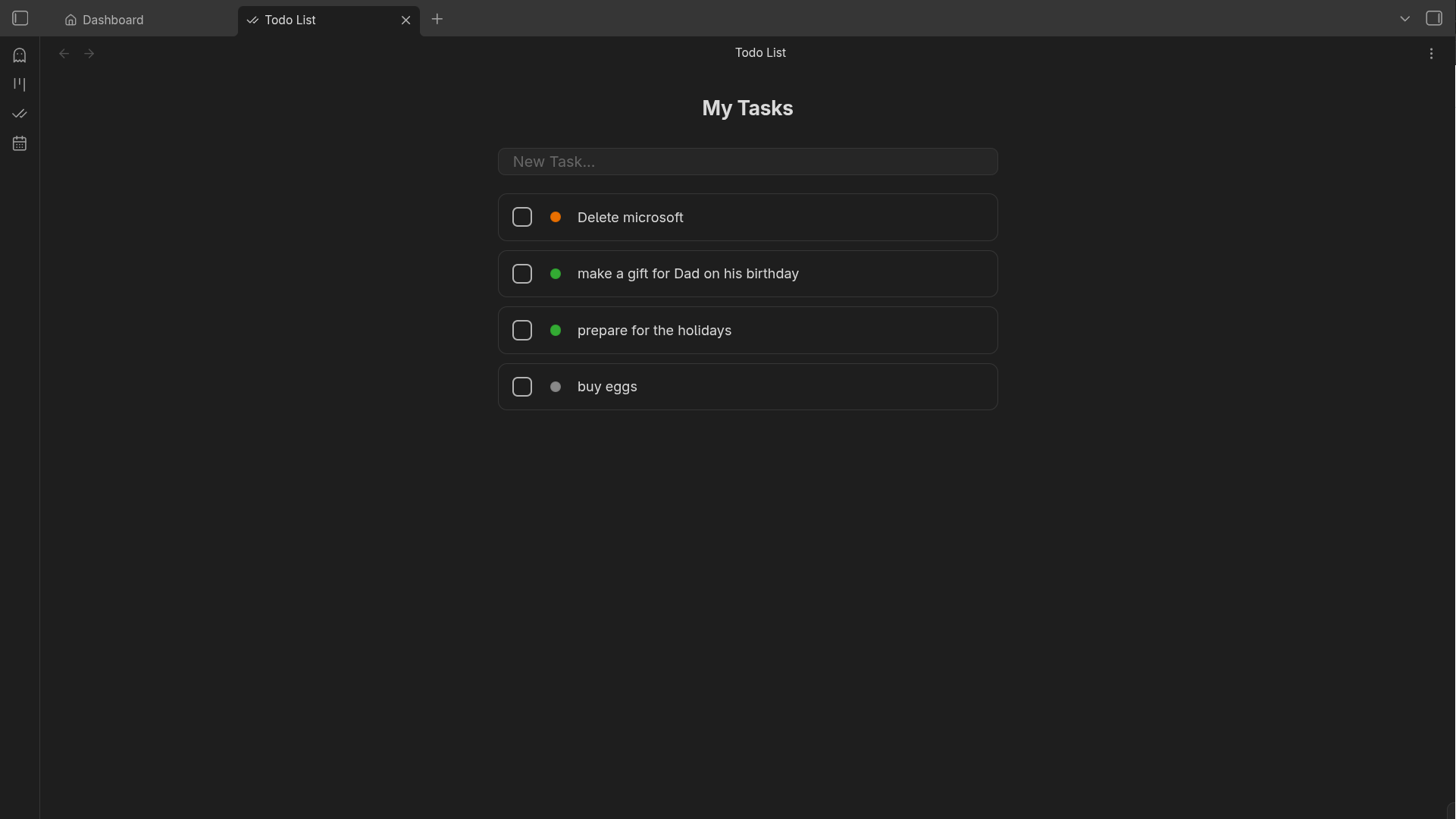 - create a quick task
- Change priority / delete
__**5 - Activated/Desactivated module**__
Enable or disable the module you need, in the Harmony settings.
- create a quick task
- Change priority / delete
__**5 - Activated/Desactivated module**__
Enable or disable the module you need, in the Harmony settings.
 ## Installation
To install Harmony, you can:
1. **Directly from the Obsidian store**:
Download [here](https://community.obsidian.md/plugins/harmony).
## Installation
To install Harmony, you can:
1. **Directly from the Obsidian store**:
Download [here](https://community.obsidian.md/plugins/harmony).
2. **Clone the repository**:
```bash
git clone git@github.com:Yodavatar/Harmony.git
```
3. **Get to zip**:
You can get the link to the zip [here](https://github.com/Yodavatar/harmony/archive/refs/heads/main.zip).
## Usage
To use Harmony you need to have last obsidian's version.
You can install Obsidian on [here](https://obsidian.md/download).

Go to settings, on the Community plugins
Then you need to activate community plugins.
Place the project in the "plugins" folder
of the Obsidian Vault you want to test.
 Install dependencies
```bash
npm install
npm run build //run in the good folder
```
Now you return in the Community plugins.
You should see that the pluggin.
The final step is to activate the plugin.
 ## Contribution
__**Want to contribute to Harmony.**__
We love community contributions! You can find all the guidelines, code standards, and workflow steps in our [Contribution Guide](CONTRIBUTING.md).
## License
This project is licensed under the agpl-3.0.
## Contribution
__**Want to contribute to Harmony.**__
We love community contributions! You can find all the guidelines, code standards, and workflow steps in our [Contribution Guide](CONTRIBUTING.md).
## License
This project is licensed under the agpl-3.0.
See the [GNU AFFERO GENERAL PUBLIC LICENSE](LICENSE) file for details.
## Discussions
The Discussions are open [here](https://github.com/Yodavatar/Harmony/discussions).
## Contact
If you have any questions or suggestions,
feel free to contact me at contact@yodavatar.me