
Typed Graph
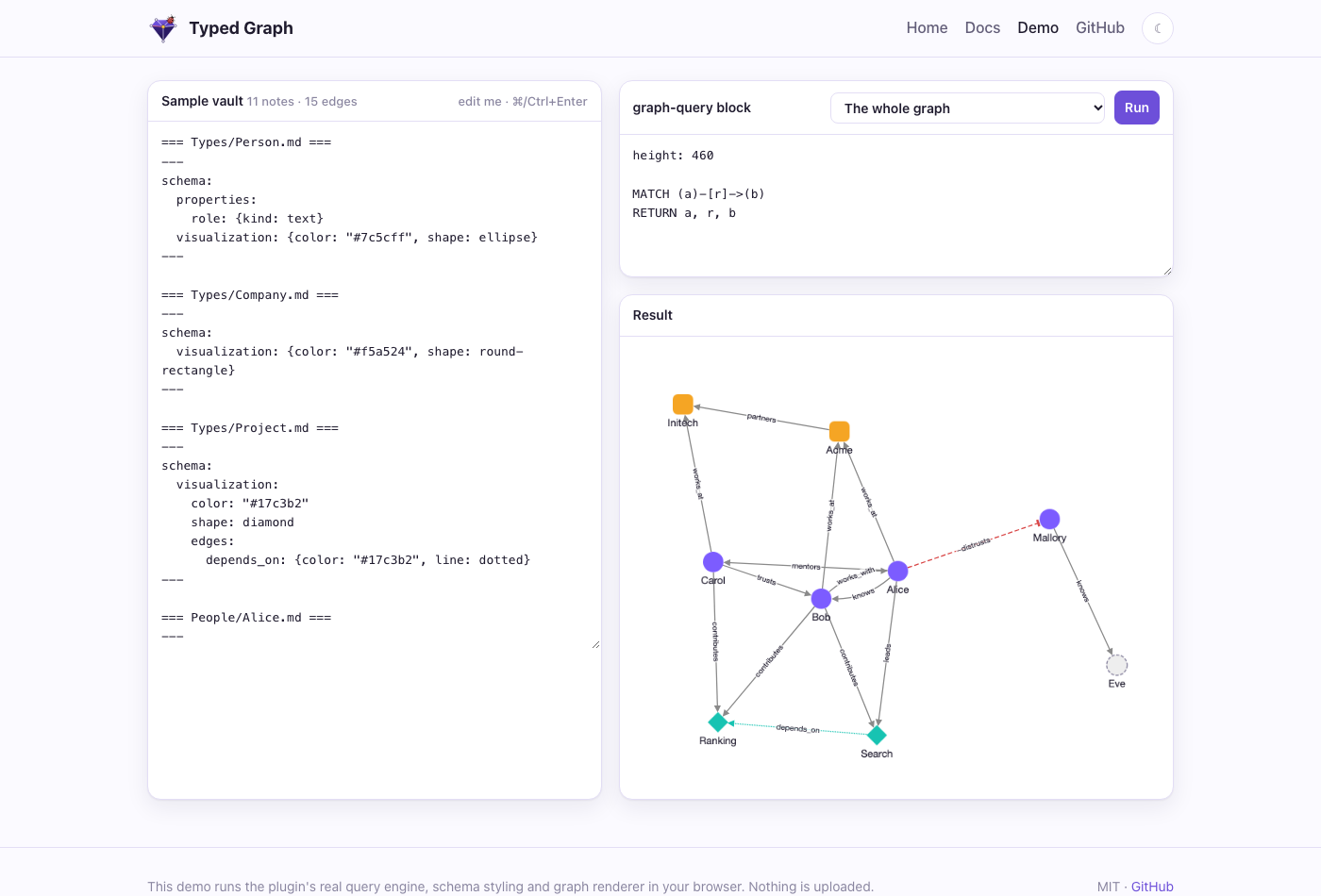
Your Obsidian notes as a real graph: typed, signed, labeled edges with properties, openCypher queries, a graph view that shows what it means, and RAG-ready storage for agents.
Live demo ·
Docs ·
Website ·
Download


## Why
Obsidian links say *that* two notes are related, not *how*. Typed Graph lets one line say how:
```markdown
---
type: Person
---
knows:: [[Bob]] {since: 2020, label: "met at NeurIPS"}
works_at:: [[Acme]]
-distrusts:: [[Mallory]]
```
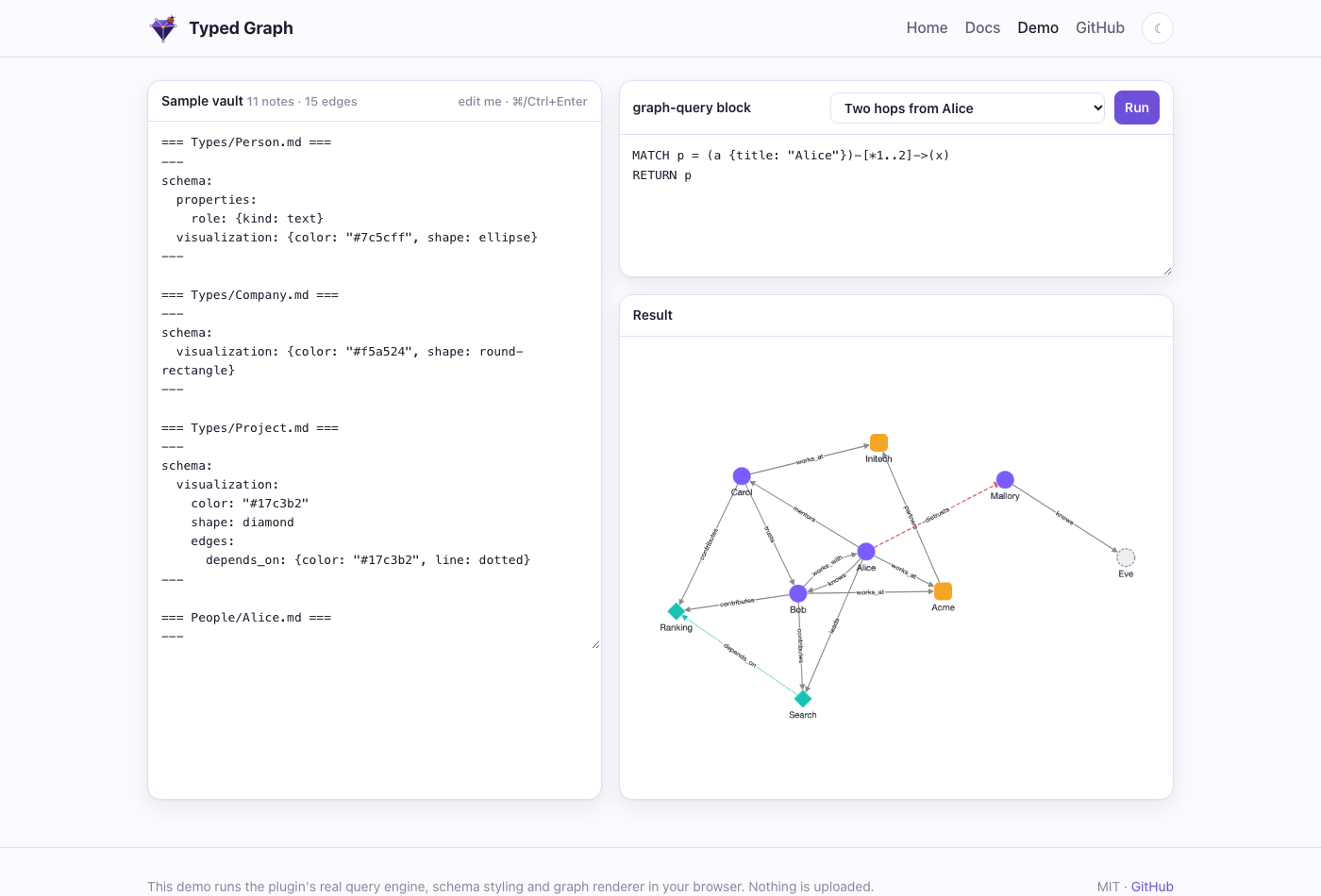
Then you can ask the vault questions in openCypher, inside any note:
````markdown
```graph-query
MATCH (p:Person)-[c:contributes]->(proj:Project)
RETURN p.title AS person, proj.title AS project, c.hours AS hours
ORDER BY hours DESC
```
````
## Features
- **Typed, signed edges with properties.** `type:: [[Target]] {props}` works like Graph Link Types, so your existing lines keep working. A `-` prefix makes an edge negative, and edges can have stable or pinned ids.
- **Typed nodes and schema notes.** Frontmatter `type` gives a note its labels. A note in `Types/` declares a type's properties, allowed edges, template and look.
- **openCypher queries.** `MATCH`, `OPTIONAL MATCH`, `WITH`, aggregates, variable-length paths and path variables. Queries are read-only and errors are clear.
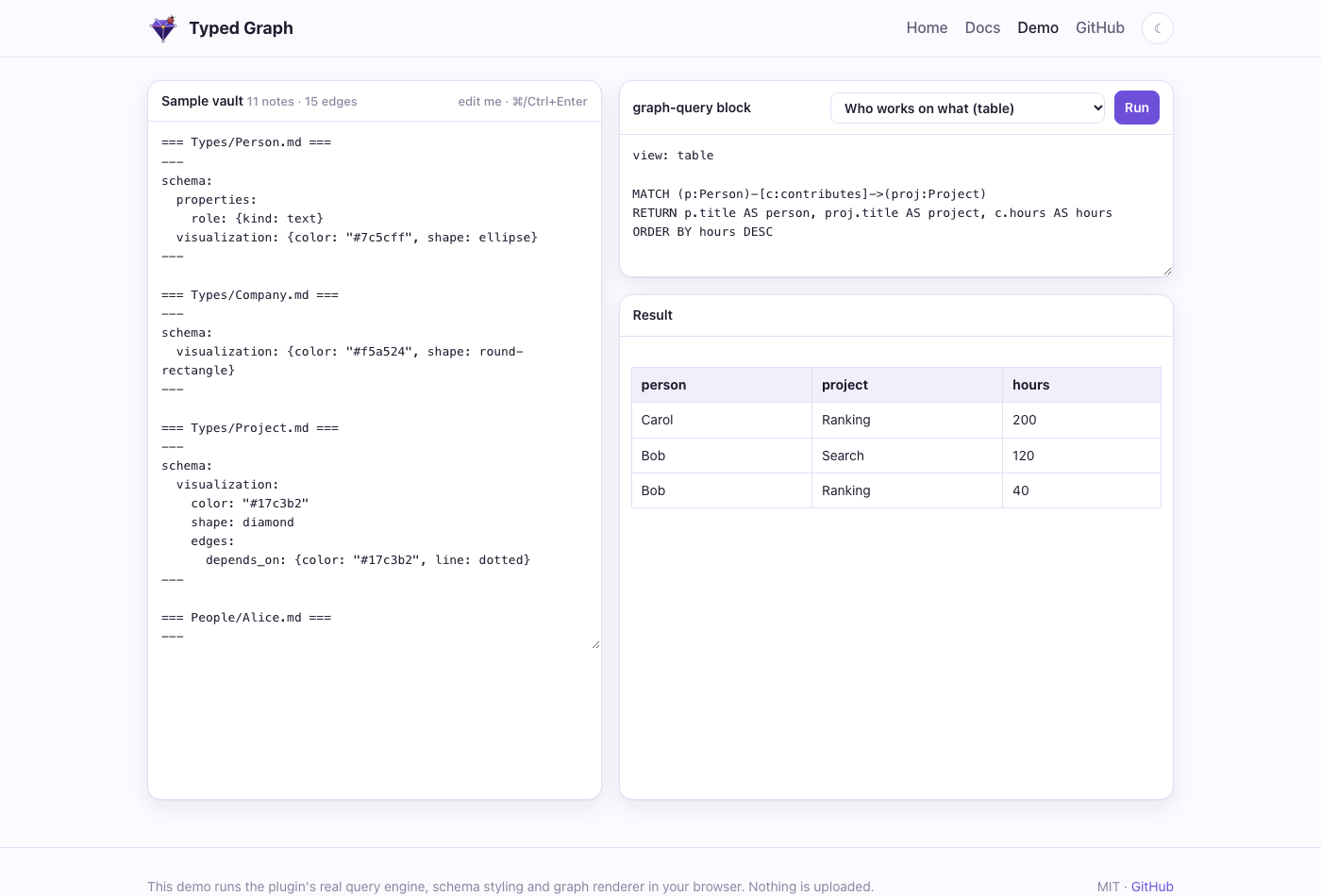
- **Graph or table, live.** Results render as a labeled, styled graph or a table, and refresh as you edit.
- **Graph view.** A full-pane explorer that follows the active note, expands neighbors and explains where each style comes from. Frontmatter `subtitle: billing` draws `specs/billing/spec.md` as *spec — billing*, so notes that share a file name stay apart. It is a separate view. Obsidian's core Graph view is left unchanged, but you can color types there yourself with groups such as `[type:Person]` (see the [docs](https://typedgraph.org/docs.html#graph-view)).
- **AsciiDoc notes.** `.adoc` files are typed notes too: properties in a leading `////` block or `:tg-*:` attributes, edges in `// @tg: cites:: [[Source]]` comments, so Asciidoctor renders the file exactly as before. See the [docs](https://typedgraph.org/docs.html#asciidoc).
- **Edge embeds.** `{{edge: Alice -knows-> Bob . since}}` shows an edge's property inside your prose.
- **Optional sidecar.** A LadybugDB mirror for full Cypher, local vector search (Ollama), GraphRAG with citations, and an **MCP server** for agents.
| | |
|---|---|
|  |  |
| 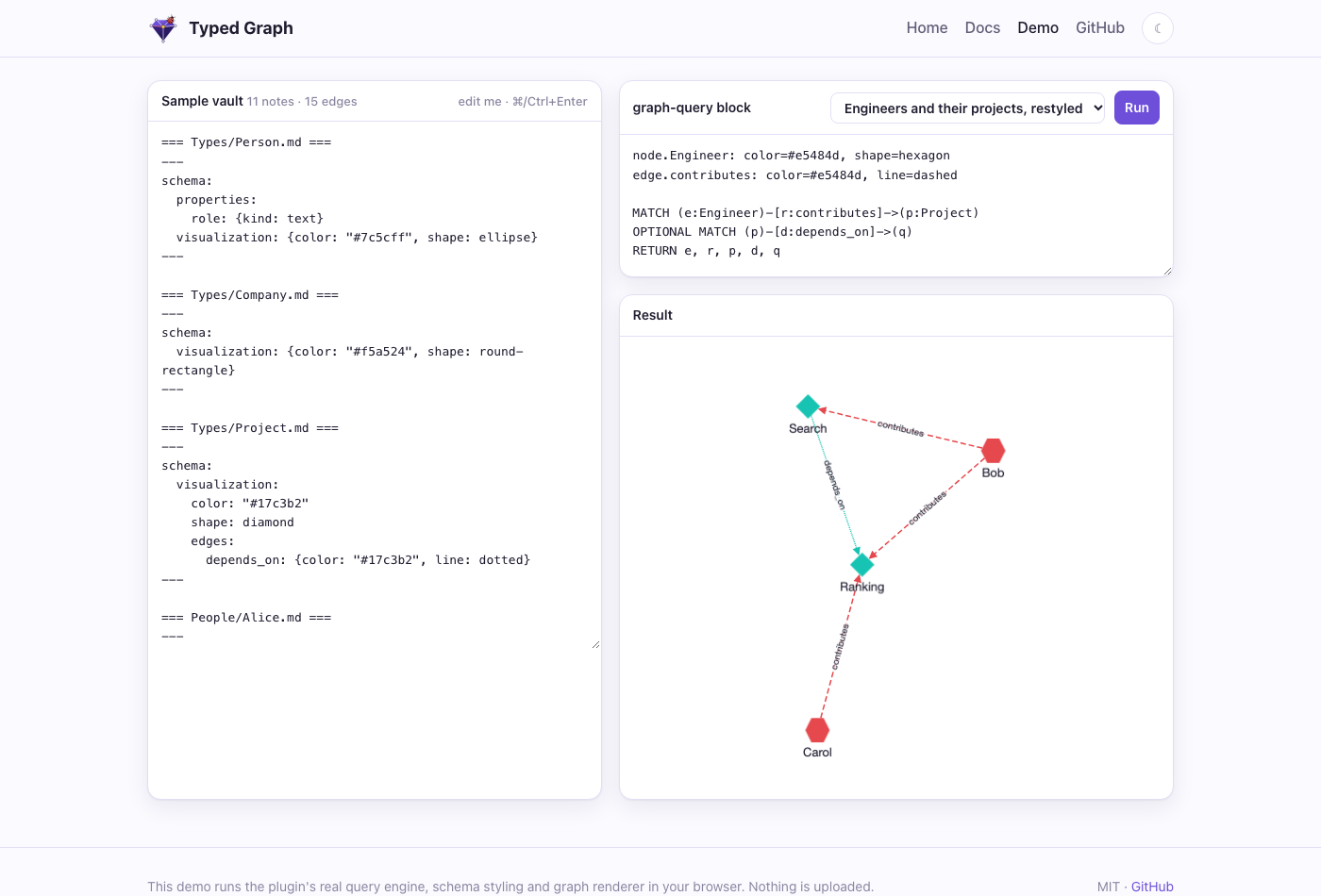 | 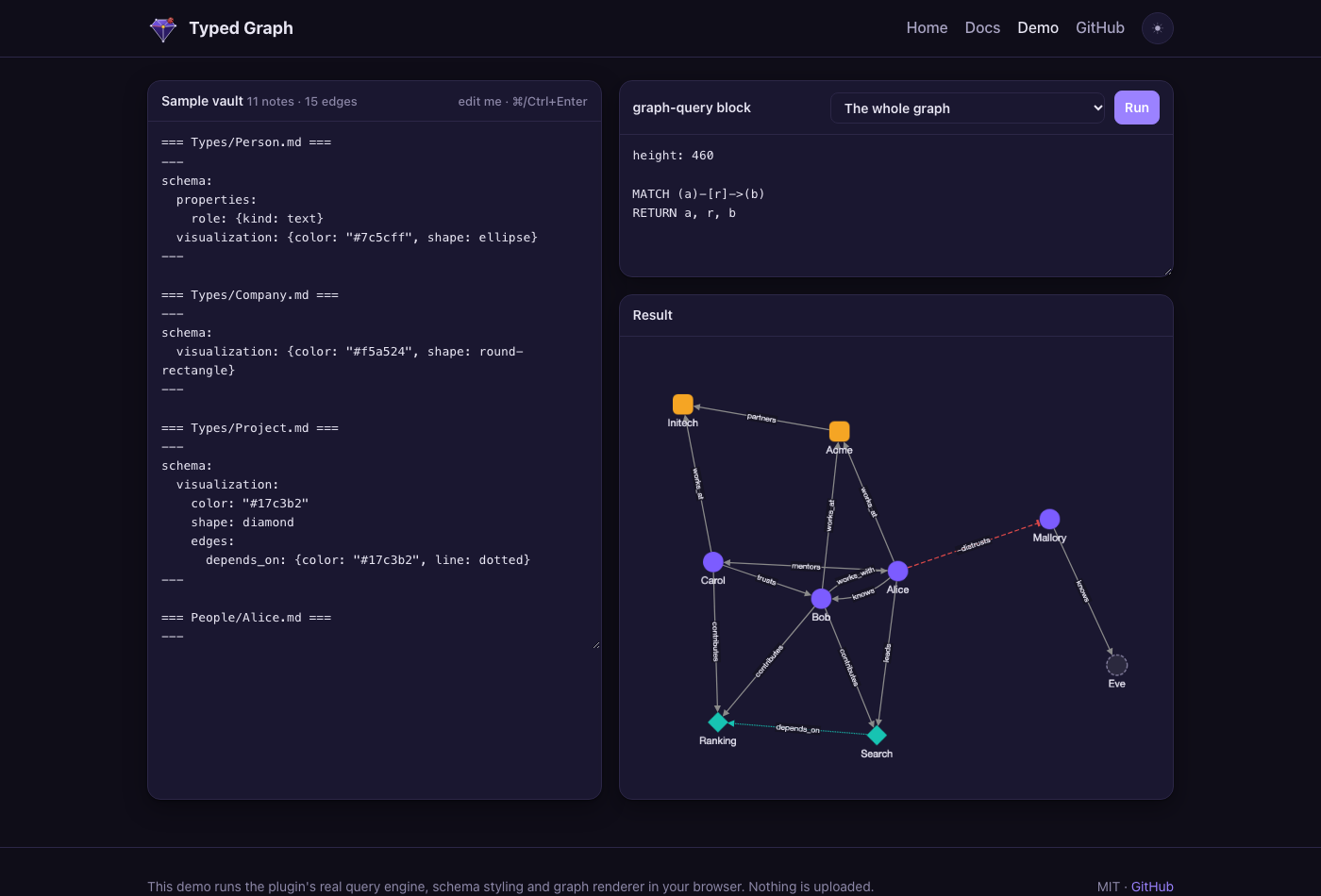 |
*The screenshots come from the [live demo](https://typedgraph.org/demo.html), which runs the plugin's own query engine, schema styling and renderer in your browser.*
## Install
- **Community plugins** (recommended): [open Typed Graph in Obsidian](obsidian://show-plugin?id=typed-graph), or go to **Settings → Community plugins → Browse**, search for *Typed Graph*, then install and enable it. Directory page: [community.obsidian.md/plugins/typed-graph](https://community.obsidian.md/plugins/typed-graph).
- **BRAT**, for beta builds: install *Obsidian42 - BRAT*, run **Add a beta plugin**, and enter `Volland/typedgraph`.
- **Manually**: download `main.js`, `manifest.json` and `styles.css` from the [latest release](https://github.com/Volland/typedgraph/releases/latest) into `/.obsidian/plugins/typed-graph/`, reload Obsidian, and enable the plugin.
The plugin works on desktop and mobile, and it never modifies your notes.
## Quick start
1. Add `type: Person` to a note's frontmatter.
2. Write an edge line such as `knows:: [[Bob]] {since: 2020}`.
3. Add a `graph-query` block with `MATCH (a:Person)-[r:knows]->(b) RETURN a, r, b`.
4. Run **Typed Graph: Open graph view** to explore.
**Try the demo vault:** download [typed-graph-demo-vault.zip](https://github.com/Volland/typedgraph/releases/latest/download/typed-graph-demo-vault.zip), unzip it and open the folder as a vault. The plugin is preinstalled. Open **Start Here** for a tour and a hands-on Cypher manual. From a clone, `npm run example:install` builds the plugin into `example/` instead.
The full guide covers edge syntax, schema notes, styling precedence, the Cypher subset, embeds and settings: **[typedgraph.org/docs.html](https://typedgraph.org/docs.html)**.
## CLI: `tg`
`@typedgraph/cli` is a standalone command line, a drop-in replacement for [lat.md](https://www.npmjs.com/package/lat.md) that also links code into the typed graph. It reads the same `lat.md/` folder and gives the same `check` verdicts (a test compares it with `lat check` on real projects).
```bash
npx @typedgraph/cli init # set up: pick agents, parts and docs folder in a terminal, then it writes
npx @typedgraph/cli init --dry-run # only print the diff of what it would change
tg check # links, code refs, annotations, index files, section structure
tg search "how are edges signed" # lexical by default; hybrid with TG_EMBED_PROVIDER or a key
tg section "edge-syntax#Sign"
tg cypher "MATCH (s:Section)-[:references]->(t:Section) RETURN s.title, t.title LIMIT 5"
tg export ./out --vault ~/vault # vault notes to a lat.md folder (lossy, with a report)
tg import ../project/lat.md # adopt a lat.md folder (--mount to symlink)
```
Code points at docs with `// @lat: [[section]]` (a plain link) or a typed edge, `// @tg: implements:: [[auth#Login]] {since: 2}`. `tg mcp` serves the same commands to agents over MCP. In Obsidian, **Code in the graph** (settings or the Graph view dropdown) shows annotated symbols as nodes without writing anything to the vault. Design: `lat.md/cli.md`.
## For agents: the sidecar
`packages/sidecar` is a headless service over a read-only copy of your vault. It needs no Obsidian. It offers REST, an MCP server, a LadybugDB mirror, local vector search and GraphRAG.
```bash
npm install && npm run build:sidecar
claude mcp add typed-graph \
-e OBSIGRAPH_VAULT=/path/to/vault -e OBSIGRAPH_DATA=/path/to/data \
-- node packages/sidecar/dist/server.mjs --stdio
```
The MCP tools are `cypher_query`, `vector_search` and `graphrag_retrieve`, all read-only. For REST endpoints, Docker and environment variables, see the [sidecar docs](https://typedgraph.org/docs.html#sidecar).
## Development
```text
packages/core edge parser, graph model, schemas, styles, openCypher engine, embeddings (no Obsidian APIs)
packages/plugin the Obsidian plugin
packages/sidecar headless REST + MCP service, LadybugDB mirror, vector index, conformance suite
site/ the website and live demo (GitHub Pages)
lat.md/ architecture and test specs (lat.md)
openspec/ specs and archived changes (OpenSpec)
```
```bash
npm install
npm run verify # typecheck + tests + lat check
OBSIGRAPH_OUT="/.obsidian/plugins/typed-graph" npm run build # build the plugin into a vault
npm run site:build && npx serve site # preview the website
```
### Releasing
1. Run `npm run version:bump -- 0.5.0`. This updates `manifest.json`, `versions.json` and every package version.
2. Commit, then run `git tag 0.5.0 && git push origin 0.5.0`. The tag has no `v` prefix.
3. The **Release plugin** workflow typechecks, tests, builds, and attaches `main.js`, `manifest.json` and `styles.css` to the GitHub release.
### Submitting to the Obsidian community directory
Obsidian takes submissions through its web directory, not through pull requests. `community-plugins.json` in `obsidianmd/obsidian-releases` is only a mirror of it.
1. Sign in at [community.obsidian.md](https://community.obsidian.md) with your Obsidian account, and link your GitHub account to prove you own the repo.
2. Add the plugin from the `Volland/typedgraph` repository. The directory reads `README.md`, `LICENSE` and the root `manifest.json`, and installs from the GitHub release tagged with the manifest version.
3. An automated review runs. To fix anything it reports, update the repo and publish a new release with a higher version (`npm run version:bump`, then push the tag).
## License
[MIT](LICENSE) © Volodymyr Pavlyshyn. Not affiliated with Obsidian or LadybugDB.