# DOT Diagrams
DOT Diagrams draws Graphviz DOT code blocks as diagrams inside your notes. It draws offline, with no server and no installed Graphviz program. The layout engine is inside the plugin as WebAssembly, so your graph never leaves your device.
You write a block with the language `dot` or `graphviz`. DOT Diagrams draws the graph as an SVG in reading view and in Live Preview. The colors follow your theme. If the graph has a mistake, the block shows the line number and the message.
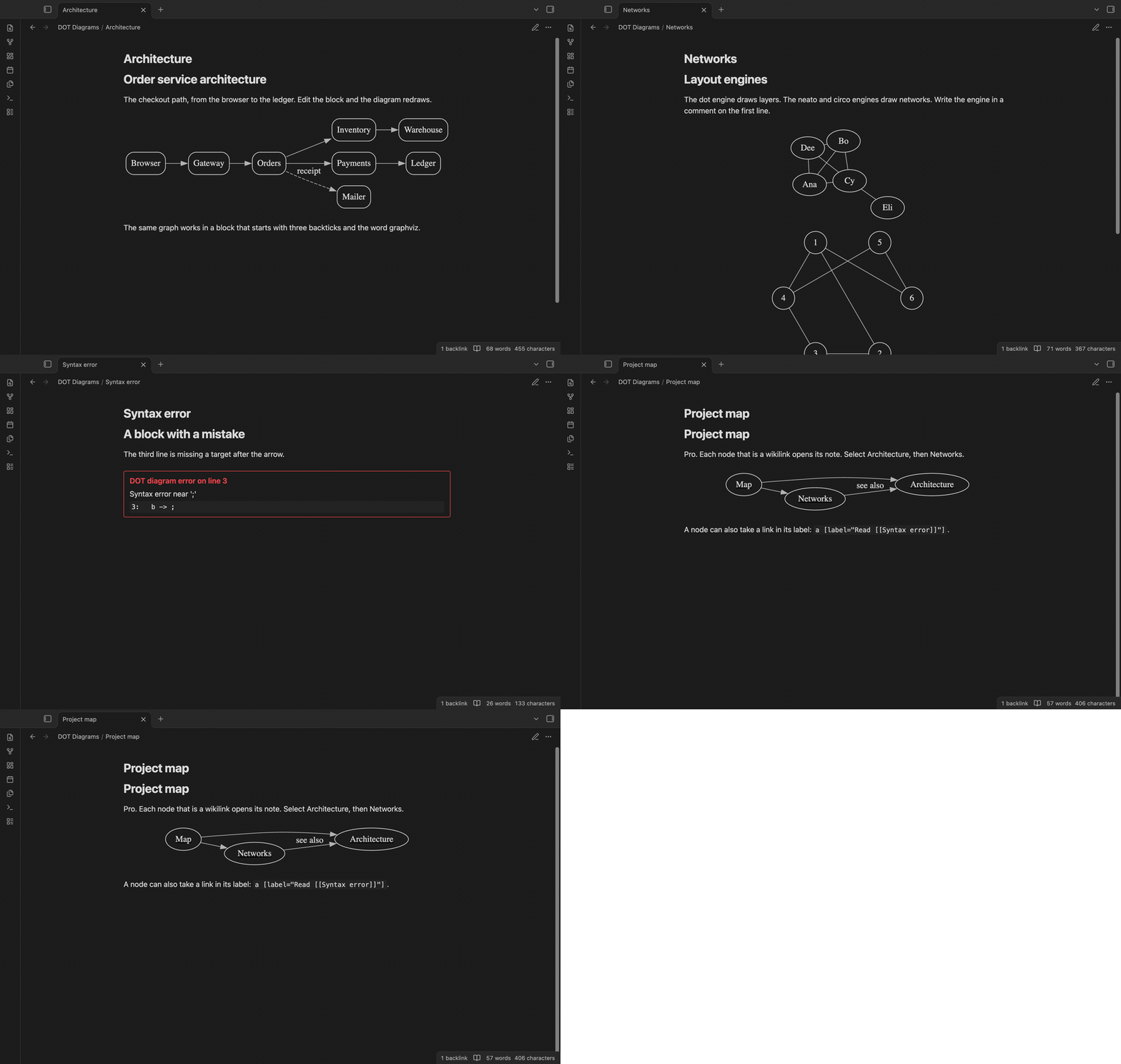 ## Features
### Diagrams in the note
A `dot` or `graphviz` block draws as an SVG, and draws again when you edit it. In Live Preview the block shows the diagram until you move the cursor into it. Buttons appear when you hover over a diagram. "Copy" puts the SVG on the clipboard in light colors on white, so you can paste it into a slide.
## Features
### Diagrams in the note
A `dot` or `graphviz` block draws as an SVG, and draws again when you edit it. In Live Preview the block shows the diagram until you move the cursor into it. Buttons appear when you hover over a diagram. "Copy" puts the SVG on the clipboard in light colors on white, so you can paste it into a slide.
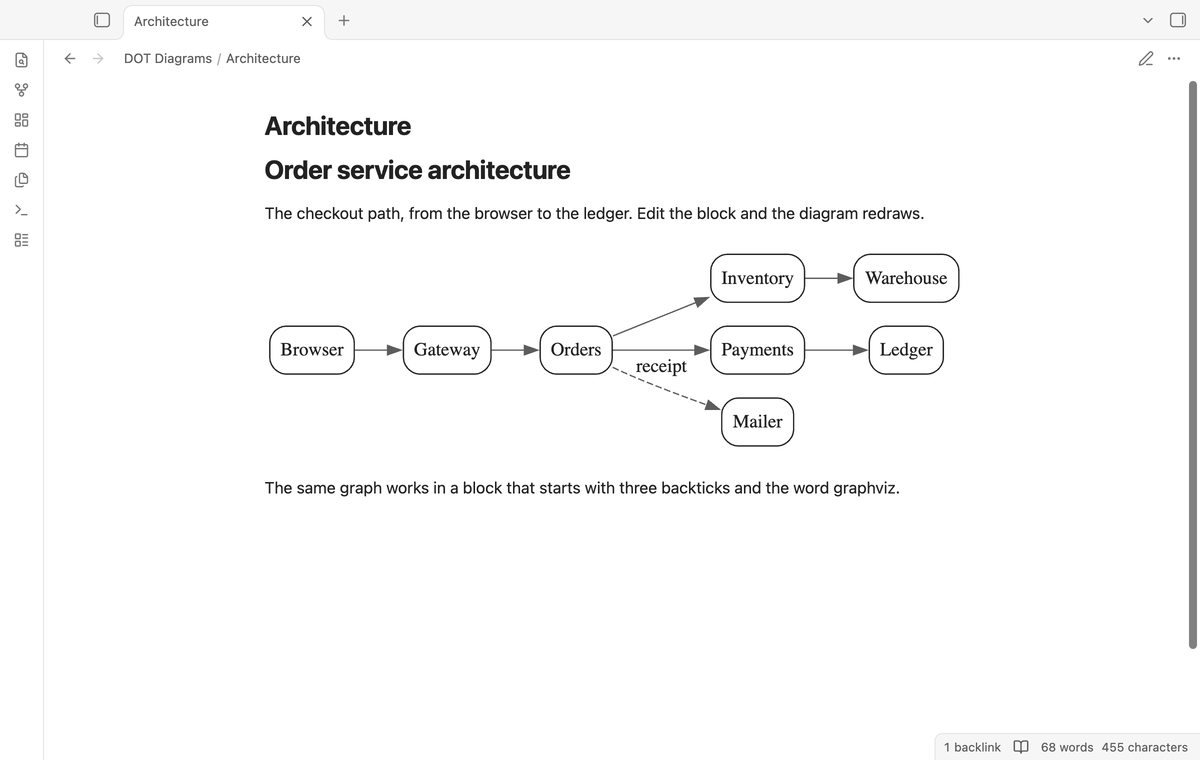
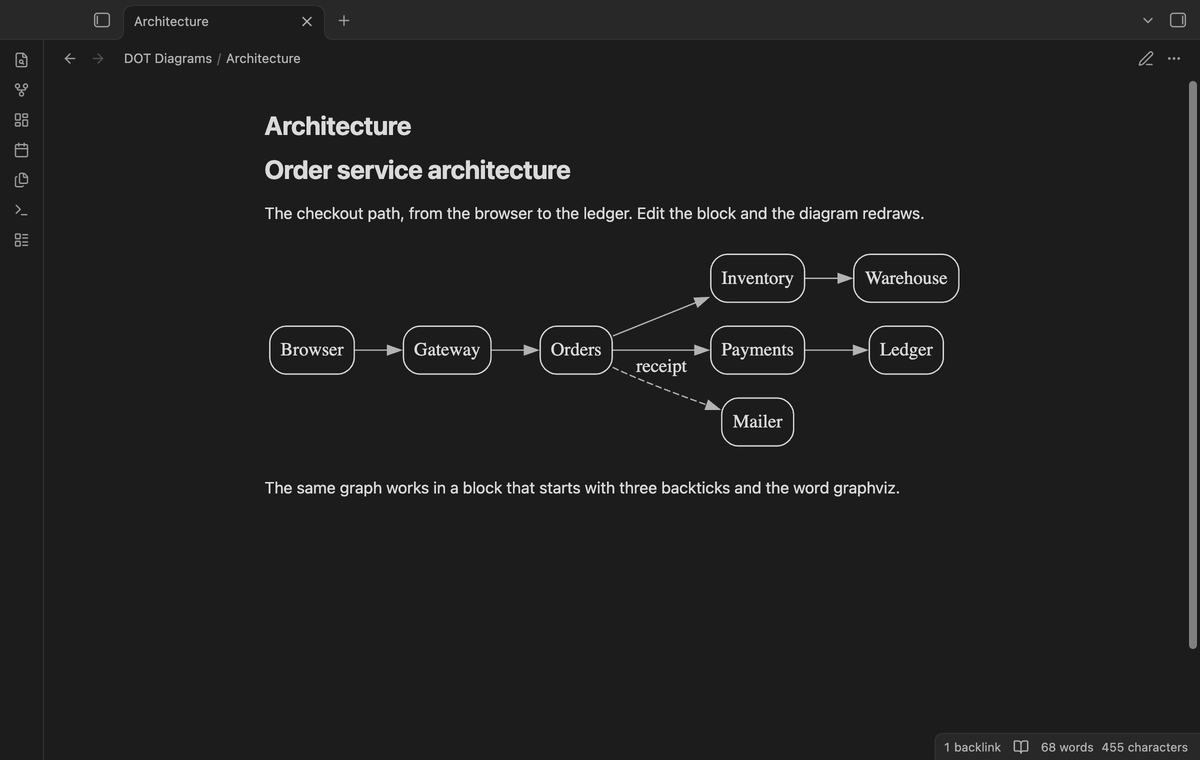 ### Colors that follow your theme
The plugin reads the text, line and fill colors of the current theme and gives them to Graphviz as defaults, on a transparent background. When you change the theme, the open diagrams draw again. Colors that you set in the DOT source, such as `color=red`, win over the defaults.
### Colors that follow your theme
The plugin reads the text, line and fill colors of the current theme and gives them to Graphviz as defaults, on a transparent background. When you change the theme, the open diagrams draw again. Colors that you set in the DOT source, such as `color=red`, win over the defaults.
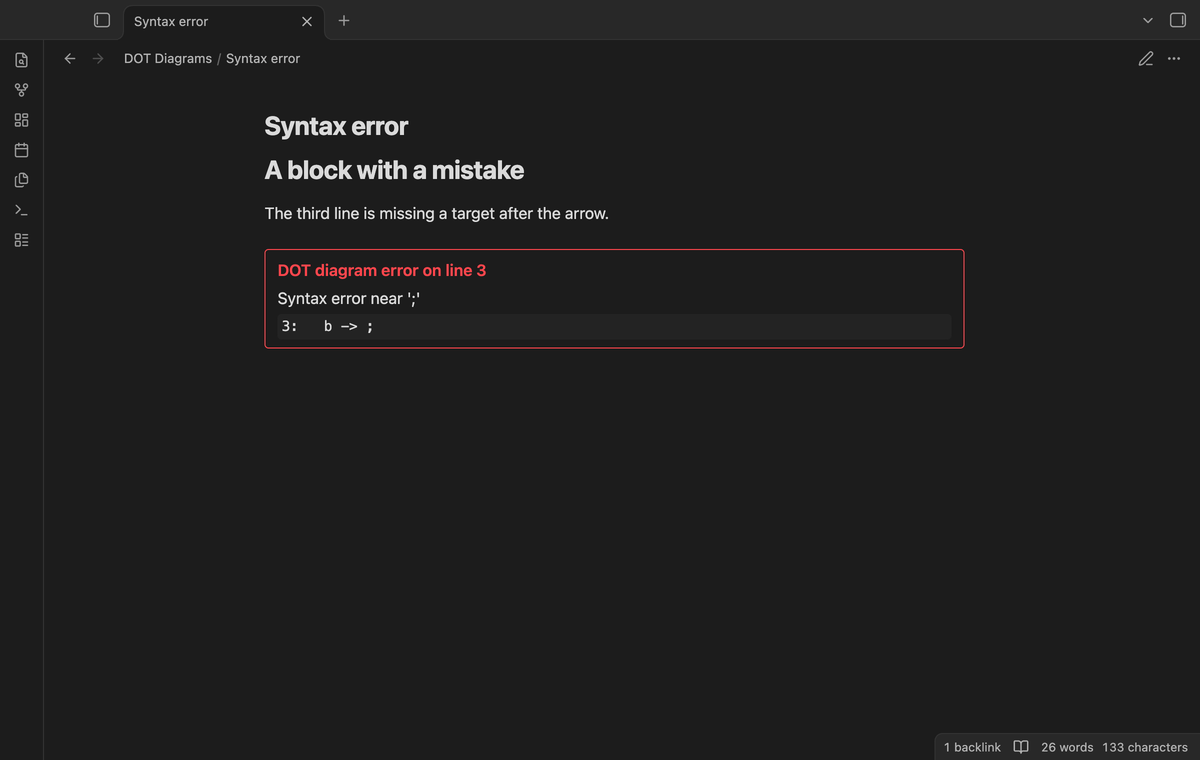
 ### Error messages with the line number
When Graphviz cannot read the block, DOT Diagrams draws nothing and shows a red box with the line number, the message from Graphviz and the text of that line. The line number is the line of your block, because the plugin adds its defaults on the line of the opening brace.
### Error messages with the line number
When Graphviz cannot read the block, DOT Diagrams draws nothing and shows a red box with the line number, the message from Graphviz and the text of that line. The line number is the line of your block, because the plugin adds its defaults on the line of the opening brace.
 ### Three layout engines
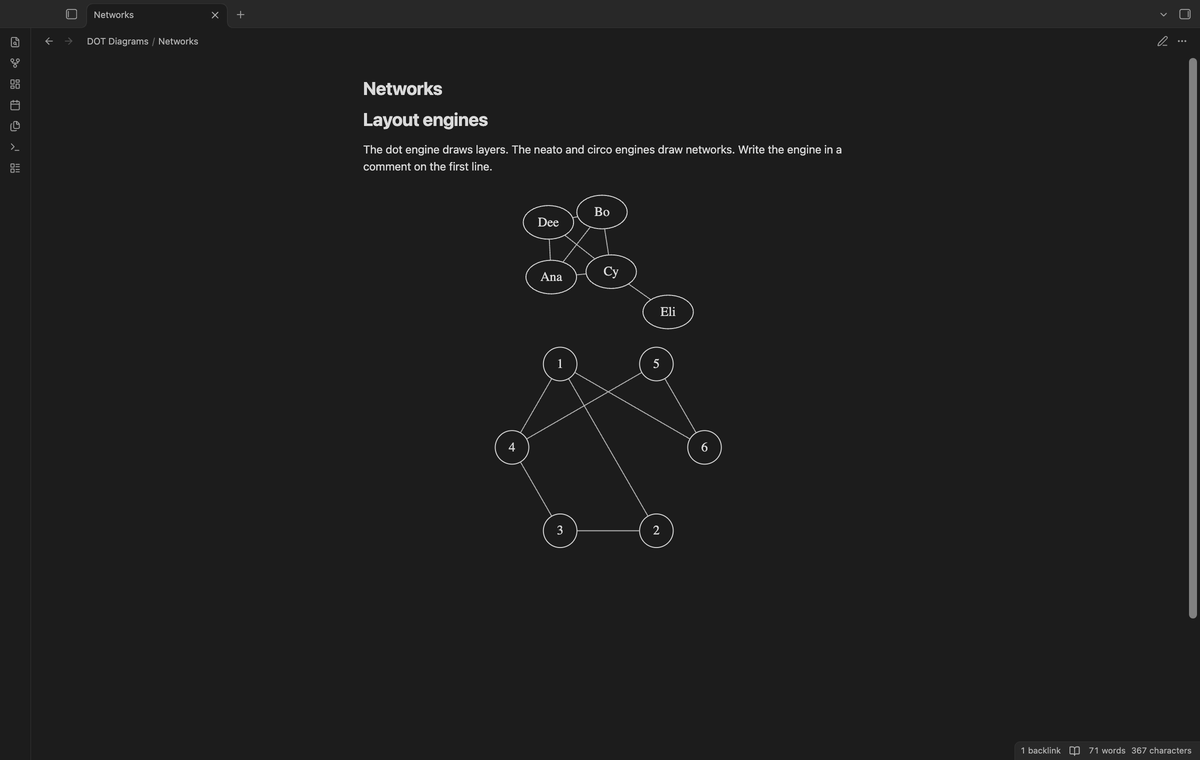
The default engine is `dot`, which draws layers. Write a comment on its own line to pick another one: `// engine: neato` draws a spring layout and `// engine: circo` draws a circle layout. Both are free.
### Three layout engines
The default engine is `dot`, which draws layers. Write a comment on its own line to pick another one: `// engine: neato` draws a spring layout and `// engine: circo` draws a circle layout. Both are free.
 ### Diagrams from a DOT file
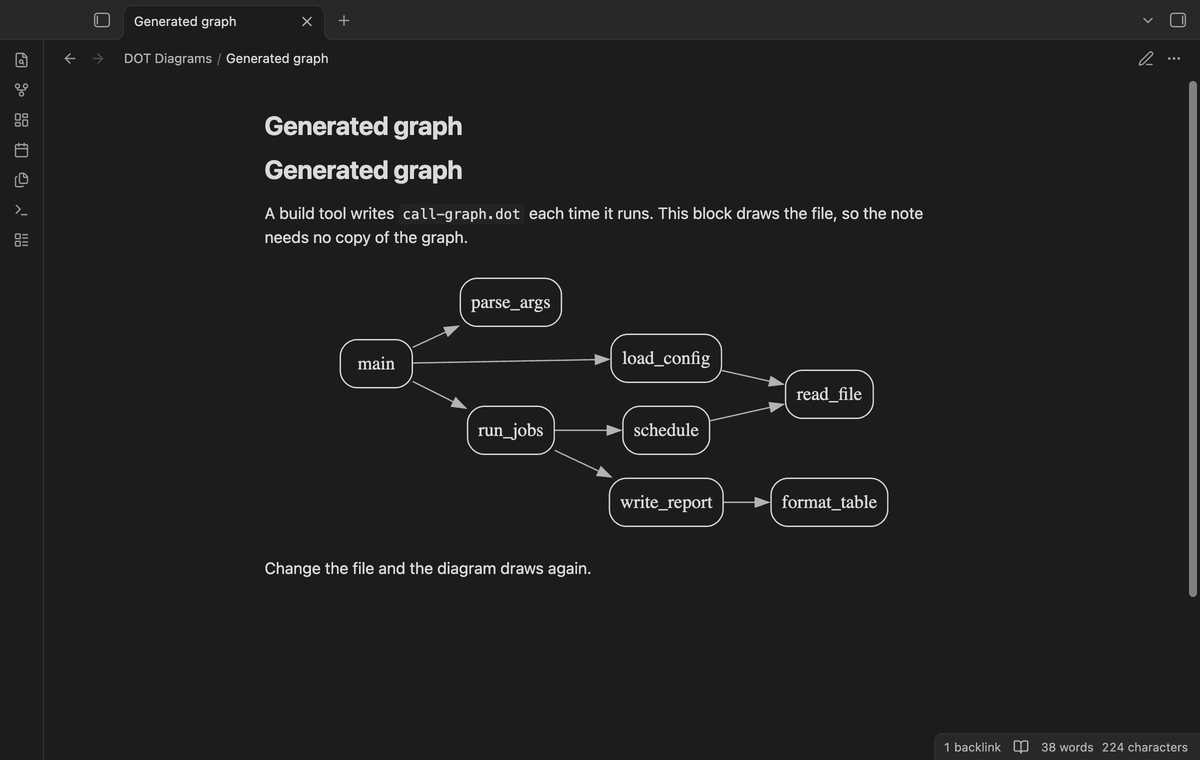
Name a `.dot` or `.gv` file of your vault in a block, and the block draws it, and draws it again when the file changes. It is free.
```dot
// file: graphs/build.dot
```
The path starts at the vault root. A bare name or a link such as `[[build.dot]]` finds the file the way a link does. Put only comment lines in that block, such as `// engine:` and `// preset:` lines, which win over the file's own. A block with its own graph ignores the line. A Graphviz error names the file and the line in it.
### Diagrams from a DOT file
Name a `.dot` or `.gv` file of your vault in a block, and the block draws it, and draws it again when the file changes. It is free.
```dot
// file: graphs/build.dot
```
The path starts at the vault root. A bare name or a link such as `[[build.dot]]` finds the file the way a link does. Put only comment lines in that block, such as `// engine:` and `// preset:` lines, which win over the file's own. A block with its own graph ignores the line. A Graphviz error names the file and the line in it.
 ### Notes that open from nodes (Pro)
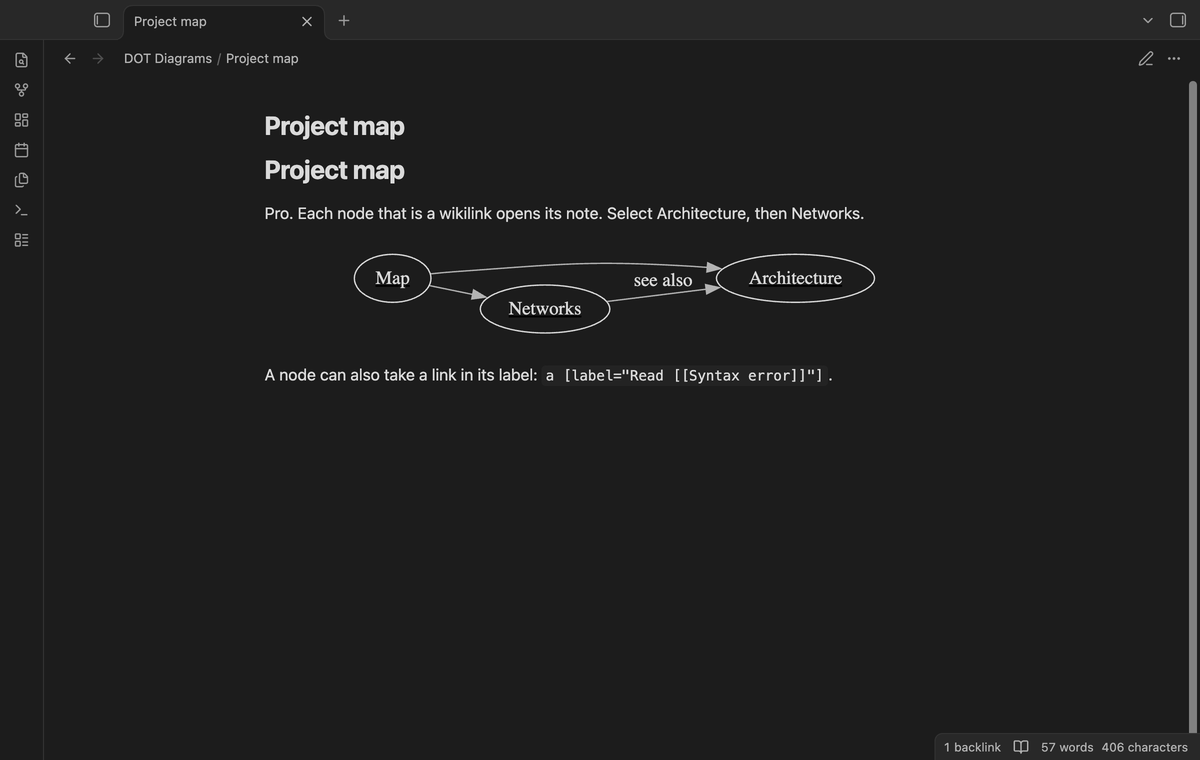
With Pro, a node that is a wikilink opens its note when you select it. Hold Ctrl (Cmd on macOS) to open it in a new tab. Three forms work: a quoted node id, such as `"[[Architecture]]"` or `"[[Notes/Plan|Plan]]"`, a link in the URL attribute such as `URL="[[Architecture]]"`, and a link in a label such as `label="Read [[Syntax error]]"`. The node shows the note name or the alias, and it gets the `node [...]` defaults of the graph, such as `node [shape=box]`. A label or URL that you set on the node wins. Without Pro, the same nodes show the name as plain text.
### Notes that open from nodes (Pro)
With Pro, a node that is a wikilink opens its note when you select it. Hold Ctrl (Cmd on macOS) to open it in a new tab. Three forms work: a quoted node id, such as `"[[Architecture]]"` or `"[[Notes/Plan|Plan]]"`, a link in the URL attribute such as `URL="[[Architecture]]"`, and a link in a label such as `label="Read [[Syntax error]]"`. The node shows the note name or the alias, and it gets the `node [...]` defaults of the graph, such as `node [shape=box]`. A label or URL that you set on the node wins. Without Pro, the same nodes show the name as plain text.
 ### Export to SVG and PNG (Pro)
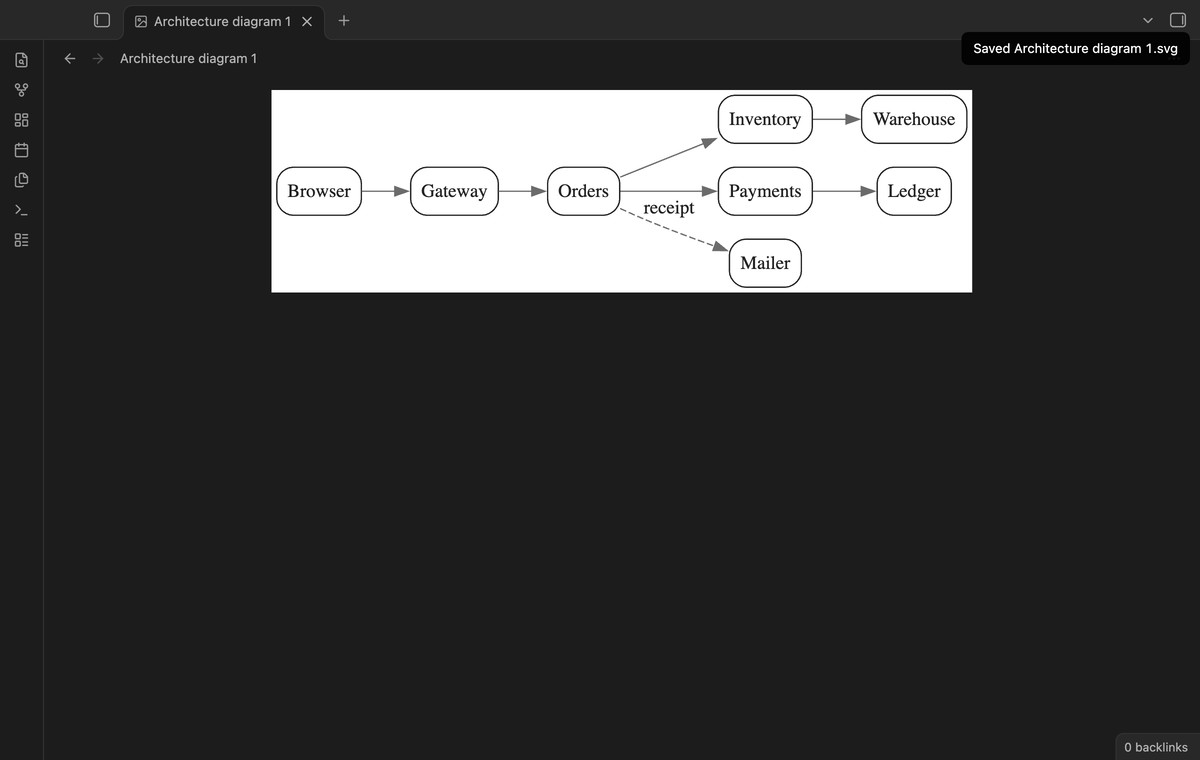
With Pro, the second and third buttons, or the commands "Export the diagram at the cursor to SVG" and "Export the diagram at the cursor to PNG", save the diagram in the attachment folder of the note. The file is light on white and has no note links.
### Export to SVG and PNG (Pro)
With Pro, the second and third buttons, or the commands "Export the diagram at the cursor to SVG" and "Export the diagram at the cursor to PNG", save the diagram in the attachment folder of the note. The file is light on white and has no note links.
 ### More engines and style presets (Pro)
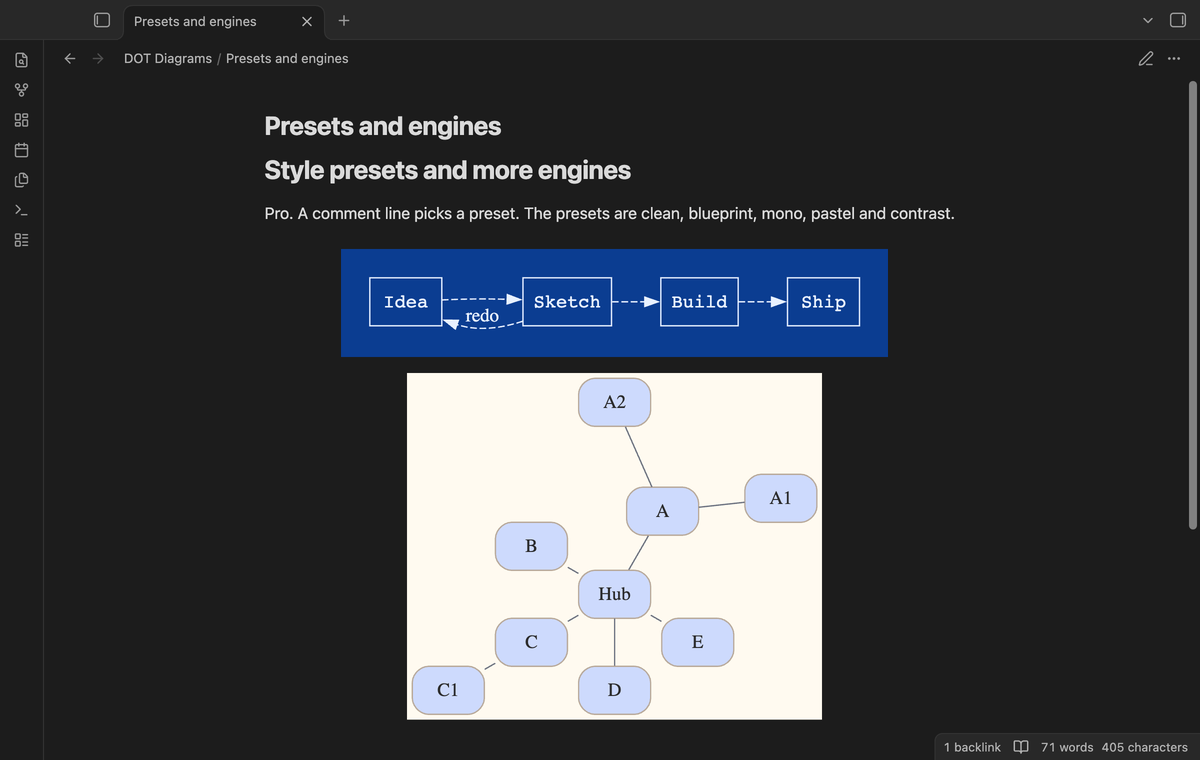
With Pro, `fdp`, `sfdp`, `twopi` and `osage` also work. A comment such as `// preset: blueprint` styles one block. The presets are `clean`, `blueprint`, `mono`, `pastel` and `contrast`. A preset sets its own colors, so it does not follow the theme.
### More engines and style presets (Pro)
With Pro, `fdp`, `sfdp`, `twopi` and `osage` also work. A comment such as `// preset: blueprint` styles one block. The presets are `clean`, `blueprint`, `mono`, `pastel` and `contrast`. A preset sets its own colors, so it does not follow the theme.
 ## Install
1. Open "Settings → Community plugins" and turn off restricted mode.
2. Select "Browse", search for "DOT Diagrams", then "Install" and "Enable".
To install by hand, copy `main.js`, `manifest.json` and `styles.css` from the latest release into `/.obsidian/plugins/dot-diagrams/` and enable the plugin. You need Obsidian 1.13.4 or later.
## Usage
1. Write a fenced block in a note and give it the language `dot` or `graphviz`.
2. Write a graph in the DOT language, for example `digraph { a -> b -> c; a -> d }`.
3. Switch to reading view, or move the cursor out of the block in Live Preview.
The first diagram of a session takes a moment longer, while the engine starts.
Comment lines set options for one block. Put them on their own lines, anywhere in the block:
- `// engine: neato` chooses the layout engine.
- `// preset: blueprint` chooses a style preset (Pro).
- `// file: graphs/build.dot` draws a .dot or .gv file of the vault.
A line that starts with `#` or the form `/* engine: circo */` works too. The first line of each kind wins. An unknown name is not an error: the block draws with the default, and a gray note says why.
## Settings
| Setting | What it does |
| --- | --- |
| Default layout engine | The engine for blocks without an `// engine:` line. Default `dot`. fdp, sfdp, twopi and osage need Pro. |
| Default style preset | Pro. The preset for blocks without a `// preset:` line. Empty means the theme colors. |
| Show buttons above diagrams | Shows the Copy, Export SVG and Export PNG buttons on hover. On by default. |
| Edge limit | A block with more edges is not drawn. From 50 to 20,000, default 300. |
| PNG export scale | Pro. 1 to 4 times the size at 96 dpi, default 2. |
The settings tab also has the Pro section: sign in, the status line and Refresh.
## FAQ
### Does my graph leave my device?
No. The renderer is a WebAssembly build of Graphviz inside `main.js`, and a diagram draws on your device with no request. DOT Diagrams also removes `
## Install
1. Open "Settings → Community plugins" and turn off restricted mode.
2. Select "Browse", search for "DOT Diagrams", then "Install" and "Enable".
To install by hand, copy `main.js`, `manifest.json` and `styles.css` from the latest release into `/.obsidian/plugins/dot-diagrams/` and enable the plugin. You need Obsidian 1.13.4 or later.
## Usage
1. Write a fenced block in a note and give it the language `dot` or `graphviz`.
2. Write a graph in the DOT language, for example `digraph { a -> b -> c; a -> d }`.
3. Switch to reading view, or move the cursor out of the block in Live Preview.
The first diagram of a session takes a moment longer, while the engine starts.
Comment lines set options for one block. Put them on their own lines, anywhere in the block:
- `// engine: neato` chooses the layout engine.
- `// preset: blueprint` chooses a style preset (Pro).
- `// file: graphs/build.dot` draws a .dot or .gv file of the vault.
A line that starts with `#` or the form `/* engine: circo */` works too. The first line of each kind wins. An unknown name is not an error: the block draws with the default, and a gray note says why.
## Settings
| Setting | What it does |
| --- | --- |
| Default layout engine | The engine for blocks without an `// engine:` line. Default `dot`. fdp, sfdp, twopi and osage need Pro. |
| Default style preset | Pro. The preset for blocks without a `// preset:` line. Empty means the theme colors. |
| Show buttons above diagrams | Shows the Copy, Export SVG and Export PNG buttons on hover. On by default. |
| Edge limit | A block with more edges is not drawn. From 50 to 20,000, default 300. |
| PNG export scale | Pro. 1 to 4 times the size at 96 dpi, default 2. |
The settings tab also has the Pro section: sign in, the status line and Refresh.
## FAQ
### Does my graph leave my device?
No. The renderer is a WebAssembly build of Graphviz inside `main.js`, and a diagram draws on your device with no request. DOT Diagrams also removes `