# OmniChat for Obsidian
> Keep ChatGPT, Claude, Gemini, Perplexity, Grok, Copilot, Manus AI, Kimi, DeepSeek, and your own custom AI tools inside one Obsidian sidebar.
[](https://obsidian.md/)
[](https://obsidian.md/)
[](https://github.com/THANSHEER/AI-Browser-Chat)
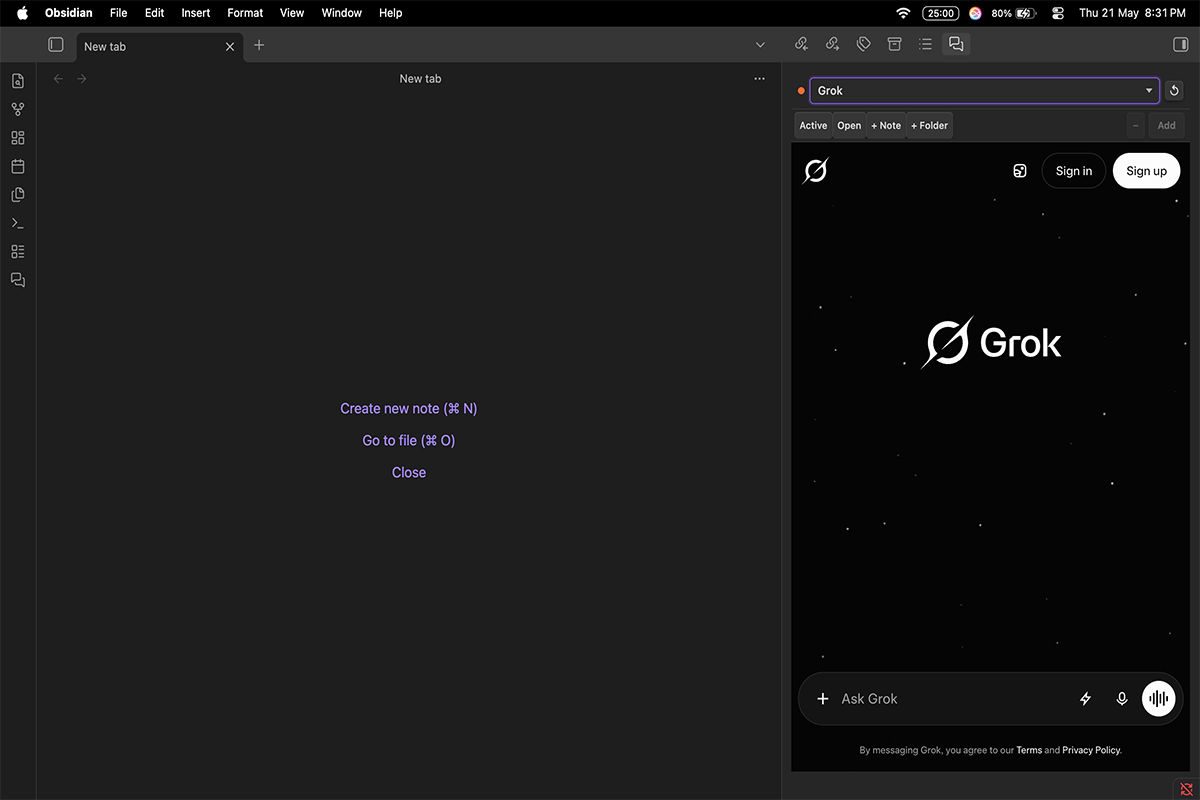
OmniChat is a desktop-only Obsidian plugin that embeds AI chat websites in a persistent sidebar, lets you send selected text or vault context into the active chat, and save useful responses back into your notes.
## Why OmniChat
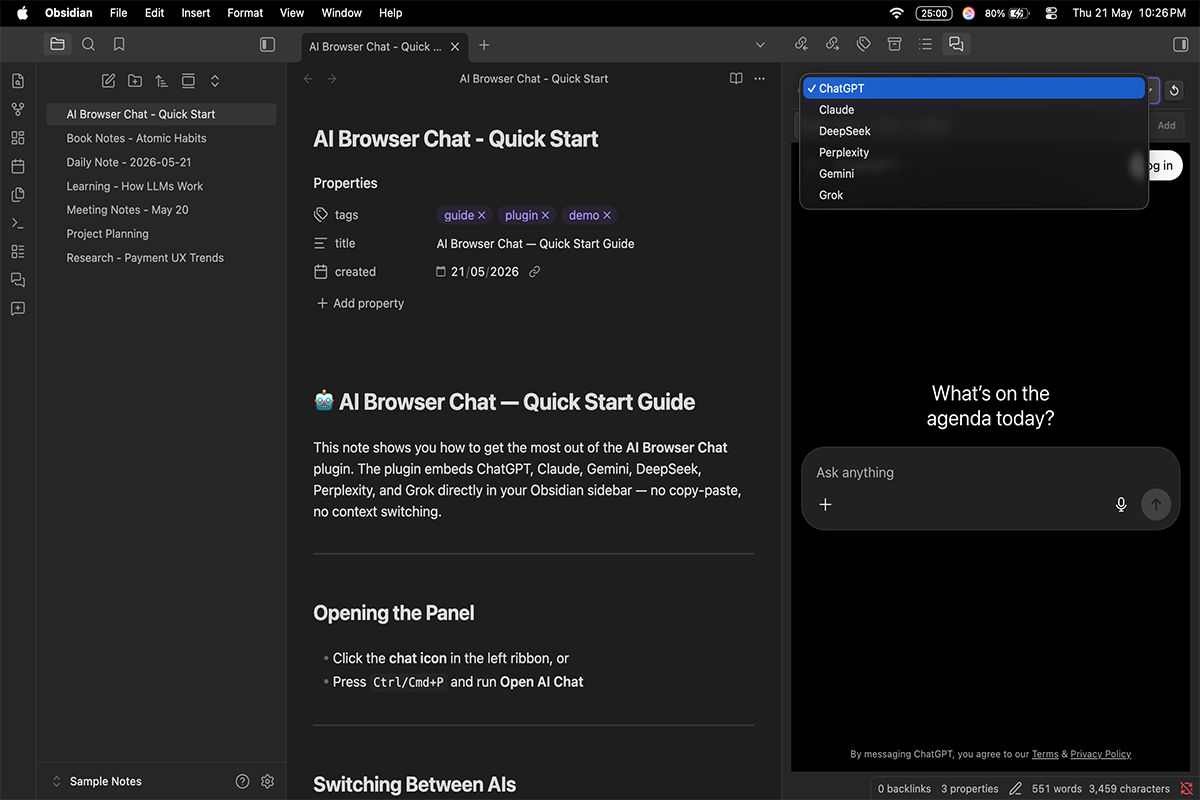
- Switch between 9 built-in AI services from one panel: ChatGPT, Claude, DeepSeek, Perplexity, Gemini, Grok, Copilot, Manus AI, and Kimi.
- Add custom AI tools by URL and keep them in the same selector.
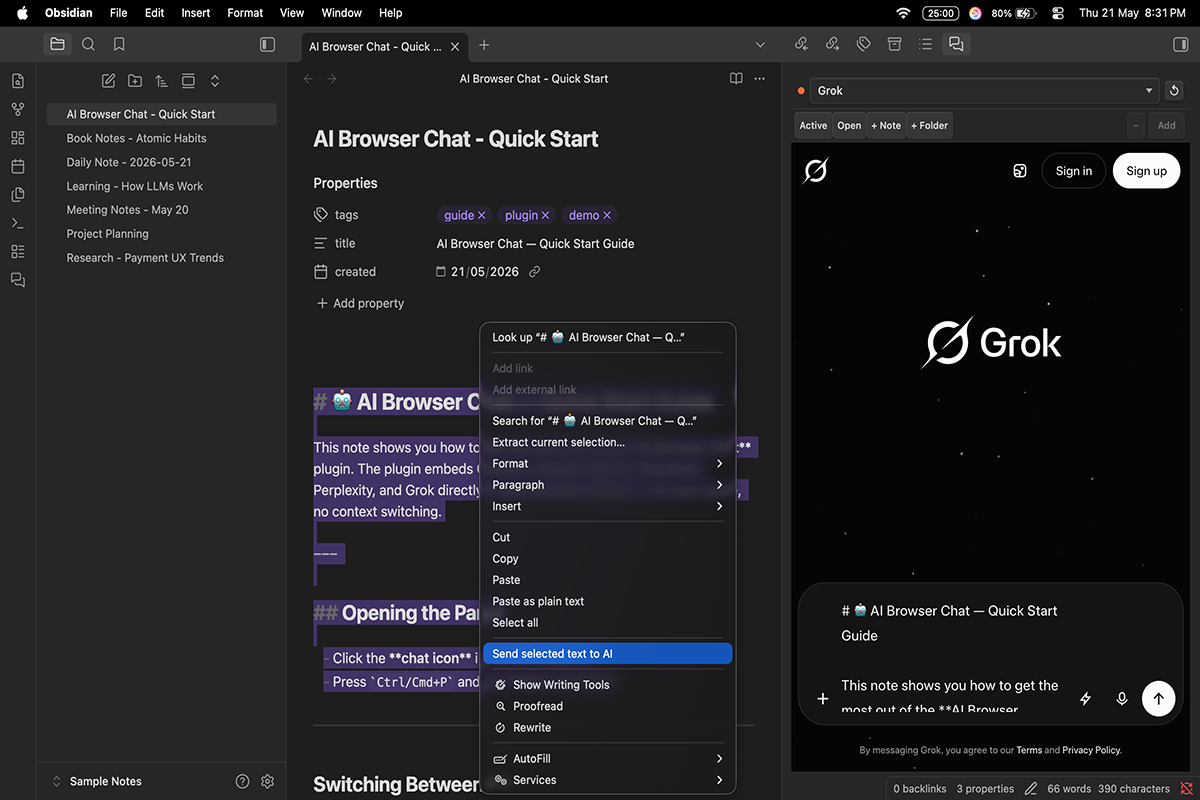
- Send selected editor text straight into the active chat.
- Build reusable vault context from notes, open tabs, or full folders, then inject it with one click.
- Use prompt templates for repeated workflows.
- Open a second split panel so two AI services can stay visible side by side.
- Save AI output back into your vault from the page selection or clipboard.
- Keep sessions persistent across Obsidian restarts.
## Screenshots
## Install
See [docs/installation.md](docs/installation.md) for community plugin, manual, and BRAT installation paths.
## Documentation
| Guide | What it covers |
|---|---|
| [Installation](docs/installation.md) | Community plugin, manual install, and BRAT |
| [Settings](docs/settings.md) | Every setting, command, and service toggle |
| [Development](docs/development.md) | Local setup, build, test, and release workflow |
| [Architecture](docs/architecture.md) | Data flow, webview lifecycle, and persistence model |
| [Contributing](docs/contributing.md) | Contribution rules and review expectations |
## Privacy
OmniChat does not run a backend and does not collect telemetry. See [PRIVACY.md](PRIVACY.md).
## Support
If the plugin is useful, star the repository on GitHub: [THANSHEER/AI-Browser-Chat](https://github.com/THANSHEER/AI-Browser-Chat).
## Disclaimer
OmniChat is an independent community plugin and is not affiliated with OpenAI, Anthropic, Google, Microsoft, xAI, DeepSeek, Moonshot AI, Monica, Perplexity, or Obsidian.
## License
MIT. See [LICENSE.txt](LICENSE.txt).