# Minimalism UI — Obsidian Plugin
[中文](README.zh.md) · English
Transform Obsidian into a minimal, Typora-style writing environment. All options are in **Settings → Community Plugins → Minimalism UI**.
---
## Features
### Minimal Sidebar
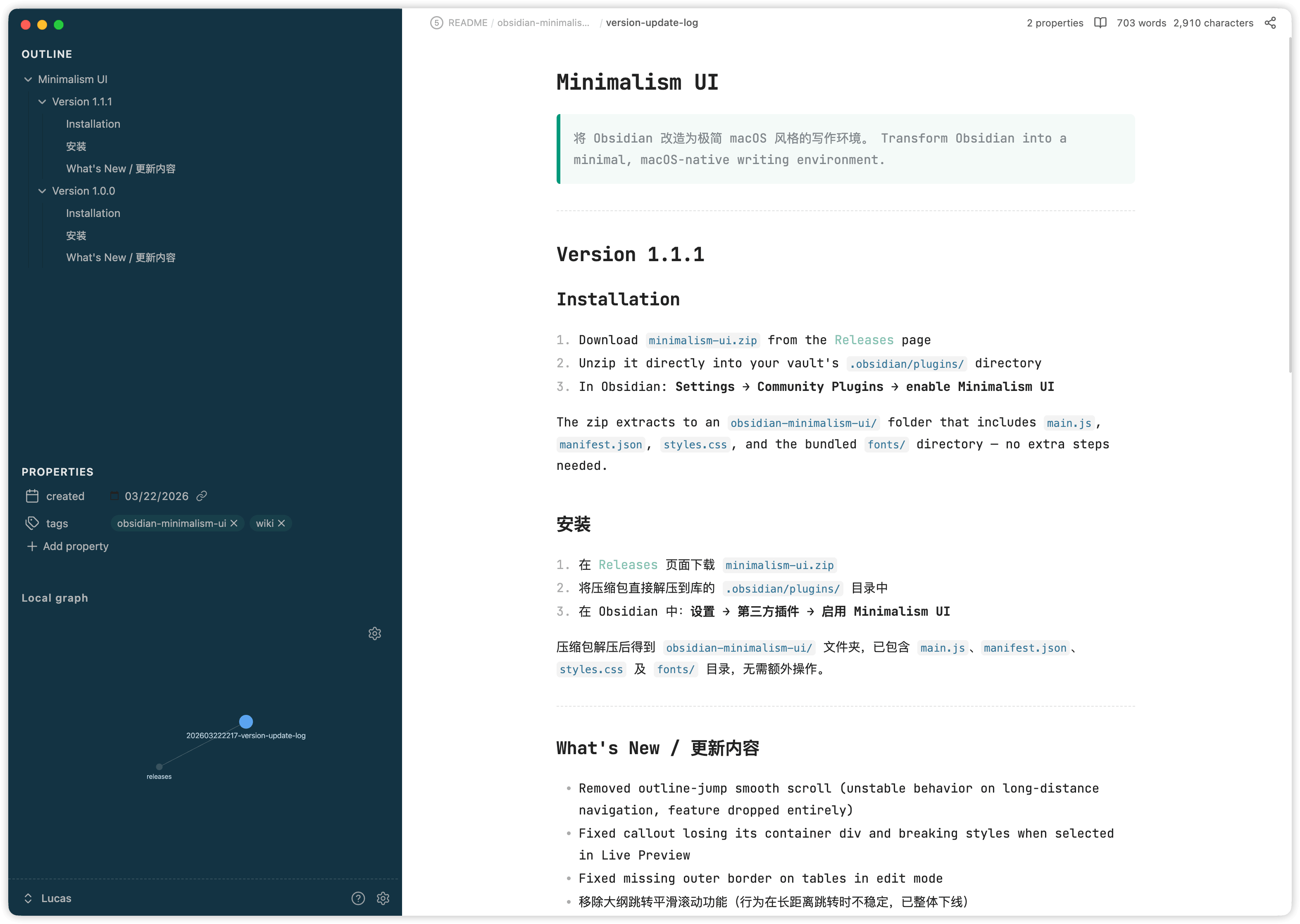
Applies a Typora-style frosted-glass look to the left sidebar (rounded corners, custom background). Also restructures the sidebar: the Outline panel and Properties metadata are merged into a single view — Outline on top, frontmatter properties below — so all note context is visible at a glance without switching panels.
Toggling this option off restores the original sidebar layout.
### Simplified Panel
Hides panel action buttons (the icon row in Outline, Backlinks, etc.) and removes the search bar from those panels, reducing visual noise.
### Note Style
Applies custom typography to the editor and reading view:
- **JetBrains Mono NL** for code blocks, inline code, and the editor font
- Forest-style blockquotes, tables, and code blocks
- Adjusted line height and smooth scroll in the reading view
- Heading flash animation when jumping from the Outline panel
### Home Note
Designates a note that opens automatically on startup and whenever all tabs are closed. Set the path in the plugin settings (supports autocomplete).
### Single-Page Mode
Hides the tab bar and keeps one note visible at a time. Additional navigation features:
- **LRU tab cache** — keeps the 10 most recently visited notes open in the background; the oldest is closed when the limit is reached
- **Cross-tab back / forward** — `app:go-back` / `app:go-forward` navigate across tabs, not just within a single tab's history
- Disables tab pinning
### Page Load Animation *(Beta)*
Slide-in animation when navigating back or forward through note history.
---
## Settings
| Option | Description |
|---|---|
| Minimal Sidebar | Finder-style sidebar + merged Outline + Properties layout |
| Simplified Panel | Hides panel buttons and search bars |
| Note Style | JetBrains Mono, Forest-style blocks, smooth scroll, heading flash |
| Home Note | Note path to open on startup and when all tabs are closed |
| Single-Page Mode | One-note-at-a-time with LRU cache and cross-tab history |
| Page Load Animation | Slide animation on back/forward navigation |
---
## Installation
1. Download `minimalism-ui.zip` from the [Releases](../../releases) page
2. Unzip it directly into your vault's `.obsidian/plugins/` directory
3. In Obsidian: **Settings → Community Plugins → enable Minimalism UI**
The zip extracts to an `obsidian-minimalism-ui/` folder that includes `main.js`, `manifest.json`, `styles.css`, and the bundled `fonts/` directory — no extra steps needed.
---
## Development
```bash
git clone https://github.com/tcyeee/obsidian-minimalism-ui.git
cd obsidian-minimalism-ui
npm install
npm run build # production build → main.js
npm run dev # watch mode — rebuilds on changes to main.ts
```
To test locally, symlink the project directory into your vault:
```bash
ln -s $(pwd) ~/your-vault/.obsidian/plugins/obsidian-minimalism-ui
```
After editing `main.ts`, run `npm run build` and reload the plugin in Obsidian (**Ctrl/Cmd+R** in the community plugins list).
---
## Permissions
| API | Where used | Why |
|---|---|---|
| `vault.getMarkdownFiles()` | Settings tab — file path input | Provides autocomplete suggestions when the user types a path for the Home Note setting. Called only on user keystroke; never runs on startup or in the background. |
---
## License
MIT