# AtPath
**Reference any file in your vault with `@path/to/file` or `[[wikilinks]]` — bridging AI coding tools and Obsidian's native link graph.**
Autocomplete, click-to-open, token counting, one-click publish to the web, and cross-repo support.
[](https://github.com/sergiogportela/obsidian-atpath/releases)
[](LICENSE)
---
## Features
### @ Autocomplete
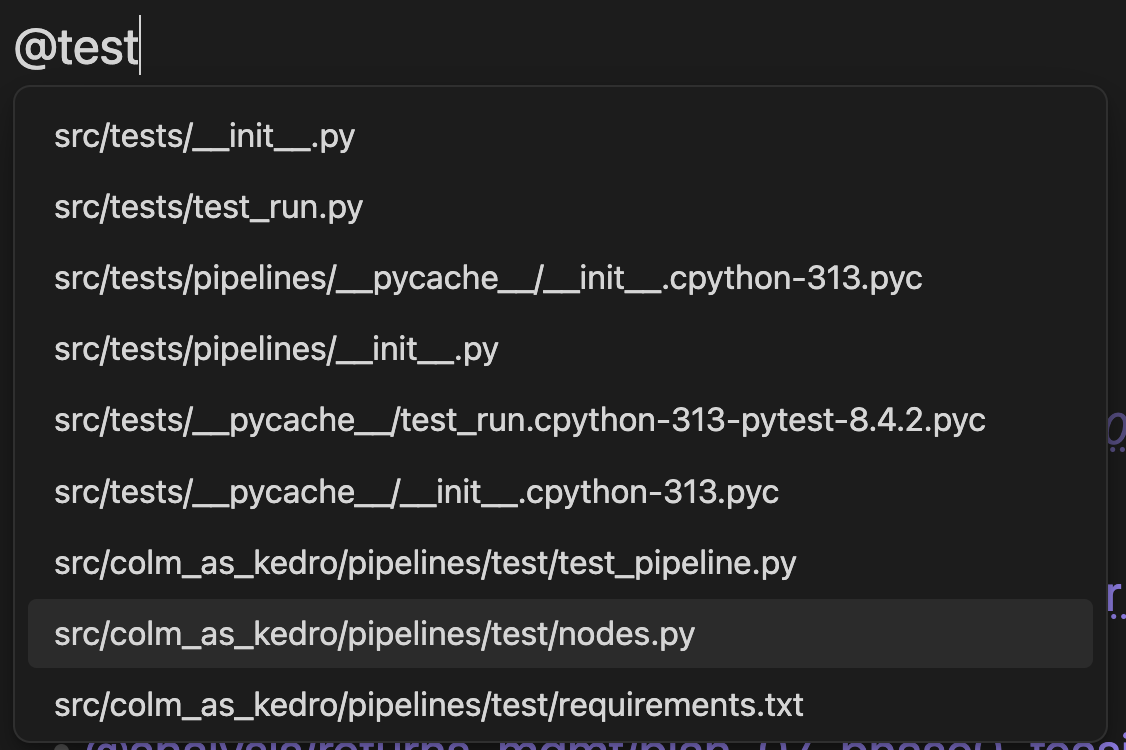
Type `@` and pick any file. Works across repos — files from the current repo appear first, then cross-repo matches (`@other-repo/src/file.py`), then loose vault files.
### Wikilink format
The plugin optionally wraps references as `[[path|@display]]`, giving you full integration with Obsidian's graph view, backlinks, and automatic rename tracking while keeping the `@` visual style. The link path respects your "New link format" vault setting (shortest path when possible, relative, or absolute). A settings toggle lets you choose between legacy `@path` (agent-friendly, plain text) and the wikilink format. Both formats work everywhere: Live Preview, Reading mode, token counts, copy to clipboard, and publish. Migration commands let you convert existing `@path` references to wikilinks in bulk.
### Clickable Links
Click any `@path` in Live Preview or Reading mode to open the file inside Obsidian. Right-click to open in your default external app.
### Token Counts
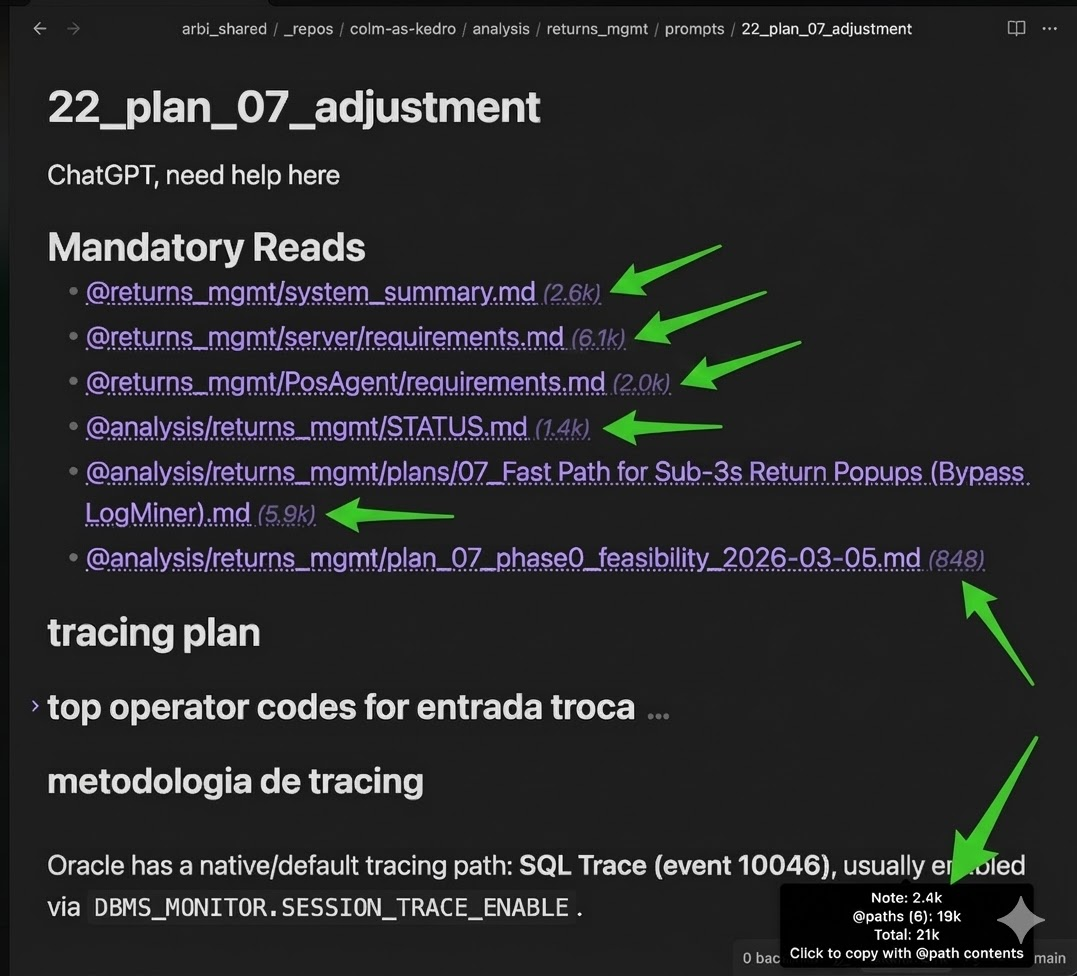
See how many tokens each `@path` reference adds — inline badges and a status bar total. Uses the GPT-4o tokenizer as an estimate. Click the status bar to copy everything to clipboard.

### Copy Note + @path Contents
One command (or click the status bar) to copy the current note with all referenced file contents appended — ready to paste into any web LLM. Each file appears under a `## @path` header in fenced code blocks.
### Publish to Vercel
Deploy notes and standalone HTML apps to Vercel with one click. Notes can publish linked `@path` content, while `.html` files in the File Explorer can publish either as a single-file app or as a whole folder-based static site.
Private publishing is supported through Clerk, and the publish flow also stores a reusable site icon so your deployed pages can show a favicon in browser tabs without asking every time.
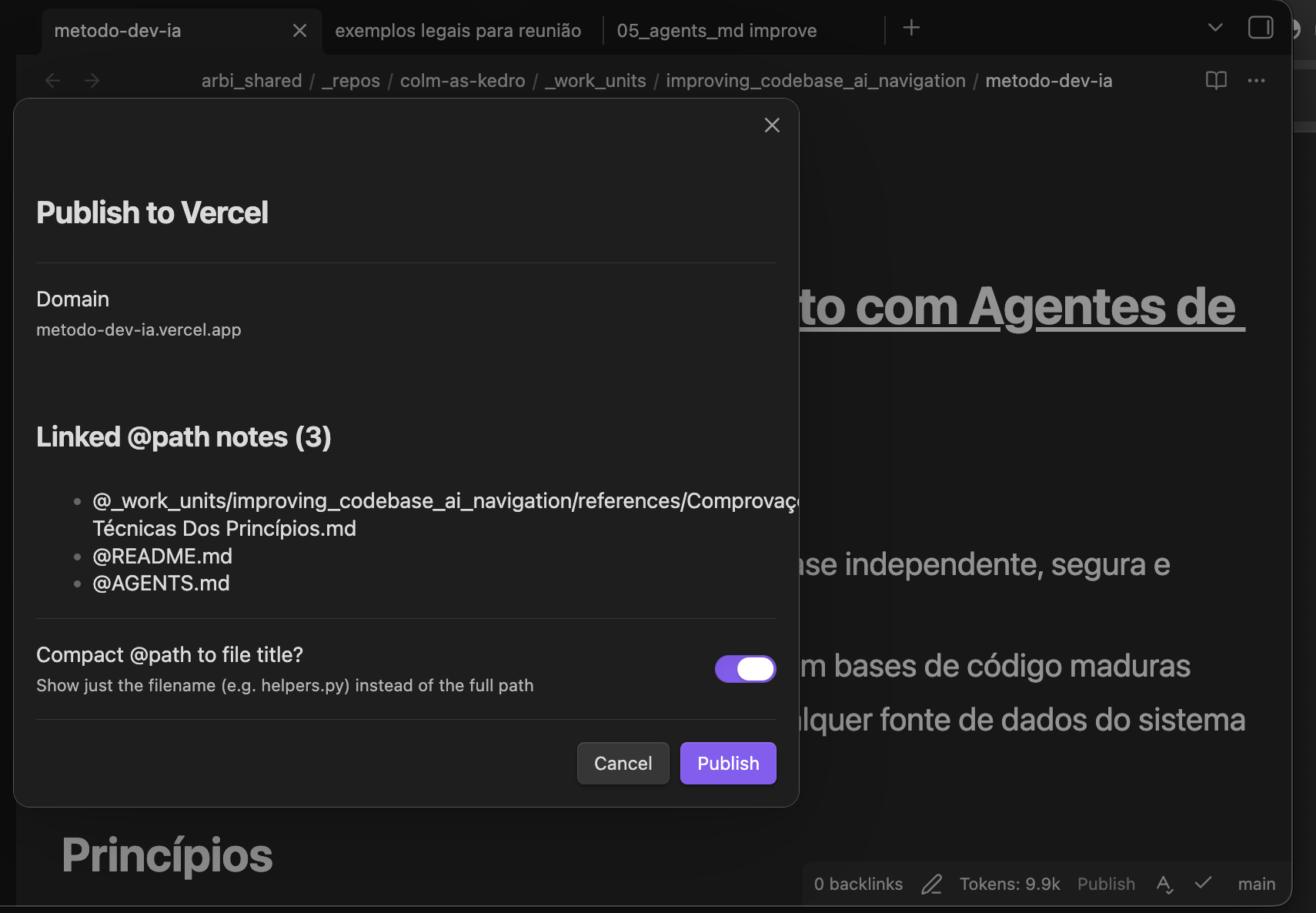
Before publishing, the confirmation modal shows the target domain, current publish state, linked `@path` notes when relevant, and the main publish options for that content type.
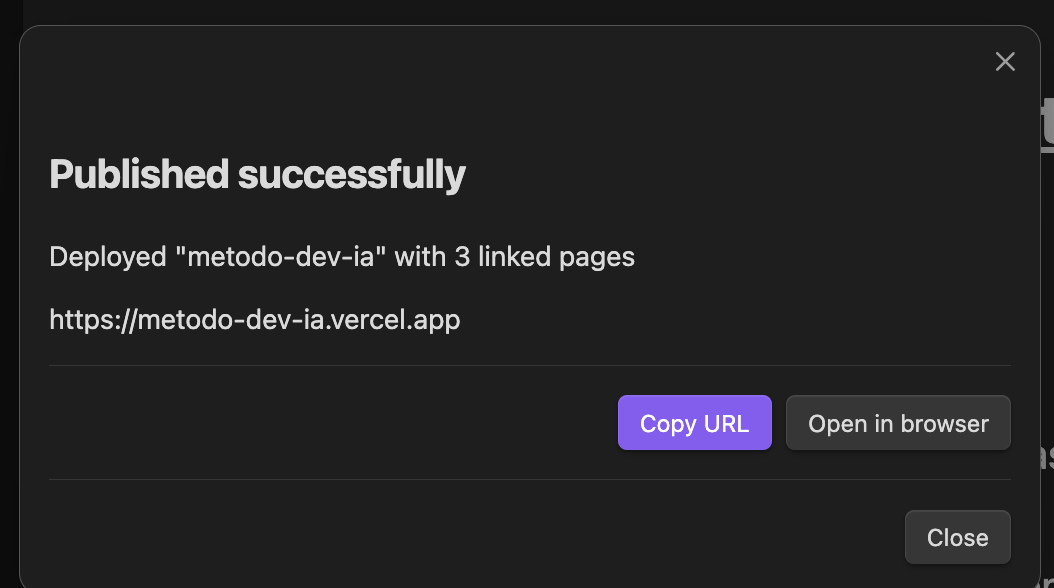
After deploying, a result modal gives you the URL with **Copy** and **Open in browser** buttons.
Published pages include collapsible sections, foldable bold list items, inlined local images, a download button, and a configurable contact button.
### Cross-Repo References
Reference files across different repos with `@reponame/path/to/file.ext`. Renames propagate automatically. Inside `_repos/`, paths are repo-relative; the first segment of a cross-repo path is matched against known repo names.
### Auto-Update References
Rename or move a file and all `@path` references across the vault update automatically — same-repo, cross-repo, and vault-relative formats.
## Settings
| Setting | Default | Description |
|---------|---------|-------------|
| Preferred insert format | Legacy @path | Wikilink (`[[path\|@display]]`) or legacy `@path` |
| Show token counts | On | Inline badges + status bar total |
| Max file size (MB) | 5 | Skip token counting above this |
| Max files per folder reference | 500 | Folder @paths over this show `> N files` instead of a token count |
| Folder encode batch size | 1 | Lower = smoother UI but slower folder counts |
| Show selection tokens in status bar | On | When text is selected, status bar shows `Sel: / ` |
| Suggest folders in autocomplete | On | Include folder candidates in @-autocomplete |
| Drag-and-drop @path inserts | On | Dragging a file/folder from the explorer inserts an `@path` ref |
| Vercel API token | — | For one-click publishing |
| Contact URL | — | Button link on published pages |
| Contact button label | Entre em contato | Button text |
| Site icon | — | Reusable favicon for published notes and HTML apps |
| Clerk publishable key | — | Required for private publishing |
| Clerk secret key | — | Required for private publishing |
| Publisher email | — | Used in private access requests |
## Install
- **Community Plugins** — in Obsidian, open `Settings` -> `Community plugins` -> `Browse`, search for `AtPath`, install, then enable
- **BRAT** — install `BRAT` from Obsidian Community Plugins, open `Settings` -> `BRAT`, choose `Add beta plugin`, enter `https://github.com/sergiogportela/obsidian-atpath`, then enable `AtPath`
- **Release zip** — download `atpath-x.y.z.zip` from the latest release, extract it into `.obsidian/plugins/` so it creates `.obsidian/plugins/atpath/`, then enable or reload the plugin
- **Manual** — copy `main.js`, `manifest.json`, `styles.css` to `.obsidian/plugins/atpath/`, then enable or reload the plugin
## Contributing
Contributions are welcome! Feel free to open issues or submit pull requests.
## License
MIT