# Brand Icons
Display brand logos and icons inline in your Obsidian notes.
Write `:brand:github.com:` in your note and it renders as an inline icon right next to your text.
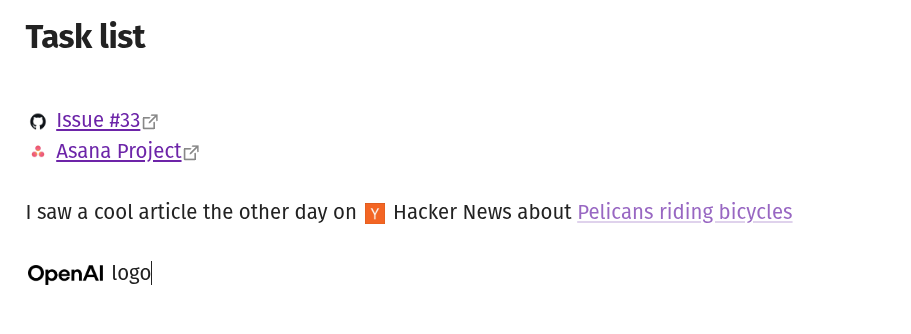
## Syntax
```
:brand:github.com:
:brand:spotify.com|logo:
:brand:stripe.com|icon|32:
```
The format is `:brand:domain:` with optional variant and size overrides separated by `|`.
| Part | Required | Description |
|------|----------|-------------|
| domain | Yes | The company's domain, e.g. `github.com` |
| variant | No | `icon`, `logo`, or `symbol` (depends on provider) |
| size | No | Height in pixels, overrides the default |
## Settings
- **Provider** -- which brand icon service to fetch from (default: Brandfetch)
- **Default size** -- icon height in pixels (default: 20)
- **Default variant** -- which logo variant to use when not specified
Each provider may have its own settings. For example, Brandfetch requires a client ID from their [developer portal](https://developers.brandfetch.com/).
## Installation
Copy `main.js`, `manifest.json`, and `styles.css` into your vault at `.obsidian/plugins/brand-icons/`, then enable the plugin in settings.
## Architecture
```
src/
main.ts Plugin lifecycle, registers renderers and settings
parse.ts Regex tokenizer -> BrandToken {domain, variant?, size?}
brand-element.ts BrandToken -> ![]() via provider.buildUrl()
post-processor.ts Reading mode: DOM TreeWalker replaces text nodes
editor-extension.ts Live preview: CodeMirror 6 decorations, reveals syntax at cursor
settings.ts Settings interface + dynamic provider-driven UI
providers/
provider.ts BrandProvider interface + registry
brandfetch.ts Brandfetch CDN implementation
styles.css Single rule using Obsidian CSS variables
```
**Data flow:** text node -> `findBrandSpans()` -> `BrandToken` -> `createBrandImg()` -> `provider.buildUrl()` -> `
via provider.buildUrl()
post-processor.ts Reading mode: DOM TreeWalker replaces text nodes
editor-extension.ts Live preview: CodeMirror 6 decorations, reveals syntax at cursor
settings.ts Settings interface + dynamic provider-driven UI
providers/
provider.ts BrandProvider interface + registry
brandfetch.ts Brandfetch CDN implementation
styles.css Single rule using Obsidian CSS variables
```
**Data flow:** text node -> `findBrandSpans()` -> `BrandToken` -> `createBrandImg()` -> `provider.buildUrl()` -> `![]() `
## Adding a provider
Create a new file in `src/providers/`, implement the `BrandProvider` interface, and push it to the `providers` array. No other files need changes. The settings UI and URL building are driven entirely by the interface.
## Development
```sh
npm install
npm run dev # watch mode
npm run build # production build
```
`
## Adding a provider
Create a new file in `src/providers/`, implement the `BrandProvider` interface, and push it to the `providers` array. No other files need changes. The settings UI and URL building are driven entirely by the interface.
## Development
```sh
npm install
npm run dev # watch mode
npm run build # production build
```