# Free AI and Agents
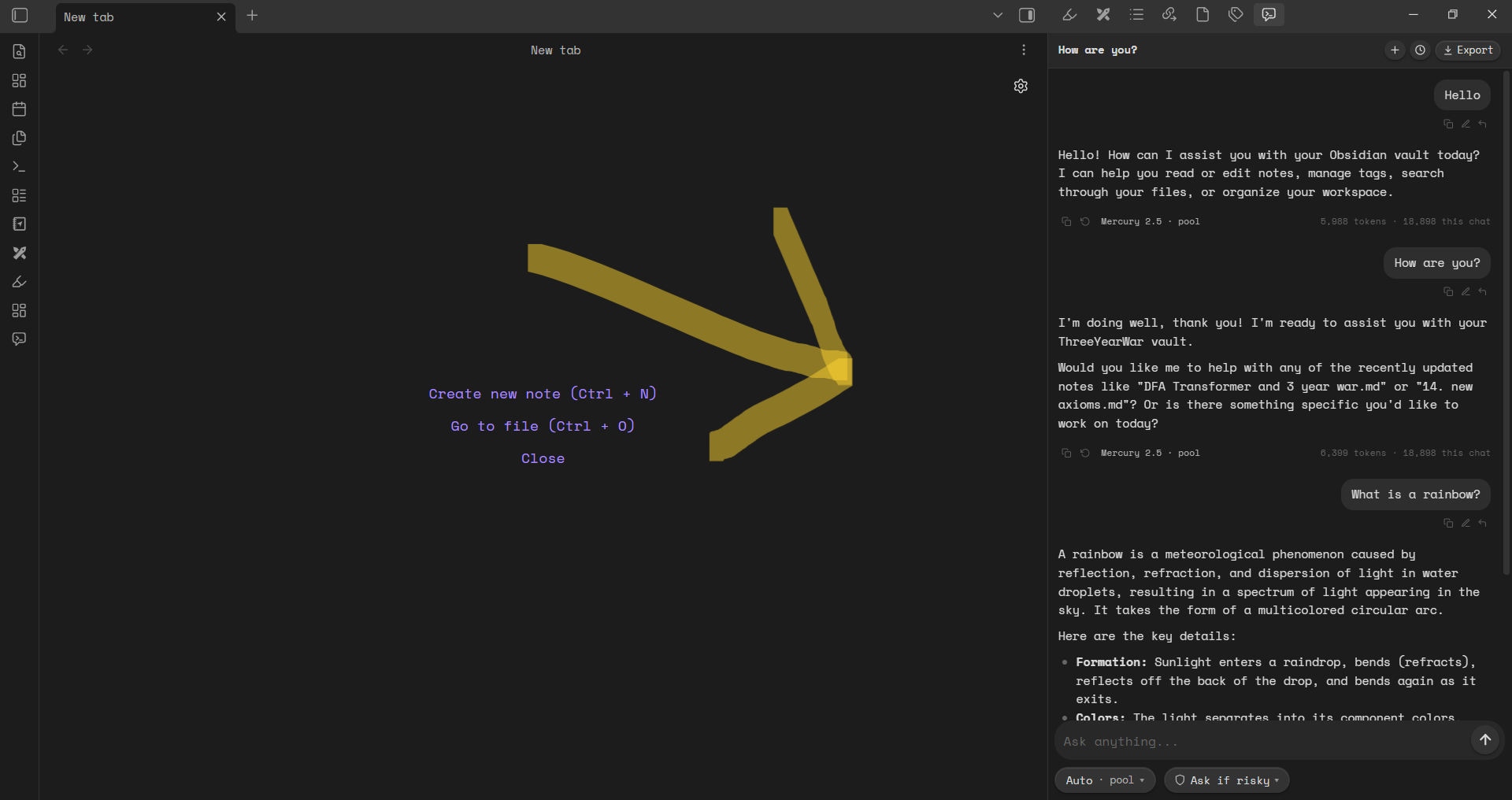
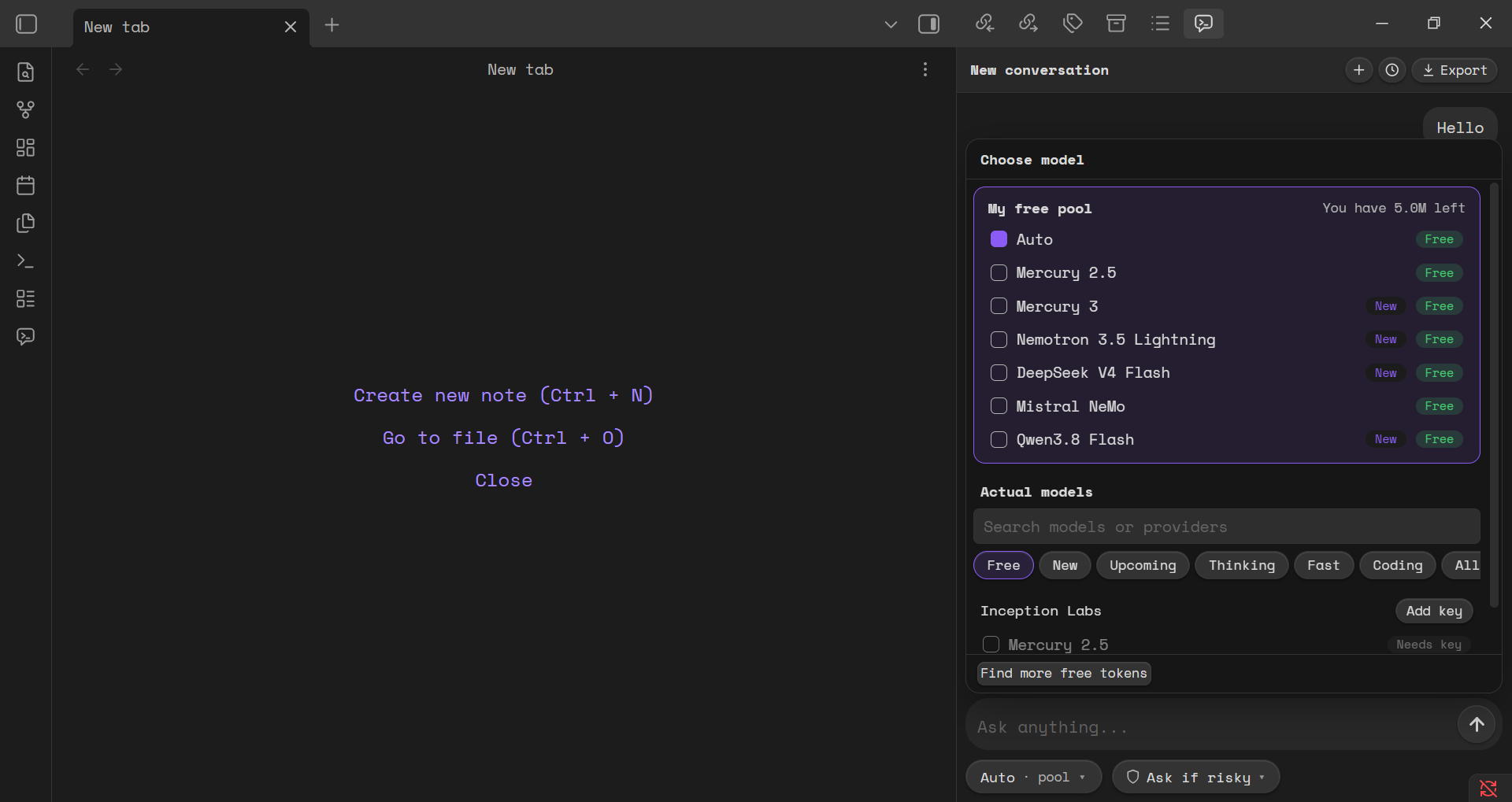
Free AI chat and vault-editing agents in your Obsidian sidebar. No account, no signup, and no API key needed to start. You get free monthly tokens You can also bring your own key if you want to use other providers. You can also get more AI tokens from [usefree.space](https://usefree.space).
## Features of this Obsidian APP
- **TopTier Free AI Models** — Get AI models for FREE like: Deepseek, Qwen, Mecury, etc All for free.
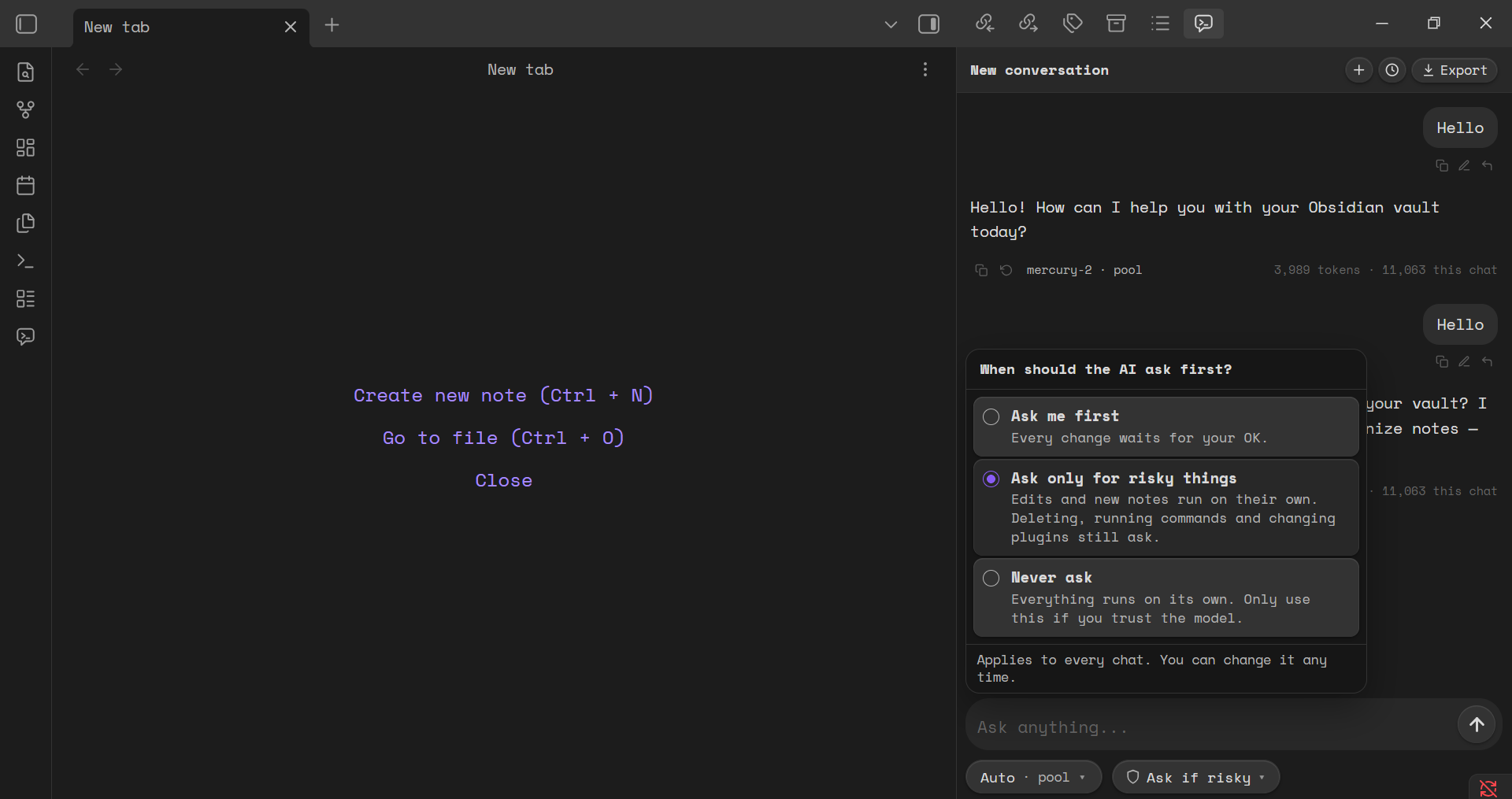
- **Agents that edit your vault** — create, rewrite, move and tag notes through tools, with an approval step before anything is changed.
- **Chat and agent modes** — ask questions, or let the agent act with tools such as read, search, write, move, tags, properties and canvas.
- **Web tools** — `web_read` and `web_search` let the model read a page or search the web, using the free web allowance or your own Jina key.
- **Voice typing** — optional dictation with your own Groq key.
- **Local history and snapshots** — a change history with restore, and chats you can export.
## Install?
To install either
1. GO to Obsidian → Go to Settings → Community plugins → Browse**, search for **Free AI and Agents**, then **Install** and **Enable**.
OR,
1. Download `main.js`, `manifest.json` and `styles.css` from the latest release.
2. Put them in `/.obsidian/plugins/free-ai-agents/`.
3. Reload Obsidian, then enable **Free AI and Agents** under **Settings → Community plugins**.
## How the free allowance works
- The free pool gives each device a monthly token allowance. No account or email is needed.
- The web tools give each device a monthly web allowance, and are capped per network as well.
- When an allowance runs out, the plugin tells you the reset time and links to [usefree.space](https://usefree.space) for free keys, promos and deals from many other AI services.
- Adding your own key (for any provider, including Jina) routes requests to that provider directly and skips the free allowance for that feature.
## Privacy
- No account, no email, and no client-side telemetry.
- The plugin stores its settings, your API keys (only if you turn on "Remember keys"), and your chats inside your vault.
See the privacy policy at [usefree.space/privacy](https://usefree.space/privacy).
## Permissions and safety
- The agent only touches your vault, and only after you approve each change (approval mode is configurable).
- A power-user `eval_js` tool can run JavaScript inside Obsidian. It is off by default and requires you to enable it in the settings.
- Tool results from your notes and from the web are treated as untrusted data.
## License
MIT. See [LICENSE](LICENSE).
- Website: [usefree.space](https://usefree.space)
- Issues: [GitHub issues](https://github.com/mokelu/free-ai-agents/issues)