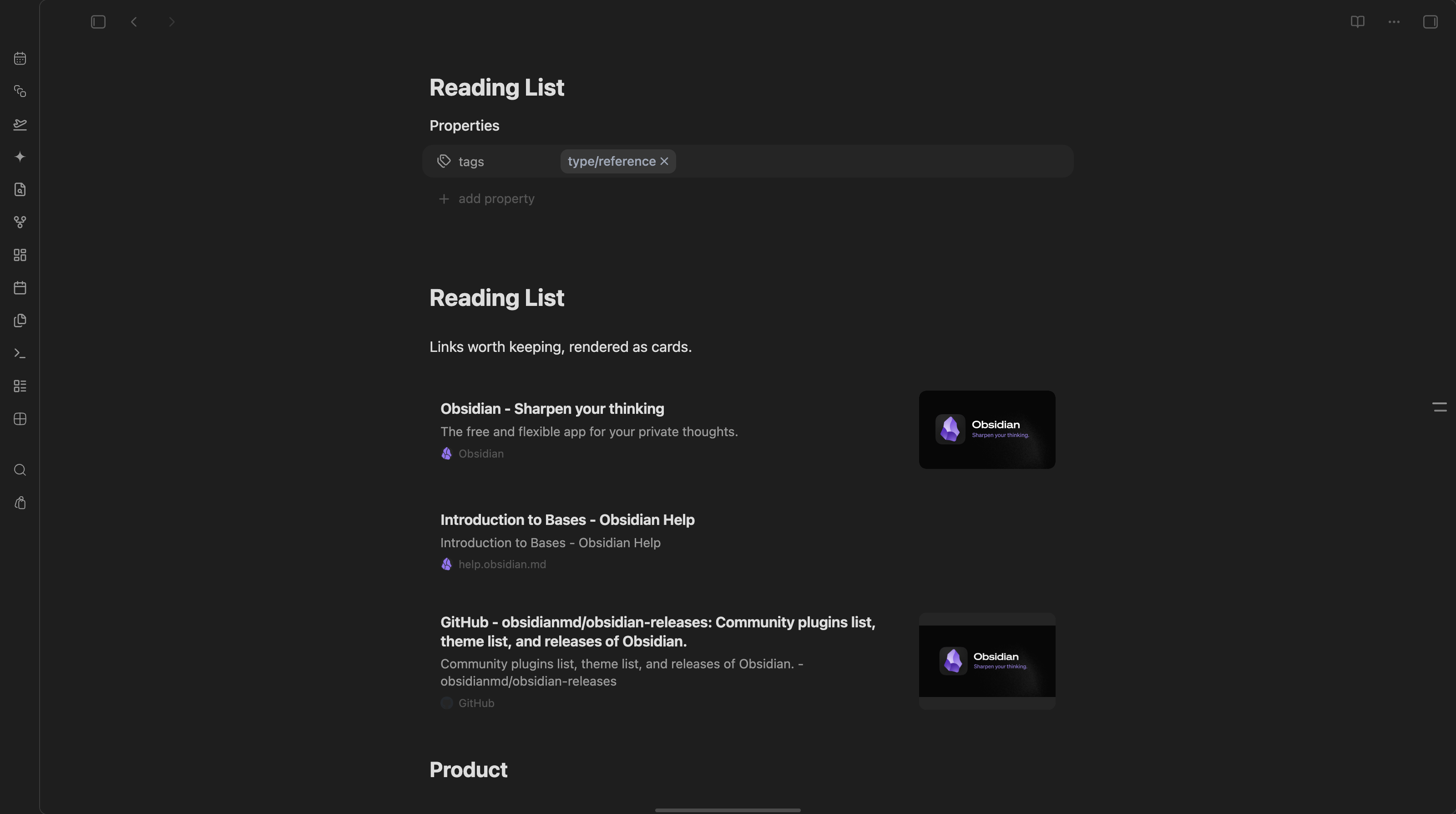
Standalone links, rendered as cards with favicon, domain, and preview image.
## What makes it different - Source-pure rendering: displaying a card never rewrites your Markdown. - Editable in place: the card's own controls (edit link, card size) write back to the line, and only when you click them. - Native editing: the card becomes editable Markdown when its line is active. - Theme-aware: all colors and typography inherit Obsidian theme tokens. - Local-first: metadata is fetched directly and cached in plugin data. - Cross-platform: Live Preview and Reading Mode on desktop and mobile. ## Usage Paste an `http://` or `https://` URL on its own line. Glance fetches Open Graph metadata and replaces the inactive line with a rich card. Move the cursor into the line to reveal and edit the original Markdown. Standard links are supported too: ```markdown [Obsidian](https://obsidian.md) ``` Inline links inside sentences are intentionally left unchanged. ### X posts A link to an X (Twitter) post renders as the post itself: author, date, full text, photos and video stills, and its reply, repost and like counts. This also covers `` embeds, which Obsidian would otherwise draw as a Twitter iframe. Any other `` embed is an image and stays Obsidian's. In Live Preview, click or tap a post to focus its source line for normal editing, list formatting and moving. To open the original post, use the **Open on X** icon in its action bar. This also applies to compact cards and posts whose metadata has not loaded yet. Reading mode uses the same icon. ### Card controls Hovering a card reveals its actions: edit the link, copy it, refresh the metadata, switch between expanded and compact, and embed the live page. Editing and resizing are Live Preview only — in Reading mode a card is display-only. ### Card size Cards render at the size set by **Default card size** in settings. Override a single line by appending a marker: ```markdown https://obsidian.md %%glance:compact%% https://obsidian.md %%glance:expand%% ``` The card's size toggle writes these for you. `%%…%%` is an Obsidian comment, so it never shows in Reading mode. A compact card keeps its image, just narrower, and drops the description. ### Web embed The embed action (window icon) swaps the card for the live page itself, loaded in an iframe, rather than an unfurled preview: ```markdown https://obsidian.md %%glance:embed%% ``` Toggling it off returns to **Default card size**. Sites that refuse to render inside an iframe (`X-Frame-Options` or a restrictive CSP — most banks, social networks, and many SaaS apps) show as a blank frame with no way to detect that in advance; use **Open in browser** in the card header as the fallback. ### Lists and tasks Links inside bullet, numbered and task items render as cards too: ```markdown - https://obsidian.md - [ ] https://obsidian.md %%glance:compact%% ``` In a list the card replaces only the link: the bullet, number or checkbox, the indent and folding stay Obsidian's own, in Live Preview and Reading mode alike, and an item's sub-bullets stay under its card. List cards default to compact, one row tall, so an outline still reads as an outline. **Card size in lists** in settings changes that (compact, expanded, or the default card size), and a line marker still overrides it. ## Commands - **Refresh card under cursor**: invalidates metadata for the standalone link on the active line and fetches it again. - **Clear metadata cache**: removes all cached previews. ## Development ```bash pnpm install pnpm test pnpm lint pnpm typecheck pnpm build ``` ## Privacy Glance sends a request only to the URL pasted by the user, with one exception: X posts are read through the public FixTweet API (`api.fxtwitter.com`), because x.com serves no readable metadata. That service sees the id of each post you render. Glance uses no analytics service. Sites that block direct requests fall back to a domain-only card. ## Network use Glance makes network requests only for standalone web links in your notes: - **Page metadata**: when a card is first rendered (or its cache entry has expired, or you run **Refresh card under cursor**), Glance sends one `GET` request to the linked URL with Obsidian's `requestUrl` to read its title, description and Open Graph tags. Results are cached in plugin data for the **Cache lifetime** set in settings. - **X posts**: for a link to an X post, Glance first requests `https://api.fxtwitter.com/