
# mineru-converter
[](LICENSE)
[](https://github.com/liyifan2004/obsidian-mineru-converter/releases)
English | [简体中文](README.zh.md)
> Let MinerU's accurate-parse API and Obsidian work together: convert any PDF / Word / PPT / Excel / image in your vault to editable Markdown with one right-click.
This repository hosts the **MinerU Converter** Obsidian plugin plus the engineering notes and tooling behind it.
## Contents
| Folder | What's in it |
|---|---|
| [`plugin/`](plugin/) | The Obsidian plugin (TypeScript → bundled `main.js`). Ready to install. |
| [`docs/01-API文档理解.md`](docs/01-API文档理解.md) | Structured understanding of the MinerU v4 API — every endpoint, parameter, state machine, and error code. |
| [`docs/02-实操经验总结.md`](docs/02-实操经验总结.md) | Hard-won engineering notes: rate limits, CDN SSL workaround, 200-page limit, encrypted PDFs, proxy pitfalls, batch processing. |
| [`docs/03-Obsidian插件开发规划.md`](docs/03-Obsidian插件开发规划.md) | Product plan + technical design + interaction patterns for this plugin. |
| [`code/`](code/) | Python tools that pre-date the plugin (252-file batch converter). Useful when you have a giant library to process. |
## Quick start (Obsidian plugin)
1. Apply for a MinerU API token at (free tier available).
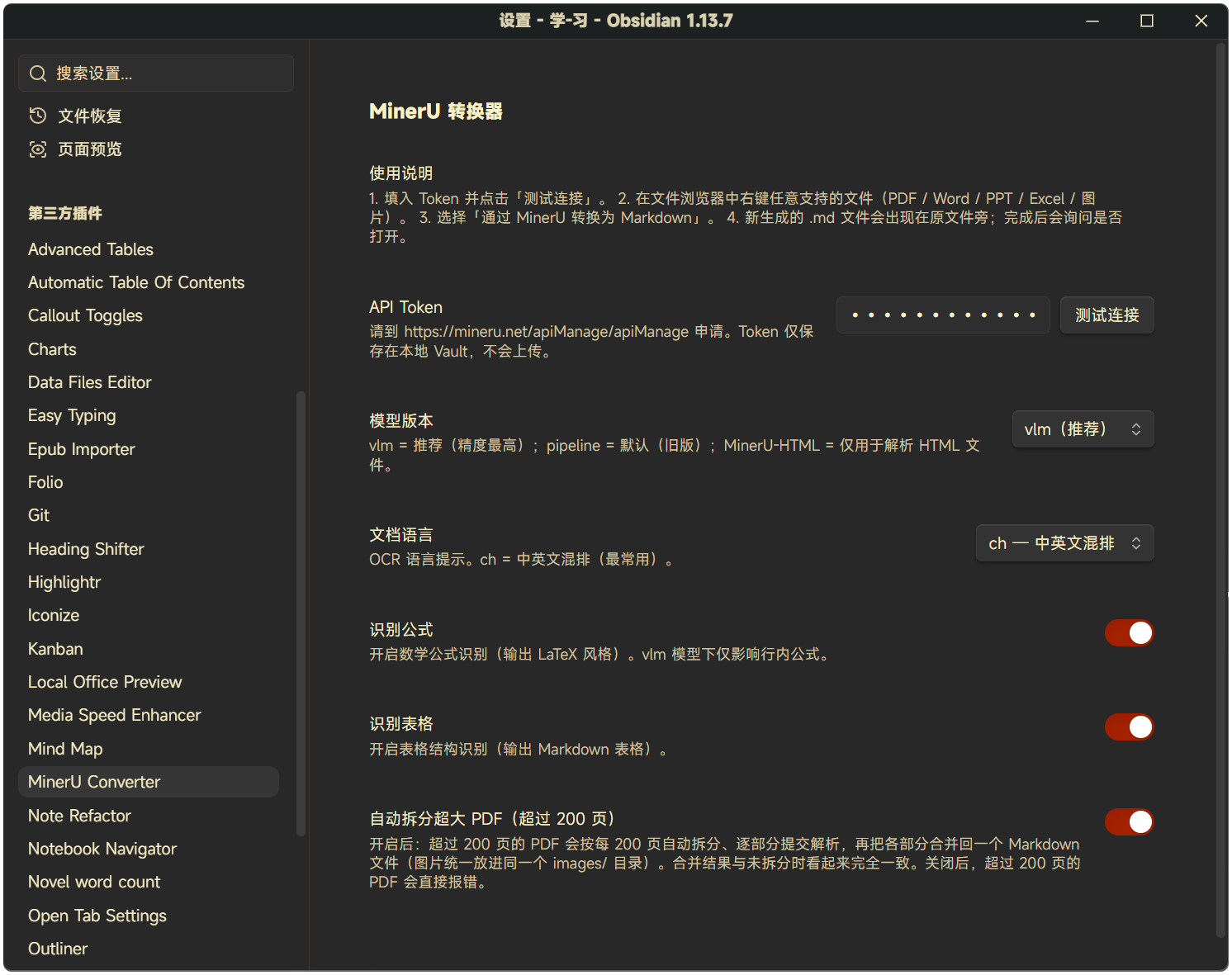
2. In Obsidian → **Settings → Community plugins → MinerU Converter**, paste the token. Click **Test connection** to verify.
3. Right-click any PDF / Word / PPT / Excel / image in the file explorer → **Convert to Markdown via MinerU**.
4. A `.md` file appears next to the original. The plugin will ask if you want to open it.
**PDFs longer than 200 pages** are handled automatically: the plugin splits the page tree into 200-page parts, submits each part to MinerU in turn, then merges the Markdown and images back into a single `.md` file next to the original. The output looks identical to a non-split conversion — no part markers, one shared `images/` folder. Turn this off in **Settings → MinerU Converter → Auto-split oversized PDFs**.
For supported formats and limits, see [docs/03-Obsidian插件开发规划.md](docs/03-Obsidian插件开发规划.md).
## Demo
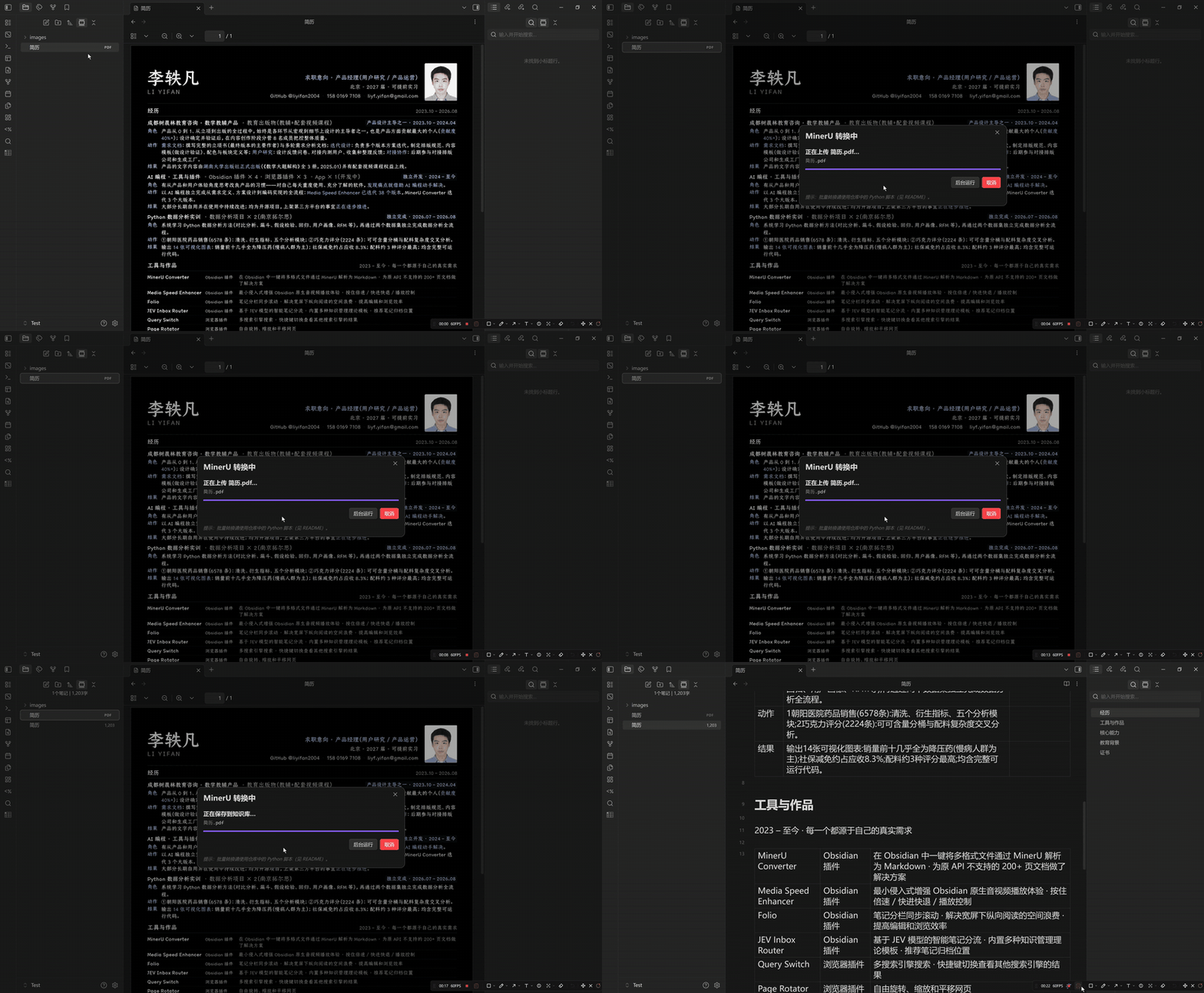
Right-click a PDF, wait a few seconds, get Markdown:
**Settings** — API token, model version, OCR language, formula / table recognition, auto-split for oversized PDFs:
## Quick start (Python batch tool)
If you have hundreds of files to convert, the plugin's per-file flow is slow. Use the Python tools in [`code/`](code/) instead:
```bash
pip install requests PyPDF2
# Edit TOKEN and ROOT_DIR at the top of code/mineru_convert.py
python code/mineru_convert.py
```
The script auto-batches (40 files per batch, 70 s between batches to respect MinerU's 50/min limit), resumes on re-run, and writes `.md` siblings in place.
## Plugin development
```bash
cd plugin
npm install
npm run dev # watch mode, auto-rebuilds main.js
```
To test locally, copy the produced `main.js`, `manifest.json`, and `styles.css` into `/.obsidian/plugins/mineru-converter/`, then enable **Community plugins → MinerU Converter** in Obsidian settings.
Releases are built and attested by GitHub Actions when a bare-semver tag is pushed. Every asset carries a GitHub artifact attestation and can be verified with `gh attestation verify main.js -R liyifan2004/obsidian-mineru-converter`. See [`plugin/README.md`](plugin/README.md#release) for the release flow.
## License
[MIT](LICENSE)