

English | [Português](./docs/README_pt.md) | [Español](./docs/README_es.md) | [Français](./docs/README_fr.md) | [简体中文](./docs/README_zh-CN.md)
---
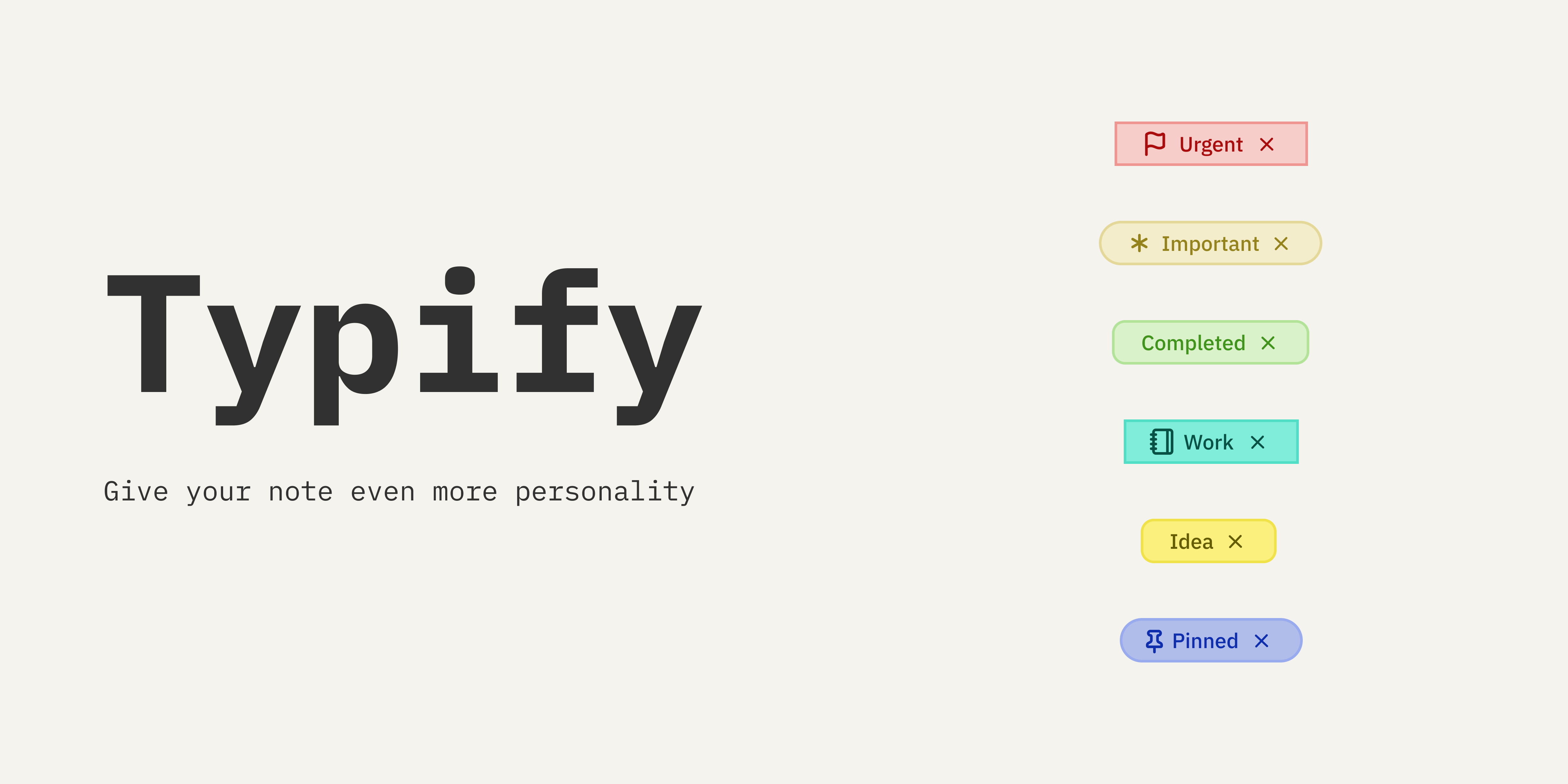
Transform your boring metadata into a dynamic and colorful display! 🎨✨
Typify is an Obsidian plugin that allows you to create unique styles for your metadata. What was once limited to tags can now be customized for any Obsidian property.
## Features
- **🎨 Customizable Styles**: Create unique styles for your metadata.
- **✨ 1700+ Icons**: Built-in fuzzy search for the entire Lucide icon library.
- **🌑 Dark/Light Mode**: Colors automatically adapt to your Obsidian theme.
- **🚫 Optional Icons**: Support for text-only pills (just remove the icon!).
- **🧩 Custom Icons**: Not enough icons? You can easily use your own.
- **🌍 Internationalization**: Fully translated into English, Portuguese (Brazil), Spanish, French, and Simplified Chinese.
- **💾 Export/Import**: Easily backup and share your configurations.
- **📋 Bases Plugin**: Styles also apply to Bases views (table and cards).
- **🎯 Scoped Styles**: Limit a style to specific properties using "Applies To".
- **🖼️ Image Tags**: Upload your own local images (PNG, JPG, SVG) to use as contact avatars or custom icons.
- **👁️ Hide Remove Button**: Aesthetically hide the 'X' button globally or per view to create read-only badges.
- **♾️ Canvas Support**: Fully compatible with Obsidian Canvas, rendering styles dynamically.
- **🔗 Associated Links**: Replaces URLs in pills with the style name, keeping the native link click behavior.
- **😀 Emoji Icons**: Support for selecting and using native emojis directly as icons in pills.
## How to Use
It's very simple to transform your properties!
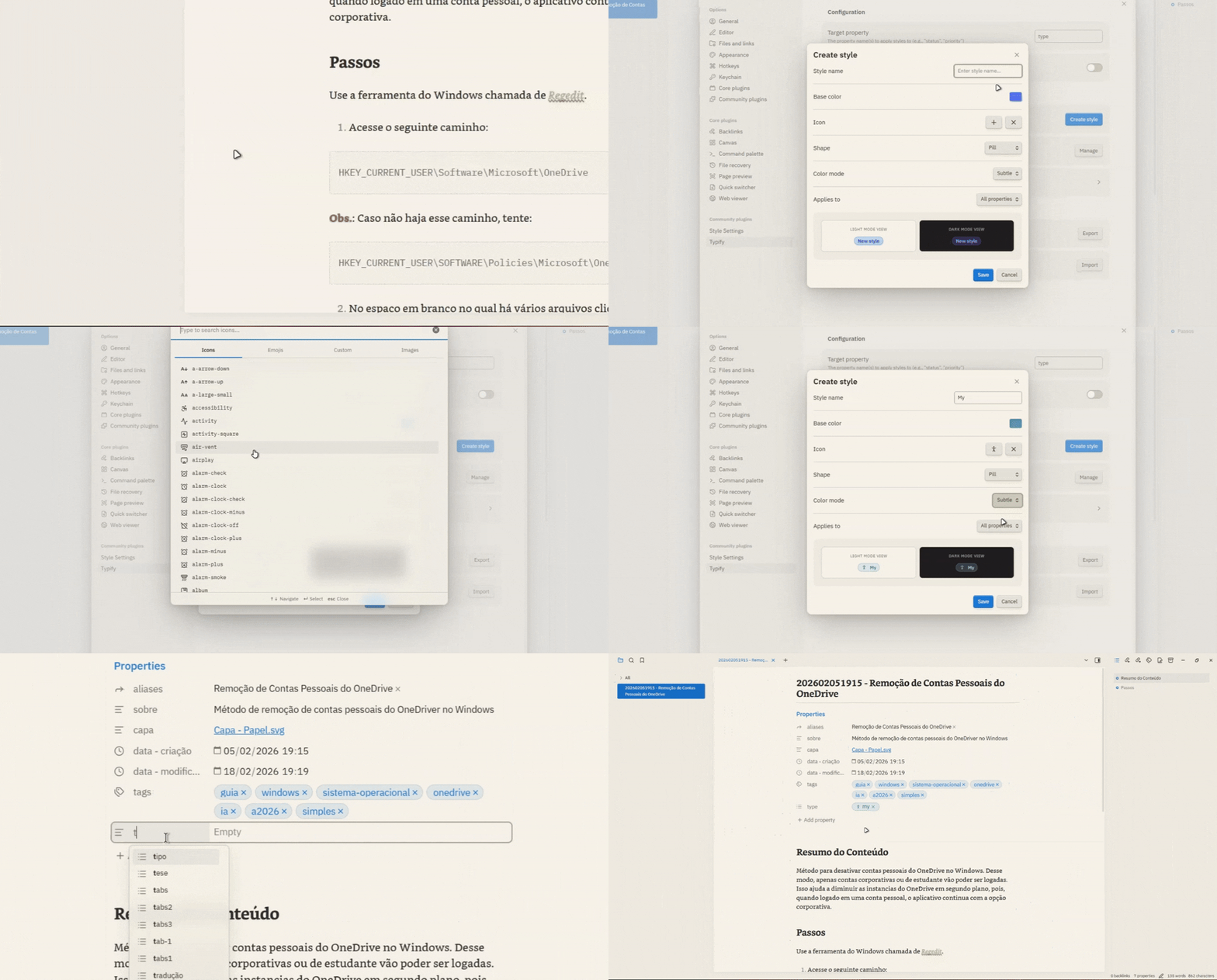
1. **In Typify Settings:** Add the property for which you will create custom styles (e.g., `Status`).
2. **Customize:** Click **Create style** and define the name that will be used for the tag, as well as the color, icon (Lucide, emoji or image), shape, and many more options.
3. **In your Notes:** Using the target property defined earlier, insert the created style name next to it and the magic happens instantly! ✨
### 🔗 Associated Links (New!)
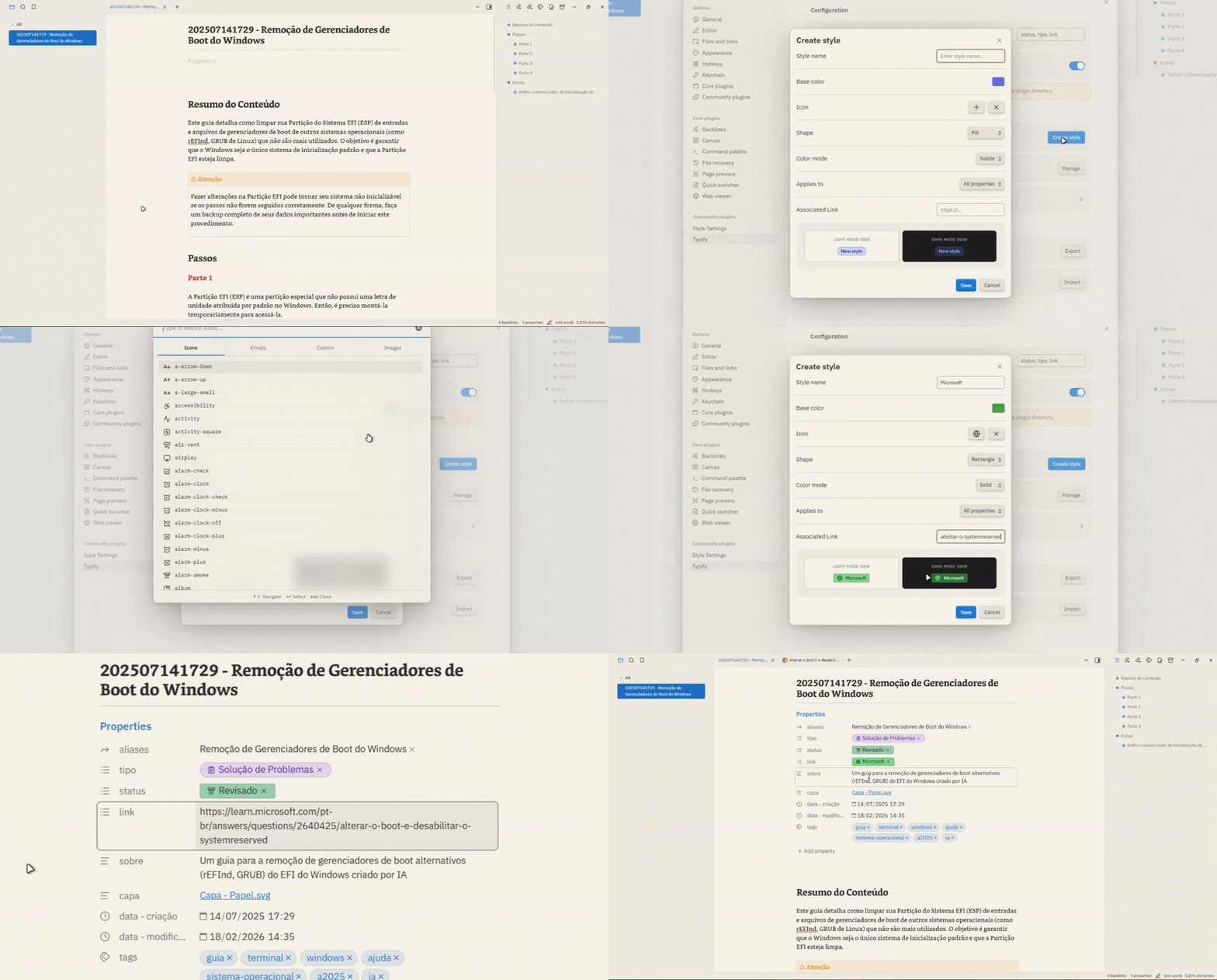
Typify allows you to create much cleaner property links. Instead of seeing an ugly `https://...` URL, you can associate it with a Style!
If your style name is "Google Translate" and the matched value in *Match Value* is the URL `https://translate.google.com/`, the plugin will hide the URL and perfectly render the name "Google Translate" as a clickable pill.
## Installation
### Manual Installation
1. Download the latest release: `main.js`, `manifest.json`, and `styles.css`.
2. Create a folder called `typify` inside your `.obsidian/plugins/` directory.
3. Paste the files there.
4. Reload Obsidian and enable the plugin.
## Notices
> [!Important]
> The style effect only applies to properties of type **List** in Obsidian.
> [!Note]
> The plugin is case-insensitive for both property names and values. Example: `Status` and `status` are treated as the same property.
> [!Note]
> If two styles share the same name but have different scopes (e.g., one set to "All properties" and another to a specific property), the more specific style will take priority for that property.
> [!Tip]
> You can use multiple properties as targets. Just add a comma between them. Example: `Status, Priority`.
> [!Note]
> Custom image tags in the **Bases Cards** view are intentionally rendered slightly smaller (14px instead of 18px) to prevent layout clipping caused by the strict fixed-height constraints of the card container.
> [!Note]
> Custom icons and images must be added manually outside of Obsidian. Place your SVG files in the `.obsidian/plugins/typify/icons/` folder, and your image files (PNG, JPG, etc.) in the `.obsidian/plugins/typify/img/` folder.
> [!Warning]
> Importing settings **replaces all existing styles**. Styles created after the backup will be lost.
> [!Warning]
> The **Minimal** theme has some known layout inconsistencies when used alongside Typify (such as disproportionate font sizes or clipped elements). While I am actively working to mitigate and resolve these limitations in each update, please be aware of these temporary inconsistencies when using this theme.
## Roadmap
Here are some of the planned features and improvements under consideration for future releases:
- ~~**📊 Reference Pills**: Display the total number of references that specific metadata has across your vault instead of an icon (e.g., an author pill displaying "X" references).~~ --> Unfeasible :/ (Due to performance limitations)
- ~~**🔗 Link Simplification**: Automatically clean and shorten external URLs displayed inside pills (e.g., `www.google.com` simplified to `google.com`).~~ --> Implemented differently! :D
- ~~**🌐 Favicon Support**: Automatically fetch and display website favicons for external links that do not have a custom icon configured.~~ --> Discontinued due to restrictions :/
- **🎨 Simple Pills**: Introduce minimal, color-free styling options. These can be customized or automatically applied to undefined values in styled properties.
- ~~**🗂️ Tabbed Management UI**: Overhaul the settings panel to replace the long list of styles with a tab-based organization system (matching the icon search layout), complete with horizontal scrolling.~~ --> Implemented! :D
- ~~**😀 Emoji Icons**: Support selecting and using native emojis as pill icons directly.~~ --> Implemented! :3
## Development
If you want to build the plugin yourself, do the following:
1. Clone this repository.
2. Run `npm install`.
3. Run `npm run dev` to start compilation in watch mode.
## Disclaimer
This plugin was born from my desire to have more customization options for properties, similar to Notion, but the Obsidian way.
It's worth mentioning that without the great help of [Antigravity](https://antigravity.google/) none of this would have been possible. Of course, there was no magic done with a single click—it took careful prompting, lots of review, and testing.
This wasn't "vibe-coded" carelessly. I had to change many things manually, but it's not bulletproof. If you find any bugs, please open an issue and I'll do my best to fix it.
If you want to contribute to the project, feel free to open a pull request. Or if you don't feel comfortable using machine-generated code and want to make your own handcrafted version, feel free to do that too. Just let me know, because I love new plugins 😉.