# Obsidian Manuscript Outliner
A plugin that generates structured outline views from your manuscript notes, showing each section’s status tag and word count at a glance.
Why? Writers work non-linearly. As a manuscript grows, tracking the status of each section becomes unmanageable — you need an entry point every time you sit down to write.
## How it works
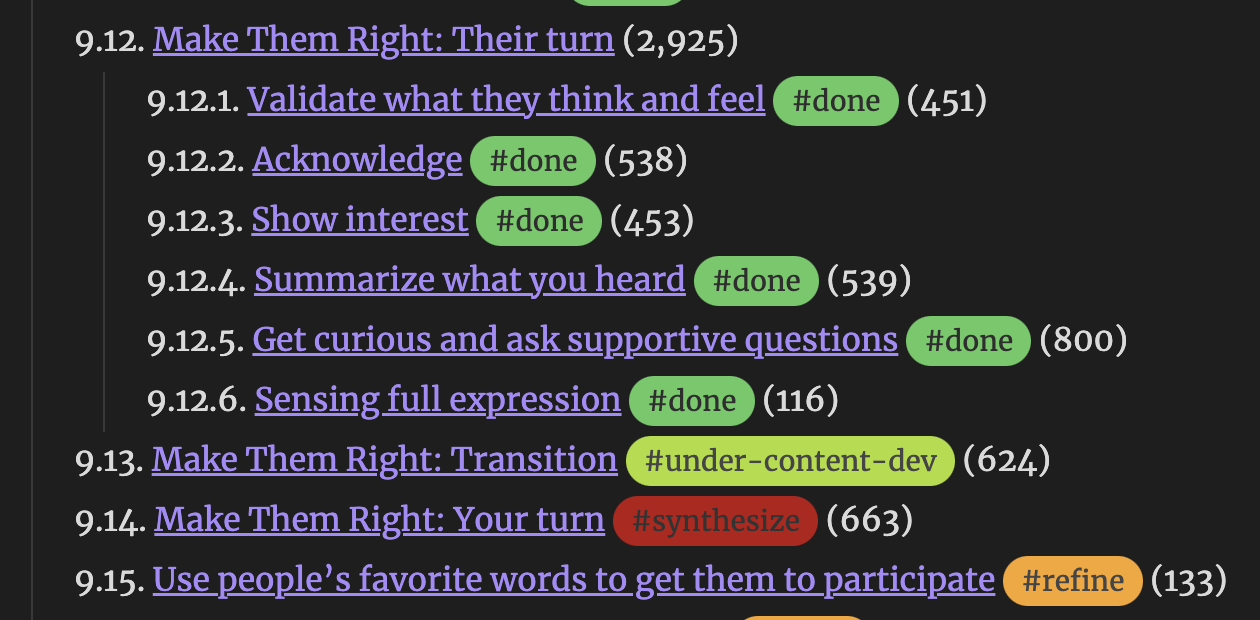
For each source note, the plugin produces two outline files:
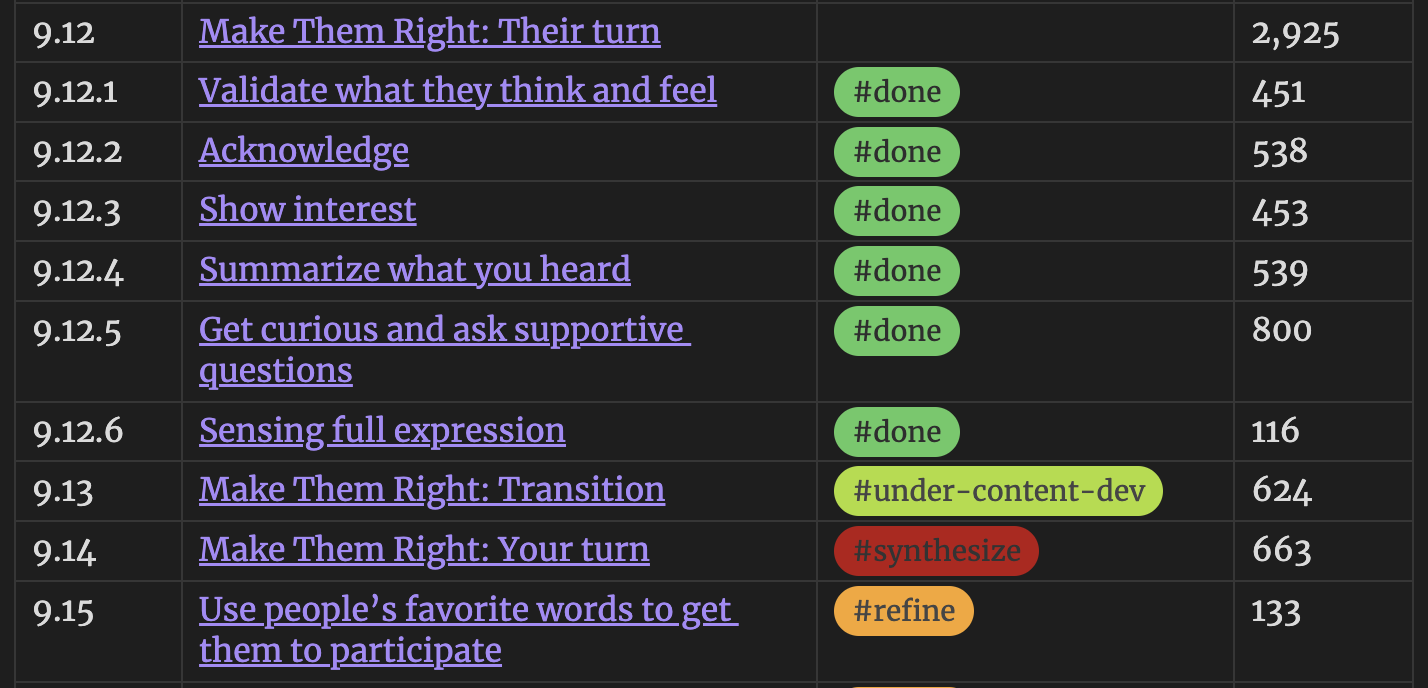
| Output | Description |
|--------|-------------|
| **List outline** | Nested numbered headings with wikilinks to each section |
| **Table outline** | Markdown table with hierarchical numbering (1.2.3), status tags, and word counts |
Every heading in the outline is a wikilink—click it to jump directly to that section in your manuscript. Outlines auto-update as you edit.
## Setup
1. **Install** the plugin in Obsidian
2. **Configure source notes** — open the plugin settings and add the names of notes you want outlined (without `.md`). Default is `Manuscript`
3. **Add status tags** — place a tag like `#draft` or `#review` on the line immediately after any heading. See the tag conventions below
4. **Generate outlines** — use the command palette or the ribbon icon to create outline files. With _Auto-regenerate on save_ enabled, outlines update as you work
### Status tags
Place any `#tag` on the first non-blank line below a heading. The plugin picks up the first tag it finds:
```markdown
## Chapter 5 - On Being Aware
#draft
Content here...
```
Example status tags (pair with [Colored Tags Wrangler](https://community.obsidian.md/plugins/colored-tags-wrangler) for visual distinction):
| Tag | Meaning |
| --------- | -------------------- |
| `#draft` | First pass |
| `#review` | Needs editorial pass |
| `#refine` | Revise for flow and momentum |
| `#final` | Done |
Tags are free-form — use whatever system fits your workflow.
### Output naming
With default settings, `Manuscript.md` produces `Manuscript-outline.md` and `Manuscript-table.md`. Suffixes are configurable in settings.
## Commands
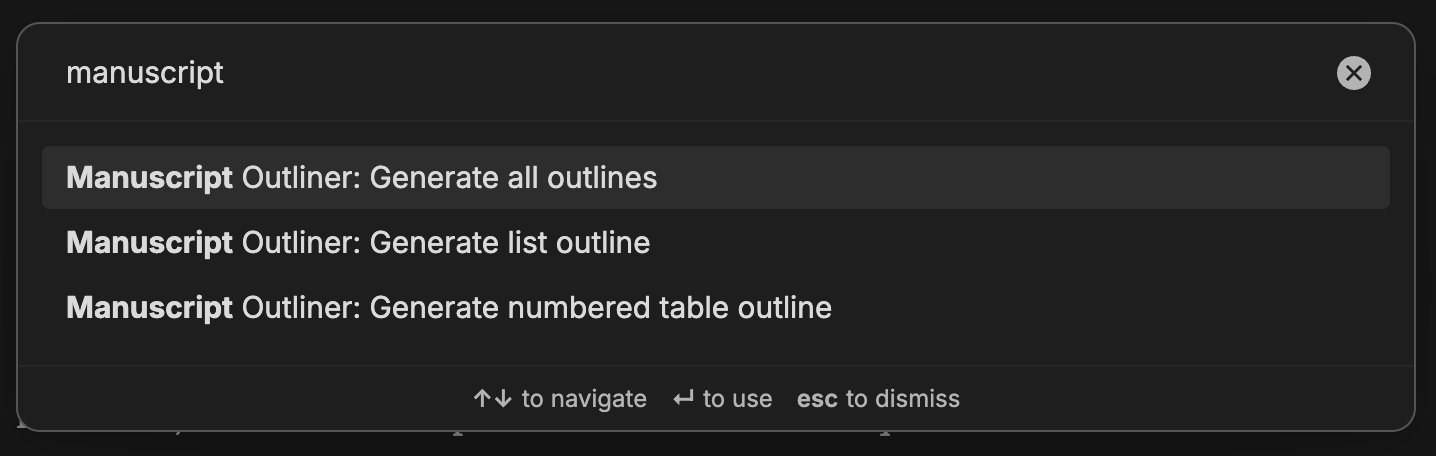
| Command | Action |
|---------|--------|
| Generate list outline | Create numbered list view(s) |
| Generate table outline | Create table view(s) |
| Generate all outlines | Create both at once |
A list-tree ribbon icon (enable in settings) generates all outlines with one click.
## Settings
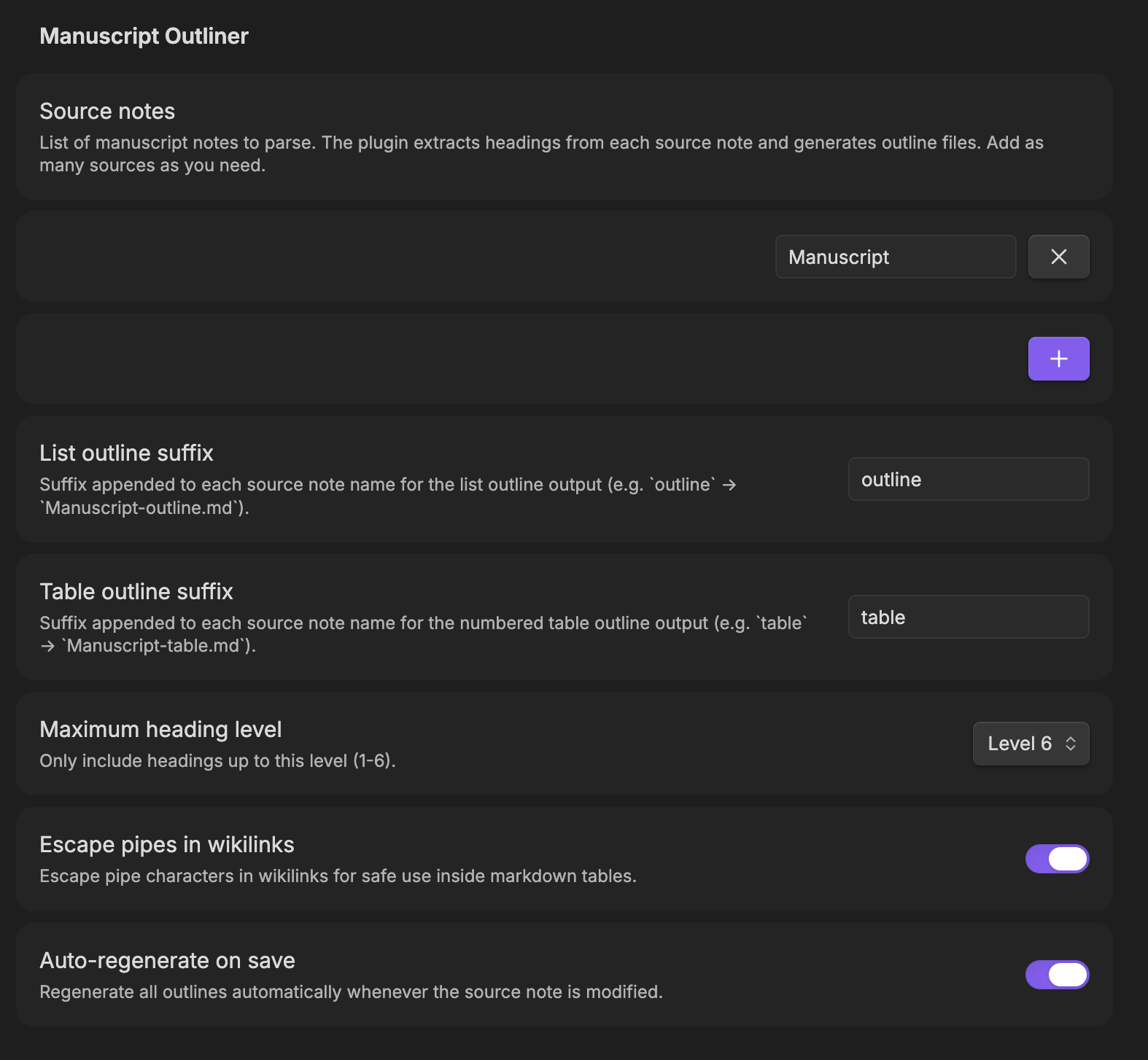
| Setting | Default | Description |
|---------|---------|-------------|
| Source note names | `Manuscript` | Notes to parse (without `.md`). Add as many as needed |
| List outline suffix | `outline` | Appended to source name for list output |
| Table outline suffix | `table` | Appended to source name for table output |
| Maximum heading level | 6 | Include headings up to this depth (1–6) |
| Content-only word counts | Off | When on, excludes subheading content from counts |
| Auto-regenerate on save | Off | Regenerate outlines when any source note changes |
| Escape pipes in wikilinks | On | Prevents `\|` from breaking table formatting |
## Screenshots
## Building from source
```bash
npm install
npm run dev # watch mode
npm run build # production bundle
```
## License
MIT. See [LICENSE](./LICENSE) for details.