# WOL Reference Tools
An [Obsidian](https://obsidian.md) plugin that lets you look up Bible verses and references from [wol.jw.org](https://wol.jw.org), and add them to your notes inline, in a modal or popover, or in the sidebar.
### How it works
ℹ️ The plugin sends the 'value' of the reference - whatever is within the `!!`, and send that value to a Cloudflare worker, which does a search on wol.jw.org, eg: `[https://wol.jw.org/en/wol/l/r1/lp-e?q=ps83:18](https://wol.jw.org/en/wol/l/r1/lp-e?q=ps83:18)`. It then uses [cheerio](https://cheerio.js.org/) to parse the HTML, and returns an object containing the reference text and the verse text.
```
{
"results": [
"18 May people know that you, whose name is Jehovah,
You alone are the Most High over all the earth.
"
]
}
```
Some light formatting is applied for styling purposes, but the results are left otherwise unchanged.
### How to use
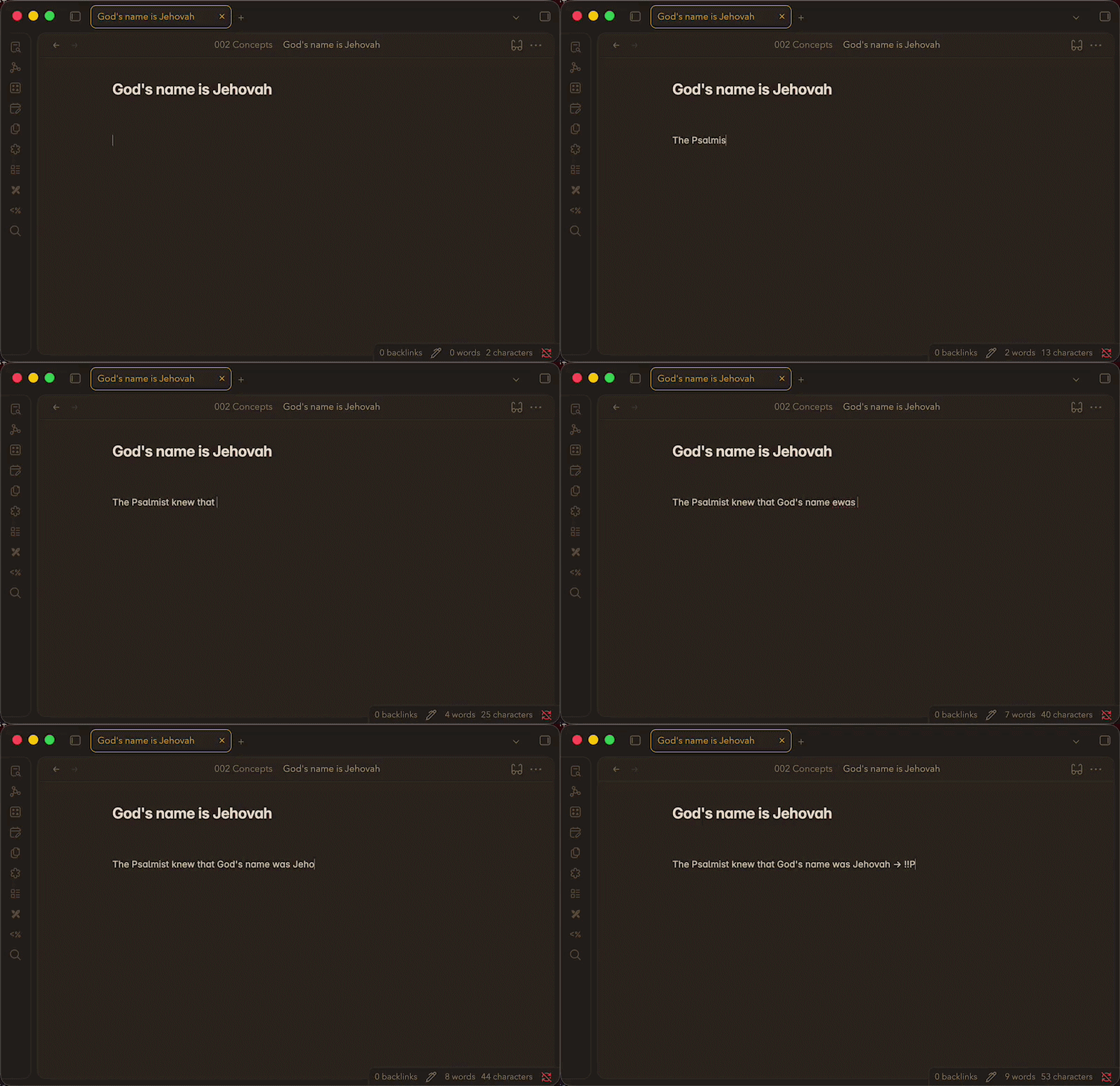
Wrap any reference in `!!double exclamation marks!!` and it becomes a clickable link. Click it to see the full text from [wol.jw.org](https://wol.jw.org) in a modal or popover. The sidebar panel automatically lists and loads all references in the active note.
To show a verse inline within your note as you're typing, add a `>` after the double exclamation marks:
```
!!John 3:16!!>
```
Add `scriptures` to your frontmatter using the double exclamation marks and combine that with a `dataviewjs` query to show any references you've added:
```
---
scriptures:
- "!!Daniel 12:1!!"
- "!!Revelation 12:7, 9!!"
---
```
```dataviewjs
const scriptures = dv.current().scriptures ?? [];
scriptures.forEach(s => dv.paragraph(s + ">
"));
```
---
---
## Features
- **Inline reference links** — `!!John 3:16!!` renders as a styled, clickable link in both Reading and Live Preview modes
- **Modal & popover display** — choose how results appear (configurable in settings)
- **Sidebar panel** — all references in the current note are fetched and displayed in the right panel
- **Inline callout** — `!!John 3:16!!>` renders the full result as an inline block directly in the editor
- **In-memory caching** — results are cached for 30 minutes per session to avoid redundant requests
---
## Usage
| Syntax | Result |
| ---------------------------- | ----------------------------------------------- |
| `!!John 3:16!!` | Clickable inline link; click to open result |
| `!!Isaiah 40:8!!` | Works for any Bible book or WOL search term |
| `!!John 3:16!!>` | Renders result inline as a callout block |
| `!!John 3:16; Romans 8:28!!` | Semicolons separate multiple refs in one marker |
---
## Settings
| Setting | Description |
| ------------------------ | ----------------------------------------------------------- |
| Reference Display Option | Choose **Modal Dialog** or **Pop-over** for click behaviour |
| Reference cache | Clear the in-memory cache to force fresh fetches |
---
## Author
[@iaremarkus](https://github.com/iaremarkus)