
Material Icon Theme
Material Design icons for Obsidian



English | 简体中文
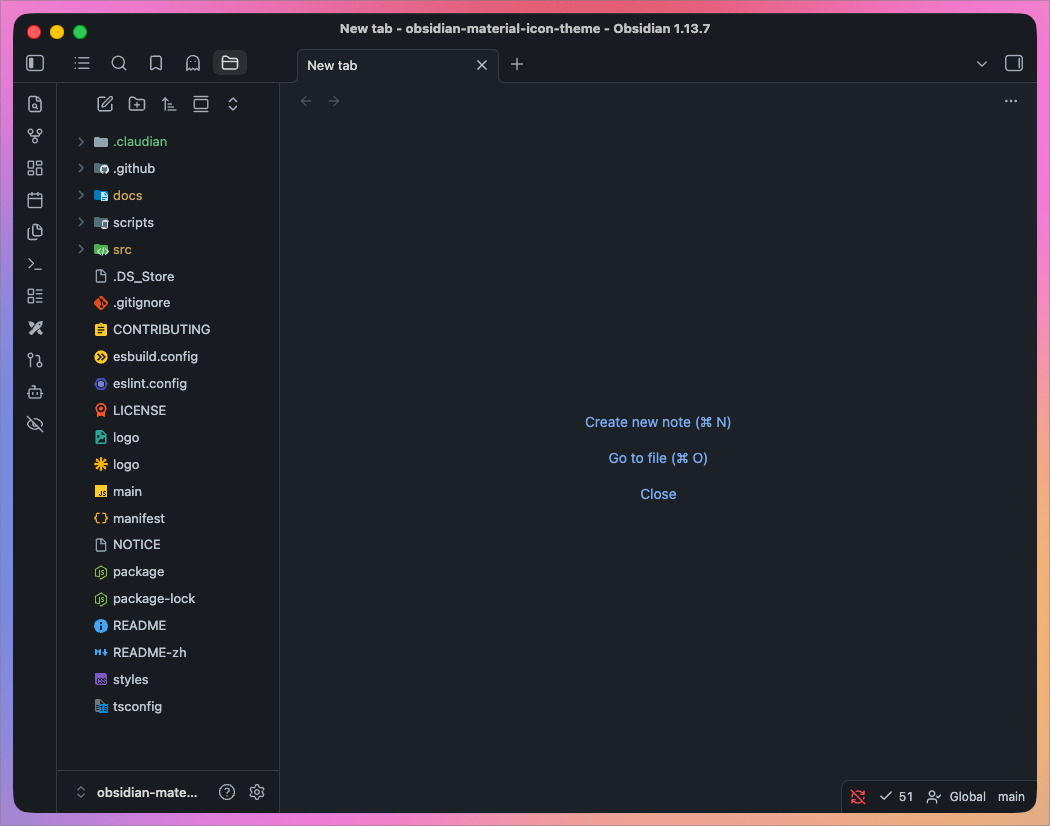
### File icons
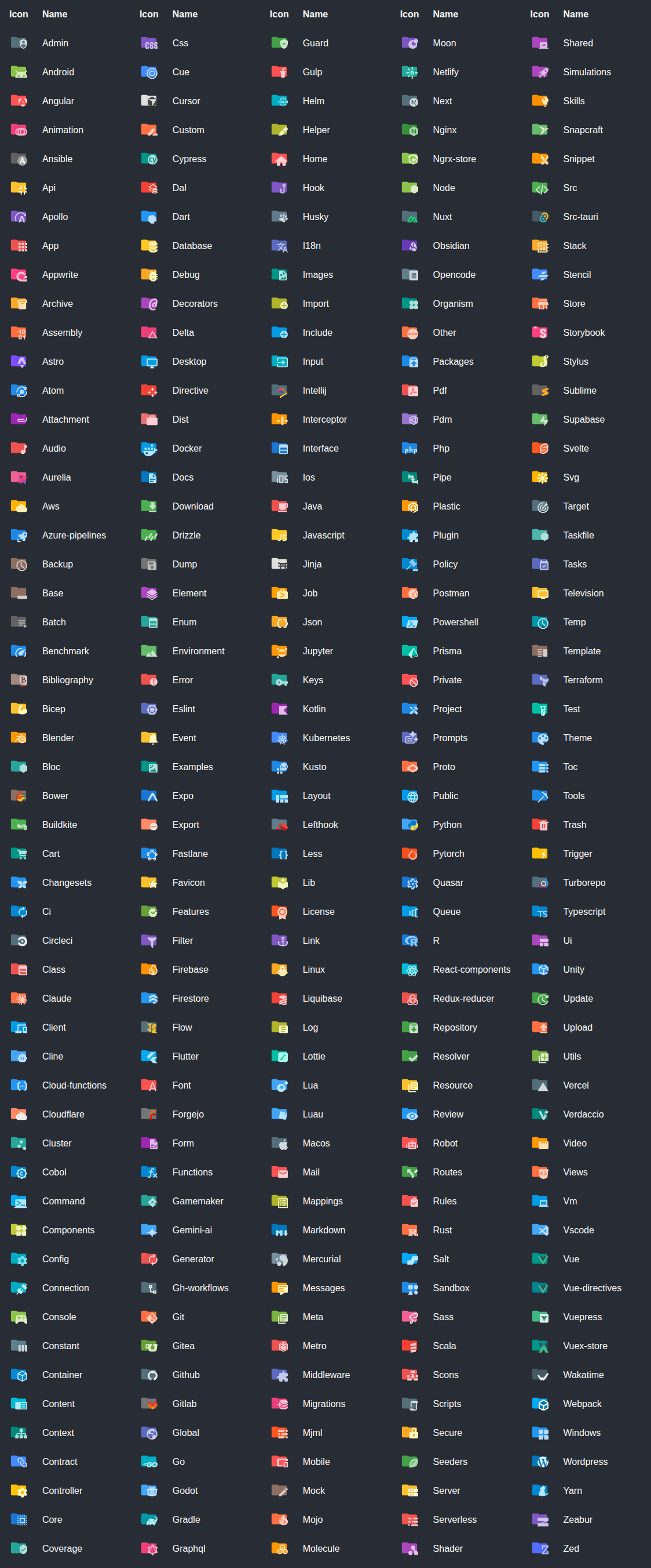
🏞️ Show all available file icons

🏞️ Show all available folder icons
## Table of Contents
- [Features](#features)
- [Getting Started](#getting-started)
- [Customization](#customization)
- [Icon matching](#icon-matching)
- [Development](#development)
- [Icon sources](#icon-sources)
- [Contributing](#contributing)
- [License](#license)
## Features
- Material Design file & folder icons for the Obsidian file explorer
- 1126 icons covering 2135 file names, 1379 extensions and 269 folder names
- Custom icon associations through a searchable picker
- Independent toggles for file and folder icons
- Settings UI in 10 languages
- Easy to use, and it follows your light / dark theme live
## Getting Started
> Requires Obsidian 1.13.0 or newer.
1. **Install the plugin**
Download `main.js`, `manifest.json` and `styles.css` from [Releases](https://github.com/GilbertzzzZZ/obsidian-material-icon-theme/releases) into `.obsidian/plugins/material-icon-theme/`.
2. **Enable the plugin**
Open **Settings → Community plugins** and turn on **Material Icon Theme**.
3. **Enjoy your new icons**
The file explorer picks them up immediately — no restart needed.
> Release tags match `manifest.json` exactly (e.g. `1.0.0`, not `v1.0.0`), as Obsidian requires.
### Build from source
```bash
git clone https://github.com/GilbertzzzZZ/obsidian-material-icon-theme.git
cd obsidian-material-icon-theme
npm ci
npm run build
cp main.js manifest.json styles.css /path/to/vault/.obsidian/plugins/material-icon-theme/
```
## Customization
Everything lives under **Settings → Material Icon Theme**.
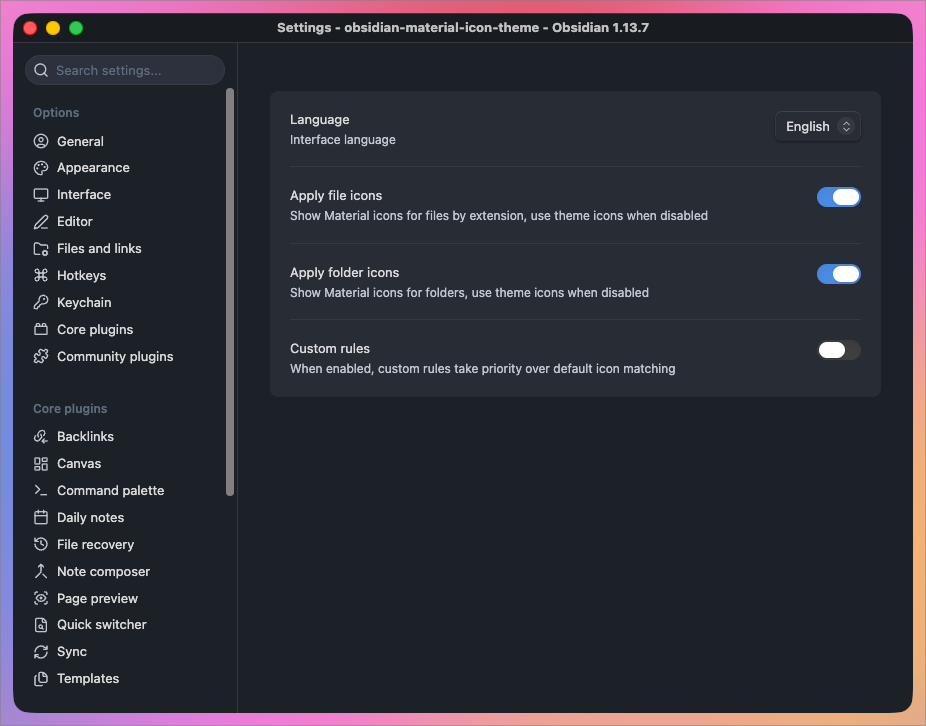
### File & folder icon toggles
File icons and folder icons switch on and off independently. Turning either off hands that half of the explorer back to your theme's own icons.
### Custom icon associations
Map any file extension to any icon in the library. Custom rules take priority over every built-in match while enabled.
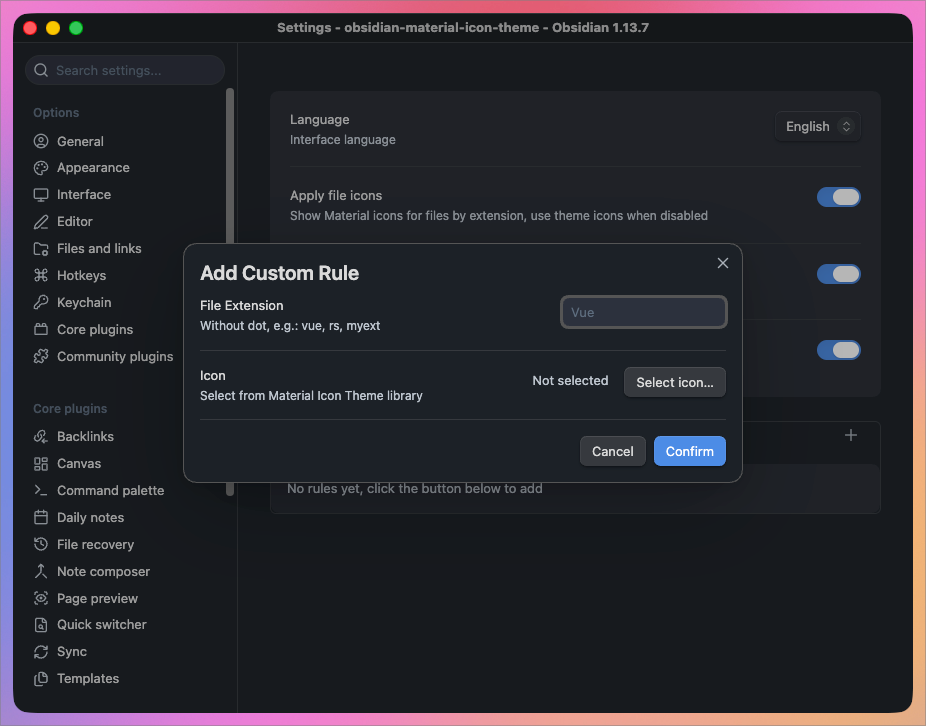
Enter the extension without its leading dot (`vue`, `rs`, `myext`), then pick an icon. Compound extensions work as well — a rule for `d.ts` wins over one for `ts`.
Search the full library by name when choosing:
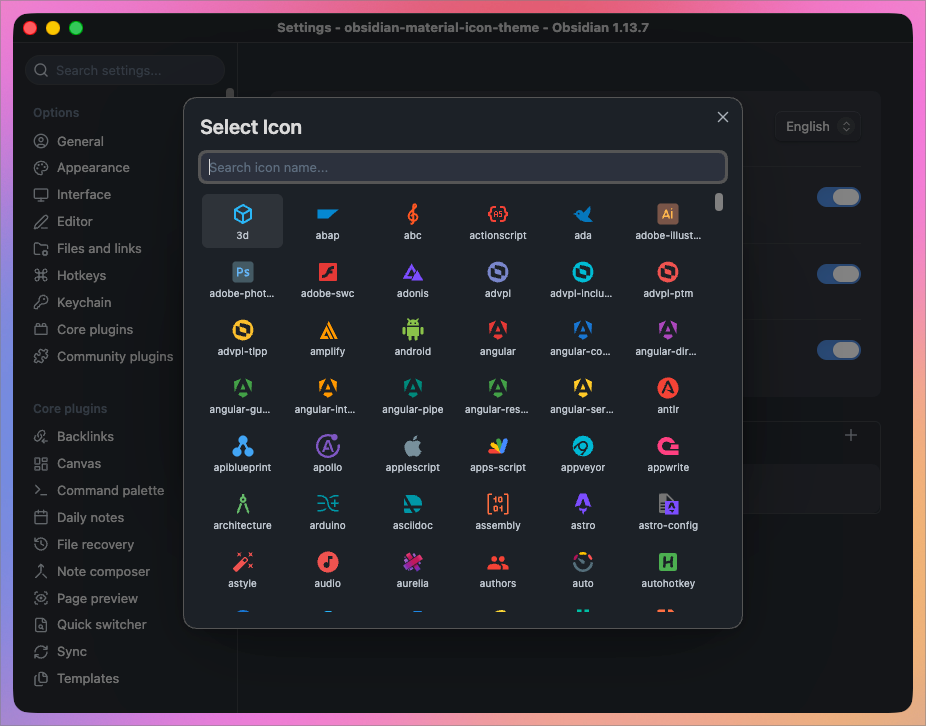
### Interface language
The settings UI ships in English, 简体中文, 繁體中文, 日本語, 한국어, Deutsch, Français, Español, Русский and Português, switchable from the top of the settings tab.
## Icon matching
Files resolve in this order, first match wins:
| Priority | Rule | Example |
|---|---|---|
| 1 | Custom rules, when enabled | `myext` → any icon you pick |
| 2 | Directory-scoped filename | `.config/prettierrc`, `.github/FUNDING.yml` |
| 3 | Exact filename | `CLAUDE.md`, `Makefile`, `docker-compose.yml` |
| 4 | Longest matching extension | `d.ts` before `ts` |
| 5 | Default file icon | anything unmatched |
Folders resolve by name against the folder icon table and fall back to the generic folder icon. Open and closed states swap as you expand and collapse.
Matching is case-insensitive throughout, so `CLAUDE.md` and `claude.md` resolve alike.
## Development
```bash
npm ci
npm test # regression tests
npm run dev # watch mode (does not regenerate icon data)
npm run build # full production build
npm run build-icons # regenerate src/icon-data.ts only
```
| Path | Purpose |
|------|---------|
| `src/main.ts` | Plugin logic |
| `src/icon-data.ts` | Generated icon registry and lookup tables |
| `scripts/build-icons.mjs` | Extract SVGs from `material-icon-theme` → `src/icon-data.ts` |
| `styles.css` | Icon and settings styles |
`src/icon-data.ts` is generated — do **not** edit it by hand. To add mappings upstream does not ship, edit the custom block near the end of `scripts/build-icons.mjs` and re-run `npm run build-icons`.
Both `main.js` and `src/icon-data.ts` are gitignored, so run `npm run build` after cloning.
## Icon sources
Icon artwork comes from [Material Icon Theme](https://github.com/material-extensions/vscode-material-icon-theme), consumed through the [`material-icon-theme`](https://www.npmjs.com/package/material-icon-theme) npm package, which in turn draws on:
- [Material Design Icons](https://pictogrammers.com/library/mdi/)
- [Material Symbols](https://fonts.google.com/icons)
## Contributing
Issues and pull requests are welcome.
See [CONTRIBUTING.md](CONTRIBUTING.md) for development, tests, upstream updates and releases.
- 🐛 **Report a bug or request an icon**
[Open an issue](https://github.com/GilbertzzzZZ/obsidian-material-icon-theme/issues) with your Obsidian version, plugin version, and steps to reproduce.
- 💡 **Submit a change**
[Create a pull request](https://github.com/GilbertzzzZZ/obsidian-material-icon-theme/pulls).
Missing an icon for a file type? It is usually worth requesting it [upstream](https://github.com/material-extensions/vscode-material-icon-theme/issues) too, so every editor benefits.
## License
[MIT](LICENSE). The bundled icon artwork carries its own upstream licence — see [NOTICE](NOTICE).