# A Canvas-like UI to Talk with LLMs in Obsidian
We’re all used to interacting with Large Language Models (LLMs) through chats.
Let me introduce an alternative: a canvas-like UI.
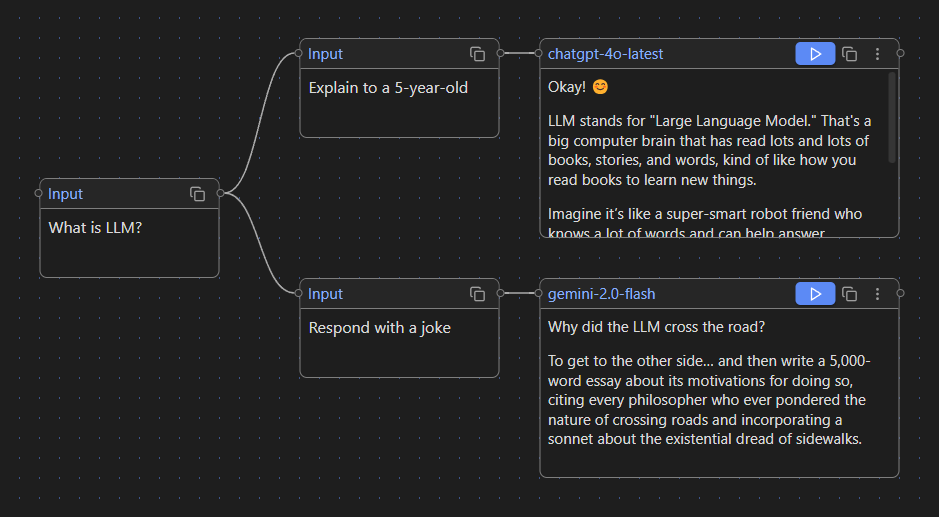
Take a look at this screenshot — here you can type prompts into `Input` cards and call the LLM APIs in `Generate` cards. This example graph shows two separate chat branches:
### Branch 1:
**User:**
> What is LLM?
**User:**
> Explain to a 5-year-old
**Model:**
> Okay! 😊 LLM stands for "Large Language Model." That's a big computer brain that has read lots and lots of books, stories, and words, kind of like how you read books to learn new things.
### Branch 2:
**User:**
> What is LLM?
**User:**
> Respond with a joke
**Model:**
> Why did the LLM cross the road? To get to the other side… and then write a 5,000-word essay about its motivations for doing so, citing every philosopher who ever pondered the nature of crossing roads and incorporating a sonnet about the existential dread of sidewalks.
As you can see, Canvas LLM provides a visual way to interact with LLMs using branching conversations. It can be especially useful when you're working on complex research projects, where navigating through a traditional chat UI becomes inefficient and overwhelming.
## Model Selection
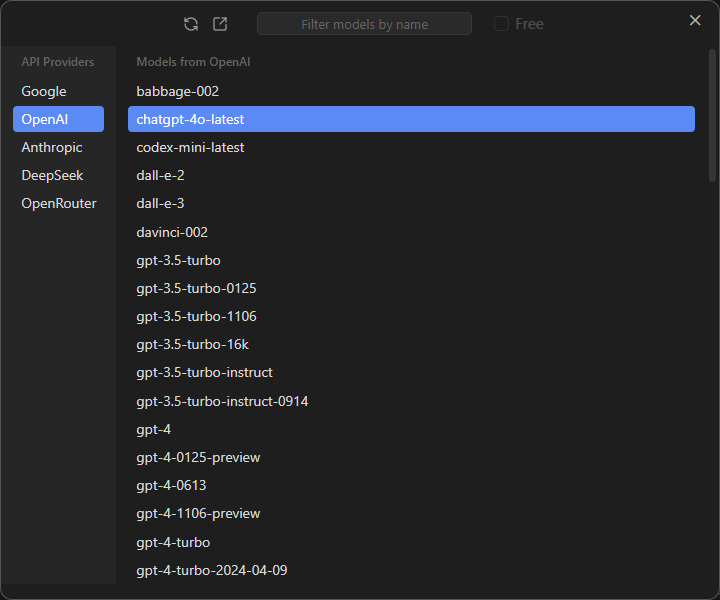
You can also choose a different model for each block.
## API Providers
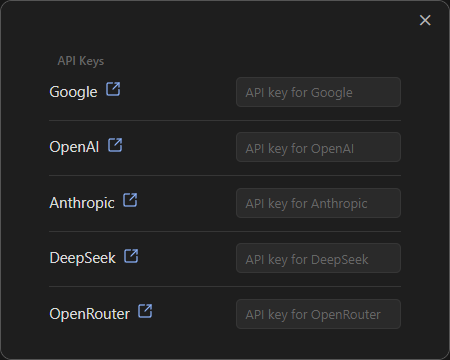
The current version supports 8 API providers, and you'll need your own API keys to use them. But don't worry — some providers, like [Google](https://ai.google.dev/gemini-api/docs/pricing), [OpenRouter](https://openrouter.ai/models?max_price=0) and [SambaNova](https://cloud.sambanova.ai/plans/pricing), offer free models.
## Installation
1. Download [latest release](https://github.com/farlenkov/obsidian-canvas-llm/releases/latest) (files `main.js`, `styles.css`, `manifest.json`).
2. Copy this files to your Obsidian plugins directory: `vault/.obsidian/plugins/canvas-llm`.
3. Enable the plugin in `Obsidian` → `Settings` → `Community Plugins` → `Canvas LLM`.
## Credits
Canvas LLM is powered by [Svelte Flow](https://svelteflow.dev) from [xyflow](https://xyflow.com).
## License
This project is licensed under the GPL-3.0 license - see the LICENSE file for details.