# Murmur
[English](#english) | [简体中文](#chinese)
A retro-terminal style inner monologue recorder for Obsidian. Amidst the silent rotation of mechanical gears, turning murmurs into energy fragments.
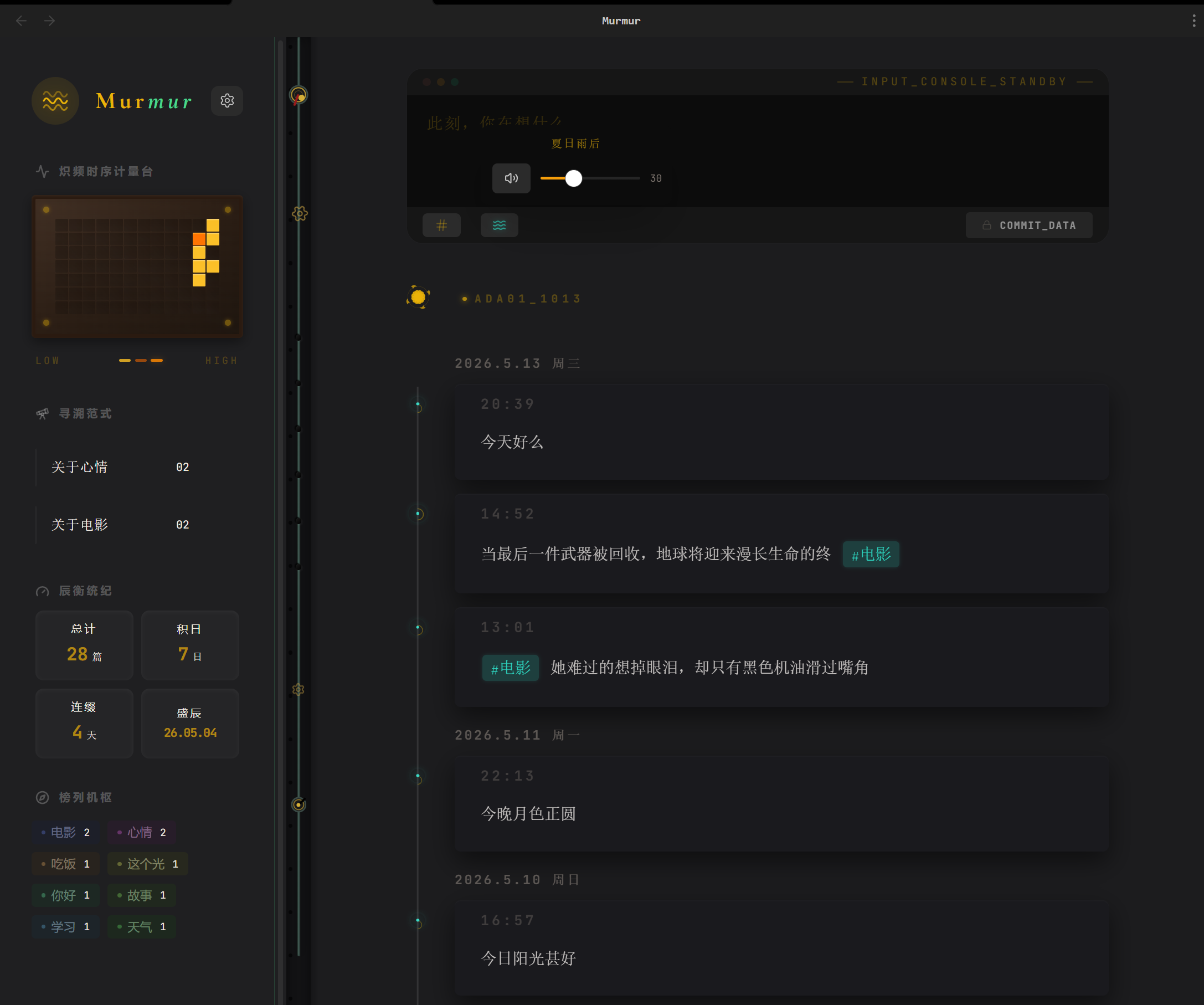
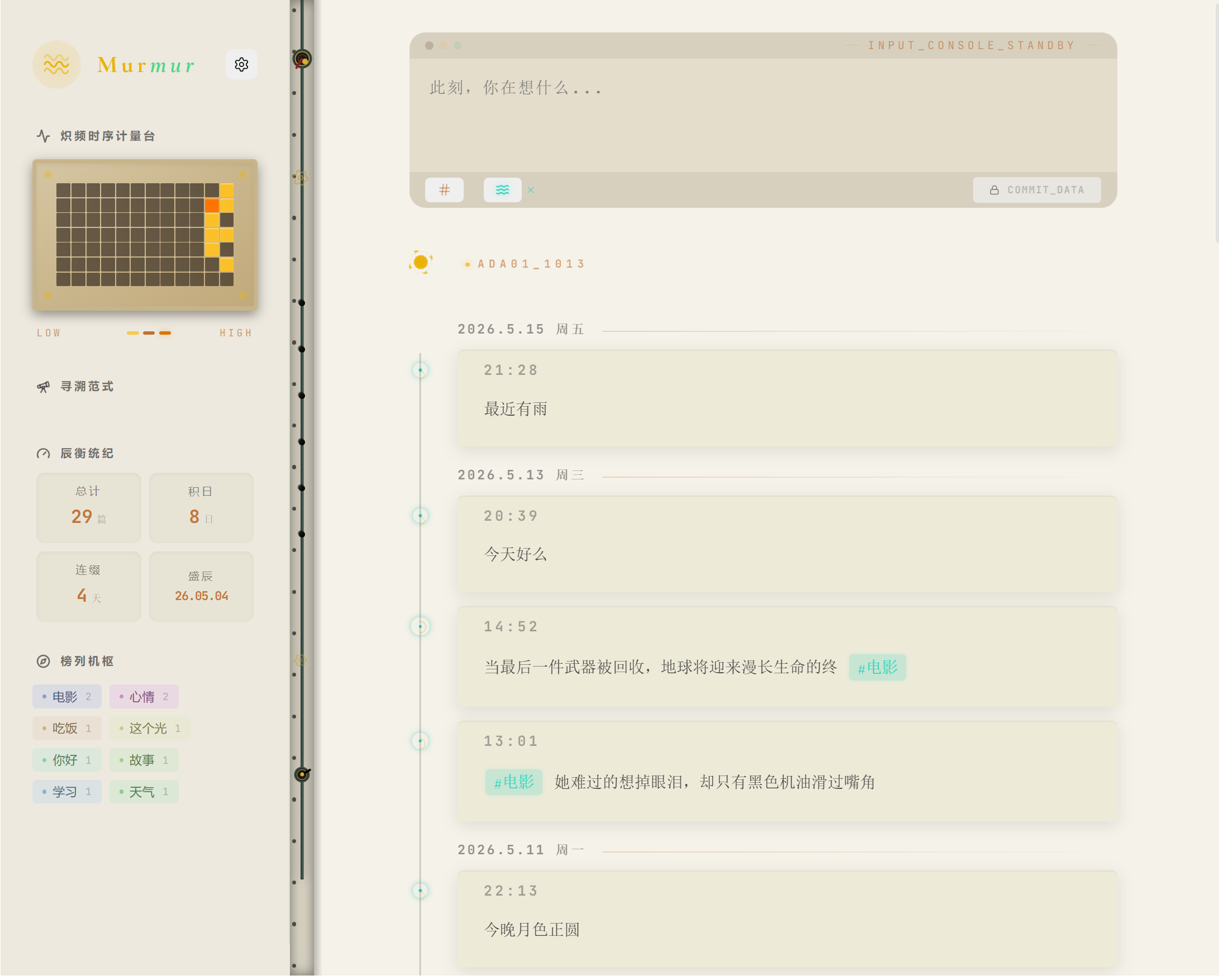
## Features
- **Retro-Terminal Aesthetic**: A unique design inspired by vintage computing and cyberpunk consoles.
- **Daily Timeline**: Automatic extraction of content from your daily notes, organized by time.
- **Activity Heatmap**: Visualize your writing consistency over the past months.
- **Zen Background Music**: Integrated ambient sounds (Rain, Mountains & Rivers, Birds) to help you focus.
- **Responsive Layout**: Seamlessly transitions between wide desktop views and compact mobile-friendly sidebars.
- **Theme Aware**: Perfectly adapts to both Obsidian Light and Dark themes with custom vintage color palettes.
## Core Concepts
Murmur uses a unique set of terminologies to describe its functional components:
- **Search Paradigms**: Forgeable advanced filter chains. Combine tags, text, and dates into a "Paradigm" to slice through your history with precision.
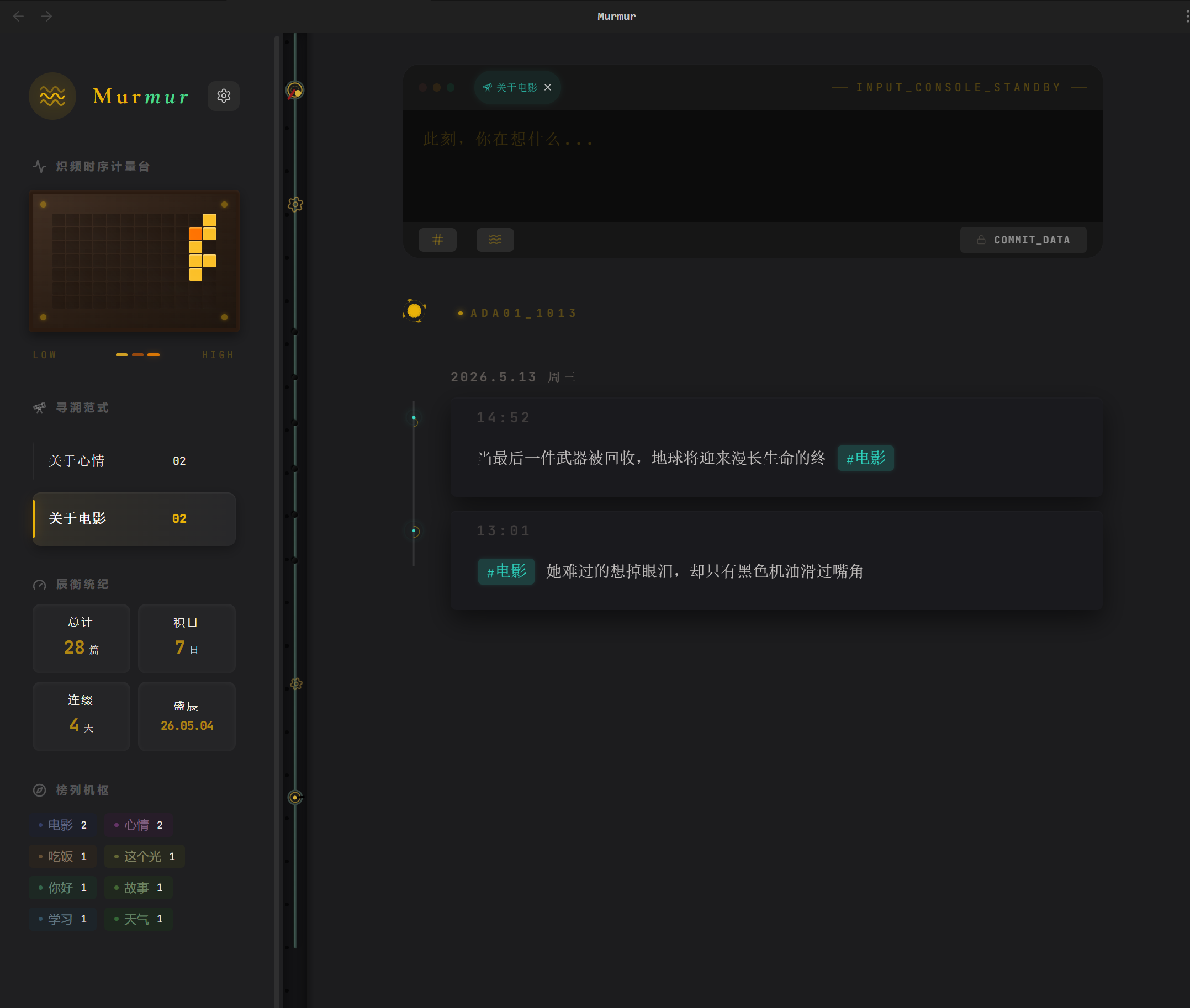
- **Murmur Stats**:
- **Total Days**: Total unique days you've recorded a murmur.
- **Streak**: Your longest consecutive recording streak.
- **Peak Day**: The specific date with the highest recording density.
- **Tag Registry**: A dynamic dashboard for your tags, **sorted by usage frequency**. Each tag is assigned a deterministic visual style based on its name, helping you identify your main train of thought at a glance.
- **ADA01_1013**: A tribute status code. **ADA** honors Ada Lovelace, the first programmer; **01** represents her status as "The First"; **1013** marks Ada Lovelace Day (**the second Tuesday of October**). It signifies a stable, harmonious system state.
## Installation
### Community Store (Recommended)
1. Open Obsidian **Settings**.
2. Go to **Community plugins** and click **Browse**.
3. Search for **yeelen-Murmur**.
4. Click **Install**, then **Enable**.
### Manual Installation
1. Download the latest `murmur.zip` from the [GitHub Releases](https://github.com/fanxiaofang/obsidian-murmur/releases).
2. Extract the contents of the zip file into your vault's `.obsidian/plugins/murmur` directory (create the `murmur` folder if it doesn't exist).
3. Ensure that `main.js`, `manifest.json`, and the `audio` folder are all placed directly inside the `murmur` folder.
4. Reload Obsidian and enable the plugin in **Community plugins**.
## How to Use
1. Click the **Waves** icon in the ribbon or use the command palette to open the Murmur view.
2. Ensure your daily notes follow a standard date format (like `YYYY-MM-DD`).
3. Click on the **Signal Flow (Waves)** icon at the bottom to toggle background music.
4. Hover over timeline items to see the detail cards.
## Configuration
In the plugin settings, you can:
- Enable/disable animations for performance.
- Set default background music and volume.
- Customize the responsive layout threshold.
---
## 简体中文


为Obsidian 设计的复古终端式内心独白记录,在无声转动的机械齿轮中,把呢喃低语化为能量碎片
## 特性
- **复古终端美学**:受复古计算和赛博朋克控制台启发而设计的独特风格。
- **每日时间轴**:自动从您的每日记录中提取内容,按时间排序。
- **活动热力图**:可视化您过去几个月的写作频率。
- **背景音乐**:集成环境音(雨声)帮助您集中注意力。
- **响应式布局**:在宽屏桌面视图和适配移动端的侧边栏视图之间无缝切换。
- **主题适配**:完美适配 Obsidian 的深色和浅色主题,配有自定义复古调色盘。
## 核心概念说明
Murmur 使用了一套独特的术语来描述其功能组件:
- **寻溯范式 (Search Paradigms)**:可“锻造”的高级过滤器链。将标签、文本、日期等条件组合成一个持久化的“范式”,精准切开记忆的脉络。

- **辰衡统计 (Murmur Stats)**:
- **积日 (Total Days)**:总记录天数。
- **连缀 (Streak)**:历史最长连续记录天数。
- **盛辰 (Peak Day)**:单日记录密度最高的时刻。
- **榜列机枢 (Tag Registry)**:标签的动态仪表盘,**按使用频率自动排序**。系统会根据标签名称通过算法分配唯一的视觉标识,助你一眼识别思维的主脉络。
- **ADA01_1013 (系统状态码)**:一个致敬代码。**ADA** 代表史上第一位程序员 Ada Lovelace;**01** 代表“第一位”;**1013** 代表全球埃达纪念日(**每年 10 月的第二个星期二**)。在插件中,它寓意系统运转平稳,数据逻辑圆满。
## 安装方式
### 社区插件市场 (推荐)
1. 打开 Obsidian **设置**。
2. 前往 **社区插件** 并点击 **浏览**。
3. 搜索 **yeelen-Murmur**。
4. 点击 **安装**,然后 **启用**。
### 手动安装
1. 从 [GitHub Releases](https://github.com/fanxiaofang/obsidian-murmur/releases) 下载最新的 `main.js`、`manifest.json` 以及 `styles.css` 。
2. 将文件移动到 `.obsidian/plugins/murmur` 目录下。
3. 重启 Obsidian 或在**社区插件**设置中点击“重新加载”,然后启用插件。
## 如何使用
1. 点击侧边栏的 **Waves** 图标或使用命令面板打开 Murmur 视图。
2. 确保您的每日记录遵循标准日期格式(如 `YYYY-MM-DD`)。
3. 点击底部的 **信号流 (Waves)** 图标切换背景音乐。
4. 悬停在时间轴项目上查看详情卡片。
## 配置选项
在插件设置中,您可以:
- 开启/关闭动画以优化性能。
- 设置默认背景音乐及音量。
- 自定义响应式布局的阈值。
---
## Support & License / 支持与许可
### Support / 支持
If you encounter any bugs or have feature requests, please [open an issue](https://github.com/fanxiaofang/obsidian-murmur/issues).
如果您遇到任何错误或有功能请求,请[提交 issue](https://github.com/fanxiaofang/obsidian-murmur/issues)。
### License / 许可
MIT License. See [LICENSE](LICENSE) for details.
MIT 许可证。详情请参阅 [LICENSE](LICENSE)。