# Connect for Atlas VTT
**Compatible with Atlas VTT 0.12.0** (TrueScale and the player window bar), and 0.11.
Connect for Atlas VTT is a community extension. It is not made, endorsed or supported by Atlas VTT or Atlas Online. Support: [issues](https://github.com/evolJoaoBento/atlas-vtt-connect/issues).
Play [Atlas VTT](https://github.com/ByteMirror/atlas-vtt) maps online with your group. You host from Obsidian; players join from a web page or from their own Obsidian. No accounts, no server to run.

It changes nothing in Atlas, and it is not Atlas Online: players connect through the servers listed under [Servers and privacy](#servers-and-privacy).
## Install
1. Obsidian 1.8.7 or newer, on desktop.
2. Settings → Community plugins → Browse: install and enable **Atlas VTT**, then **Connect for Atlas VTT**.
**Updating to 0.5.0:** the GM and every player in Obsidian should update together (Settings → Community plugins → Check for updates). The web join page updates by itself. Players on an older version still get a text sheet, without Atlas's card.
## Start a session (GM)
Open a map, click **Online session** in Atlas's toolbar, then **Start online session** and **Copy link**. Send the link to your players.

When a player asks to join, a notice says so: **Allow** or **Deny**.
The panel lists who is connected. **×** sends a player out (they must be allowed again); **Stop online session** ends it for everyone.

A player who reconnects from the same browser or Obsidian takes their old place without asking again. If someone joins with a name already in the session from another device, the request warns you.
## Join (players)
**From a browser:** open the link, type your name (tick **Remember this name** to skip it next time), click **Join** and wait for the GM.
**From Obsidian:** install Atlas VTT and Connect, run **Join online session…**, paste the link and click **Join**. The scene opens in its own tab. Keep Connect on the same version as your GM's.

## What players see
Players see the scene you present, as Atlas's own player window shows it: hidden tokens, fog and line of sight stay hidden, and your map's look (rings, grid style, pin icons, numbered look-alike tokens) carries over.
**Present a scene:** click the eye on its scene tab; players' maps fade over to it.

**Hidden stays hidden:** hide a token and it is gone from players' maps.

**Dynamic lighting:** with Atlas's dynamic lighting experiment on, players see only what their tokens see, plus the places they explored.
**Tabletop's 3D board:** with the [Tabletop for Atlas](https://github.com/evolJoaoBento/atlas-vtt-tabletop) plugin, players in Obsidian can see the scene on its 3D board: walls, doors (hung as you turned them with Rotate 180° or Mirror), lights, props, your daylight tint, and the other scenes stacked with it (Tabletop's elevation layers: each floor with its walls, doors, lights and props, at its height and place). Players never get what is on a stacked scene (tokens, pins, notes, fog), and a stacked scene is not hidden by its own fog; **Show layers to Connect players** in Tabletop's settings turns it off. Both plugins should be updated together.
### Health bars, per token
Resources a collection marks **visible to players** (its settings, Resources) show as bars and small wheels on tokens. To choose per token, right-click it → **Edit Token** → **Players see**. Each resource gets two choices, applied on **Save**:
- **This token**, or **Every *Cleric*** (every token with that statblock, on every map). The token's choice wins over its statblock's, which wins over the collection's.
- **Bar and numbers**, **Bar only**, **Number only** (the current value alone: 19, never 19 / 27) or **Hidden**.
**Bar only:** players see how full it is, not the numbers.

**Number only:** players read the current value under the token.

Choices are kept with your vault, so you can set them while preparing. A token at 0 is greyed under a skull, and comes back when healed:

### Whose turn
Right-click tokens → **Add to Initiative**, roll, and **Start combat** in Atlas's tracker. With the initiative list shown to players, they get the order at the right of their map, "Your turn is next" on the turn before theirs, and "Your turn" with a white ring when it comes.

### Readable pins
Right-click a note pin → **Readable by players**. Players see it where they can see that spot, and clicking it opens the note in a side panel: the whole note, or only the heading the pin links, without frontmatter, your `%% %%` comments or embeds.

## Hand over tokens
Right-click a token → **Controlled by** → tick the player. They can drag it (yellow ring); moves snap to your grid, stop at walls on a lit scene, and are refused while you drag.

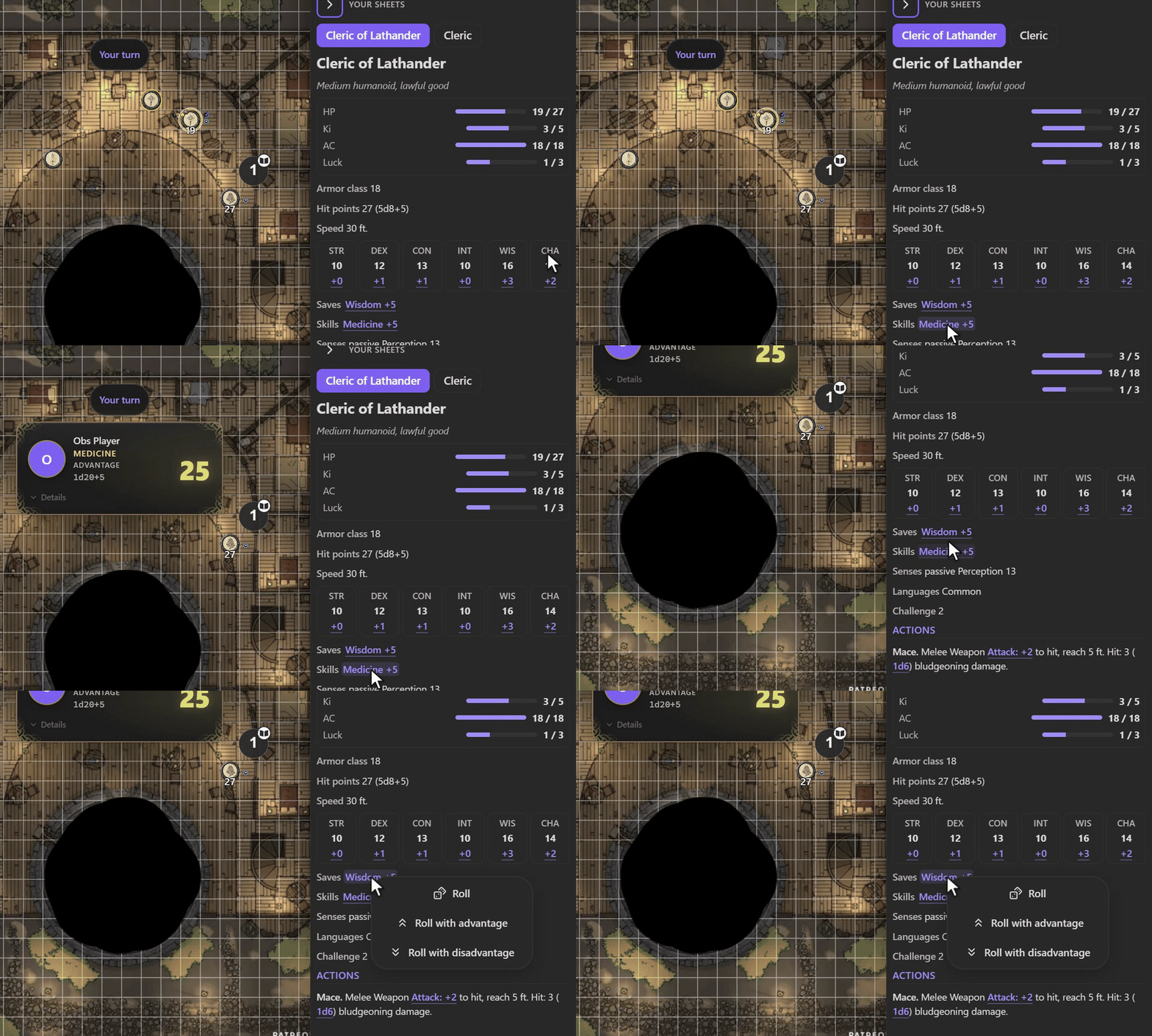
Players see the stat block of every token they control, with exact numbers, and roll from it; the roll is made by your Atlas and logged under their name. Mind that this includes a monster you hand to a player. In Obsidian they see Atlas's own card for the token, in their own theme; stat blocks made with Atlas templates show their template's fields, without the hidden ones.
**Player characters:** mark a token as a player character in Atlas, then give it with **Controlled by**. Connect remembers that player by name and gives them that character on every scene and in later sessions.
## At the table (players)
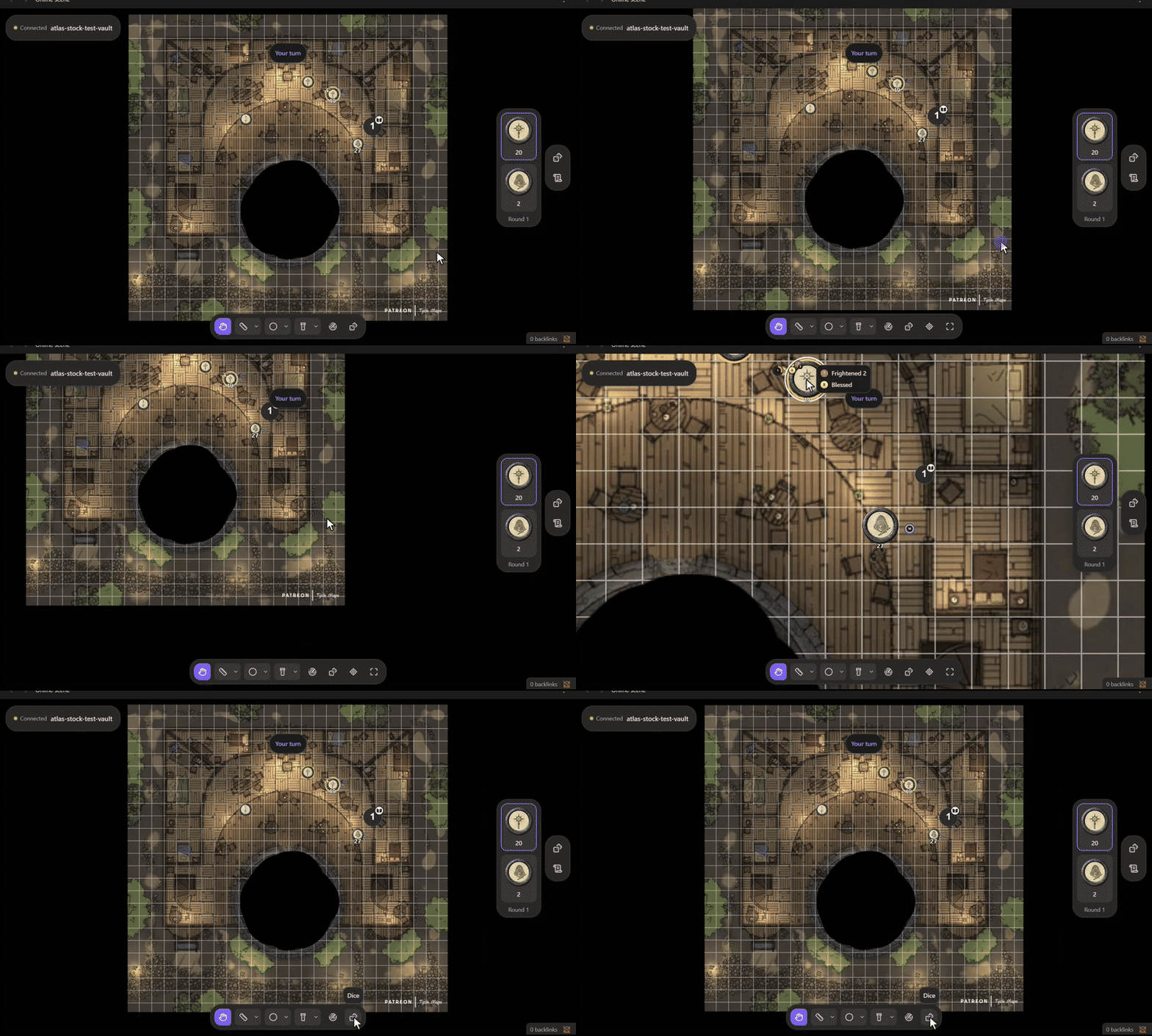
Move around. Drag the map to pan, scroll to zoom; Follow GM goes back to the GM's view.
 |
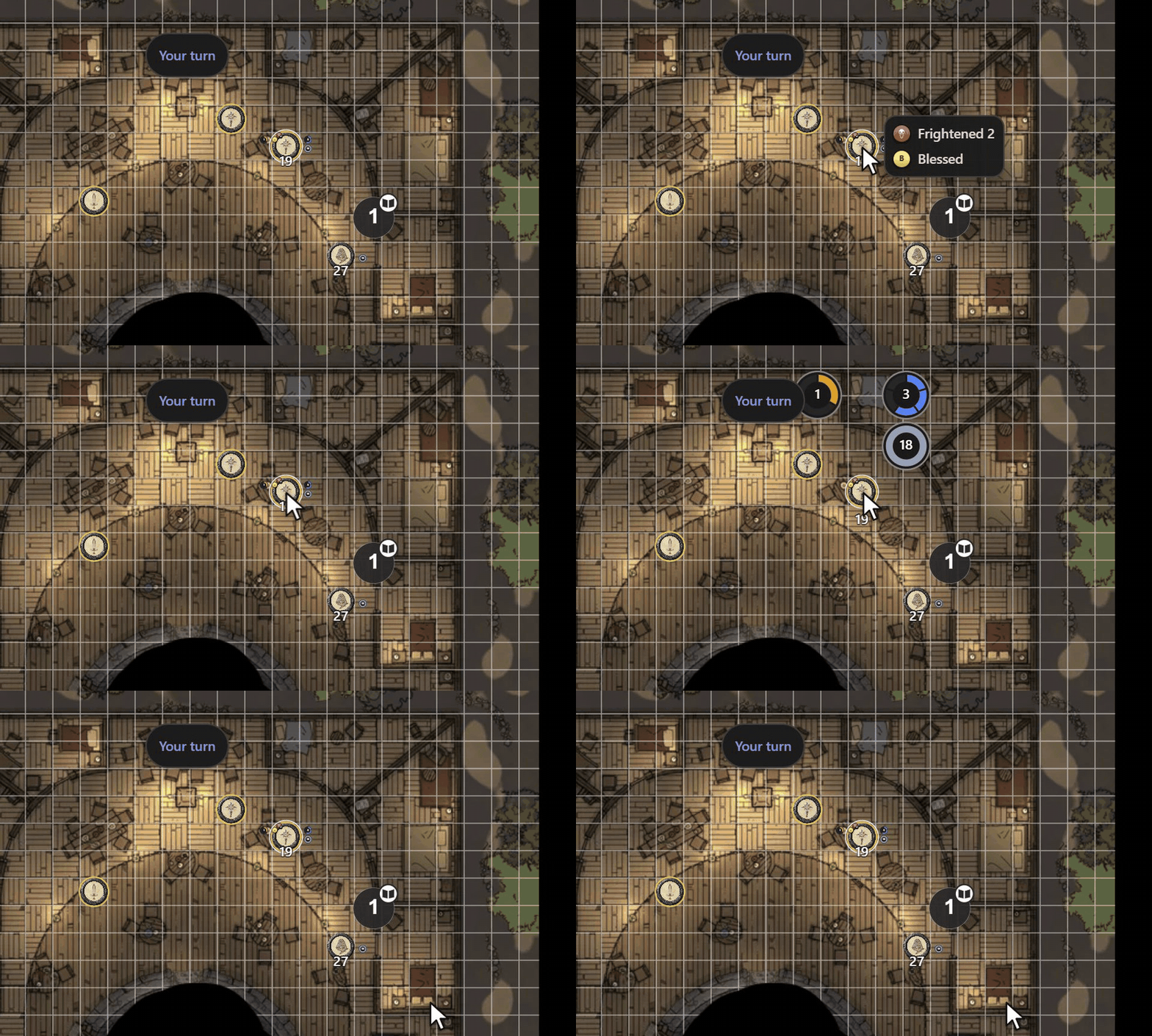
Hover and select. Hover a token for its conditions; click to select it and see its numbers. Escape lets go.
 |
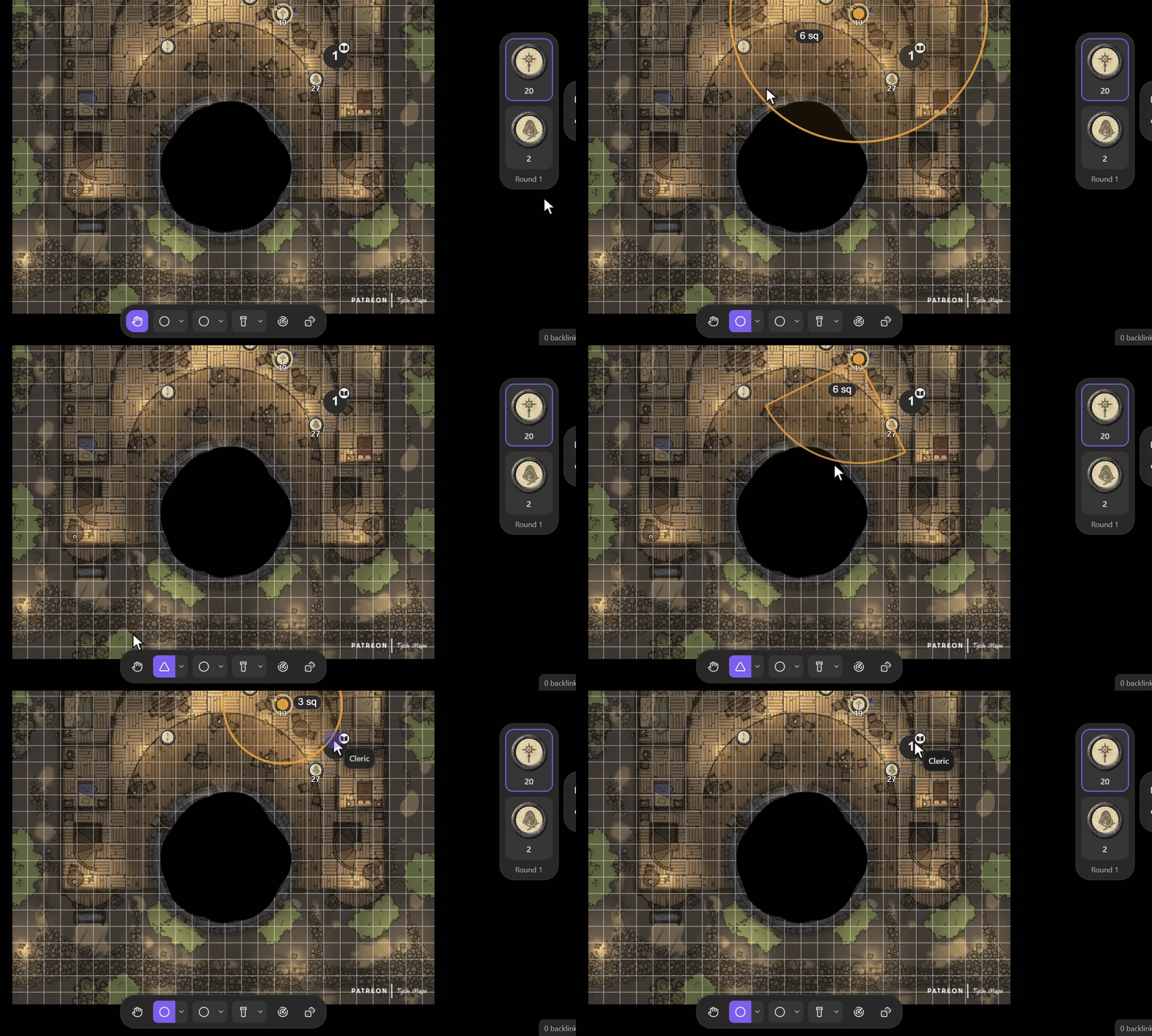
Measure. Line, cone or circle, in the GM's units, snapping to the grid. It stays two seconds.
 |
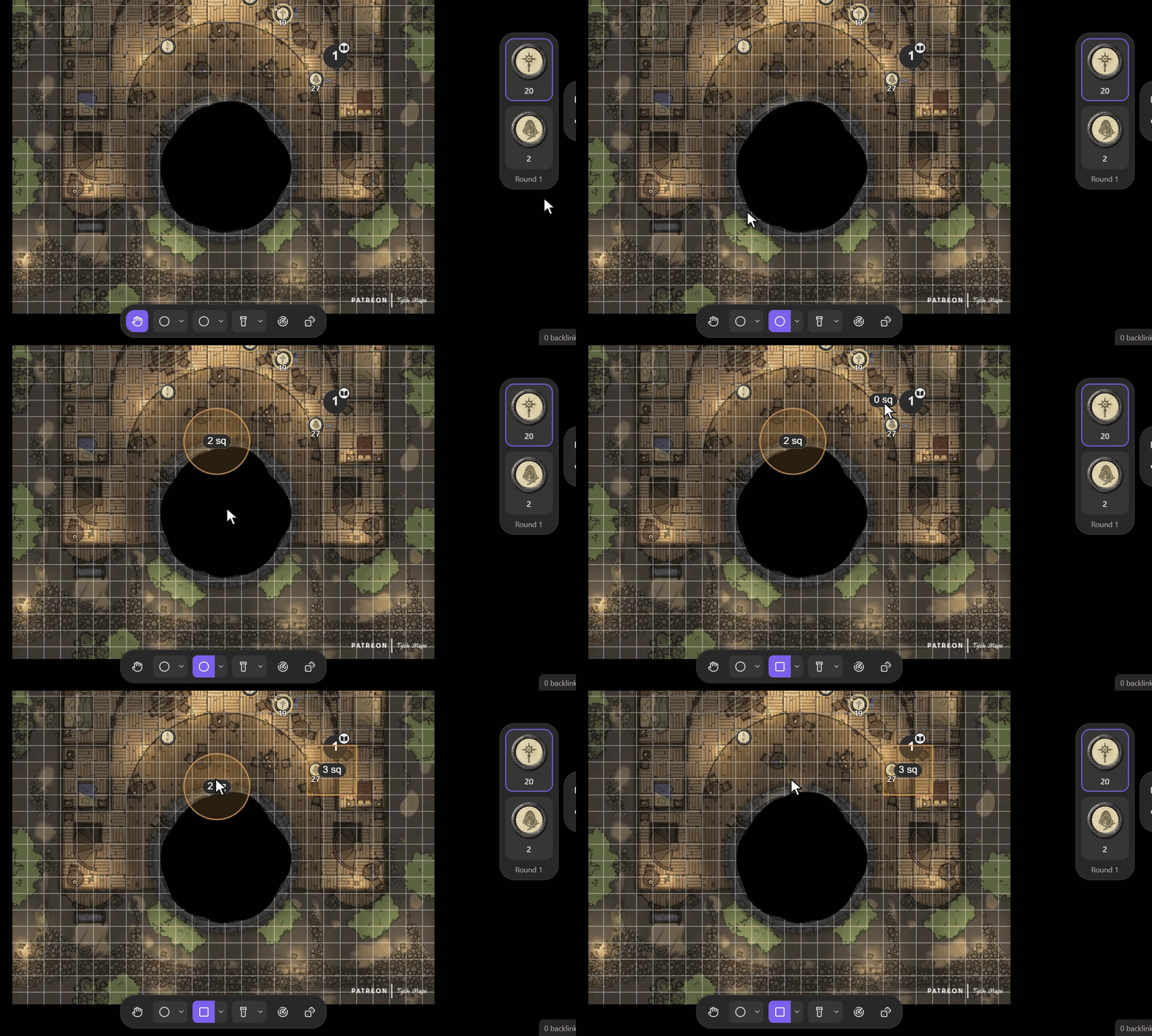
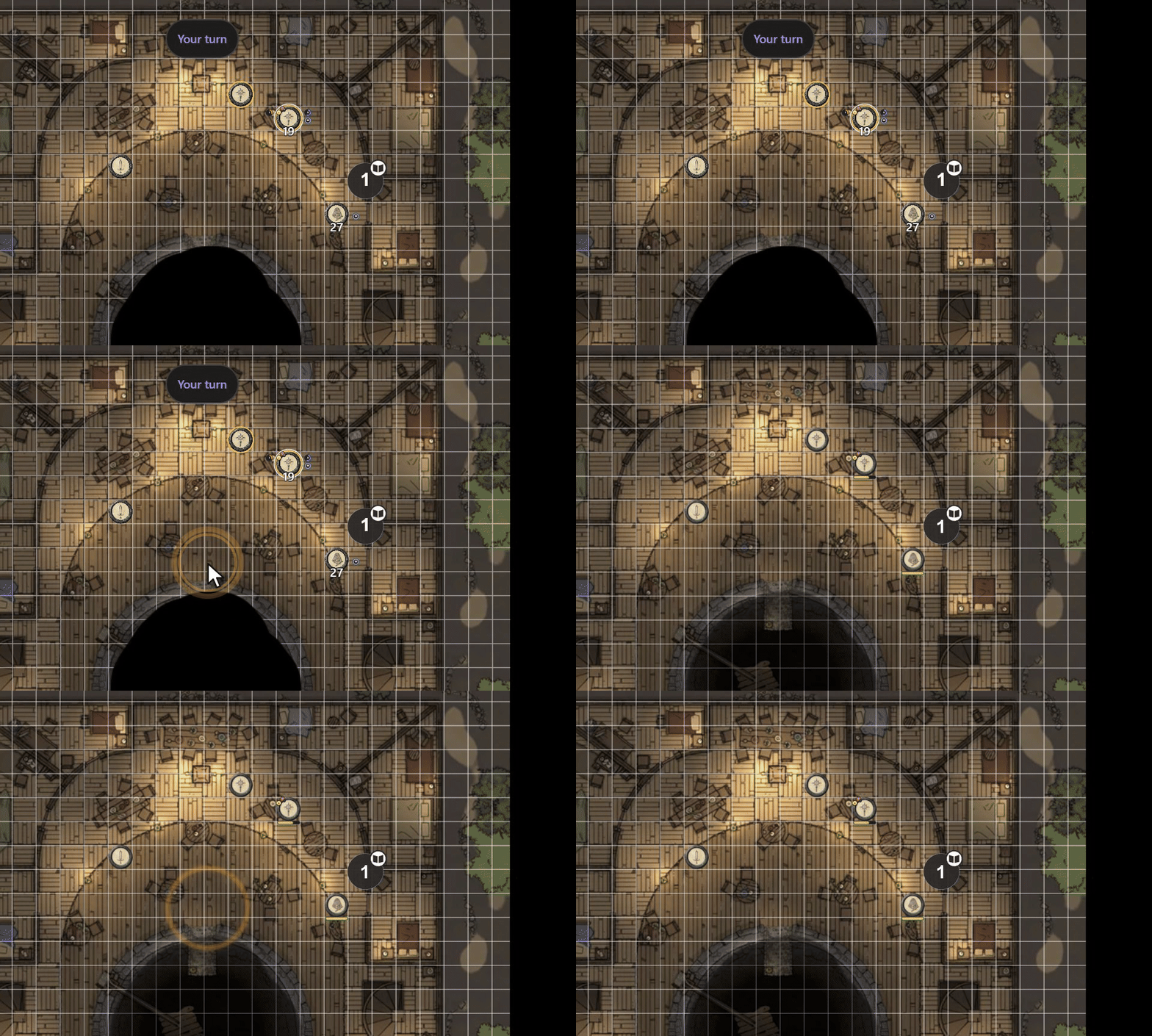
Templates. Line, Circle/Sphere, Square/Cube or Cone, with its size. Tap one of yours to remove it.
 |
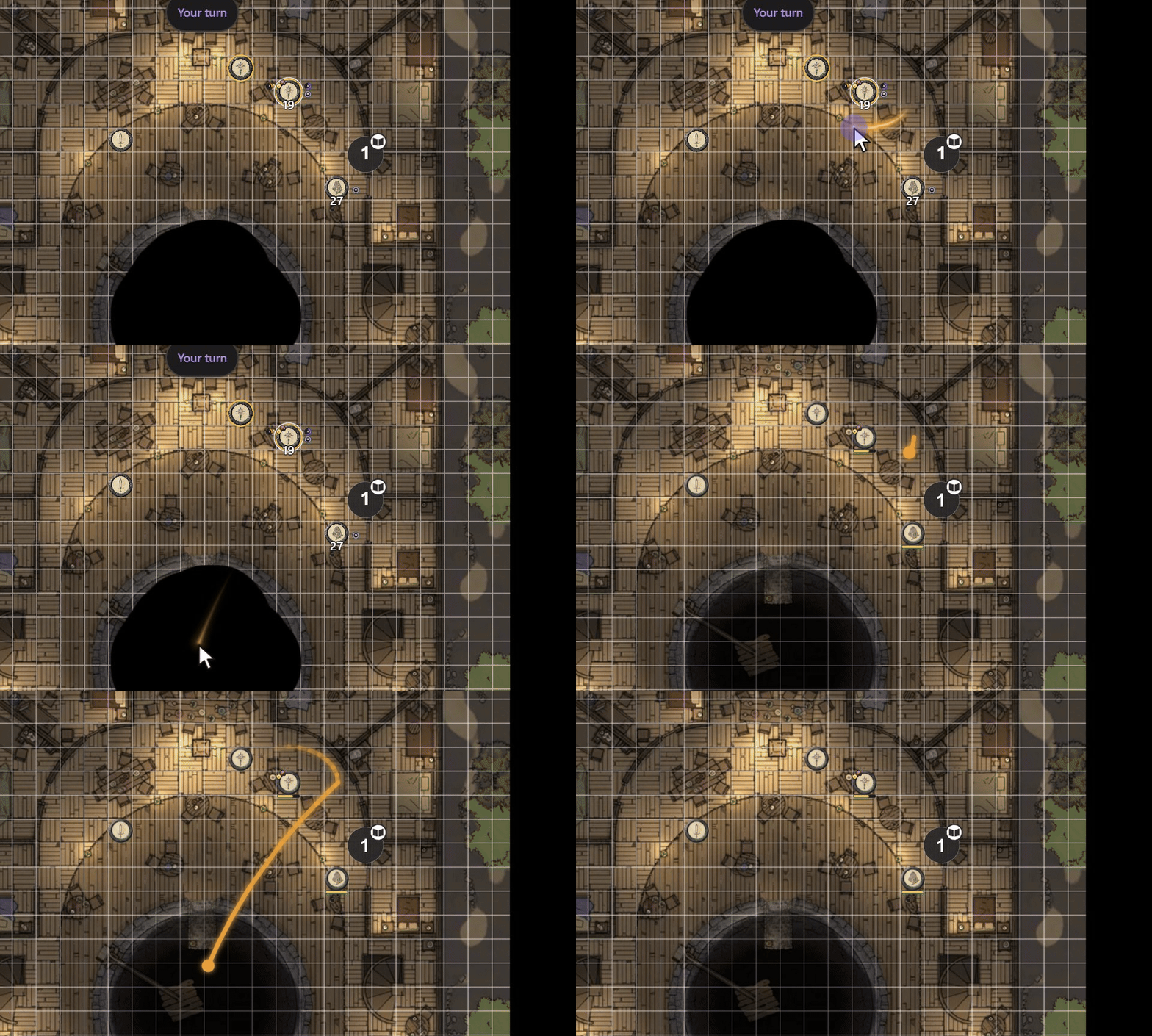
Laser. Draw to point; everyone sees it, the GM too.
 |
Ping. Tap the map: rings show there for everyone.
 |
Clear my templates in the template menu removes all of yours (you can keep up to 10).
 |
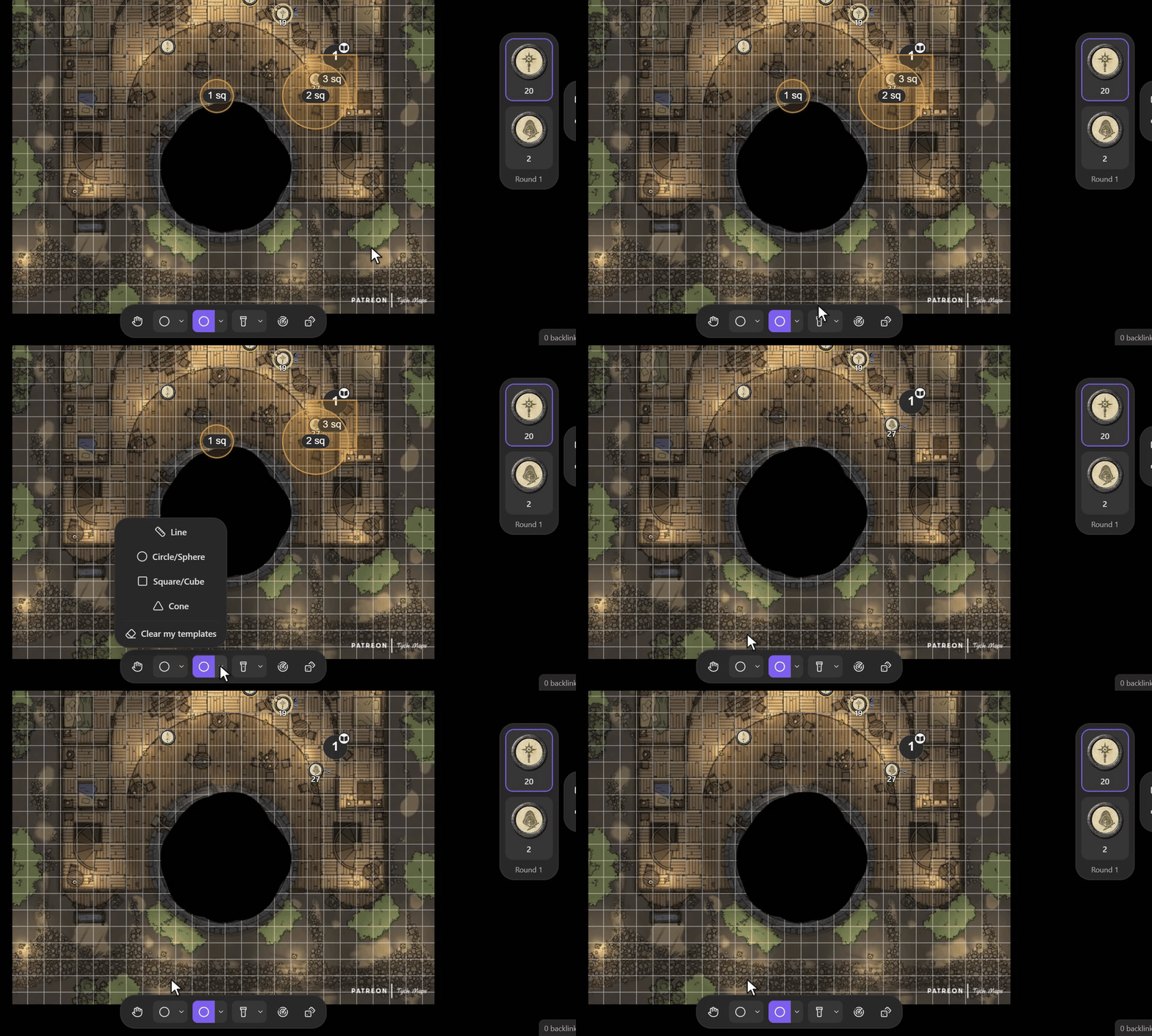
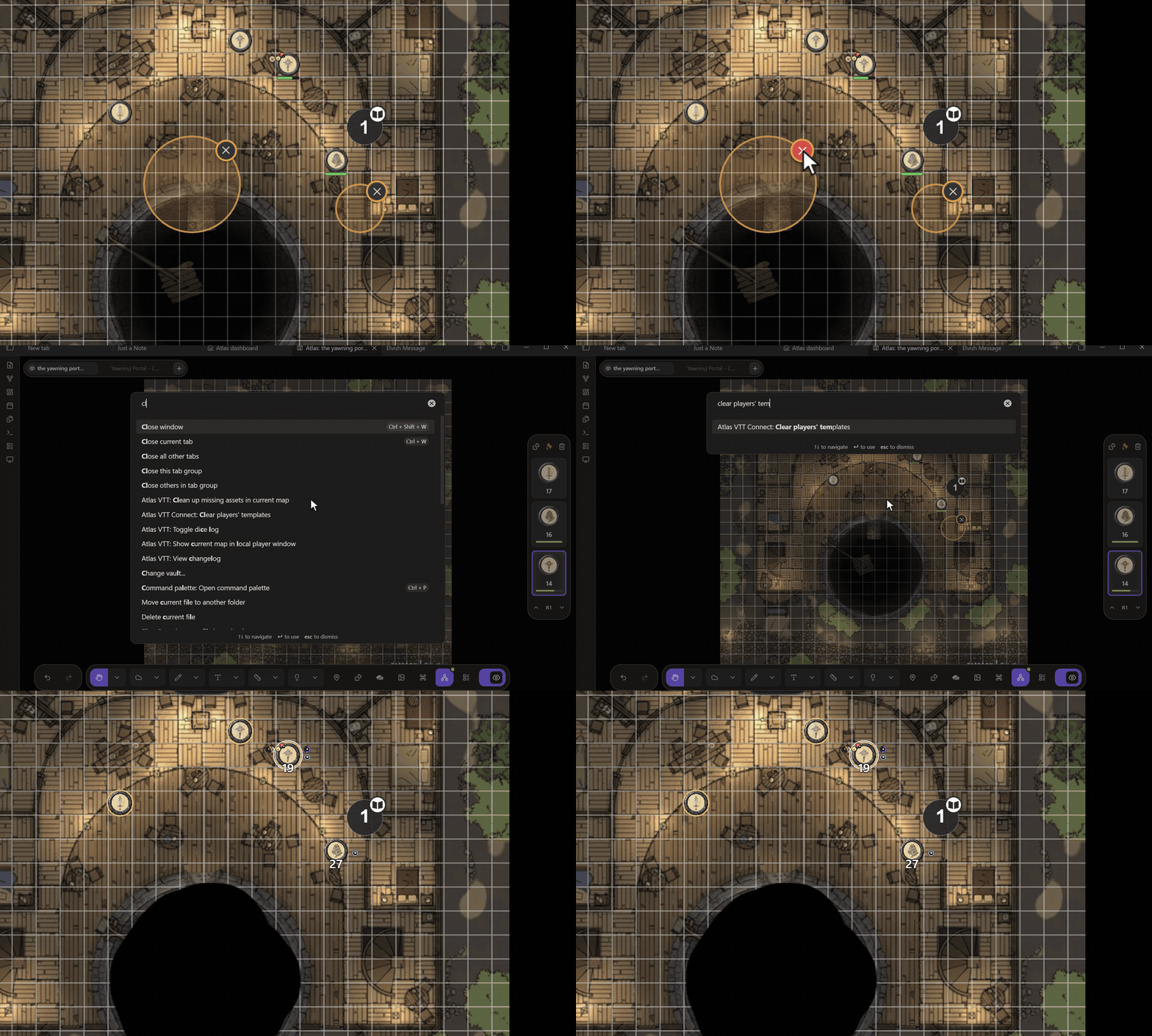
GM side: each player template has a × on your map; Clear players' templates (command palette) removes them all.
 |
### Sheets and dice
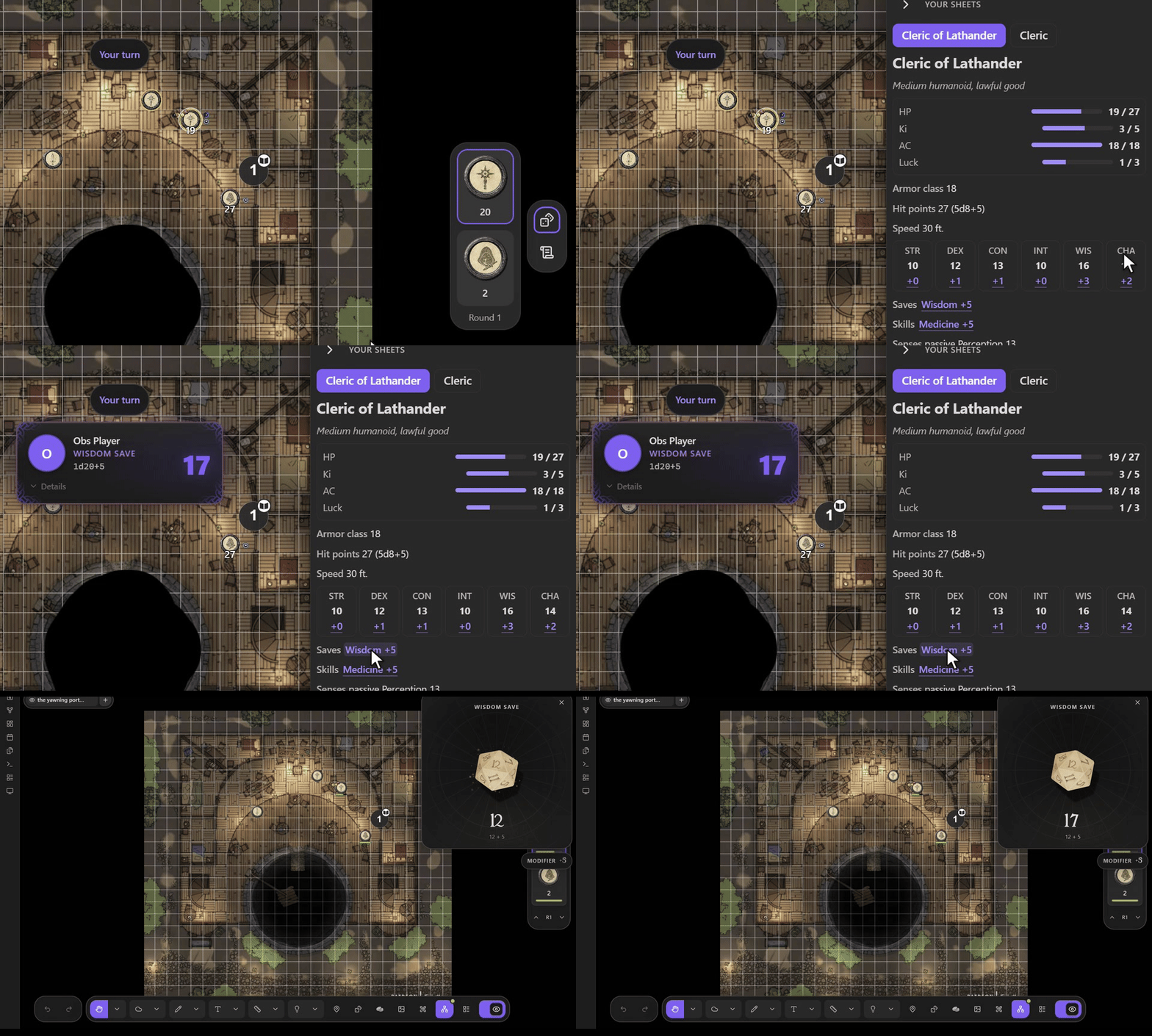
Your sheets. The scroll icon opens your tokens' stat blocks; click a highlighted number to roll it on the GM's Atlas.
 |
Advantage. Shift-click rolls with advantage, Alt-click with disadvantage, right-click offers both.
 |
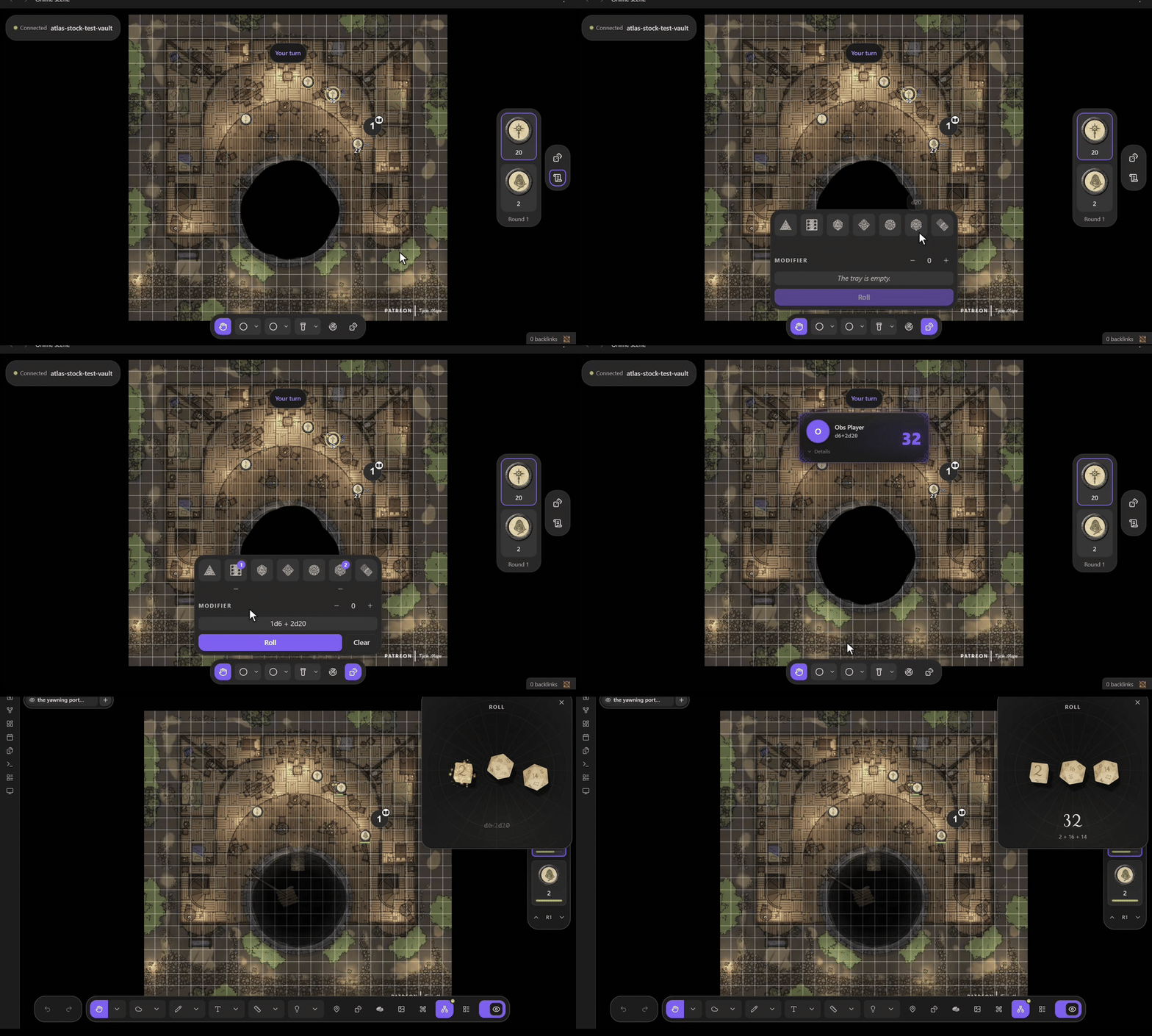
Dice tray. Pick dice and roll; the GM's Atlas throws them and everyone sees the result.
 |
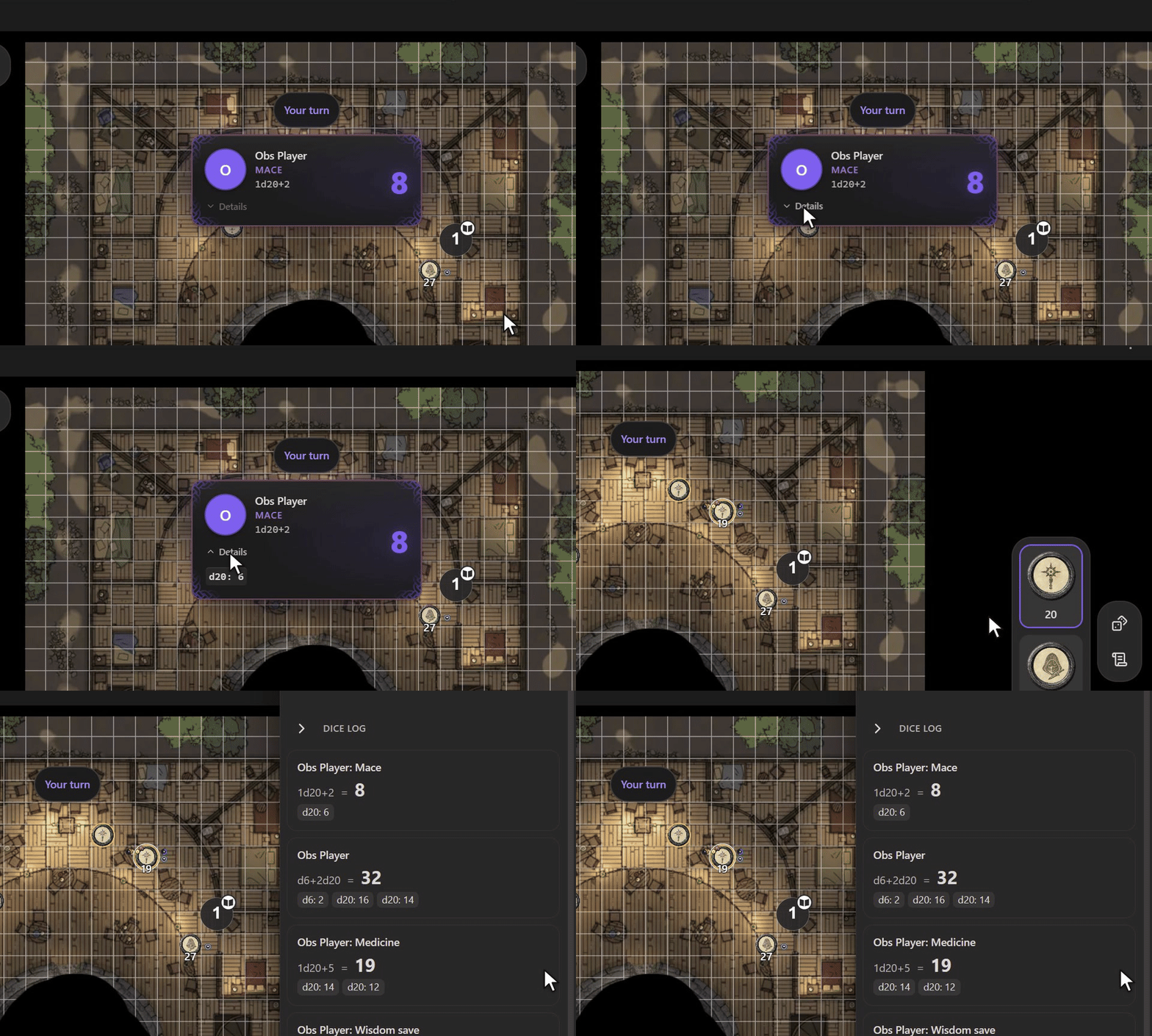
Roll cards and log. Details shows the dice, a click dismisses the card; the dice icon opens every roll of the session.
 |
Connect follows Obsidian's light or dark theme:

## More for the GM
### Hide the map
While you host, run **Hide the map from players** to black out every player's screen (it toggles: run it again to show the map). Players get no map, tokens, fog, initiative or images while it is down, and the data is not sent at all. With Atlas 0.12 or later, Atlas's own **Hide the map** in the player window bar does the same for your online players too.
### Show an image
Run **Show image to players…** and pick an image. Players can zoom, pan, close and reopen it; **Stop showing image to players** takes it away.

### Split the party
Right-click a scene tab → **Present to** → tick players to show them that tab. **Scenes** in Connect's toolbar buttons lists every tab the same way, and **Everyone back to the presented scene** brings them all back. Up to 4 scenes at once; players on a tab you are not on keep its last view.

### Send a note
During a session, right-click a note → **Send to…** and pick anyone who plays in Obsidian. They are asked to **Allow** or **Decline**; allowed notes land in `Shared//`. Players can send notes too, to the GM or each other. Parts you keep private (part tags) stay out.

## Settings
Settings → Connect for Atlas VTT:
- **Signaling server / My own server:** how players find your session. The default works.
- **Relay (TURN) servers:** add one if players can't connect from strict networks (some offices, schools, mobile data).
- **Player page:** the web address in join links. Leave the default unless you host your own (see [DEVELOPING.md](DEVELOPING.md)).
- **Keep online images on this device:** a player's Obsidian keeps map images, so the next session loads faster.
- **Log online play events:** writes a diagnostic log to the console, for bug reports.
## What doesn't work yet
On Atlas from Community plugins, Connect reads what Atlas leaves reachable, so a future Atlas release can break parts of it.
- Footprints of tokens seen in the dark aren't shown to players, and edges of sight are a little rougher than in Atlas's window.
- A map with a stretch-fit grid may not line up for players. Running timers show their last saved value. Atlas's marks and pings aren't relayed.
- Templates show their size to players only; the GM sees them without the label.
- **Sharing maps** and per-collection rules need an Atlas build with the extension API, which no released Atlas has yet. Notes are shared on any Atlas (Send to…, Share with…, Shared with me…).
## Servers and privacy
Connect uses these servers:
- PeerJS cloud signalling (`0.peerjs.com`) to connect players, unless you set your own server;
- the STUN server `stun.l.google.com:19302`, to find a direct route;
- the player page at `evoljoaobento.github.io/atlas-vtt-connect`;
- any relay servers you add.
The game itself goes directly between you and your players. Details in [PRIVACY.md](PRIVACY.md).
## Coming from the online play preview
If you used the fork of Atlas VTT with online play built in, Connect takes over its settings, people and shares on its first start. A map someone shared with you before arrives once as a second scene, e.g. "Inn (2)", the next time it is updated; after that, updates replace it as before.
## Developing
Building, testing and releasing: [DEVELOPING.md](DEVELOPING.md).
## Licence
AGPL-3.0-only, see [LICENSE](LICENSE). Connect contains code from Atlas VTT (AGPL-3.0-only, © Fabian Urbanek) and open-source packages; credits in [THIRD_PARTY_NOTICES.md](THIRD_PARTY_NOTICES.md).