# Dark Reader for Web Viewer
**Read the web in your Obsidian theme.**
[Dark Reader](https://github.com/darkreader/darkreader) for Obsidian's built-in Web viewer.
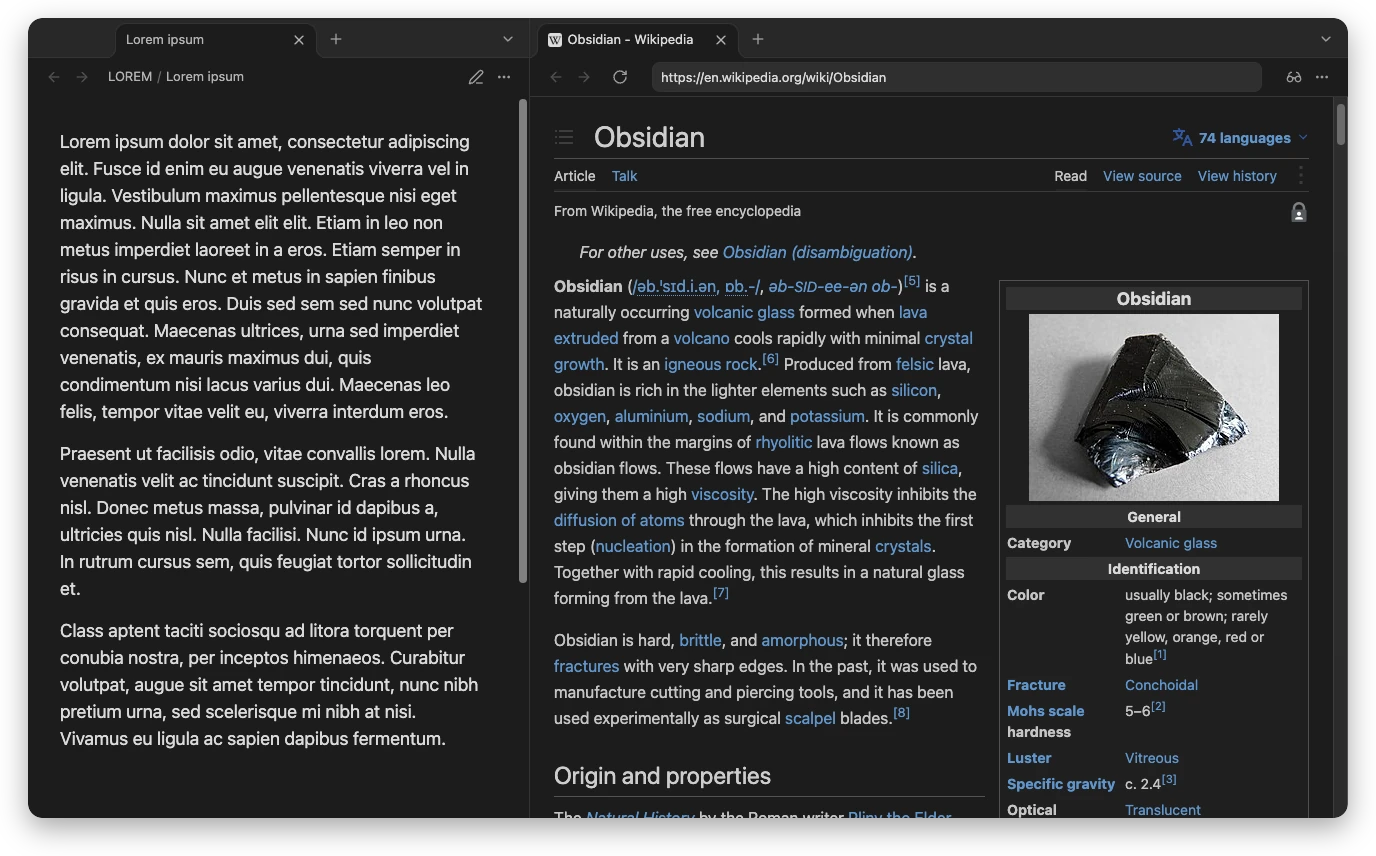
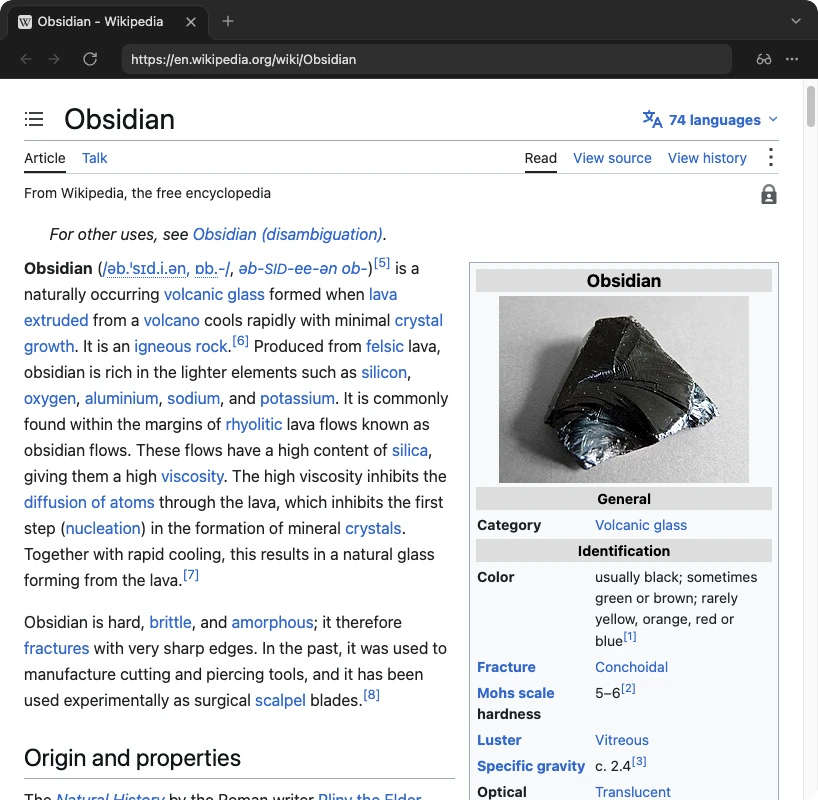
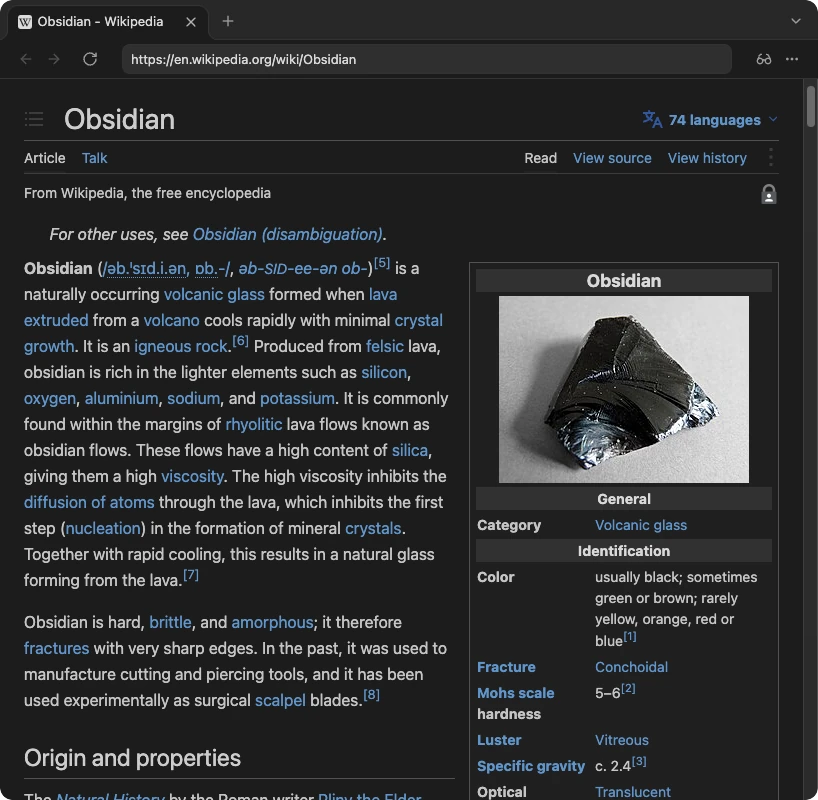
Web pages take your theme's background, text color and font, in dark mode and in light.




 |
|  |
### Light mode
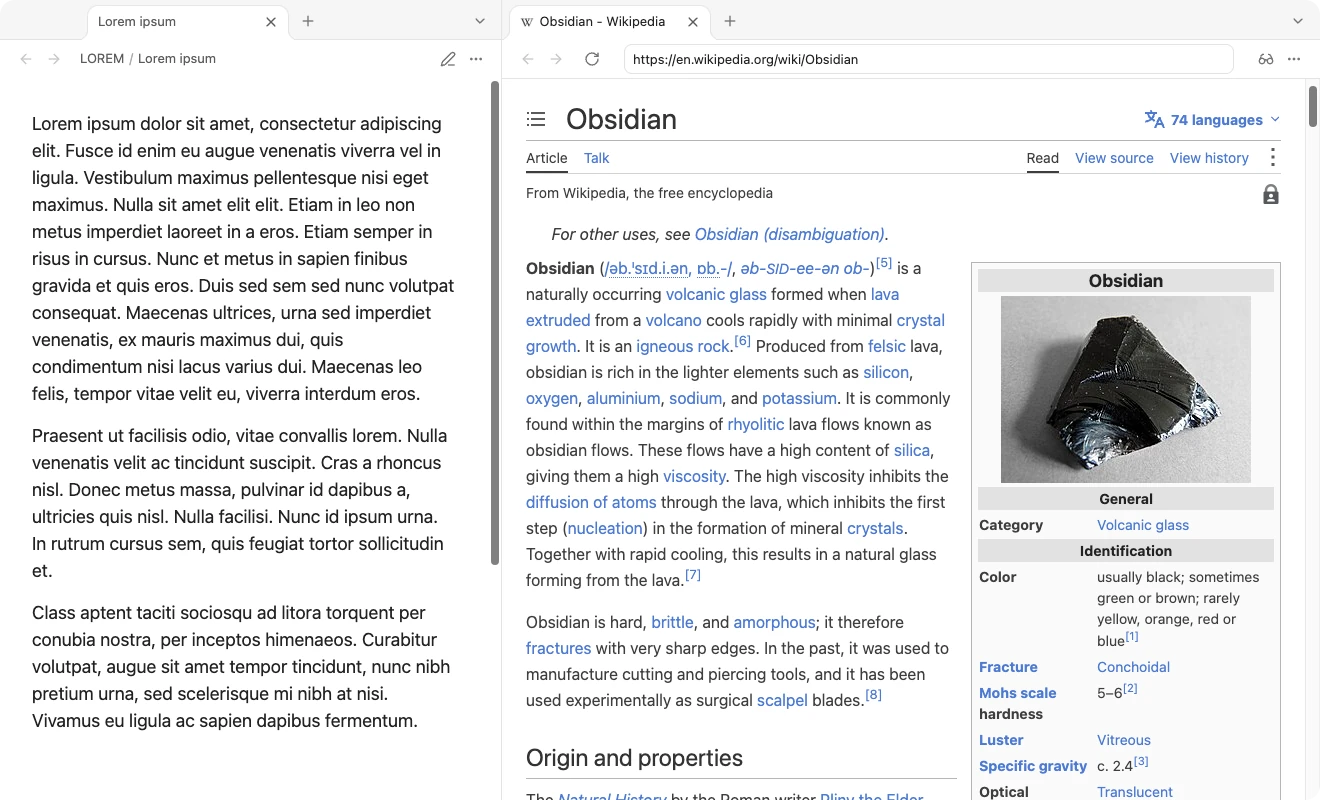
When Obsidian is light, pages take your theme's light colors instead.
|
### Light mode
When Obsidian is light, pages take your theme's light colors instead.
 ### Any theme, its colors and its font
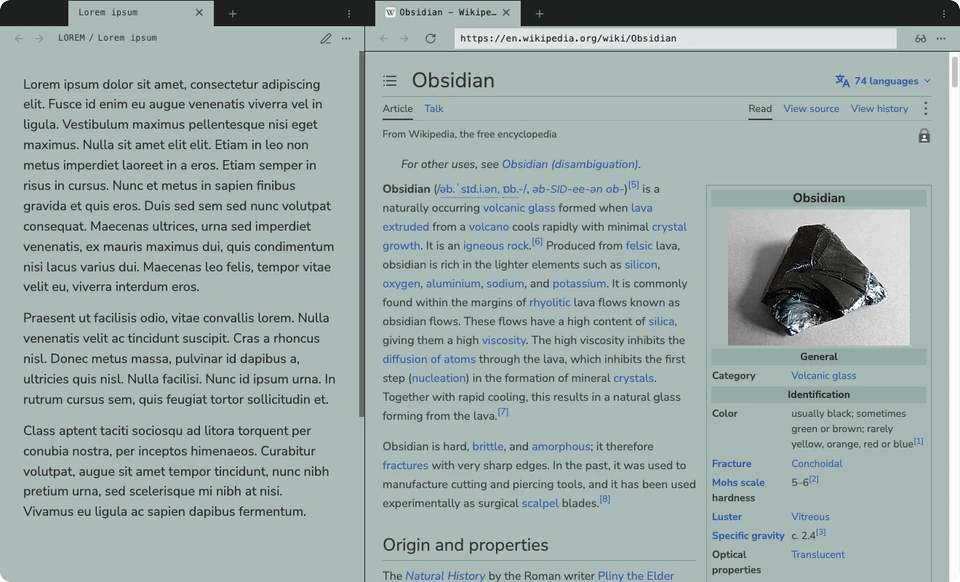
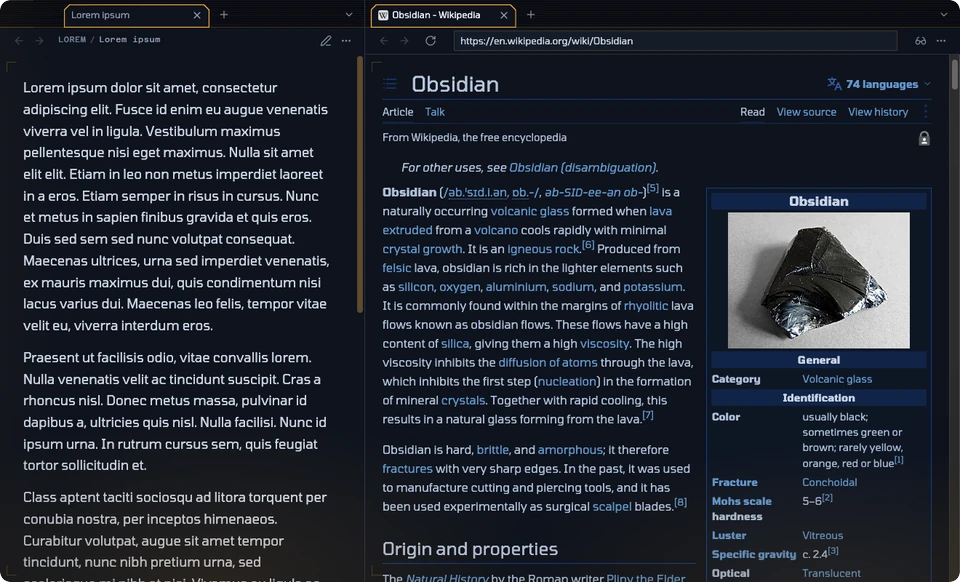
Each page below uses the theme's own background, text color and text font, with **Match Obsidian font** on.
| Halftone, light | Brutalist, dark |
| :---: | :---: |
|
### Any theme, its colors and its font
Each page below uses the theme's own background, text color and text font, with **Match Obsidian font** on.
| Halftone, light | Brutalist, dark |
| :---: | :---: |
|  |
| 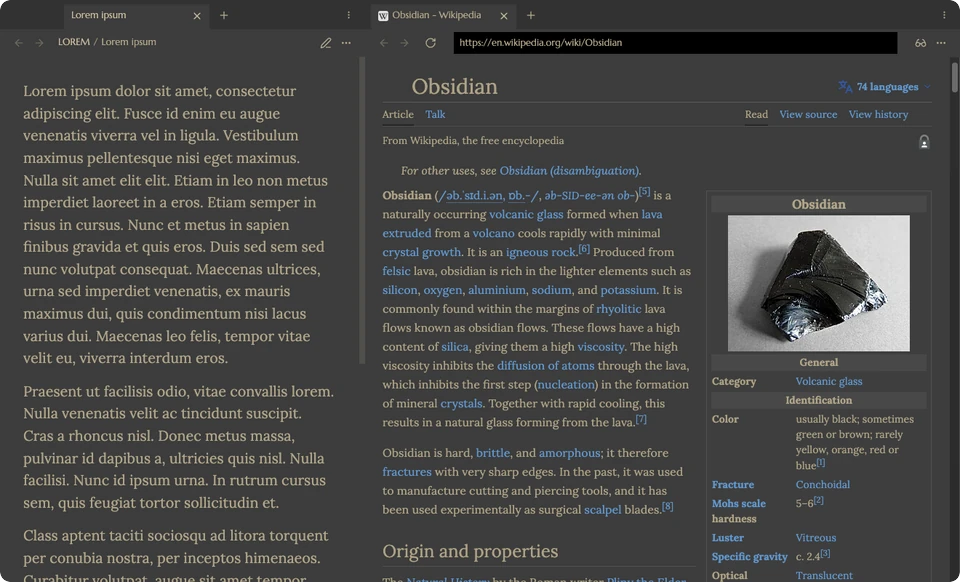 |
| *Nunito Sans, embedded in the theme* | *Lora* |
| **Blade Runner, dark** | **Aubade, light** |
|
|
| *Nunito Sans, embedded in the theme* | *Lora* |
| **Blade Runner, dark** | **Aubade, light** |
|  |
| 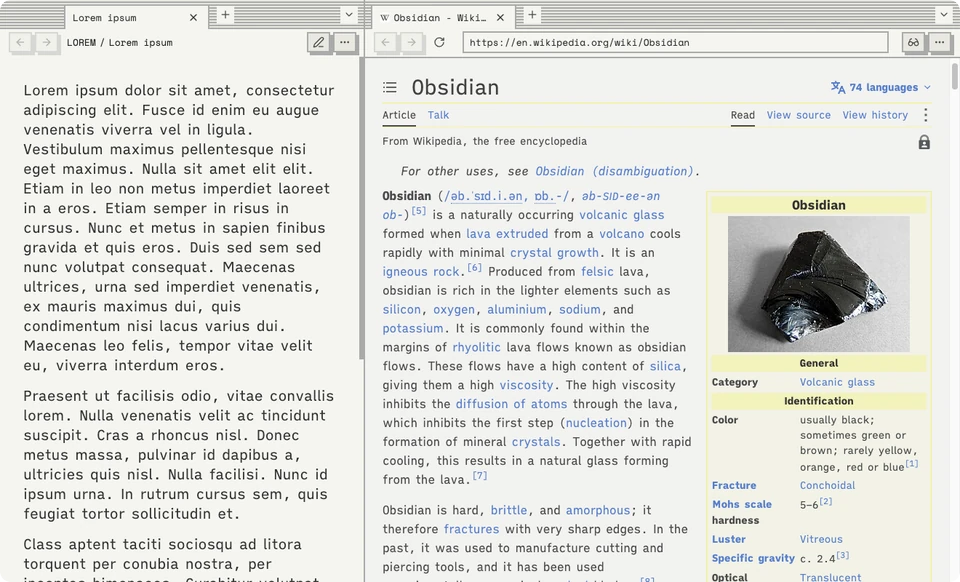 |
| *Tomorrow* | *iA Writer Quattro* |
## Installation
> [!IMPORTANT]
> This plugin needs Obsidian **1.8.3 or newer** on desktop, with the **Web viewer** core plugin turned on: **Settings → Core plugins → Web viewer**. It does not run on mobile, because it relies on the desktop app's `
|
| *Tomorrow* | *iA Writer Quattro* |
## Installation
> [!IMPORTANT]
> This plugin needs Obsidian **1.8.3 or newer** on desktop, with the **Web viewer** core plugin turned on: **Settings → Core plugins → Web viewer**. It does not run on mobile, because it relies on the desktop app's `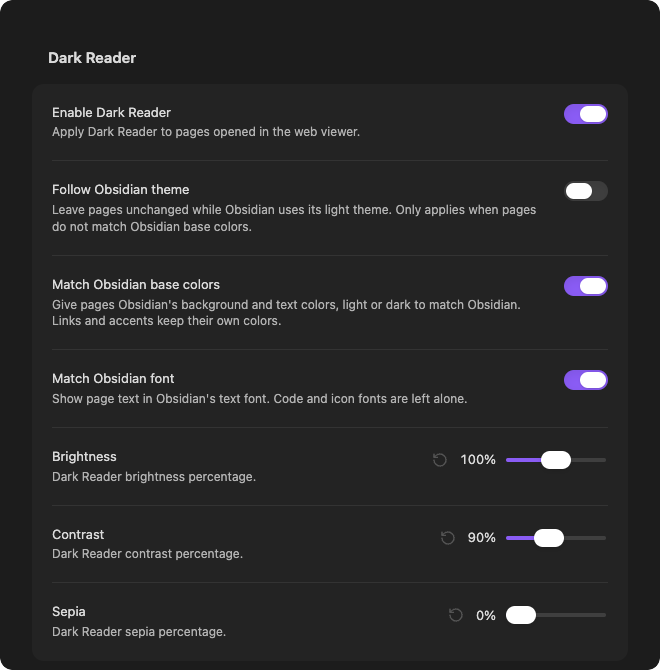 | Setting | Default | What it does |
| --- | :---: | --- |
| **Enable Dark Reader** | On | Turns page theming on or off. |
| **Follow Obsidian theme** | Off | Leaves pages unchanged while Obsidian is light. Only applies when **Match Obsidian base colors** is off. |
| **Match Obsidian base colors** | On | Gives pages your theme's background and text colors, light or dark to match Obsidian. |
| **Match Obsidian font** | Off | Shows page text in your theme's text font. Code and icon fonts are left alone. |
| **Brightness** | 100% | Dark Reader's brightness. |
| **Contrast** | 90% | Dark Reader's contrast. |
| **Sepia** | 0% | Dark Reader's sepia tint. |
### What pages look like
| Obsidian is… | Match Obsidian base colors | Follow Obsidian theme | Pages are… |
| --- | :---: | :---: | --- |
| Dark | On | any | Dark, in your theme's colors |
| Light | On | any | Light, in your theme's colors |
| Dark | Off | any | Dark, in Dark Reader's own colors |
| Light | Off | Off | Dark, in Dark Reader's own colors |
| Light | Off | On | Unchanged |
## Commands
| Command | What it does |
| --- | --- |
| **Toggle web viewer dark mode** | Turns page theming on or off. |
| **Reapply web viewer dark mode** | Reinstalls Dark Reader in every open page, in case a site misbehaves. |
## How it works
The plugin bundles [Dark Reader's public API](https://www.npmjs.com/package/darkreader) and installs it into each page opened in Obsidian's Web viewer. It does not need the browser extension.
| Setting | Default | What it does |
| --- | :---: | --- |
| **Enable Dark Reader** | On | Turns page theming on or off. |
| **Follow Obsidian theme** | Off | Leaves pages unchanged while Obsidian is light. Only applies when **Match Obsidian base colors** is off. |
| **Match Obsidian base colors** | On | Gives pages your theme's background and text colors, light or dark to match Obsidian. |
| **Match Obsidian font** | Off | Shows page text in your theme's text font. Code and icon fonts are left alone. |
| **Brightness** | 100% | Dark Reader's brightness. |
| **Contrast** | 90% | Dark Reader's contrast. |
| **Sepia** | 0% | Dark Reader's sepia tint. |
### What pages look like
| Obsidian is… | Match Obsidian base colors | Follow Obsidian theme | Pages are… |
| --- | :---: | :---: | --- |
| Dark | On | any | Dark, in your theme's colors |
| Light | On | any | Light, in your theme's colors |
| Dark | Off | any | Dark, in Dark Reader's own colors |
| Light | Off | Off | Dark, in Dark Reader's own colors |
| Light | Off | On | Unchanged |
## Commands
| Command | What it does |
| --- | --- |
| **Toggle web viewer dark mode** | Turns page theming on or off. |
| **Reapply web viewer dark mode** | Reinstalls Dark Reader in every open page, in case a site misbehaves. |
## How it works
The plugin bundles [Dark Reader's public API](https://www.npmjs.com/package/darkreader) and installs it into each page opened in Obsidian's Web viewer. It does not need the browser extension.