[](https://github.com/dreamfarer-space/obsidian-mermaid-boost/releases/tag/1.0.5)
[](https://obsidian.md)
[](#29-themes-across-7-groups)
[](https://github.com/dreamfarer-space/obsidian-mermaid-boost/actions/workflows/ci.yml)
[](#contributing--license)
**English** · **[简体中文](README.zh-CN.md)**
[Why Mermaid Boost?](#why-mermaid-boost) · [Features](#features) · [29 Themes](#29-themes-across-7-groups) · [Quick Start](#quick-start--installation) · [Settings](#settings-reference) · [Development](#development)
---
## Why Mermaid Boost?
Mermaid diagrams in Obsidian often suffer from two extremes: sprawling architecture charts either **overflow the reading column** or **shrink to microscopic, unreadable text**.
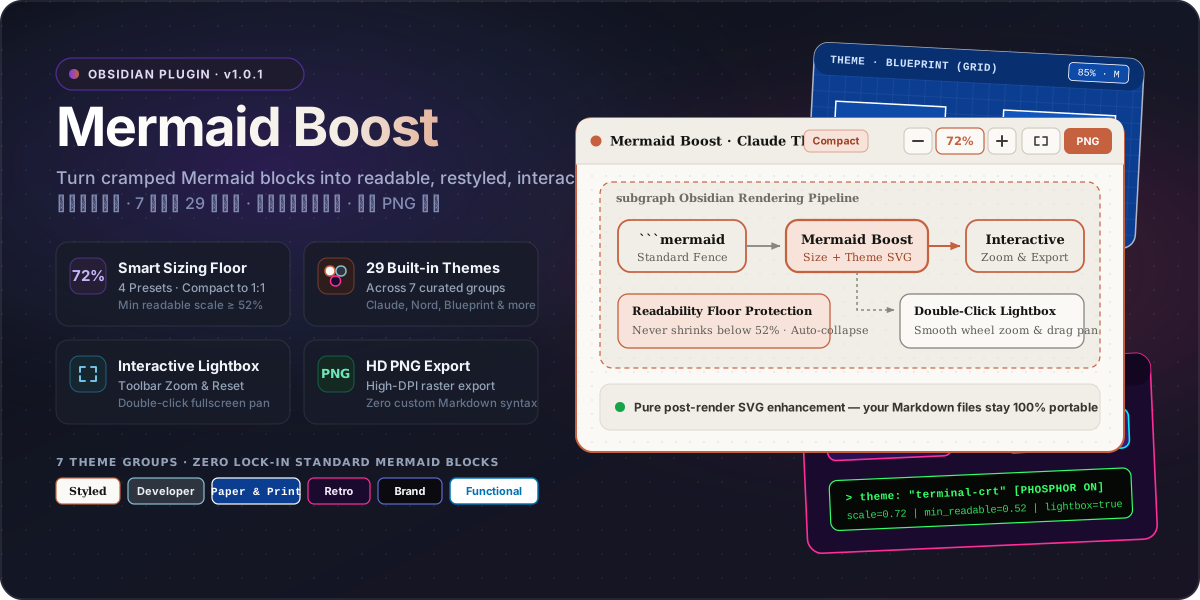
**Mermaid Boost** enhances Obsidian's rendered Mermaid SVGs on the fly—adding a **readability floor**, **29 handcrafted themes**, **inline zoom controls**, a **double-click pan/zoom lightbox**, and **one-click HD PNG export**—while keeping your note source 100% standard ` ```mermaid ` Markdown.
| Capability | Default Obsidian Mermaid | With **Mermaid Boost** |
| :--- | :--- | :--- |
| **Large Diagram Sizing** | Shrinks unconstrained or overflows container | **4 Smart Presets (`S` / `M` / `L` / `1:1`)** with a strict **Minimum Readable Scale** floor |
| **Tall Flowcharts** | Pushes note content several screens down | **Auto-collapses tall diagrams** cleanly instead of crushing text size |
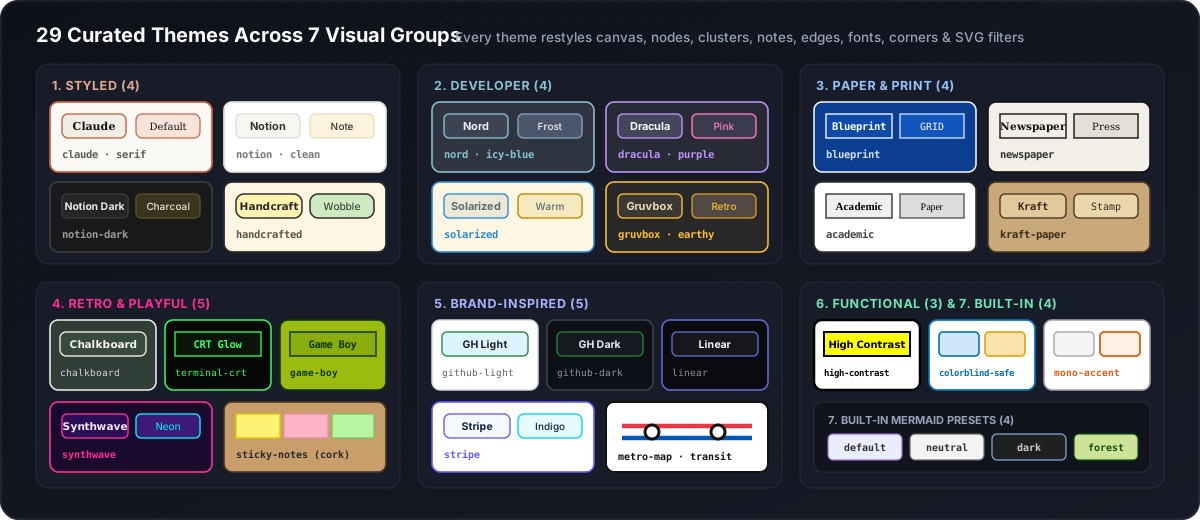
| **Visual Styling** | Basic default Mermaid skin | **29 curated themes across 7 groups** (canvas, nodes, clusters, edges, fonts & SVG filters) |
| **Navigation & Inspection** | Static inline SVG | **Toolbar Zoom (`−` / `72%` / `+`)** + **Double-click Fullscreen Lightbox** with smooth drag-pan |
| **Sharing & Export** | Manual screenshot at screen DPI | **One-click HD PNG Export** directly from the diagram header |
| **Markdown Lock-in** | Standard ` ```mermaid ` fence | **100% Standard ` ```mermaid ` fence** — zero proprietary syntax |
---
## Features
### 1. Smart Diagram Sizing with Readability Floor
Mermaid Boost scales diagrams to fit a comfortable reading area while enforcing a **Minimum Readable Scale** floor so labels never become illegible. Tall diagrams can automatically collapse with an expand toggle rather than shrinking into a thin vertical strip.
| Preset | Short | Base Scale | Max Width | Max Height | Min Readable Scale | Best For |
| :--- | :---: | ---: | ---: | ---: | ---: | :--- |
| **Compact** *(default)* | `S` | `72%` | `620 px` | `320 px` | **`52%`** | Dense study notes & side-by-side panes |
| **Balanced** | `M` | `85%` | `740 px` | `440 px` | **`58%`** | Everyday technical documentation |
| **Relaxed** | `L` | `100%` | `900 px` | `580 px` | **`65%`** | Wide monitors & architecture reviews |
| **Original** | `1:1` | `100%` | `1600 px` | `2400 px` | **`100%`** | Full 1:1 unconstrained presentation |
### 2. Interactive Controls & Fullscreen Lightbox
Every enhanced diagram card exposes quick controls in its header toolbar:
- **Inline Zoom (`−` / `72%` / `+`)** — Adjust diagram scale on the spot or click the percentage badge to reset.
- **Double-Click Fullscreen Lightbox** — Open any diagram in an interactive overlay with mouse-wheel zoom and click-drag panning.
- **One-Click HD PNG Export** — Copy or export crisp, high-resolution raster images ready for slides, papers, or chat.
### 3. Per-Diagram Overrides (`%% mermaid-boost: ...`)
Need a different theme, size preset, or collapse behavior for a specific diagram? You can override global settings directly inside standard Mermaid comments:
````markdown
```mermaid
%% mermaid-boost: theme=blueprint size=relaxed collapse=false
flowchart TD
A[Global Settings Fallback] --> B[Diagram-Specific Override]
```
````
> [!TIP]
> Standard Mermaid comments (`%% ...`) are completely ignored outside Obsidian, keeping your Markdown 100% portable on GitHub, GitLab, and documentation sites. Adjacent Markdown comments (``) and the short prefix `%%mb: ...` are also supported.
#### Supported Override Keys
| Key | Description | Valid Values | Example |
| :--- | :--- | :--- | :--- |
| **`theme`** | Override color palette & typography | Any of the 29 theme IDs (`blueprint`, `nord`, `claude`, etc.) | `theme=blueprint` |
| **`size`** | Override sizing preset & readable floor | `compact` (`s`), `balanced` (`m`), `relaxed` (`l`), `original` (`1:1`) | `size=relaxed` |
| **`collapse`** | Override auto-collapse on tall flowcharts | `true` / `false` (`yes` / `no`, `1` / `0`) | `collapse=false` |
| **`frame`** | Toggle card container border & background | `true` / `false` (`none`) | `frame=false` |
| **`grid`** | Toggle dot-grid canvas background | `true` / `false` (`dot` / `none`) | `grid=true` |
| **`header`** | Toggle top micro-toolbar | `true` / `false` | `header=false` |
| **`radius`** | Override node & card corner radius | Number in pixels (`0` to `64`, e.g. `8`, `12px`) | `radius=8` |
#### Precedence & Fallback Rules
1. **Per-diagram directive** — Explicit keys in `%% mermaid-boost: ...` take highest precedence.
2. **Interactive session zoom** — Temporary toolbar zoom adjustments scale on top of the diagram's base size.
3. **Global plugin settings** — Vault-wide settings in Obsidian Settings act as the fallback for any unmentioned keys.
4. **Safe degradation** — Unknown keys or malformed values fail safely and fall back to global settings without mutating global configuration.
---
## 29 Themes Across 7 Groups