# Heading Jump Fix
[](https://github.com/crossbeat461-a11y/k-tech-heading-jump-fix/releases/latest)
[](LICENSE)
[](https://github.com/crossbeat461-a11y/k-tech-heading-jump-fix/actions/workflows/release.yml)

[](https://buymeacoffee.com/k_tech_studio)
**[English](#readme-en)** · **[日本語](#readme-ja)**
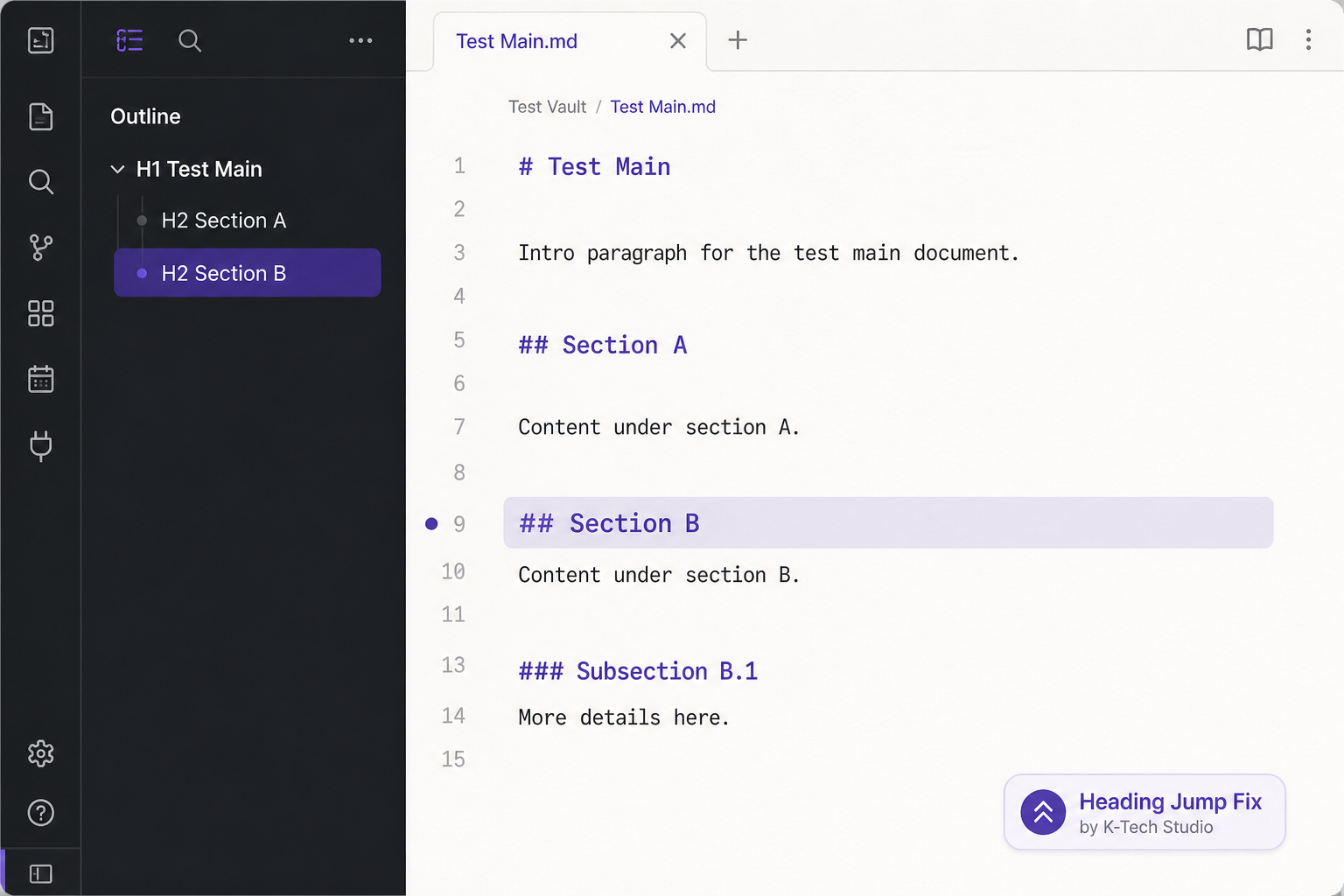
K-Tech Studio plugin that **auto-corrects scroll position** after heading jumps from the Outline, Search, wikilinks, block references, or link panes — click or keyboard — in Live Preview and in Reading view.
---
## English
### Problem
In Live Preview or Reading view, jumping to a heading from the Outline, Search, or a `[[note#heading]]` link sometimes moves the cursor but **does not scroll** to that heading — especially on long notes, after opening the app, or with a split editor + Reading layout. This plugin performs that second correction automatically.
### What it fixes
- Outline sidebar: click or Enter should scroll to the heading (Live Preview and Reading view), including Markdown opened outside the vault
- Search pane: clicking a match should scroll to that line
- In-note `[[wikilink#heading]]` (click, Enter on the link, or Follow link under cursor)
- In-note `[[note#^block]]` (same as wikilink)
- Heading or block jumps in Outgoing links / Backlinks (click or Enter)
- Split layout: editor on one side, Reading view on the other
- Duplicate headings: disambiguated by order in the outline
- Folded headings at the jump target (and ancestor folds that hide them) are opened
- Theme `scroll-behavior: smooth` missing the target
- Configurable retry delay, retry count (with backoff), and scroll-to-center
### What it does not fix
- General UI sluggishness (Electron/GPU, too many plugins)
- Dropbox or sync I/O delay
- Reading view heading clicks that are not links (headings themselves are not turned into a table of contents)
### How to use
1. Install **Heading Jump Fix** from Community plugins and enable it
2. Open a long note
3. Jump from **Outline** (click or Enter), a match in **Search**, a `[[note#heading]]` or `[[note#^block]]` link, or a heading in the link panes
**Settings** (plugin options):
| Setting | Default | Description |
|---------|---------|-------------|
| Enable plugin | ON | Master switch |
| Outline click fix | ON | Retry scroll after outline click or Enter |
| Wikilink click fix | ON | Retry scroll after `[[wikilink#heading]]` and `[[note#^block]]` (click or keyboard follow) |
| Link pane click fix | ON | Retry scroll after Outgoing links / Backlinks (click or Enter) |
| Reading view jump fix | ON | Retry scroll in Reading view after Outline or heading-link jumps |
| Search result jump fix | ON | Retry scroll after Search pane match clicks |
| Retry delay (ms) | 250 | Wait before correction |
| Retry count | 1 | Extra scroll passes (later passes wait longer) |
| Scroll heading to center | ON | Center the heading in the editor |
| Override theme scroll-behavior | ON | Instant editor scroll (ignore theme smooth-scroll) |
**Command palette:** `Jump to heading at cursor line reliably` — scrolls to the heading that contains the current cursor line.
### Author
K-Tech Studio
### Support
[Buy Me a Coffee](https://buymeacoffee.com/k_tech_studio)
### Disclaimer (no warranty)
This software is provided **as is**, without warranty of any kind. The developer does not guarantee that it will work in every environment. Use at your own risk. See the [MIT License](LICENSE).
### License
MIT
---
日本語
Live Preview やリーディングビューで、アウトライン、検索ヒット、`[[ノート#見出し]]` へジャンプしても、カーソルだけ動いて **スクロールが追従しない** ことがあります。分割表示でも起きやすいです。2 回目のクリック相当をプラグインが自動で行います。
### 直すもの
- アウトラインからの見出しジャンプ(クリックまたは Enter。ライブプレビューとリーディングビュー。Vault 外の Markdown も含む)
- 検索ペインのヒットクリック
- 本文の `[[wikilink#見出し]]`(クリック、リンク上の Enter、カーソル位置のリンクをたどる)
- 本文の `[[ノート#^ブロック]]`(wikilink と同じ)
- アウトゴーイングリンク / バックリンクの見出し・ブロック(クリックまたは Enter)
- 編集とリーディングの左右分割
- 同名見出し(アウトライン上の順序で区別)
- ジャンプ先の折りたたみ見出し(隠れている親の折りたたみも含む)を開く
- テーマのスムーズスクロールで見出しを外す問題
- リトライ遅延・回数(backoff)・中央揃えの設定
### 直さないもの
- 全体の UI ラグ
- Dropbox 同期遅延
- リンクではないリーディングビューの見出しクリック(見出し自体を目次にはしない)
### 使い方
1. コミュニティプラグインから **Heading Jump Fix** を入れて有効にする
2. 長いノートを開く
3. **アウトライン**(クリックまたは Enter)、**検索**のヒット、`[[ノート#見出し]]` / `[[ノート#^ブロック]]`、またはリンクペインからジャンプする
**設定**(プラグイン設定):
| 設定 | 初期値 | 説明 |
|------|--------|------|
| プラグインを有効化 | ON | 全体のスイッチ |
| アウトラインクリック補正 | ON | アウトラインのクリックまたは Enter のあとスクロールを再試行 |
| Wikilink クリック補正 | ON | `[[wikilink#見出し]]` と `[[ノート#^ブロック]]`(クリックまたはキーボード)のあとスクロールを再試行 |
| リンクペイン補正 | ON | アウトゴーイング / バックリンク(クリックまたは Enter) |
| リーディングビューのジャンプ補正 | ON | アウトラインや見出しリンクのあと、リーディング側もスクロール |
| 検索ヒットのジャンプ補正 | ON | 検索ペインのヒットクリックのあとスクロールを再試行 |
| リトライ遅延 (ms) | 250 | 補正までの待ち時間 |
| リトライ回数 | 1 | 追加のスクロール回数(後の回は待ち時間が増える) |
| 見出しを中央へ | ON | エディタの中央付近に見出しを置く |
| テーマの scroll-behavior を上書き | ON | エディタを即時スクロール |
**コマンドパレット:** `Jump to heading at cursor line reliably` — カーソル行を含む見出しまでスクロールします。
### 作者
K-Tech Studio
### サポート
[Buy Me a Coffee](https://buymeacoffee.com/k_tech_studio)
### 免責(無保証)
本ソフトウェアは **現状有姿(無保証)** で提供します。あらゆる環境での動作を保証しません。利用は自己責任です。詳細は [MIT ライセンス](LICENSE) を参照してください。
### ライセンス
MIT