# Extension Drawers
Organise Obsidian's community and core plugins into collapsible folders, in one Plugins tab.
| Community plugins |
Core plugins |
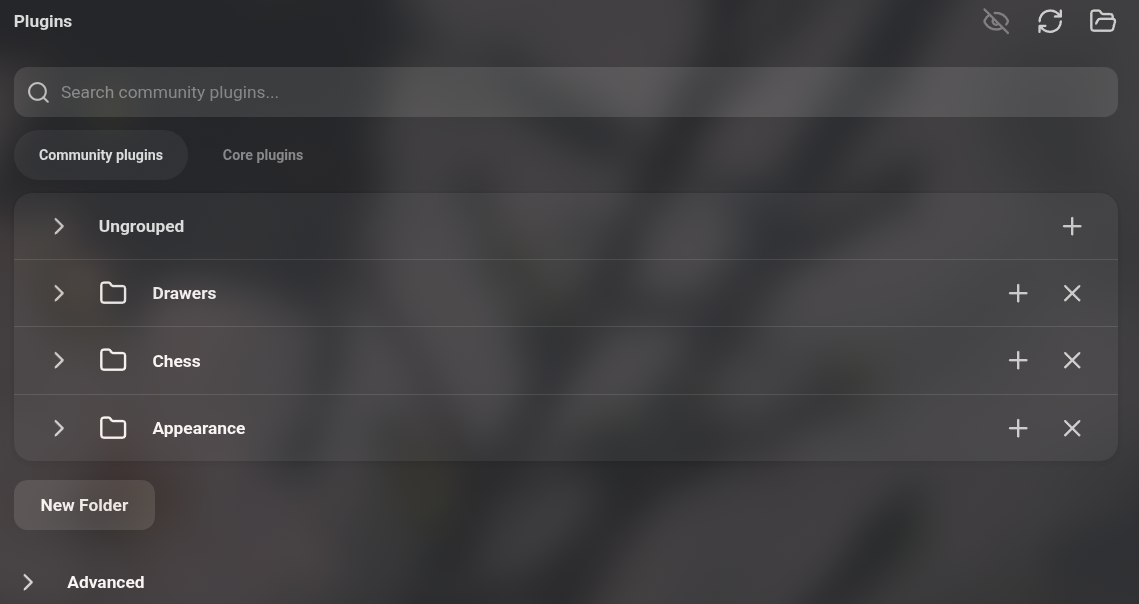 |
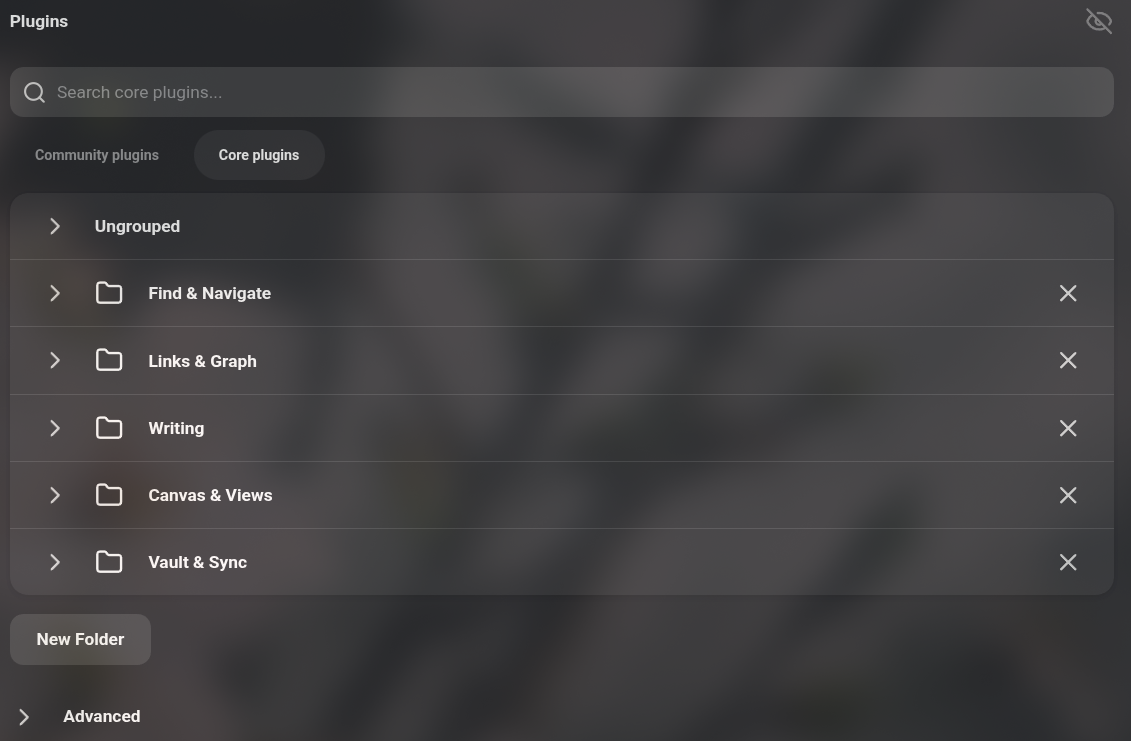 |
## Features
- Merges the Community plugins and Core plugins tabs into a single **Plugins** tab.
- Group plugins into folders. The core list starts out sorted into five folders.
- Rename, collapse and delete folders.
- Install community plugins directly into a certain folder
- Hide/Show plugins' options in the Preferences sidebar
## Usage
Open **Settings -> Plugins**. Choose **Community plugins** or **Core plugins** under the search box, click **New Folder** below the list to create a folder, then drag plugins into it.
To browse community plugins, use a folder's **+** button.
While the plugin is enabled it replaces Obsidian's built-in plugin lists and hides the Core plugins tab. Disabling it restores both tabs as they were.
**IMPORTANT FOR REVIEW: This plugin overrides Obsidian's native functionality**
## Compatibility
Desktop only. Requires Obsidian 1.13 or later.
## Installation
Install **Extension Drawers** from **Settings -> Community plugins -> Browse**, then enable it.
To install manually:
Copy `main.js`, `manifest.json` and `styles.css` from the latest release into `/.obsidian/plugins/plugin-drawers/`.