# Lock Drag and Drop - Obsidian Plugin
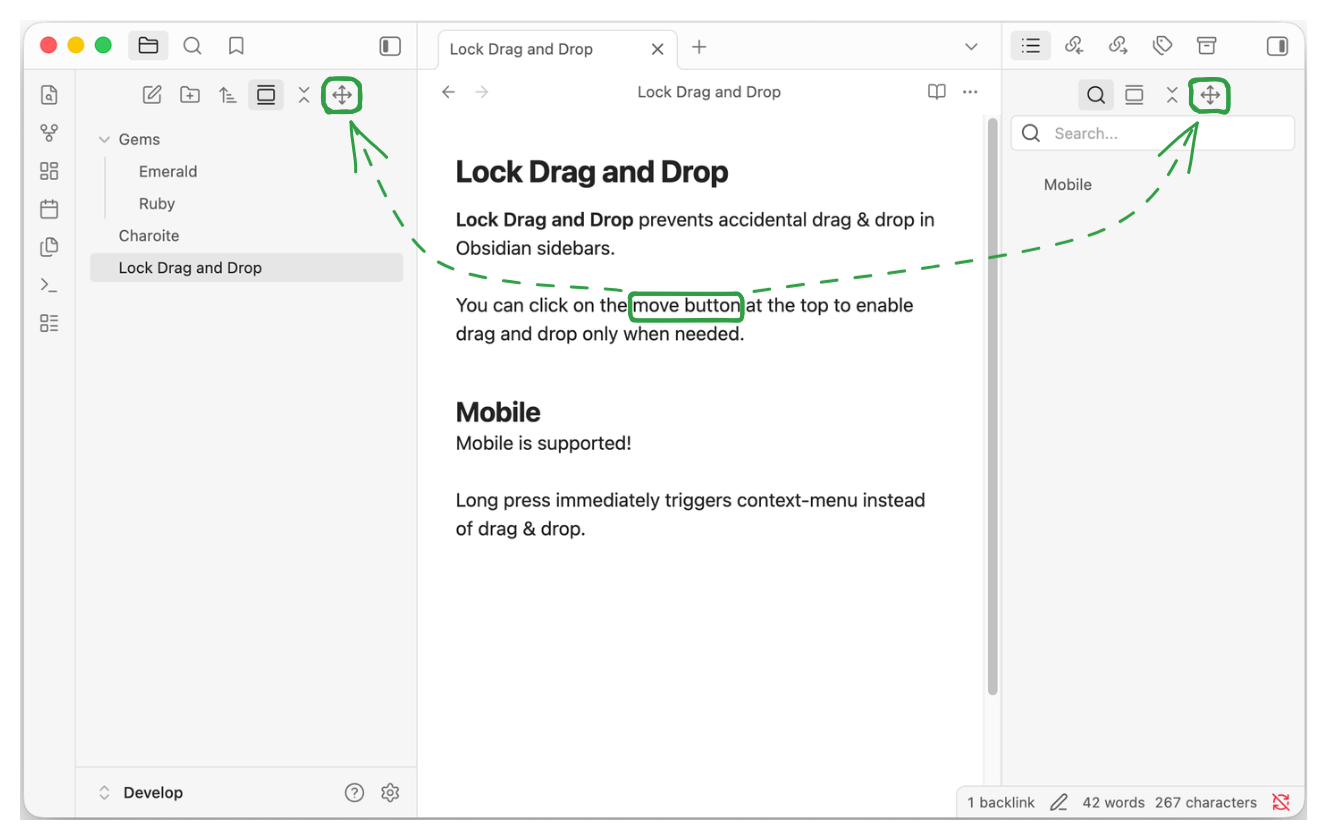
Lock Drag and Drop prevents accidental drag & drop in Obsidian sidebars.
You can click on the move button at the top to enable drag & drop only when needed.
On Mobile, long press immediately triggers context-menu instead of drag & drop.
## Development
Install dependencies and build the plugin:
```sh
pnpm install
pnpm run build
```
The build writes `main.js`, `manifest.json`, and `styles.css` to `./dist/`.
Then symlink the `./dist/` folder from the Obsidian plugin folder.
```sh
ln -s lock-drag-and-drop
```
If you want to sync your plugins, you will need to copy the folder instead of symlinking.
### Creating a release
Run below command to create and upload new version tag. This makes use of `npm version` [lifecycle hook](https://docs.npmjs.com/cli/v8/commands/npm-version) and the script.
```sh
pnpm version 1.0.0
git push origin main 1.0.0
```
## Disclaimer
This plugin was developed with AI assistance, but all code was manually reviewed by a human.
This plugin is not affiliated with official Obsidian product.