[](README.zh.md)
# 🗺️ EngramQuest
**Carve your notes into memory.**
*Not just records — traces in your mind.*
Generate flashcard decks and quest maps from your Obsidian notes — AI deepens memory connections, FSRS spaced repetition makes the knowledge truly last.
[](https://github.com/bahfahh/engram-quest/releases)
---
## 💡 Why EngramQuest?
Anki solves *when* to review. EngramQuest solves *how* to actually remember.
- **L2 Contextual Anchor** — AI searches your vault, finds what you already knew when you first learned this topic, and rebuilds that moment of understanding. No other flashcard tool does this.
- **FSRS algorithm** — newer and more accurate than Anki's SM-2. Intervals adapt to your actual recall performance, not fixed multipliers.
- **Quest Maps** — turn dense long notes into game-like island challenges. You engage with the material instead of re-reading it.
---
## ✨ Features
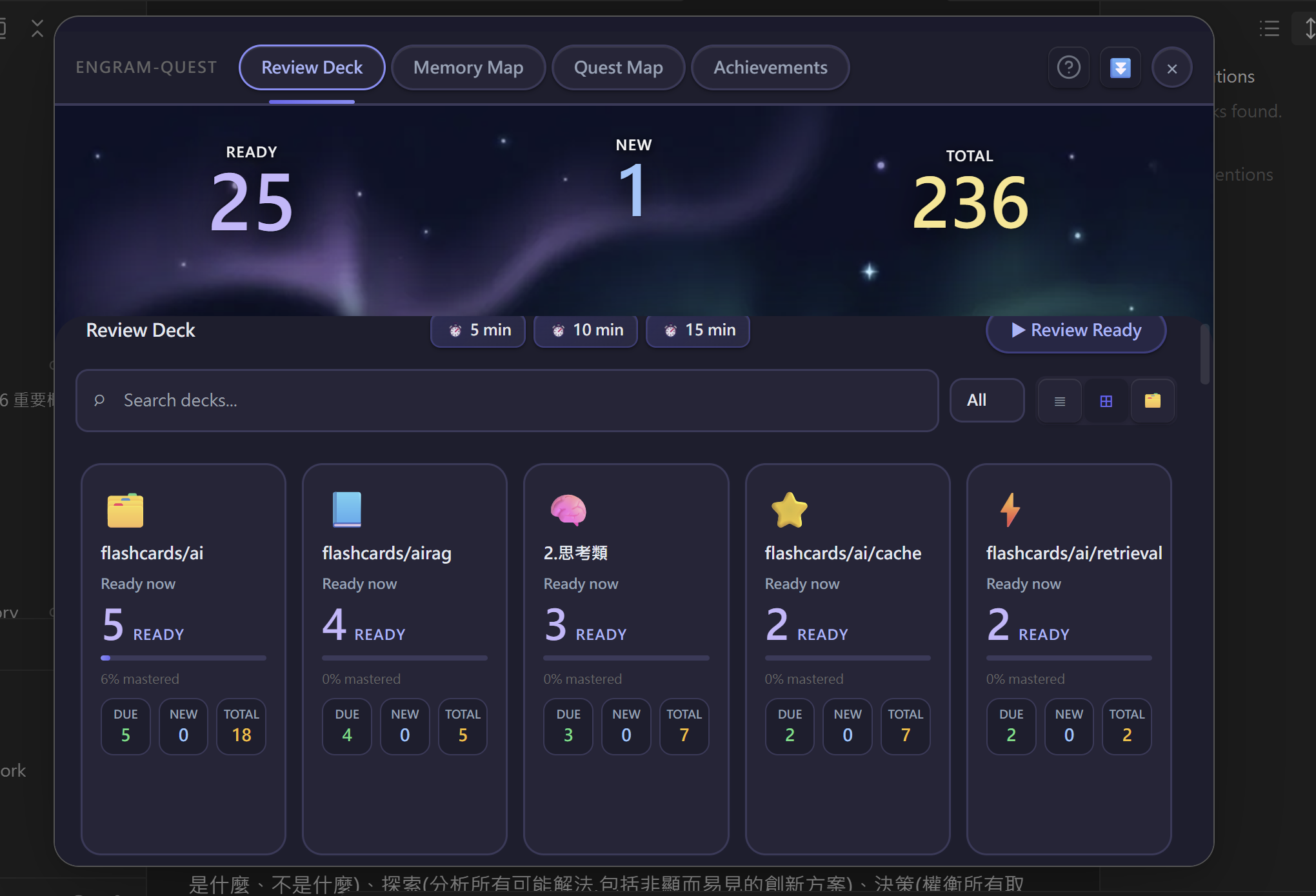
### 🃏 Review Deck — Remember More, Study Less
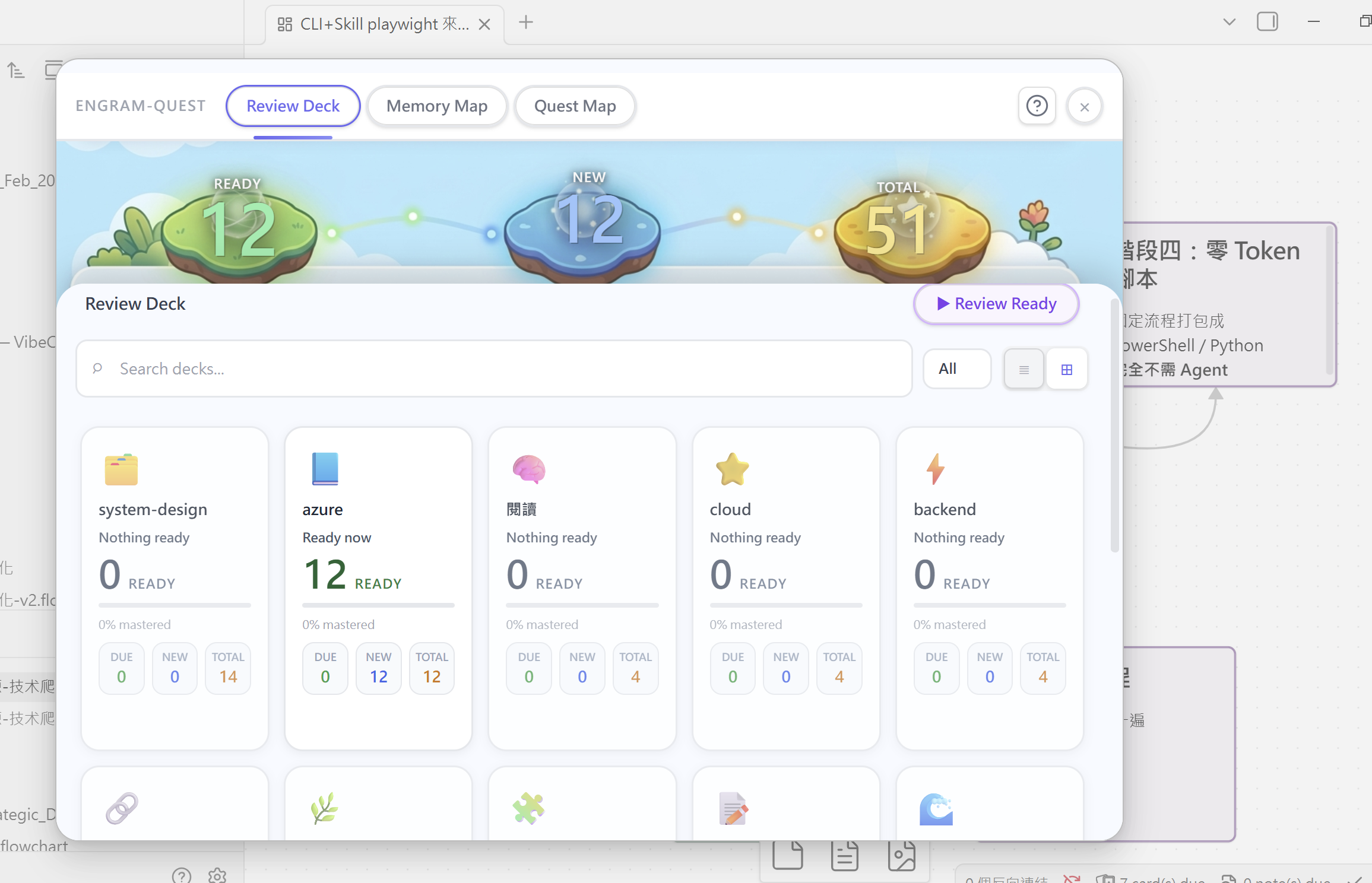
A three-stage recall system that builds real memory — not just familiarity:
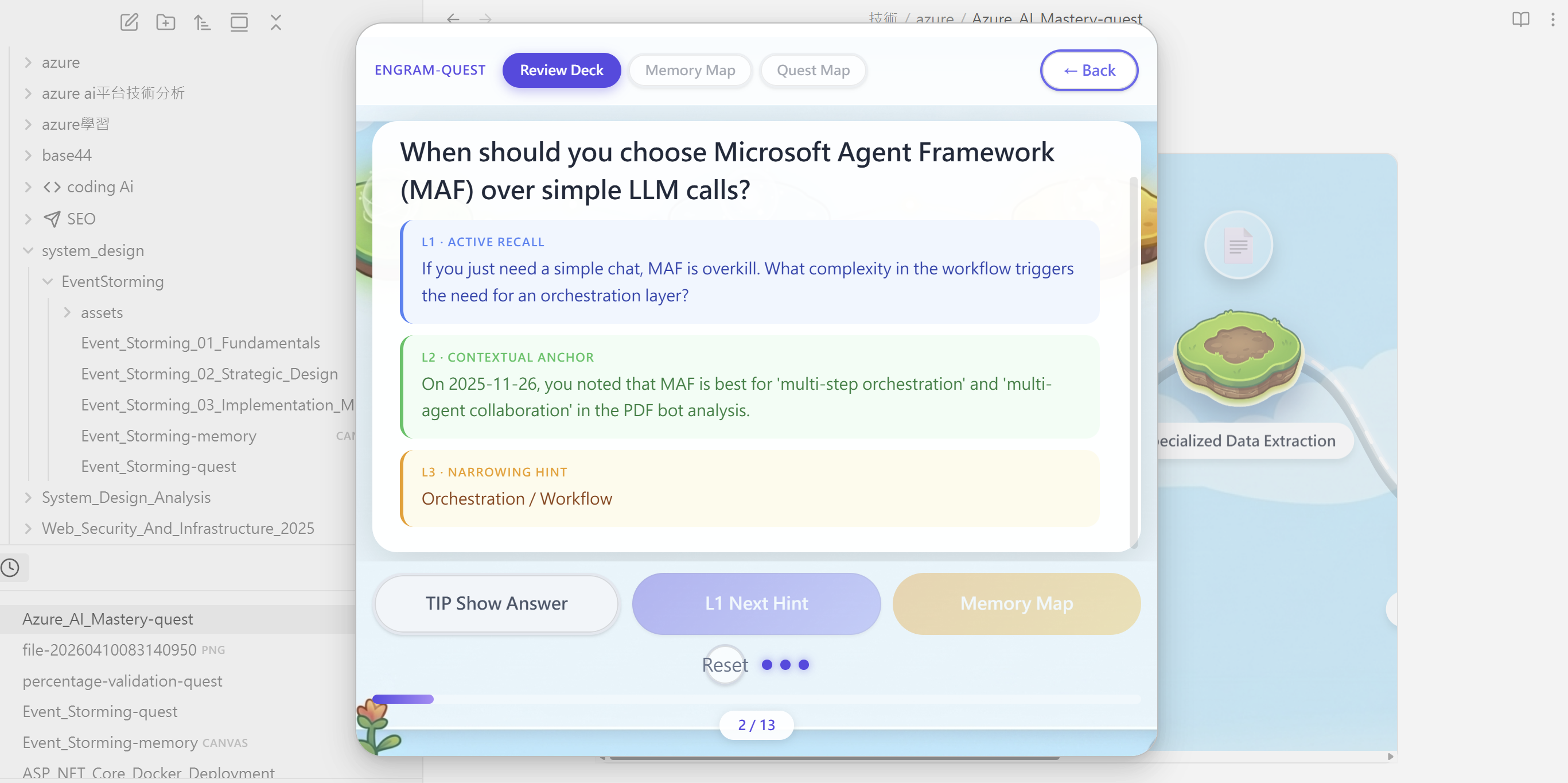
| Stage | What it does |
|---|---|
| **L1 Active Recall** | Question only — forces your brain to search first, before any hint |
| **L2 Contextual Anchor** ⭐ | AI finds related notes in *your* vault and rebuilds the moment you first learned this. Anki can't do this. |
| **L3 Narrowing Hint** | A keyword direction as last resort — never gives the full answer |
- **FSRS scheduling** — intervals adapt to your actual recall, not preset multipliers
- **AI cards stay separate** — generated cards live in `engram-review/`, AI never touches your source notes
- **Edit writes back** — Highlight and Edit tools write changes directly to your source note, keeping it the single source of truth
- **Auto-detection** — any note tagged `#flashcards/topic` is picked up automatically
- **Source note link** — jump from any card to its origin note mid-session, then return right where you left off
### 🗺️ Quest Map — Turn Notes into Challenges
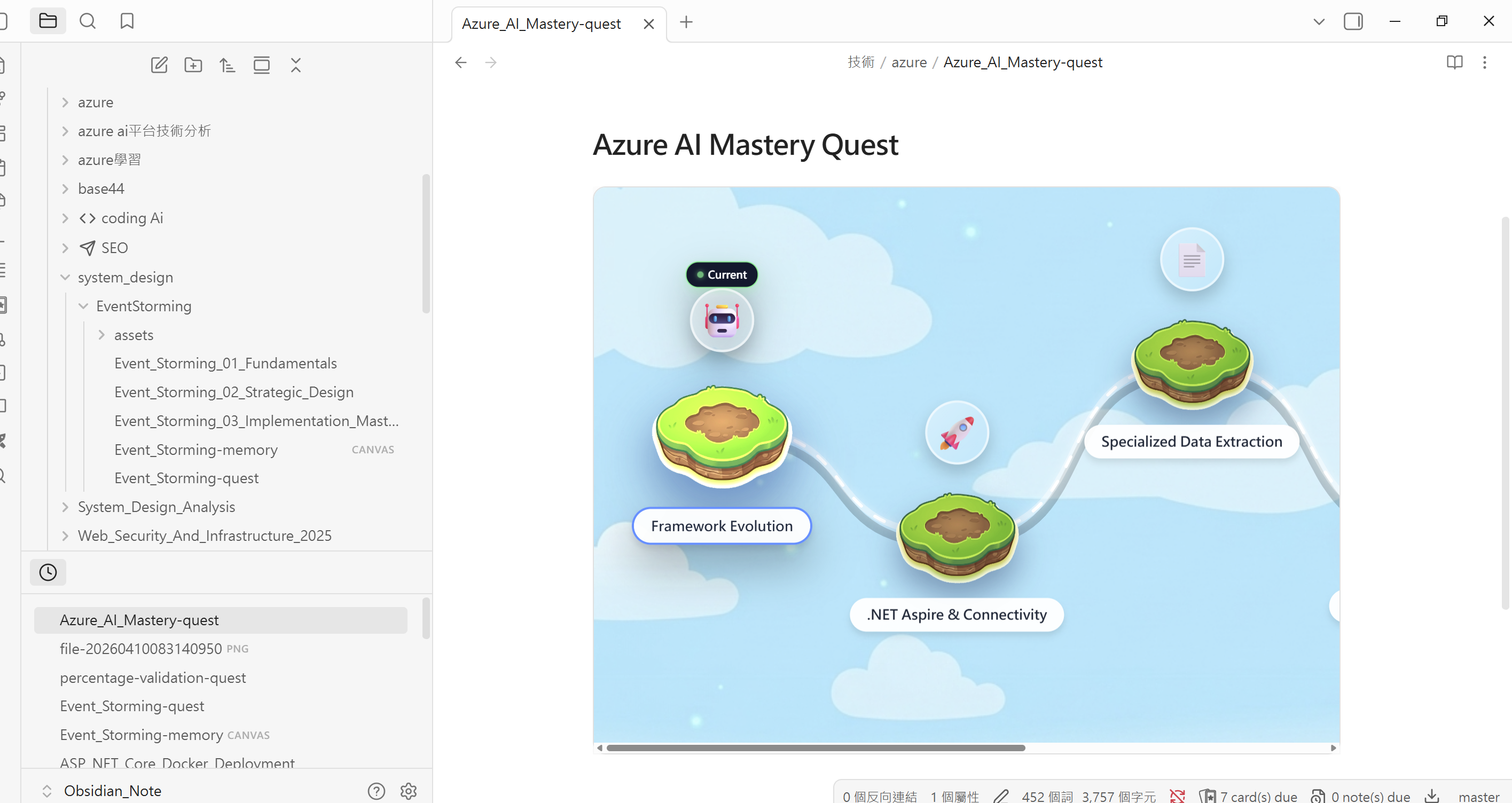
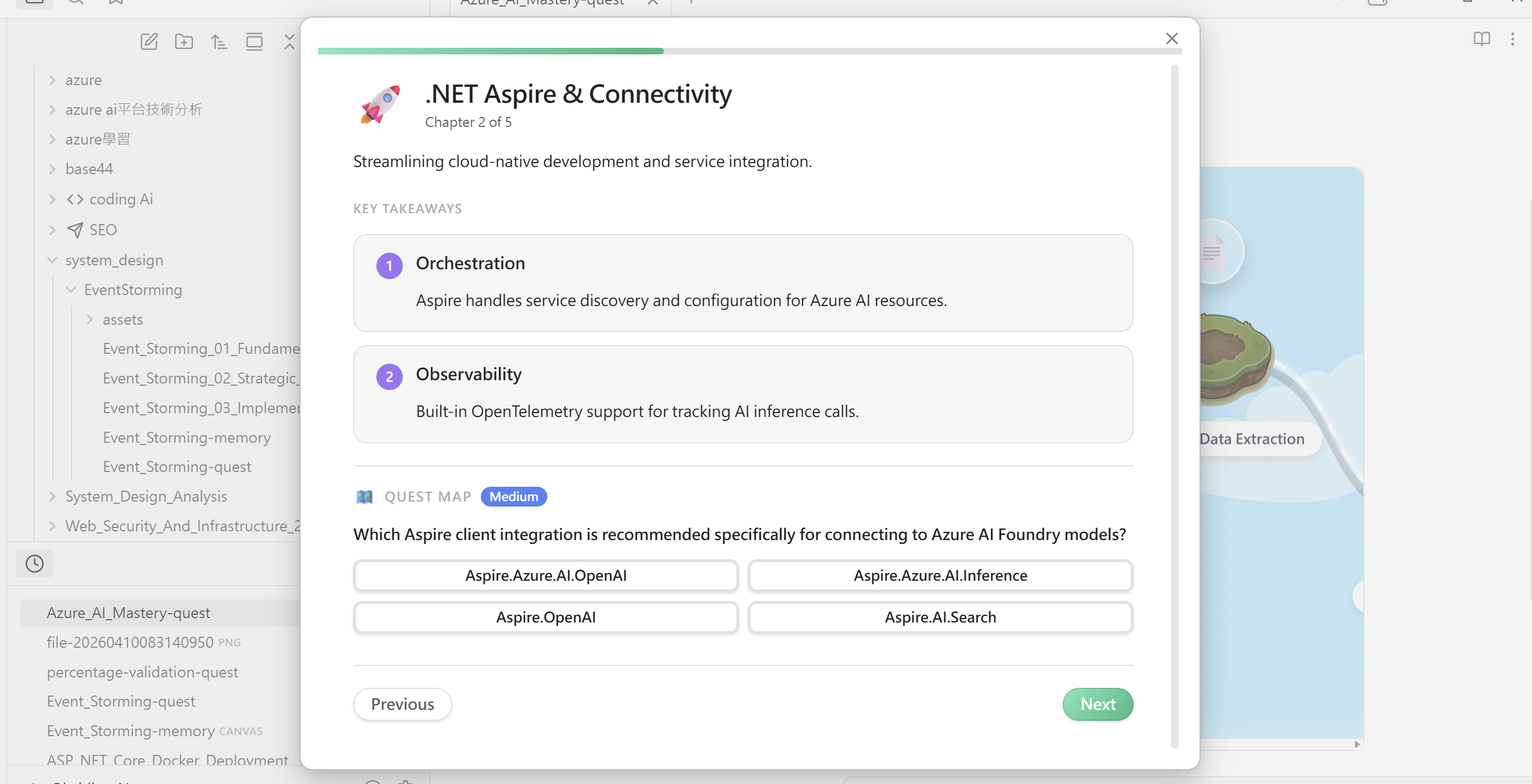
Transforms any note into a game-like island map, embedded directly in your vault as a `.md` file.
- **15 challenge types:** quiz, true/false, cloze, input, ordering, matching, countdown, snapshot, auction, timeline, chain, memory palace, image quiz, image occlusion, and iframe HTML simulations.
- **Persistent progress:** completed nodes, progress, and best scores are stored separately from quest YAML, so AI can update a quest without wiping your progress.
- **Difficulty tiers:** Easy / Medium / Hard — ask your AI for the level you need
- **5 visual themes:** Sky Island, Sci-Fi, RPG, Ocean, Minimal
- **Boss Battle** — a chapter mastery test at the end of each stage
### 🏆 Achievements
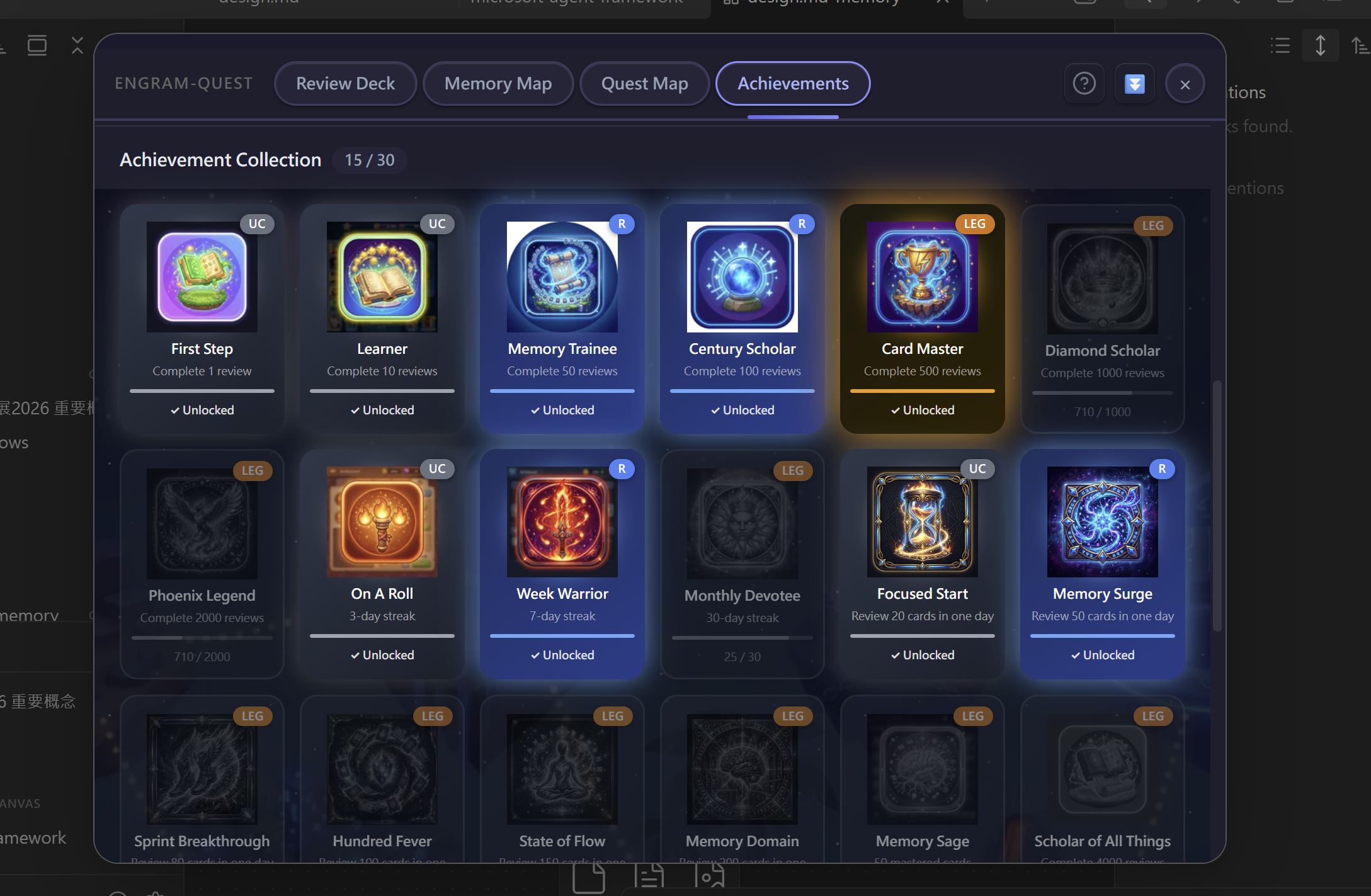
Track your learning milestones with 3D-rendered icons and rarity tiers.
- **10 milestones:** from your first card to 2,000 total reviews, 30-day streaks, 50 mastered cards, and more
- **Rarity tiers:** Uncommon (UC) → Rare (R) → Legendary (LEG) — rarer achievements glow with special borders
- Click any achievement card for your progress data, activity calendar, and daily review records
### 🧠 Memory Map — See the Big Picture
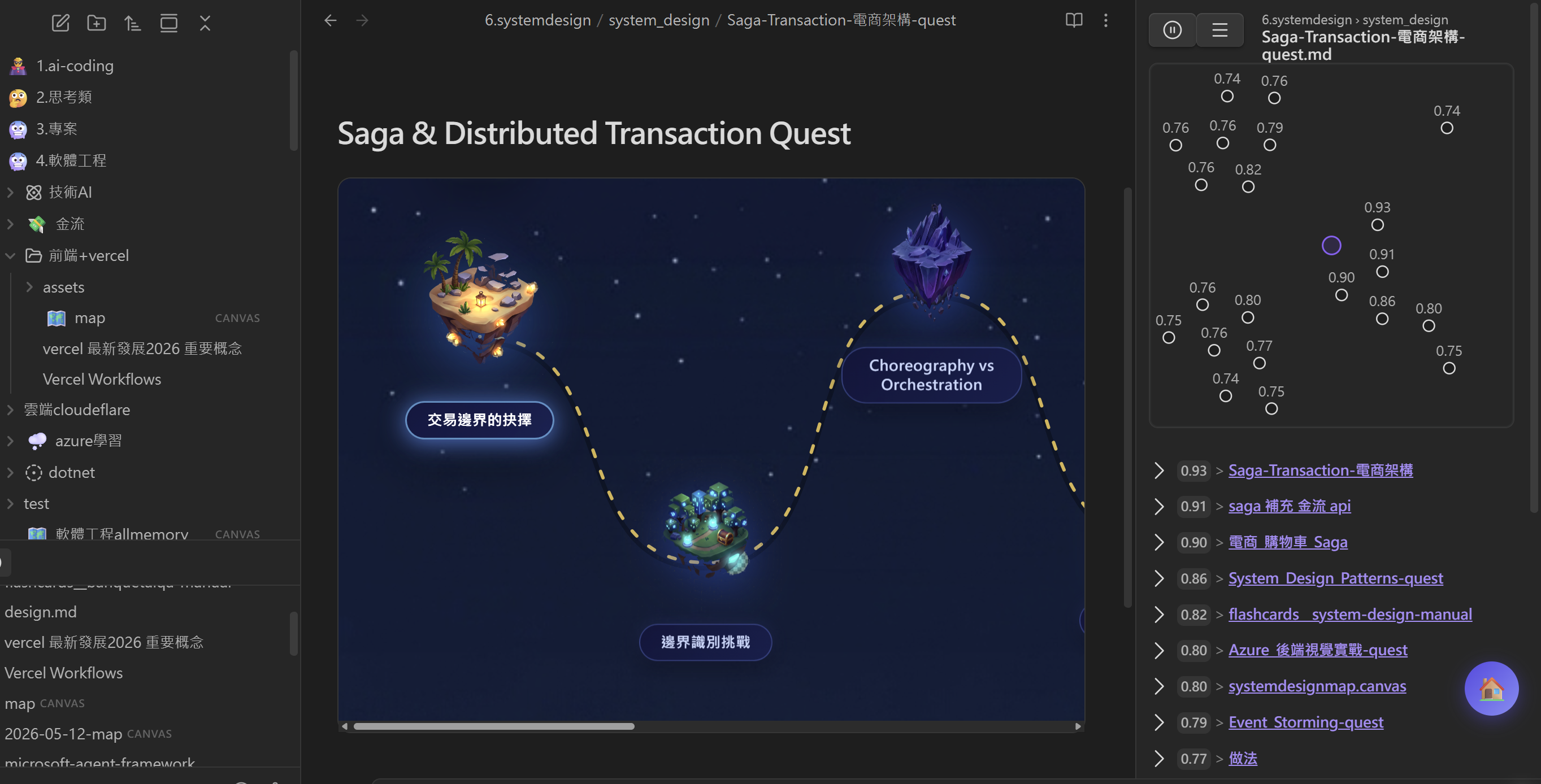
Visualizes abstract concepts using Obsidian Canvas.
- AI generates a visual knowledge graph — analogies, contrasts, and contextual anchoring make abstract topics stick
- Any file named `{note-name}-memory.canvas` is auto-detected in Hub → Memory Map
- During review, the Memory Map button finds and opens the matching canvas automatically
### 🌙 Dark Mode
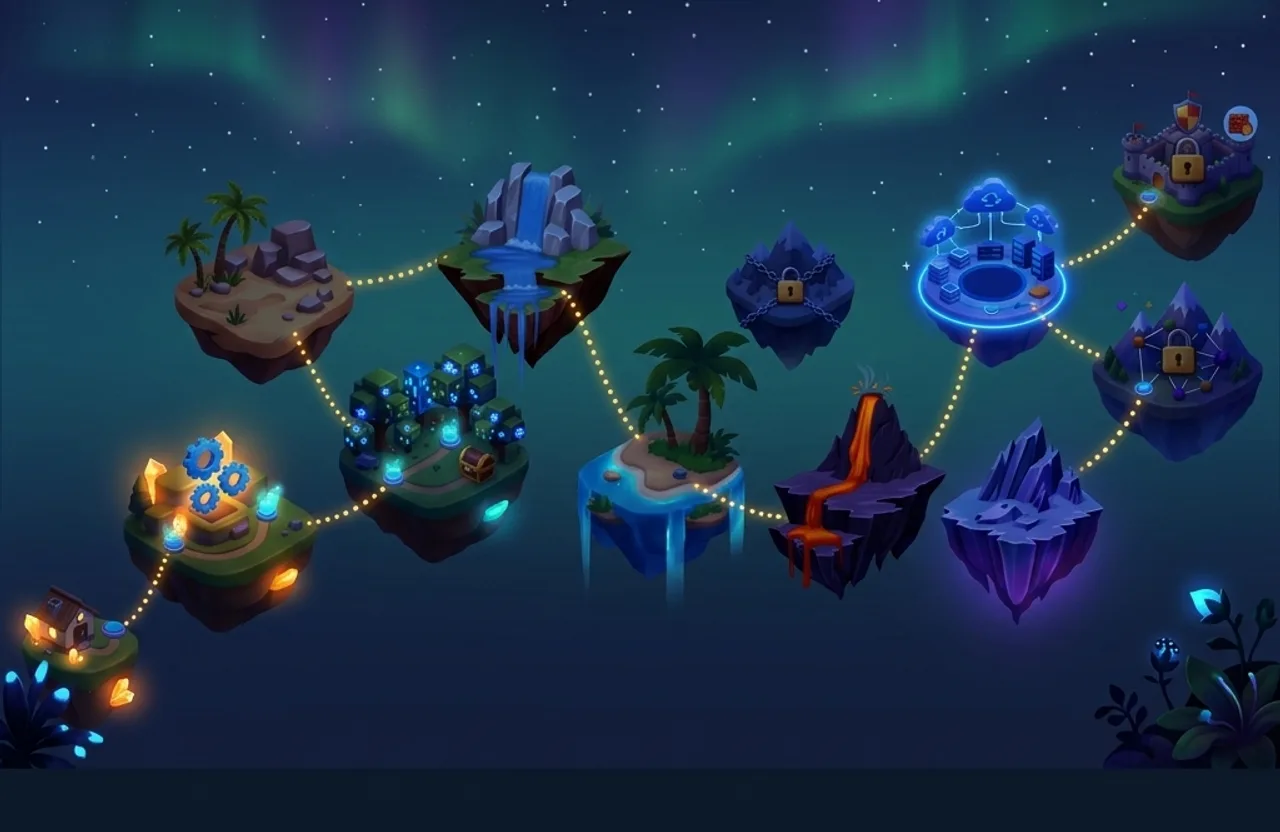
Seamless automatic theme detection — no manual toggle. Hub, review session, and achievements all switch between light and dark assets automatically.
---
## ⚡ Quick Start (AI Path)
1. **Install Plugin** — [Open directly in Obsidian](obsidian://show-plugin?id=engram-quest), search **EngramQuest** in Community Plugins, or download from [GitHub Releases](https://github.com/bahfahh/engram-quest/releases).
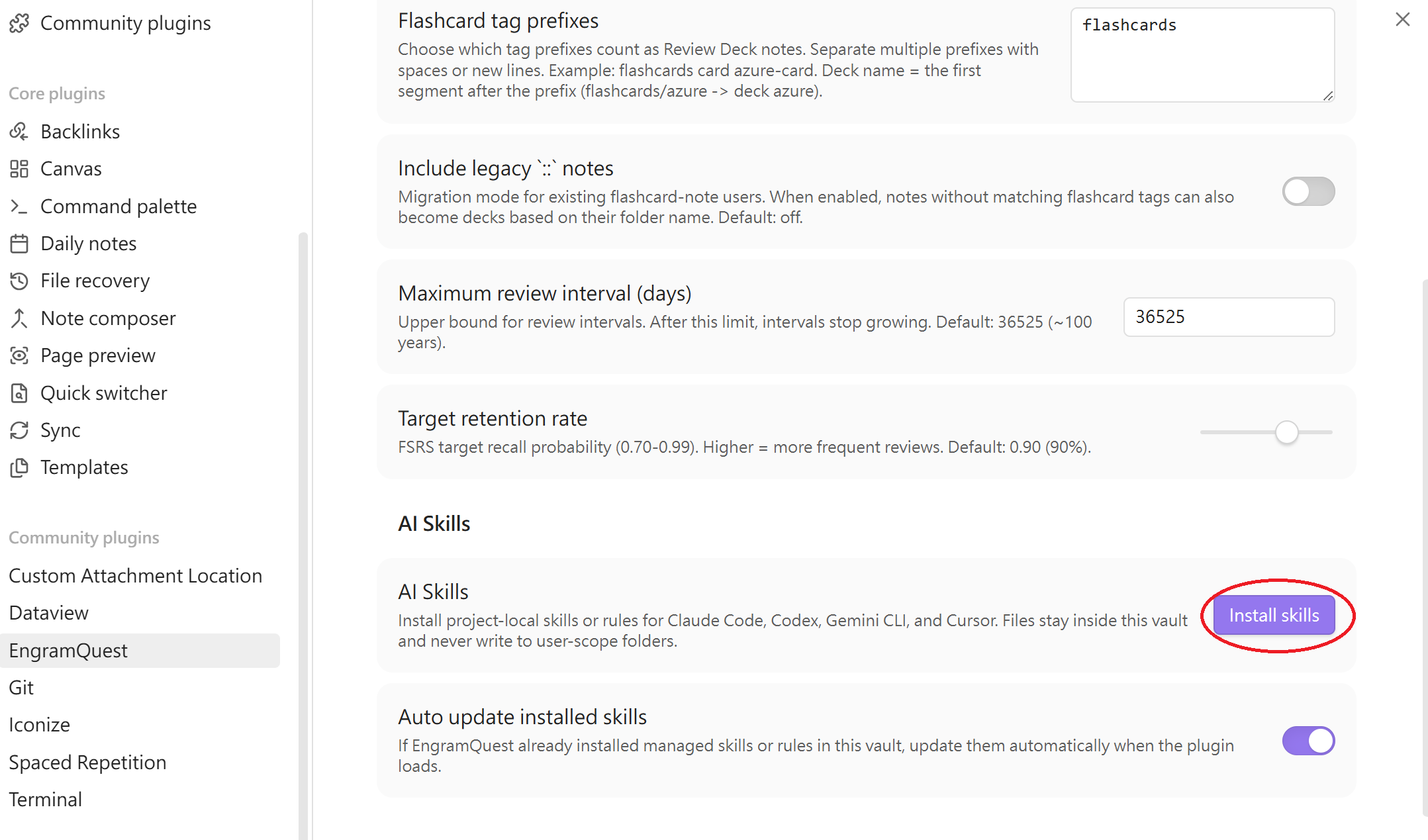
2. **Install Skills** — go to `Settings → EngramQuest → AI Skills` and click **Install** for your tool (Claude Code, Gemini CLI, Cursor, or Codex).
3. **Ask AI** — *"Turn `Note.md` into a quest-map medium"* or *"Build a review deck from notes tagged with math."*
4. **Open Hub** — click the EngramQuest ribbon icon, switch to the relevant tab, and start learning.
---
## ✍️ Write Cards Yourself (No AI Required)
Add a `#flashcards/topic` tag and pick a format. Three formats are freely mixable in one note:
| Format | Best for | Syntax |
|---|---|---|
| 🟢 `Q:/A:` Q&A ⭐ | **Recommended daily format.** Multi-line answers, images, tables, code blocks | `Q: question` → `A:` — two blank lines end the card |
| 🔵 `---` fenced Q&A | Existing notes where blank lines appear inside answers | Wrap `Q:/A:` with `---` lines |
| 🟡 `%%card%%` long answer | Pasted AI output that may contain its own `---` separators | Wrap one card between two `%%card%%` lines |
| 🧩 `{{c1::}}` Cloze | Fill-in-the-blank, Anki-compatible | `{{c1::answer}}` or `{{c1::answer::hint}}` |
| ⚪ `::` one-liner | Quick single-line Q&A only | `question :: answer` |
See card format examples
```
#flashcards/math
Q: What is a derivative?
A: The instantaneous rate of change of a function at a point.
Formally: lim(h→0) [f(x+h) − f(x)] / h
Q: What does this diagram show?
![[architecture.png]]
A: The architecture of a microservice system.
---
Q: What is Stripe's core model?
A: Stripe is essentially a Saga system.
It handles payment_intent state machine, retry / failure handling,
and fund consistency. You only receive the result.
---
%%card%%
Q: How should I explain agentic testing?
A:
Agentic testing checks whether an AI system can complete a task reliably.
---
This separator stays inside the answer.
%%card%%
{{c1::Calculus}} is built on limits, derivatives, and integrals.
Pythagorean theorem :: a² + b² = c²
```
> **Tip:** Press `Ctrl+/` (or `Cmd+/`) on an empty line — Obsidian inserts `%% %%` and places the cursor inside. Type `card` and you get `%%card%%` instantly.
---
## 🔬 Why It Works
EngramQuest is built on four pillars of cognitive science:
| Principle | Feature |
|---|---|
| Spaced Repetition | FSRS schedules reviews at the moment of near-forgetting |
| Retrieval Practice | L1 forces active recall before any hint is shown |
| Contextual Anchoring | L2 anchors each card to knowledge already in your vault |
| Elaborative Encoding | Memory Map builds visual structure for abstract concepts |
---
## ❓ FAQ
**Q: Do I have to use AI?**
No — many users don't. Write cards with `::`, `Q:/A:`, or `{{c1::}}`, add a `#flashcards/topic` tag, and the plugin picks them up automatically.
**Q: Where is my progress stored?**
Scheduling data lives in `engram-review/sr/` inside your vault as JSON files. AI-generated cards are in `engram-review/ai-cards/`. Neither touches your source notes.
**Q: Does EngramQuest support Anki?**
Partially. The `::` and `{{c1::}}` formats are Anki-compatible — pair them with the **Obsidian_to_Anki** community plugin. The `Q:/A:` format is EngramQuest-native (rich multi-line answers) and does not sync to Anki.
**Q: How do I make AI always follow a specific pattern when building decks?**
Mark key answers in your notes using `==highlight==` or `**bold**`, then add a rule to your AI config file (`CLAUDE.md`, `GEMINI.md`, or `AGENTS.md`):
> `IMPORTANT: When building a Review Deck, every highlighted ==text== must be turned into a review card.`
---
## ☕ Support
If EngramQuest is useful to you, consider supporting its development:
[](https://ko-fi.com/wen_aidev)
---
*Built for lifelong learners. Made with ❤️*