# Goko
### Your links, images, videos and PDFs, on one wall you can see
*Collect from any app, sort into grids and folders, and find anything again.
It all stays in your Obsidian vault as plain files, with its media on your own
disk.*
**goko** is how some Ukrainian dialects say *око*, “eye”. You save links,
images, videos and documents, and Goko lets you see them instead of reading a
list of names.
[](https://github.com/artem-levchenko-2/obsidian-goko/releases/latest)
[](https://github.com/artem-levchenko-2/obsidian-goko/releases)
[](https://obsidian.md)
[](#install)
[](LICENSE)
[](#install)
[](https://github.com/artem-levchenko-2/obsidian-goko/issues/new)
[](https://github.com/artem-levchenko-2/obsidian-goko/discussions)
[](CHANGELOG.md)
## Why
### Bookmarks keep the title. Goko keeps the picture.
Links rot, posts get deleted, and a folder of clippings is a list of names.
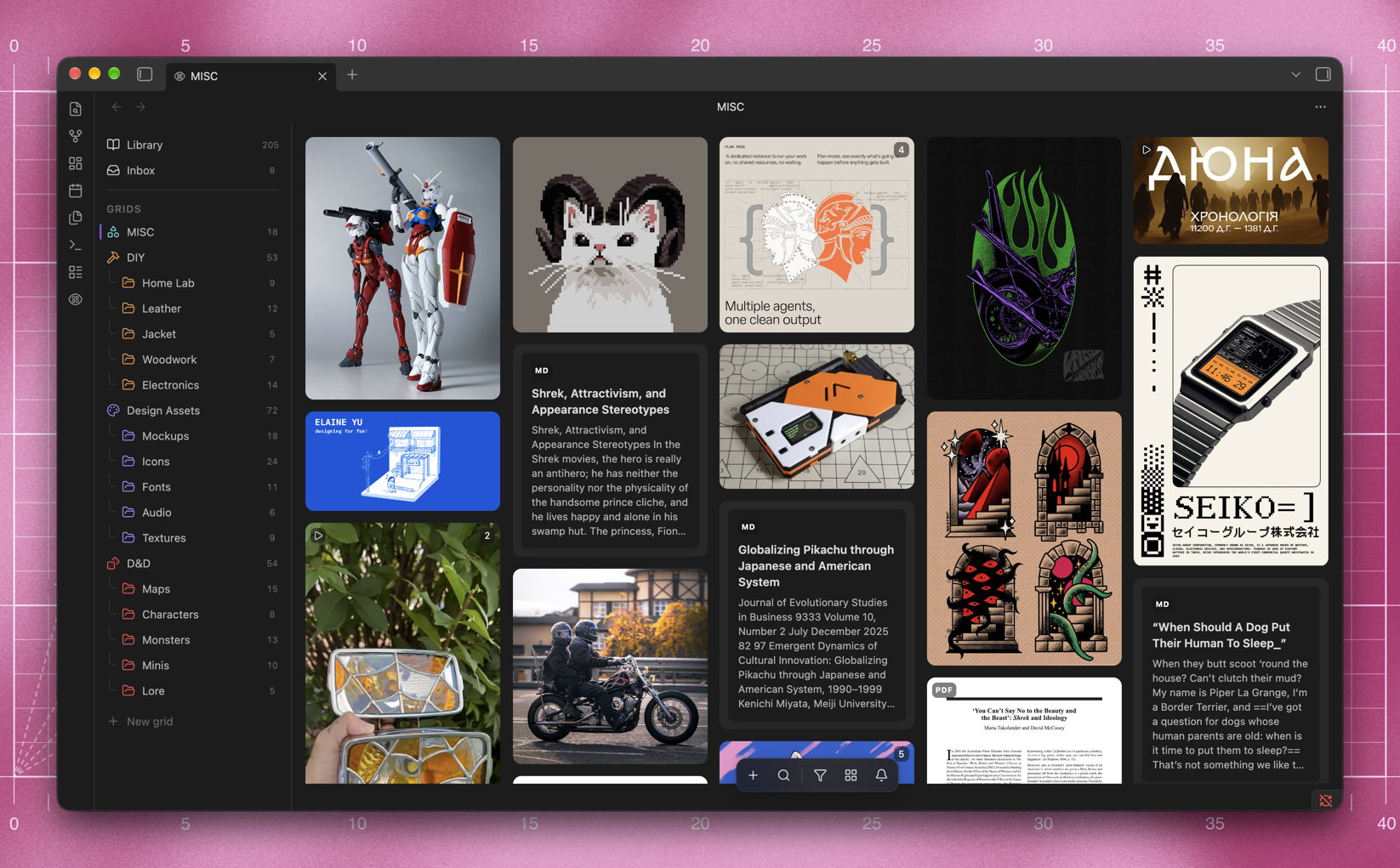
Goko puts everything you save on one wall, as the pictures and video you saved
it for, and copies them into your vault so they outlive the page.
- ✂️ **Clip from anywhere.** Paste a link, drop a file, or share from any
app on your phone. Posts from Instagram, X, Threads, Pinterest and YouTube
arrive with their pictures and video.
- 💾 **Keep it for good.** Every picture and video is downloaded into your
vault, so a deleted post or a dead link does not take the clipping with it.
- 🍱 **See it all at once.** A bento wall at each picture's own
proportions, sorted into grids and folders, filtered by any property, and
searchable by the words inside an article or a PDF.
- 📝 **Own every file.** Each clipping is a plain Markdown note in the vault
you already have. Goko writes its body once and after that edits only its
frontmatter.
Free and open source, for Obsidian on desktop and on your phone.
---
## Contents
- ⬇ [Install](#install)
- ✂️ [Clip anything](#clip-anything)
- 🍱 [The bento wall](#the-bento-wall)
- 🗂️ [Grids and folders](#grids-and-folders)
- 🔍 [Search](#search)
- 🤖 [AI, if you want it](#ai-if-you-want-it)
- 🛠️ [Optional tools](#optional-tools)
- 🔒 [Privacy](#privacy)
---
## Install
In Obsidian, open **Settings → Community plugins → Browse**, search for Goko,
then choose **Install** and **Enable**. It needs Obsidian 1.13 or newer, on
desktop or mobile.
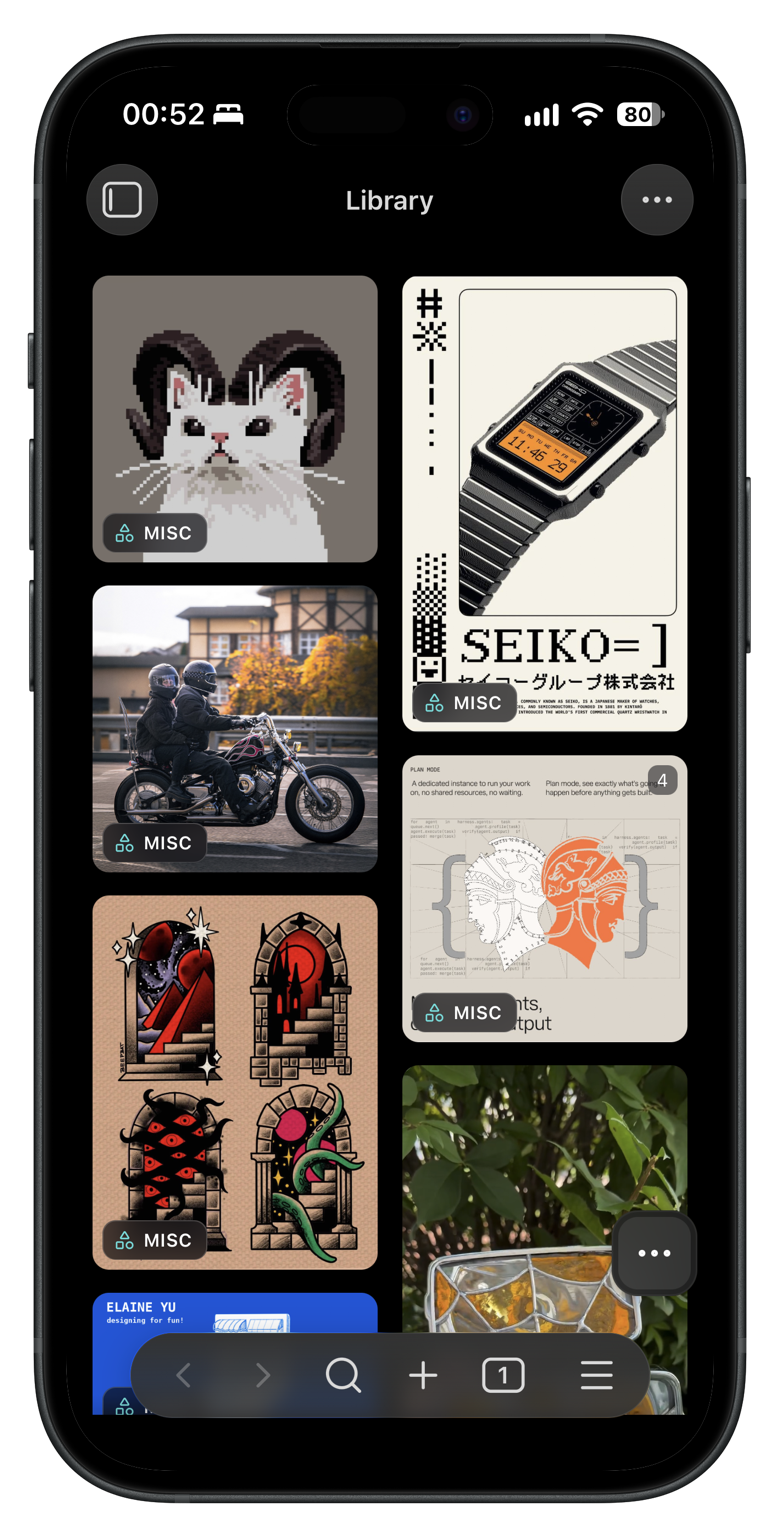 On a phone the same wall fits under a thumb, and the panel slides up from the
bottom.
On a phone the same wall fits under a thumb, and the panel slides up from the
bottom.