


English | 简体中文
--- **Ante Obsidian** is a desktop-only Obsidian plugin for Ante-powered Markdown workflows. It bridges note editing, diff review, interactive sidebars, and chat flows with a local agentic CLI, delivering an editorial, note-aware AI second brain. The repository is organized as a monorepo: - `packages/ante-obsidian-plugin` — The core Obsidian plugin. - `packages/ante-sdk` — The reusable TypeScript SDK for programmatically spawning and interacting with the Ante CLI. --- ## About Ante **Ante** is a lightweight, local-first AI agent runtime built in Rust (~15MB binary, zero dependencies). It supports 12+ providers (Anthropic, OpenAI, Gemini, etc.) and runs completely offline with local GGUF models. **Learn more:** - 📖 [Ante Documentation](https://docs.antigma.ai) - 🔗 [Ante GitHub Repository](https://github.com/AntigmaLabs/ante-preview) - 📋 [Ante Changelog & Features](https://github.com/AntigmaLabs/ante-preview/releases) --- ## 🚀 Quick Start ### 0. For AI Agents (Automated Installation) ```bash # Step 1: Get vault path (ask user or find from Obsidian config) VAULT_PATH=$(osascript -e 'tell application "Obsidian" to return path of front window' 2>/dev/null || echo "") # Step 2: If vault path not found, ask user to provide it if [ -z "$VAULT_PATH" ]; then read -p "Enter your Obsidian vault path: " VAULT_PATH fi # Step 3: Run installation script curl -sS https://raw.githubusercontent.com/AntigmaLabs/ante-obsidian/main/scripts/install.sh | bash -s -- "$VAULT_PATH" ``` ### 1. Install or Update the Plugin You can install the plugin via the official Obsidian Community Plugins catalog (once approved). For manual installs, use the automated installer script below inside your terminal. Running it again updates an existing manual install in the same vault: ```bash curl -sS https://raw.githubusercontent.com/AntigmaLabs/ante-obsidian/main/scripts/install.sh | bash -s -- /path/to/your/vault ``` Replace `/path/to/your/vault` with your actual Obsidian vault path (same as Step 1 above). > [!NOTE] > For manual extraction zip files or detailed developer compilation instructions, please refer to [INSTALL.md](./doc/INSTALL.md). ### 2. Auto-Setup CLI The plugin runs completely locally and relies on the `ante` CLI. Setup is fully automated after enabling the plugin: 1. Open **Obsidian Settings** -> **Ante Obsidian**. 2. Under the **Runtime** settings panel, click **Install** to set up the local `ante` CLI automatically. 3. Configure your preferred provider (Gemini, Anthropic, or OpenAI) and verify your key configurations. --- ## ✨ Features - **⚡ Inline Triggers**: Run document operations directly in Markdown by typing `@ante` and pressing `Enter`. - **📋 Context Menu Presets**: Quick-access actions like `@ante research`, `@ante plan`, and `@ante summary` from the editor context menu. - **💬 Chat with Ante**: A note-aware, multi-turn conversation panel focused on reading, editing, and diff-checking with context. - **🛠️ Preset Customization**: Create, reorder, or hide prompts using drag-and-drop right inside Obsidian settings. ### Feature Demonstrations **Inline Triggers** 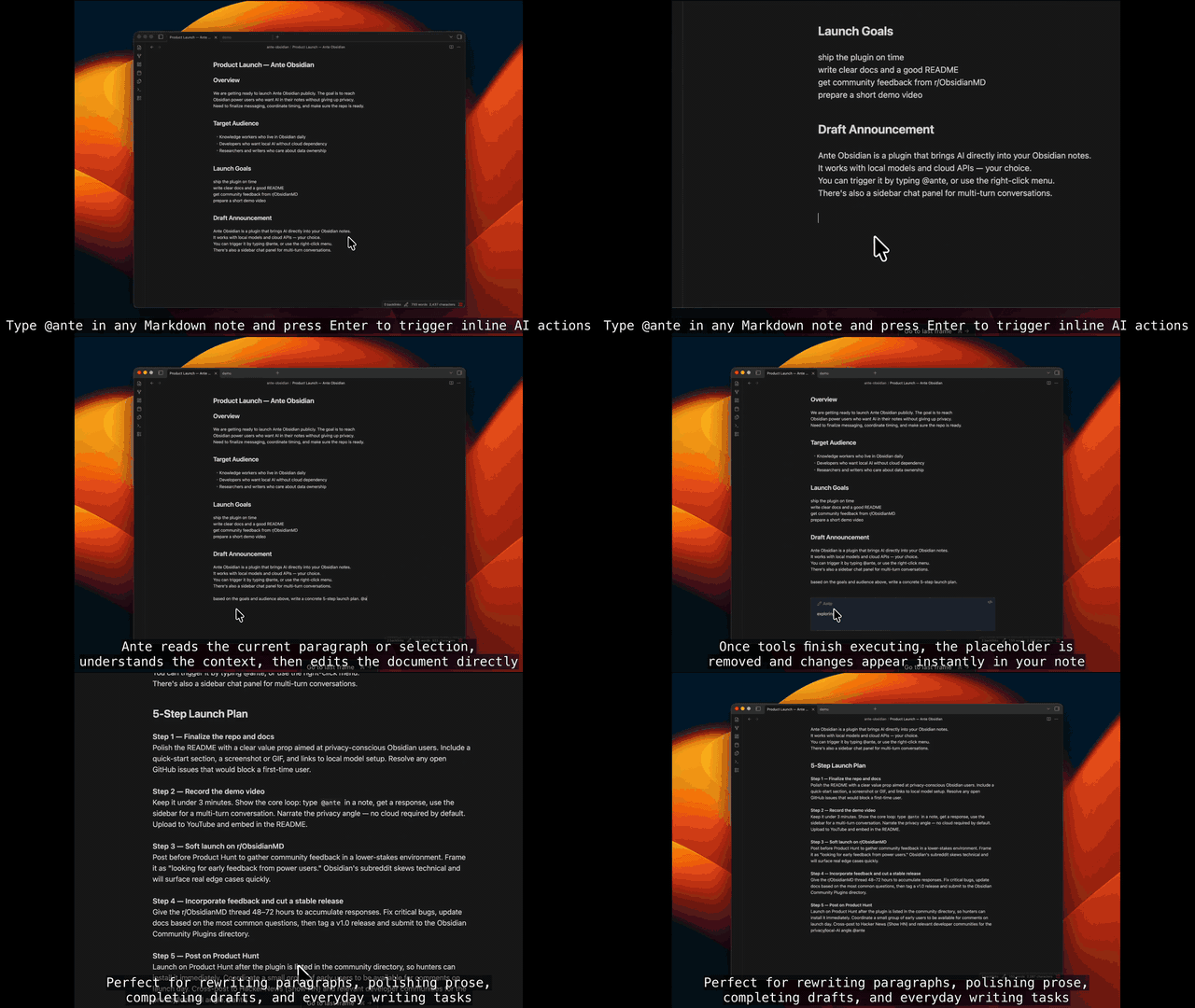 **Context Menu** 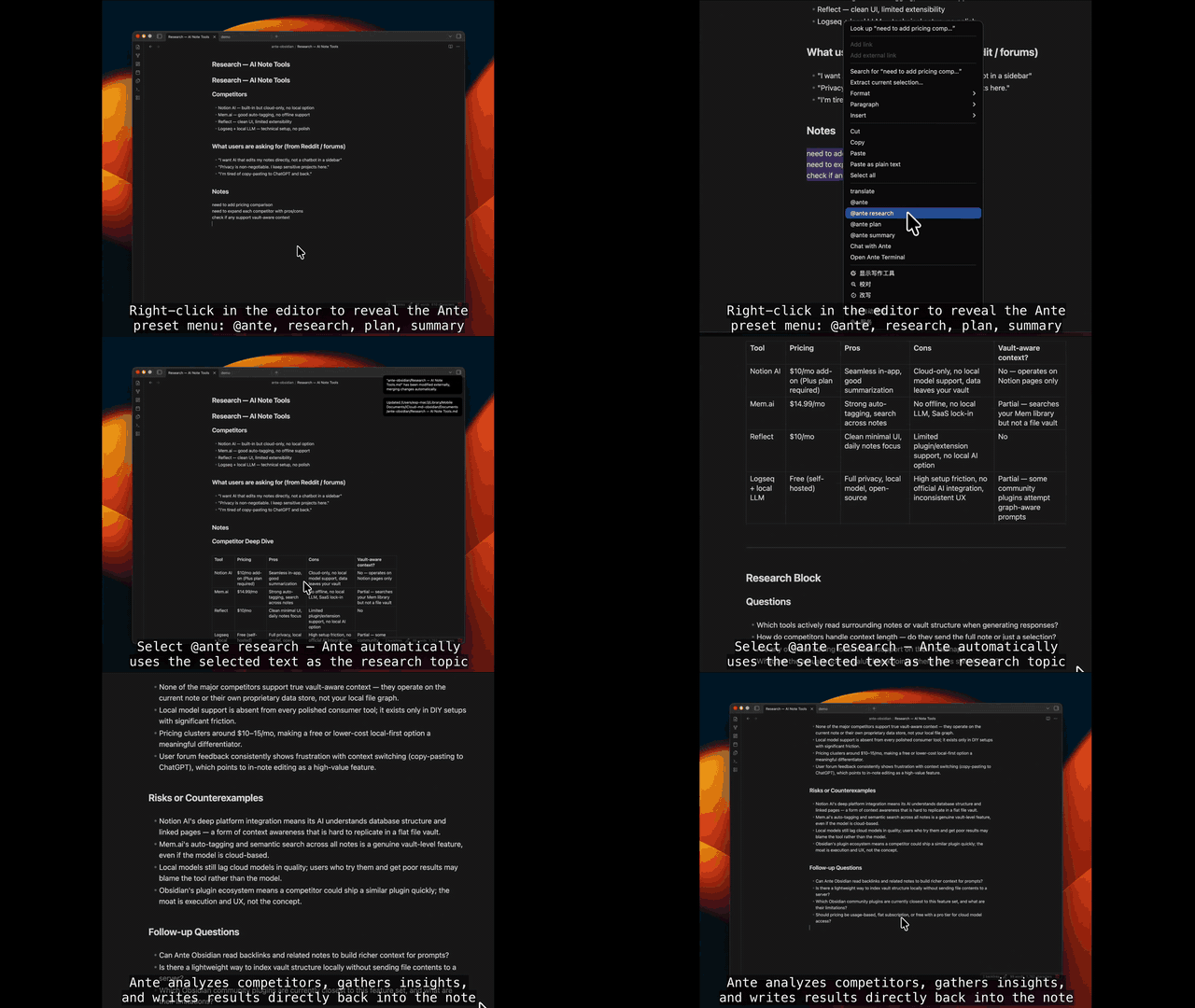 **Chat with Ante** 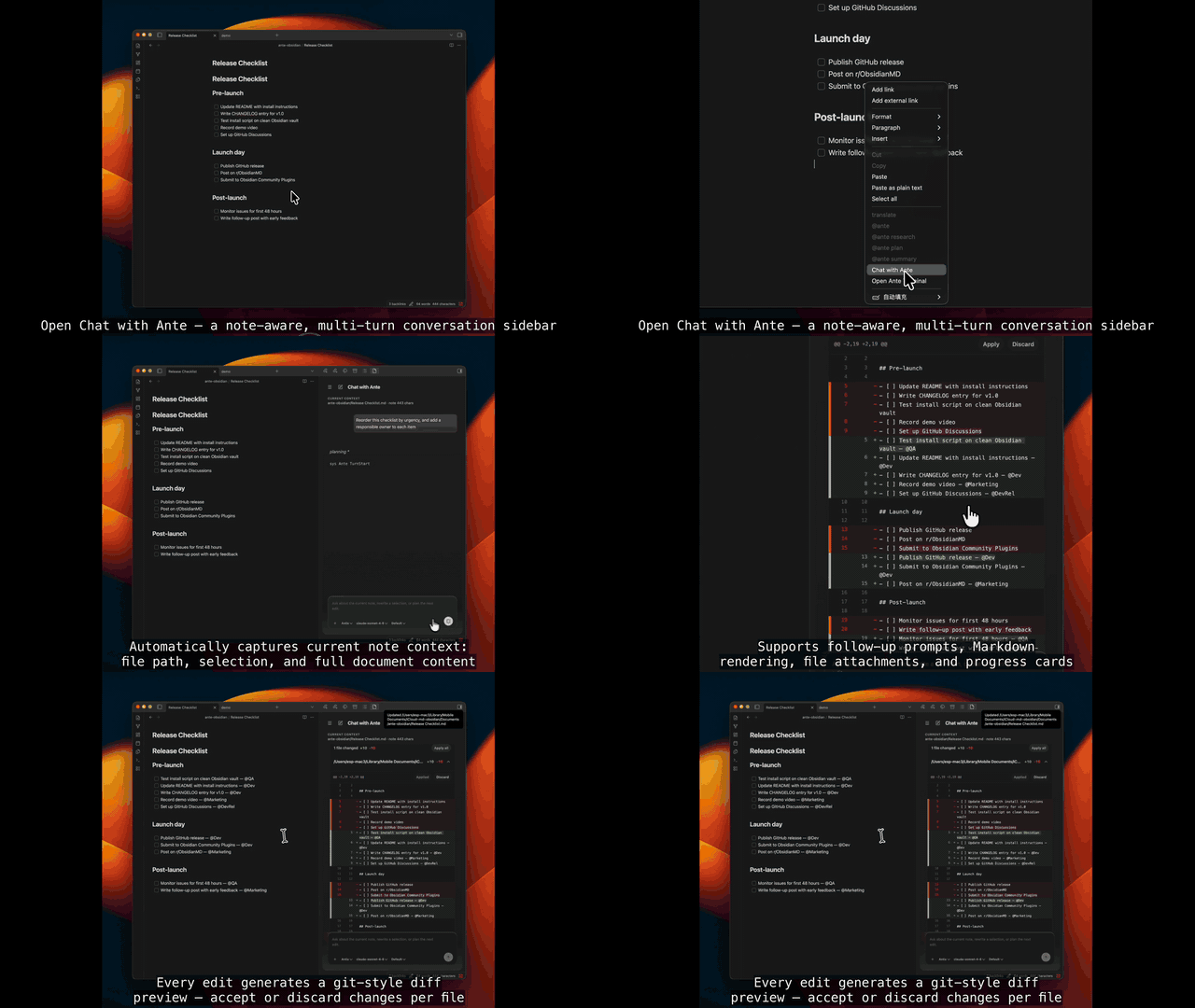 --- ## ⚙️ How It Works (Architecture) Ante Obsidian leverages a lightweight, local-first agent architecture. It streams protocol messages directly over standard input/output (`stdin/stdout`) without needing PTY or heavy terminal emulation, ensuring maximum performance and complete privacy. The plugin is desktop-only because it launches the local Ante CLI and reads local Ante defaults from `~/.ante/settings.json`. Vault content is read and written through the Obsidian Vault API; temporary filesystem reads are limited to staged diff previews created by the plugin. Clipboard access is write-only and only happens after the user clicks a copy action. ```mermaid graph TD Obsidian[Obsidian Editor UI] <-->|Inline Edits / Context Menu / Sidebar Chat| Plugin[Ante Obsidian Plugin] Plugin <-->|Protocol Messages / Sessions| SDK["@antigma/ante-sdk"] SDK <-->|Spawn stdio process| Runtime["Local Ante CLIMade with ❤️ by Antigma Labs