# Obsidian Big Characters
An Obsidian plugin for styling Chinese (Simplified and Traditional), Korean, and Japanese text, with optional automatic ruby pronunciation annotations.
Use `...` for Chinese characters without pinyin, such as a flashcard front side. This supports Simplified and Traditional Chinese.
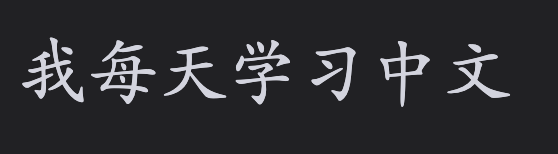
For Korean characters use `...`.
When pinyin should be shown, use `...`. Traditional Chinese uses Pinyin Pro’s Traditional dictionary for contextual pronunciation (for example, `轉盤` → `zhuàn pán`).
Korean characters with pronunciation use `...`. Korean romanization follows pronunciation rules, so `같이` becomes `gachi` and `백마` becomes `baengma`.
Japanese has three modes:
- `...` styles text without pronunciation.
- `...` adds local Hepburn romaji above every Japanese token, including kana. For example, `座って` becomes `suwatte`.
- `...` adds hiragana only above kanji. In `食べる`, only `食` receives `た`; the okurigana remains ordinary text.
Japanese readings use the local IPADIC dictionary in `japanese-dictionary/`, separate from `main.js` so Obsidian does not read or parse dictionary data at startup. The dictionary is read only when a romaji or furigana marker is rendered, and makes no network requests.
To install manually, run `npm ci` and `npm run build`, then copy `main.js`, `manifest.json`, `styles.css`, `THIRD_PARTY_NOTICES.md`, and the entire `japanese-dictionary/` folder into your vault’s `.obsidian/plugins/big-characters/` folder. Keep the dictionary folder when copying or syncing the plugin to another device.
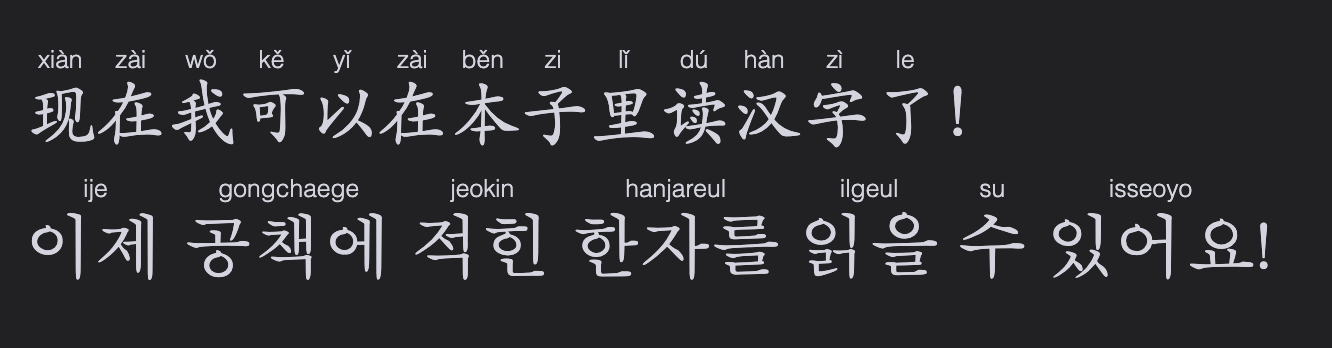
Fenced blocks work too: use `zh-cn` / `zh-cn-pinyin` for Chinese, `ko-kr` / `ko-kr-rom` for Korean, and `ja-jp` / `ja-jp-romaji` / `ja-jp-furigana` for Japanese.
````markdown
```zh-cn
你好,世界!
```
```zh-cn-pinyin
我喜欢学习中文。
```
```ko-kr
안녕하세요.
```
```ko-kr-rom
같이 먹어요.
```
```ja-jp
日本語を勉強します。
```
```ja-jp-romaji
座ってください。
```
```ja-jp-furigana
日本語を勉強します。
```
````
All markers support bold and italic text.

## Hotkeys
Assign shortcuts in Obsidian Settings → Hotkeys.
Use `Big Characters: Toggle selection as ...` to add or remove plain markers. The corresponding pinyin, romanization, romaji, and furigana commands are separate hotkey entries.
## Settings
The plugin’s settings let you independently toggle pronunciations in Live Preview and Reading View for every annotated mode, and change the shared character and pronunciation size/font. Restore defaults if custom values go too far.
## Roadmap
- [x] Support Traditional Chinese
- [x] Support Korean
- [x] Support Japanese
- [x] Support romaji
- [x] Support furigana
- [ ] Support Cantonese
Third-party license notices are listed in [THIRD_PARTY_NOTICES.md](THIRD_PARTY_NOTICES.md).