YOLO
You Orchestrate, LLM Operates.
Agent-native AI assistant for Obsidian — chat, write, knowledge base, and orchestration, all in one place.


English | 简体中文 | Italiano
## Highlights
### 🤖 Agent Mode
YOLO's Agent mode lets LLMs go beyond just "Q&A machines" — they can actually operate on your Vault.
| Tool Calling + MCP | Custom Skills |
|:--:|:--:|
| 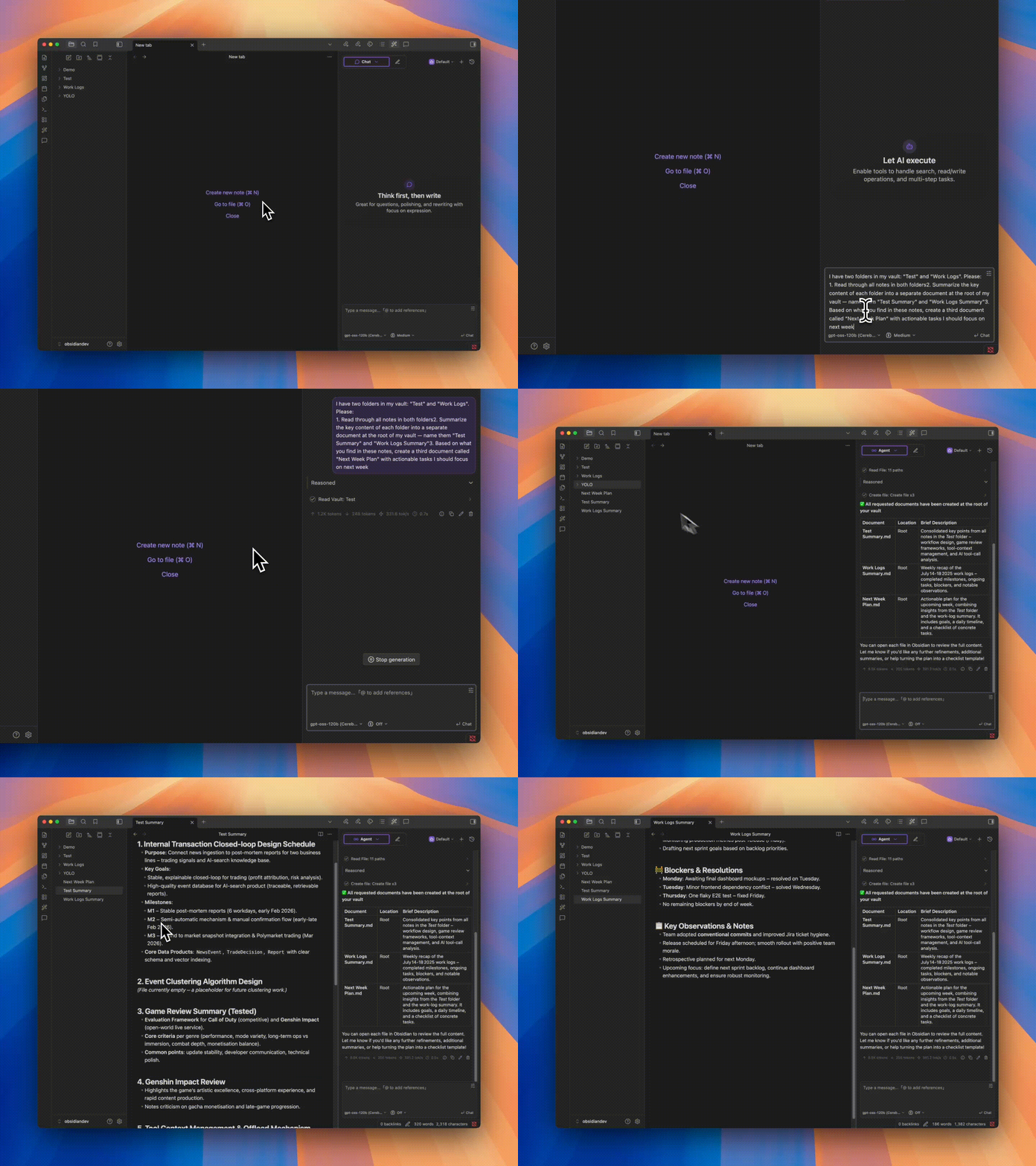 | 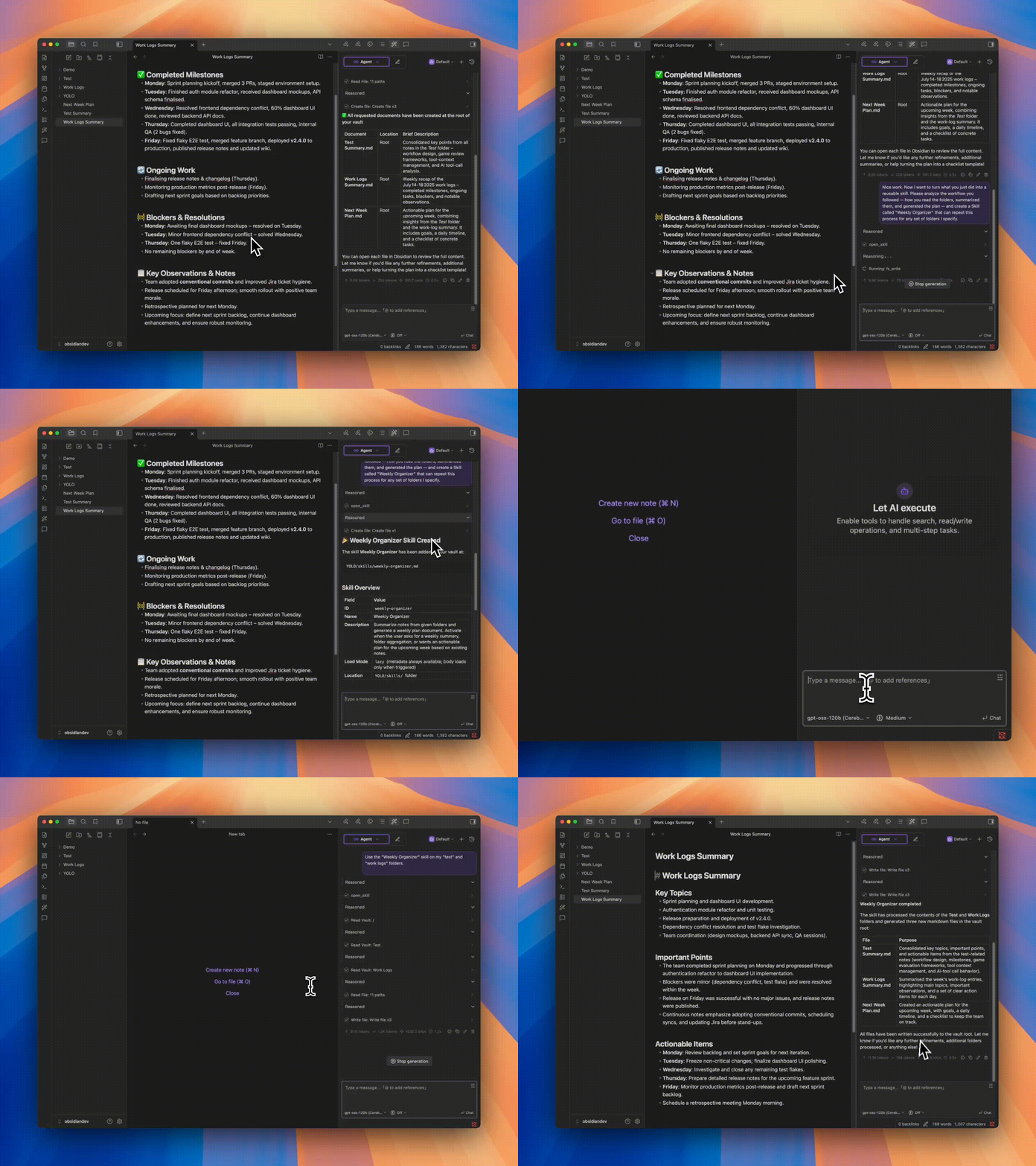 |
| Freely configure toolchains so Agents can read, write, edit, and organize your files directly | Encapsulate experience and SOPs into reusable skills, invoke with a single sentence — let the Agent work your way |
### 🧠 Knowledge Base Q&A + ✍️ Smart Space & Quick Ask
| Knowledge Base Q&A | Smart Space | Quick Ask |
|:--:|:--:|:--:|
| 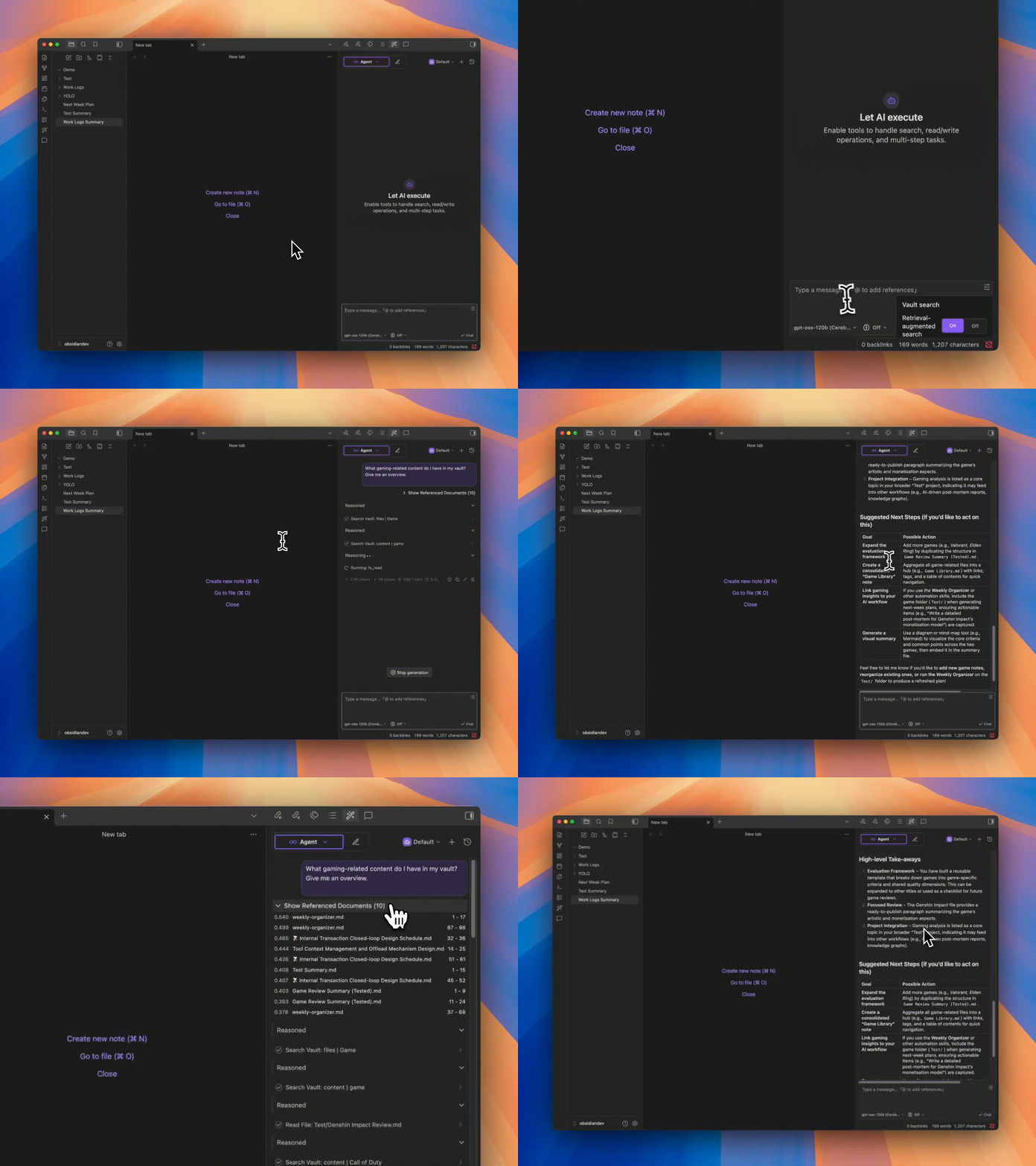 | 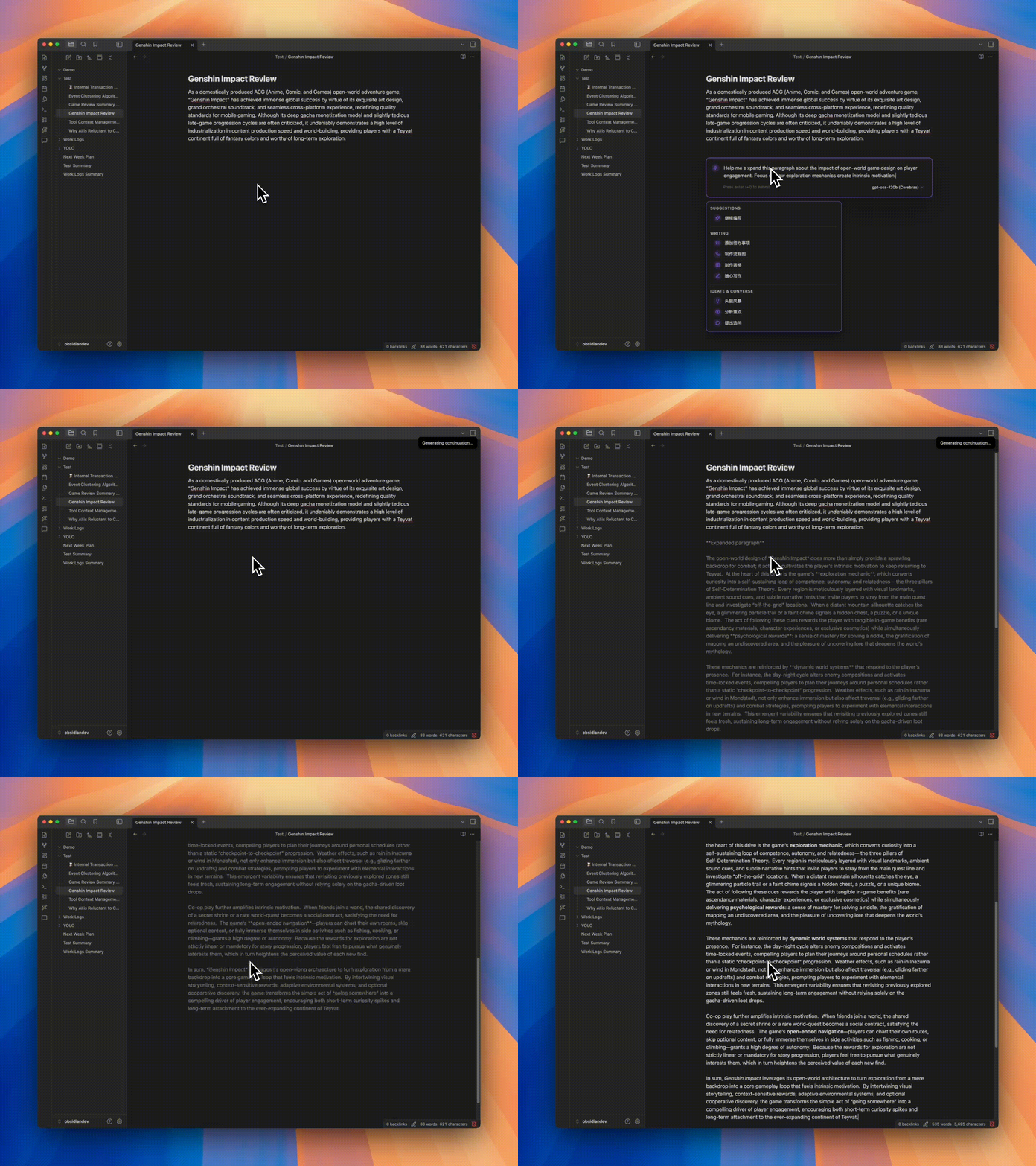 | 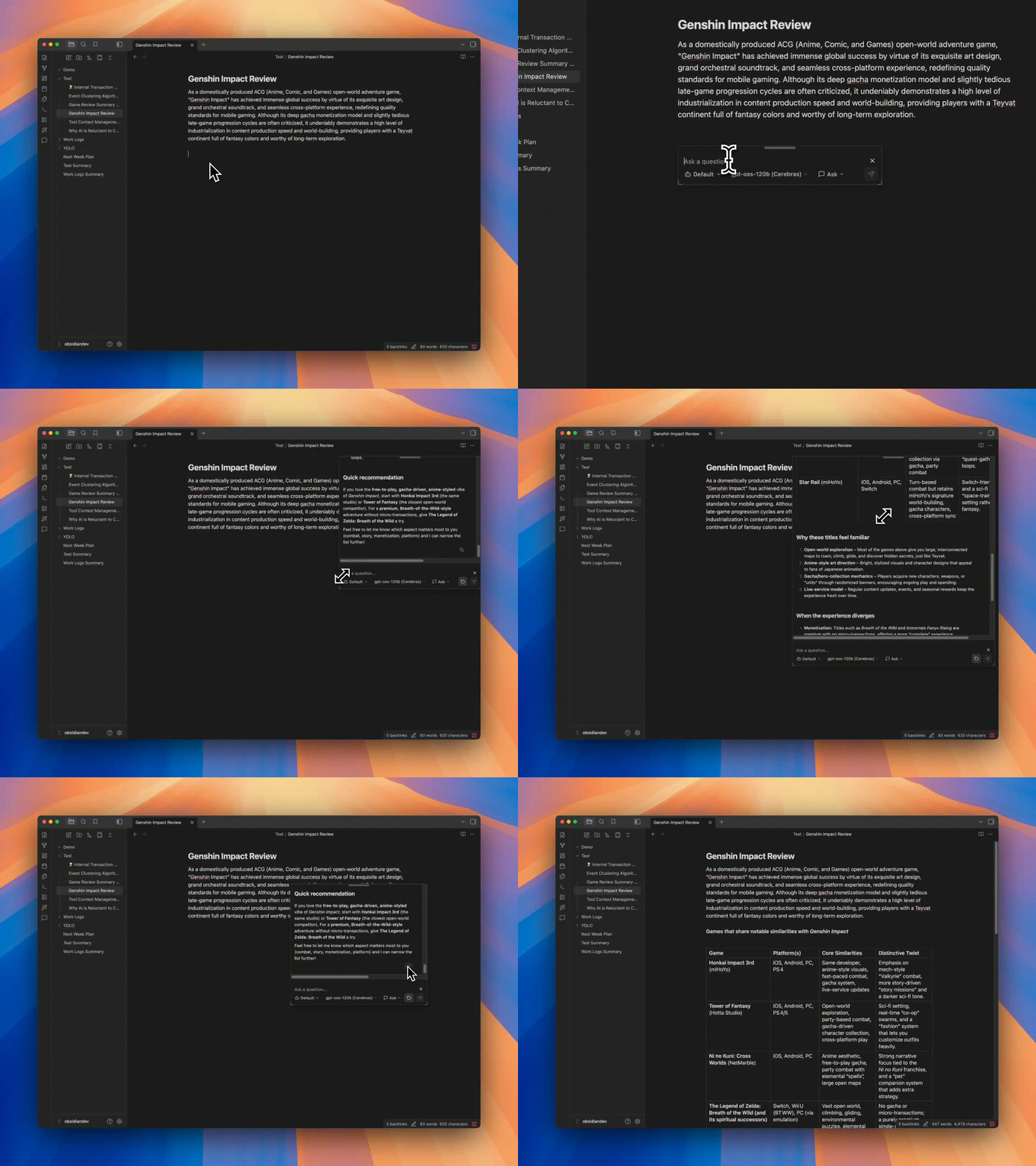 |
| Turn your entire Vault into the AI's knowledge base, powered by RAG to answer with context from your notes instead of generic output | Summon anywhere to freely continue your creative flow with smooth content generation | Trigger with a character (default `@`) to open an inline assistant for Q&A, editing, and continuation, making document editing seamless |
## Features
Beyond the core capabilities above, YOLO also provides:
| Feature | Description |
|---------|-------------|
| 💬 Sidebar Chat | Seamless LLM conversation with context injection, preset prompts, Markdown smart parsing |
| 🪡 Cursor Chat | One-click context addition, conversation at your fingertips |
| ⌨️ Tab Completion | Real-time AI-powered completion for smoother, more natural writing |
| 🎛️ Multi-Model Support | OpenAI, Claude, Gemini, DeepSeek and other mainstream models, freely switch |
| 🌍 i18n | Native multi-language support |
| 🧩 Experimental Features | Learning Mode, sub-Agents, explore personalized workflows |
## Quick Start
1. Open Obsidian Settings → Community Plugins → Browse → Search **"YOLO"**
2. Install and enable
3. Configure your API key in plugin settings:
- [OpenAI](https://platform.openai.com/api-keys) / [Anthropic](https://console.anthropic.com/settings/keys) / [Gemini](https://aistudio.google.com/apikey) / [Groq](https://console.groq.com/keys)
4. Open the sidebar to start chatting — or try Quick Ask by typing `@` in the editor
## Installation
### Community Plugin Store (Recommended)
See Quick Start above.
### Manual Installation
1. Go to [Releases](https://github.com/Lapis0x0/obsidian-yolo/releases) and download the latest `main.js`, `manifest.json`, `styles.css`
2. Create folder: `/.obsidian/plugins/obsidian-yolo/`
3. Copy files to that folder, then enable the plugin in Obsidian Settings
> [!WARNING]
> YOLO cannot coexist with [Smart Composer](https://github.com/glowingjade/obsidian-smart-composer). Please disable or uninstall Smart Composer before using YOLO.
## Roadmap
- [ ] Better and stronger Vault AI search
- [ ] Background Agent (long-running task automation)
- [ ] Cron scheduled tasks
- [ ] Multi-Agent orchestration
- [ ] Learning Mode
- [ ] Better AI whiteboard
## Contributing
All forms of contribution are welcome — bug reports, documentation improvements, feature enhancements.
**Please open an issue first to discuss feasibility and implementation for major features.**
## Acknowledgments
Thanks to [Smart Composer](https://github.com/glowingjade/obsidian-smart-composer) for the original work — without them, there would be no YOLO.
Special thanks to [Kilo Code](https://kilo.ai) for their sponsorship. Kilo is an open-source AI coding assistant platform with 500+ AI models, helping developers build and iterate faster.

## Support
If you find YOLO valuable, consider supporting the project:


Development logs are regularly updated on the [blog](https://www.lapis.cafe).
## License
[MIT License](LICENSE)
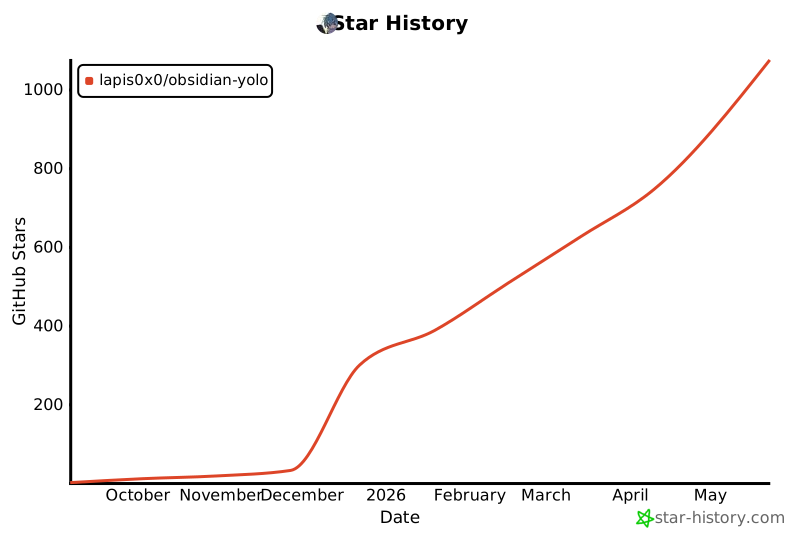
## Star History
[](https://star-history.com/#Lapis0x0/obsidian-yolo&Type=Date)
